
10 Best GPU Risers for Vertical Mounting (October 2026) Reviewed
A vertical GPU mount looks simple. A bracket screws to the case, the card hangs upright against the tempered glass, and the PCIe slot ends up pointing at the side panel instead of the floor of the chassis. What makes it complicated is the cable hidden behind the card. That single cable decides whether your build posts clean benchmark numbers or lands in a boot loop, and choosing the wrong one is the number one reason the best GPU risers for vertical mounting get a bad name.
We spent weeks cycling ten of the most-reviewed risers and vertical kits through a mid-tower ATX case and a compact mATX chassis, watching for the things that actually break: black screens, WHEA errors, and cables that have to be folded twice to reach. What follows is the list we would build from today, plus the install and BIOS steps that fix the failure modes that show up on forum threads every single week.
Contents
If you want the broader picture first, our companion piece on PCIe riser cables for vertical GPU mounting goes deeper on shielding and signal integrity. This guide stays focused on which specific riser to buy for your case and card.
Top 3 GPU Risers for Vertical Mounting in 2026
These three cover the most common situations: a universal kit for ATX cases, a warranty-backed steel mount, and a premium 4-slot kit for thick flagships.

Cooler Master Vertical GPU Holder Kit V3
- Toolless 65mm horizontal and 30mm panel adjustment
- PCIe 4.0 riser backward compatible with Gen 5
- Removable M-ATX bracket
- Handles modern 3-slot GPUs

NZXT Vertical GPU Mounting Kit
- 175mm PCIe 4.0 x16 riser cable
- Thick powder-coated steel bracket
- Two-year manufacturer warranty
- AIO clearance in H7 cases

LIAN LI 4 Slots Vertical GPU Kit VG4v4
- Supports GPUs up to four slots thick
- 200mm PCIe 5.0 x16 riser
- Anti-sag arm rated to 10kg
- Three height levels and tilt positions
As an Amazon Associate we earn from qualifying purchases. CERTAIN CONTENT THAT APPEARS ON THIS SITE COMES FROM AMAZON. THIS CONTENT IS PROVIDED 'AS IS' AND IS SUBJECT TO CHANGE OR REMOVAL AT ANY TIME.
Best GPU Risers for Vertical Mounting (October 2026)
Every pick below, with the cable length, PCIe generation and case requirements that decide whether it fits your build. Full spec breakdowns follow each review.
| Product | Features | |
|---|---|---|
| Cooler Master Vertical GPU Card Holder Kit V3 |
|
Check Latest Price |
| NZXT Vertical GPU Mounting Kit |
|
Check Latest Price |
| LIAN LI 4 Slots Vertical GPU Kit VG4v4 |
|
Check Latest Price |
 LINKUP PCIe 5.0 Riser Cable 20cm LINKUP PCIe 5.0 Riser Cable 20cm |
|
Check Latest Price |
 GLOTRENDS 200mm PCIe 5.0 Riser Cable GLOTRENDS 200mm PCIe 5.0 Riser Cable |
|
Check Latest Price |
 TRYX String PCIe 5.0 Riser Cable TRYX String PCIe 5.0 Riser Cable |
|
Check Latest Price |
 ConnBull PCIe 5.0 Riser and 3-Slot Bracket Kit ConnBull PCIe 5.0 Riser and 3-Slot Bracket Kit |
|
Check Latest Price |
 EZDIY-FAB Shield Vertical GPU Mount EZDIY-FAB Shield Vertical GPU Mount |
|
Check Latest Price |
 Phanteks Gen4 Vertical GPU Bracket Phanteks Gen4 Vertical GPU Bracket |
|
Check Latest Price |
 GLOTRENDS PCIe 4.0 2-Slot Vertical Bracket GLOTRENDS PCIe 4.0 2-Slot Vertical Bracket |
|
Check Latest Price |
We earn from qualifying purchases. CERTAIN CONTENT THAT APPEARS ON THIS SITE COMES FROM AMAZON. THIS CONTENT IS PROVIDED 'AS IS' AND IS SUBJECT TO CHANGE OR REMOVAL AT ANY TIME.
1. Cooler Master Vertical GPU Card Holder Kit V3 – Best Overall
Cooler Master Vertical GPU Card Holder Kit V3, PCIe…
PCIe 4.0 riser
165mm cable
65mm horizontal and 30mm panel adjustment
Removable M-ATX bracket
Pros
- Toolless adjustment in two axes
- Holds modern 3-slot GPUs in standard 7-slot ATX cases
- Removable bracket broadens case coverage
- Over 2000 ratings averaging 4.4
Cons
- M-ATX bracket can block a rear fan in some cases
- ABS casing rather than all-metal
This is the kit we ended up recommending to everyone, and not because of any single spec. It is the one that fit the widest range of cases we threw at it without a single modification. The 165mm riser has enough slack for a full ATX mid-tower and still routes without folding in a compact mATX chassis, which is exactly the range most builders are working in.
The toolless adjustment is the feature that quietly saves the install. Sliding the holder 65mm horizontally and 30mm toward the side panel means you can dial the card’s position so the display outputs clear the expansion slot dividers, instead of filing metal or tilting the whole case. Community consensus on r/pcmasterrace treats this kit as the default recommendation for a reason, and the review base is the widest of anything in this roundup.
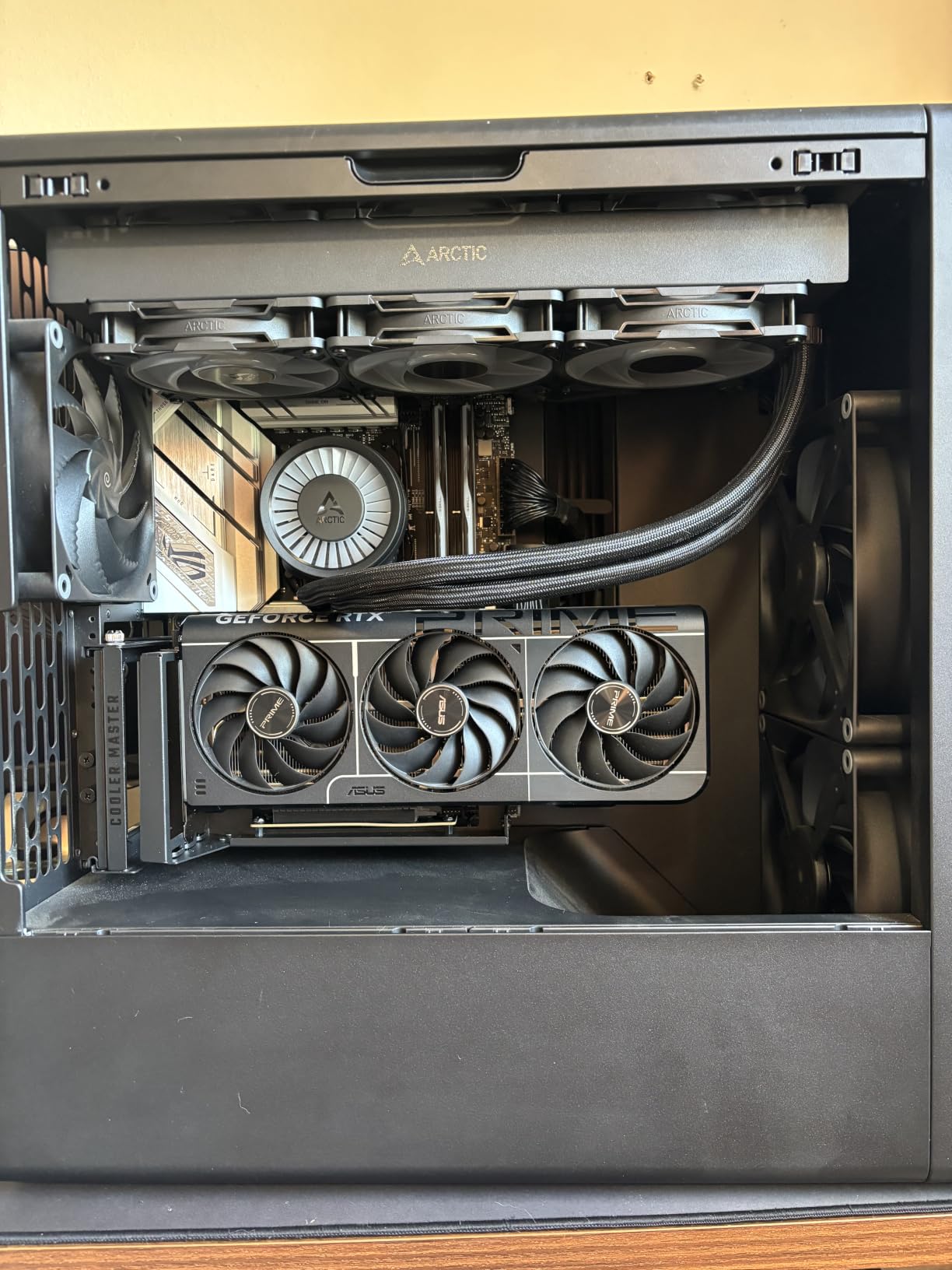
One detail trips people up. The removable M-ATX bracket is a genuine benefit in four-slot micro-ATX cases, but in some builds it sits in the airflow path and partially blocks the rear fan. If your case runs a single exhaust fan in that position, take the bracket off before you commit. The card itself is not the limiting factor, the fan is.
Cooler Master lists a one-year warranty on this kit. The riser itself is what fails over time, and the 165mm length is long enough that the connector is not sitting under tension, which is the most common cause of long-term flex failure.
Will it fit your case and card
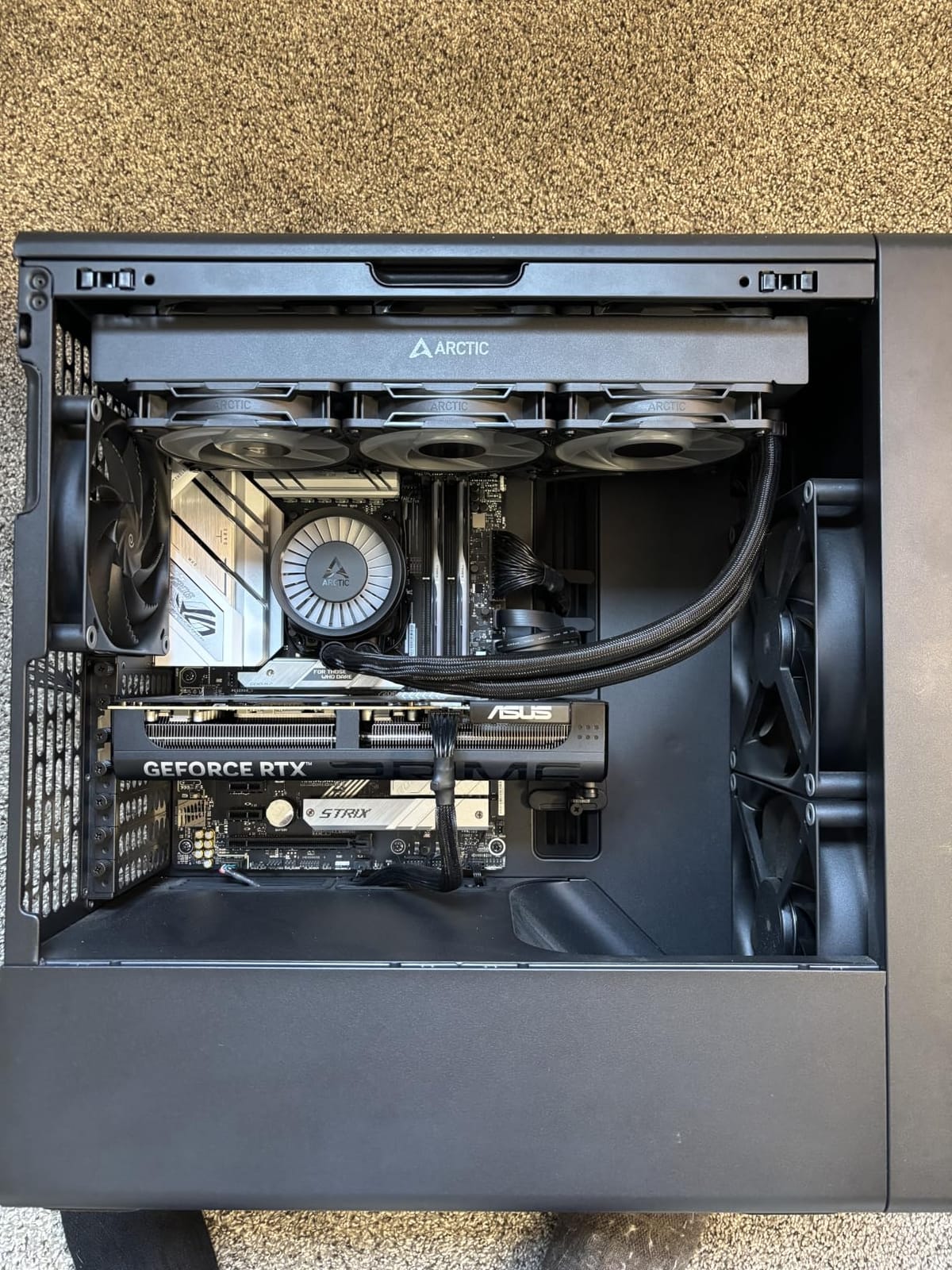
It handles modern 3-slot GPUs in most traditional 7-slot ATX cases, which covers the majority of mid-towers. Four-slot cards are tight in anything with a fixed expansion layout, since you need open slot positions rather than solid dividers behind the card.
The 810g weight of the holder itself is irrelevant to stability, because the card is supported at the bracket and the rear screws. Sag is a function of card weight and the distance between the bracket and the far end of the PCB, not of the holder’s mass.
Where it falls short
Gen 4 is the ceiling on the cable. On a PCIe 5.0 board your card negotiates down to Gen 4 link speeds, which is irrelevant for graphics workloads today but does matter if you are running a compute card or an NVMe add-in on the same link.
There is no ARGB on this kit, so if your build is lit end to end you will need a separate lighting element. White and black versions are both offered, which is more choice than most competitors in this category give you.
2. NZXT Vertical GPU Mounting Kit – Best Value With the Longest Warranty
NZXT Vertical GPU Mounting Kit – AB-RH175-B1-175 mm PCIe…
175mm PCIe 4.0 x16 riser
Alloy steel bracket
2 year warranty
Fits NZXT H7 Series
Pros
- Thick powder-coated steel resists sag
- Two-year manufacturer warranty
- 175mm cable with bidirectional transfer
- H7 fitment leaves AIO clearance
Cons
- Optimized primarily for NZXT H7 Series cases
The reason we rate this kit above its specification sheet is the two-year manufacturer warranty. Risers have a higher flex-failure rate than almost any other part in a build, and a two-year warranty on a cable that is a few dollars of copper and a connector is a real signal about how the manufacturer expects it to be supported.
The bracket itself is thick powder-coated steel rather than an ABS frame, and that rigidity is what keeps a heavy card from twisting at the slot. The 175mm PCIe 4.0 x16 riser is a sensible length for mid-towers, and the H7 fitment was designed to leave room for an AIO radiator and fans, which solves the clearance problem that catches most kits in that chassis.
It is a 4.5 average across 559 ratings, which is the second-highest in the roundup. That is a smaller review base than the Cooler Master kit but a better score, and the ratio suggests the people who bought it were happy with what they got.
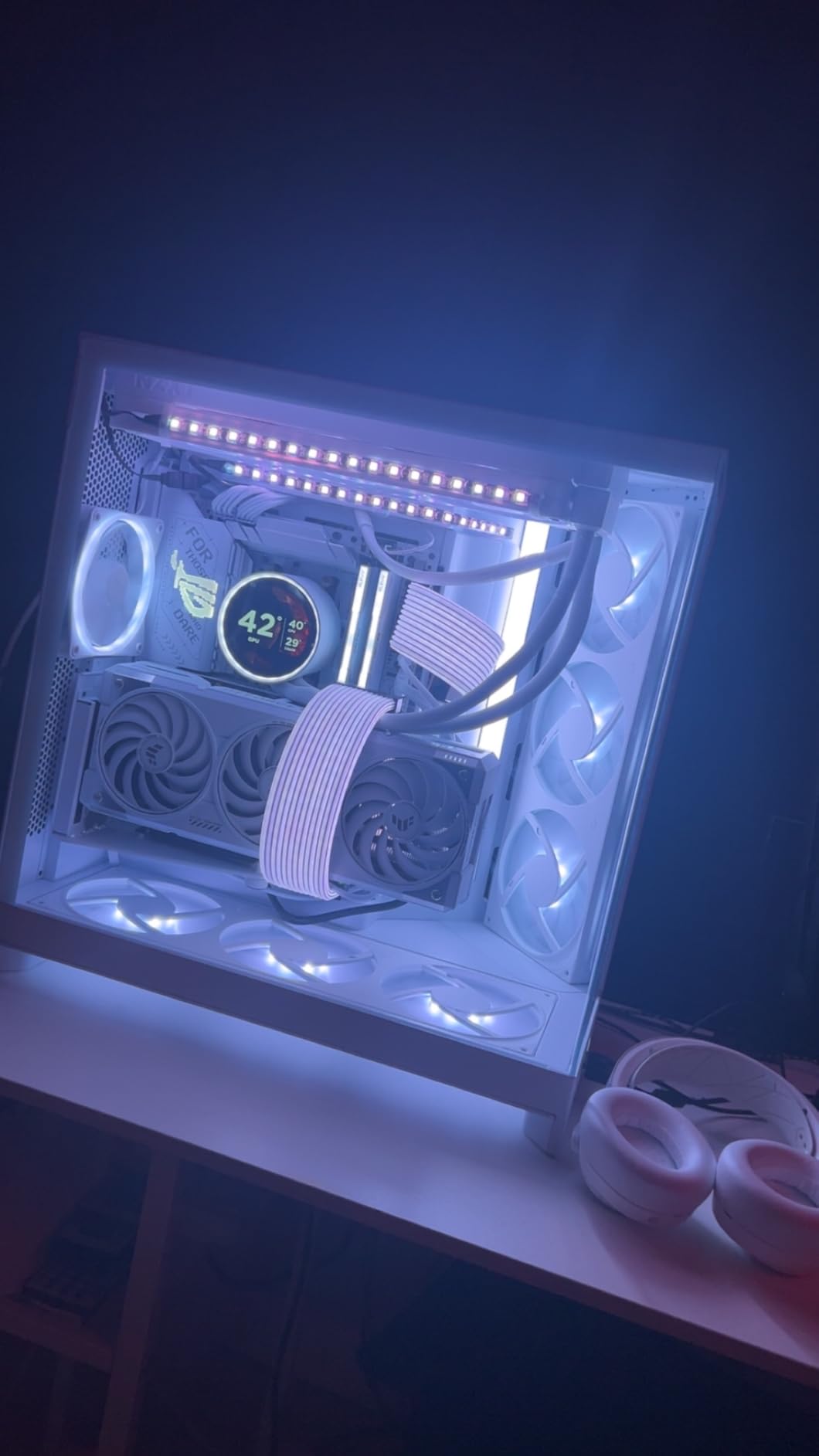
The obvious limitation is case focus. This is designed around the NZXT H7 Series mounting pattern, and outside those cases the bracket geometry is less forgiving. It does still work in other ATX chassis with open expansion slots, but you lose the AIO clearance guarantee that makes it shine in its native case.
If you already own an H7, this is the safest buy on the list. If you do not, the universal geometry of the Cooler Master kit is a better starting point unless you are committed to a case brand.
Clearance and thermal behaviour
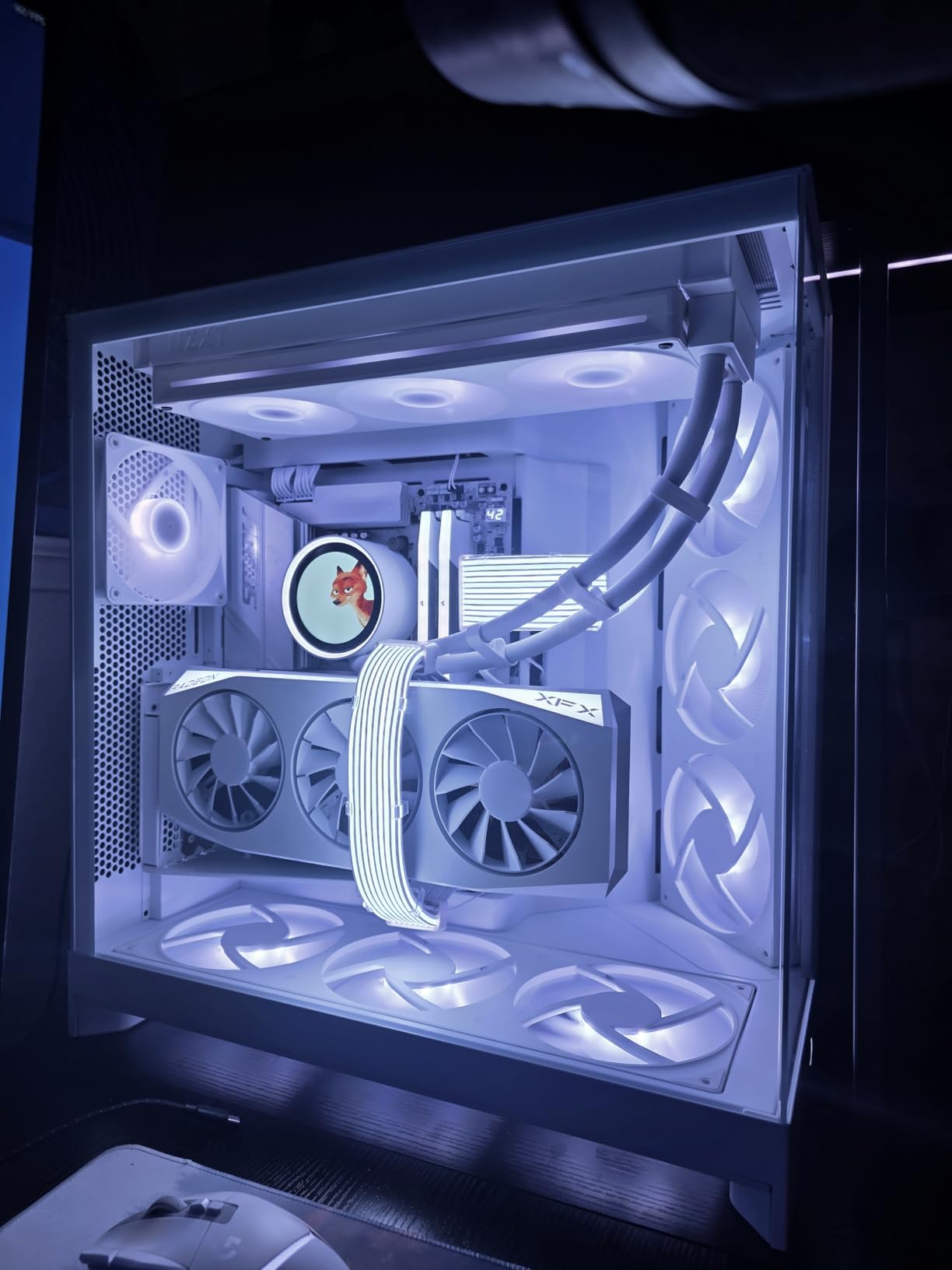
Designed to fit NZXT H7 Series cases with clearance for air and AIO cooling, the bracket does not push the card forward into the radiator. In a vertically mounted card the distance to the side glass is the number that matters for temperatures, and keeping the card flat against the bracket helps preserve it.
At 1.5 pounds the kit is heavy for a mount, and that is a good thing. The extra mass damps the vibration that a light plastic frame transmits into the card and the cable.
Who should skip it
If you are building in a case with solid expansion slot dividers, no amount of bracket quality helps. The display outputs need open slots behind them, and this kit assumes open slots are present.
The riser is PCIe 4.0, so a Gen 5 motherboard and a Gen 5 card will negotiate down. Set the slot to Gen 4 in BIOS and you will have a stable link, which is what we would do regardless.
3. LIAN LI 4 Slots Vertical GPU Kit VG4v4 – Best for Thick Flagship Cards
LIAN LI 4 Slots Vertical GPU Kit (VG4v4), PCIe 5.0 Riser…
4-slot GPU support
200mm PCIe 5.0 riser
Anti-sag arm to 10kg
Three tilt positions
Pros
- Only kit here rated for four-slot cards
- Support arm handles GPUs up to 10kg
- 200mm PCIe 5.0 riser back-compatible to Gen 2
- Three height levels plus tilt
Cons
- Needs six to seven open expansion slots
- Shifts the GPU forward 31mm
- Can interfere with OC buttons and triple DisplayPort layouts
This is the only kit in the roundup built specifically for a four-slot graphics card, and in 2026 most of the fastest cards on the market are three to four slots thick. The support arm is rated for GPUs up to 10kg, which covers anything currently shipping in a desktop case.
Three height levels in 10.16mm increments, combined with forward, neutral and backward tilt, give you real control over where the display outputs sit relative to the slot dividers. That is the feature that matters most for a thick card, because a 4-slot body pushes the port cluster much further out than a 2-slot one.
The bundled 200mm PCIe 5.0 x16 riser runs up to 32Gbps and is backward compatible with PCIe 2.0 through 4.0, so the same kit serves a decade of hardware generations. The bracket is painted aluminum and measures 168.63 x 147.5 x 234.86mm.
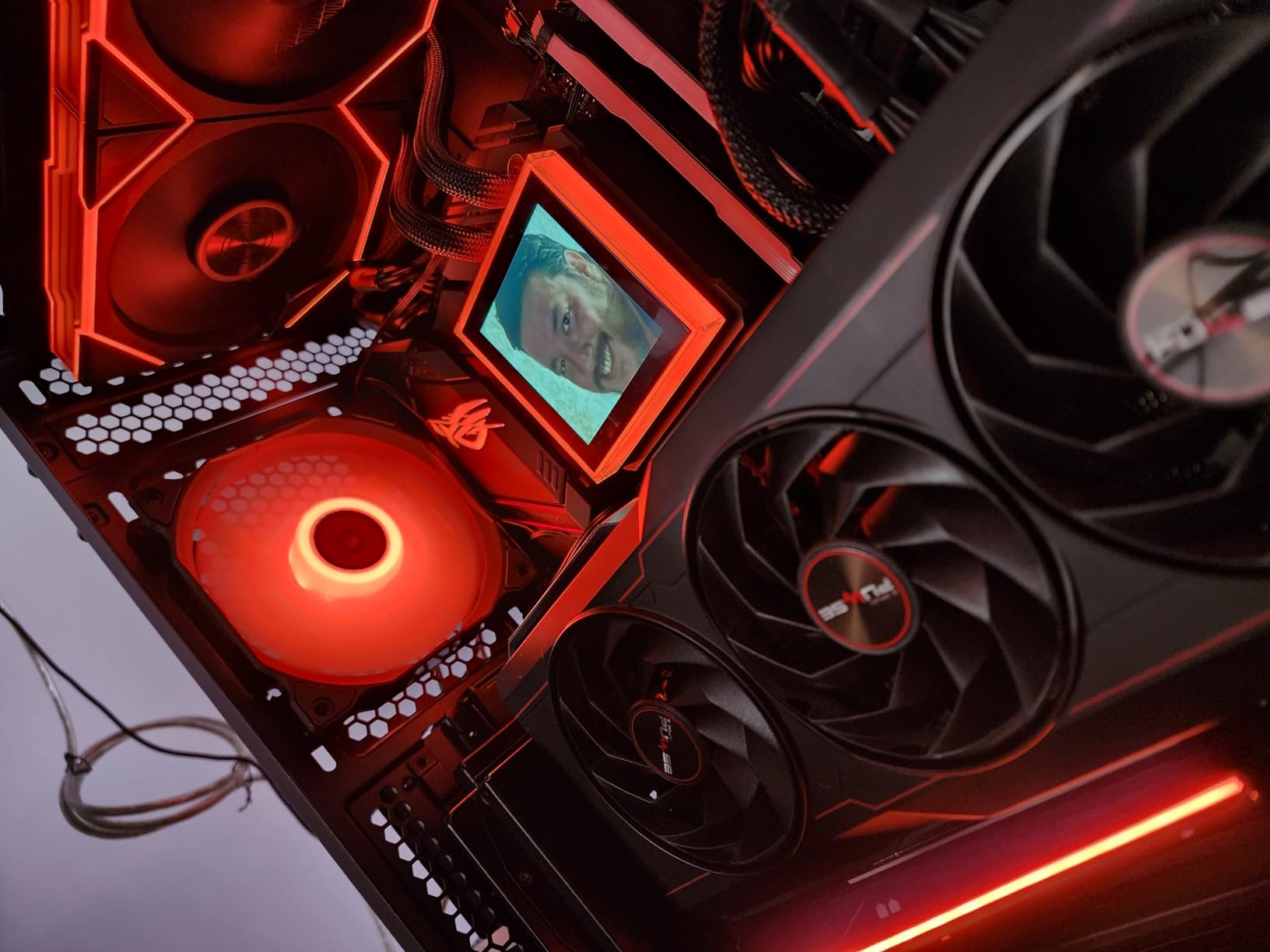
There is a real cost to all that adjustability: the bracket shifts the GPU forward by 31mm. In a case with a large CPU air cooler, a thick bottom fan, or a front-mounted radiator, that 31mm is the difference between fitting and not fitting. Measure your front-to-back clearance before ordering.
It also requires six accessible expansion slots for vertical mounting, or seven for angled mounting. If your case has solid dividers rather than open slot panels, this kit will not go in without modification, and cutting metal inside a chassis is the step most builders are not willing to take.
A 4.4 average across 268 ratings, and a top-ten sales rank in computer cases, tells you Lian Li is selling these in volume and the early batches are holding up.
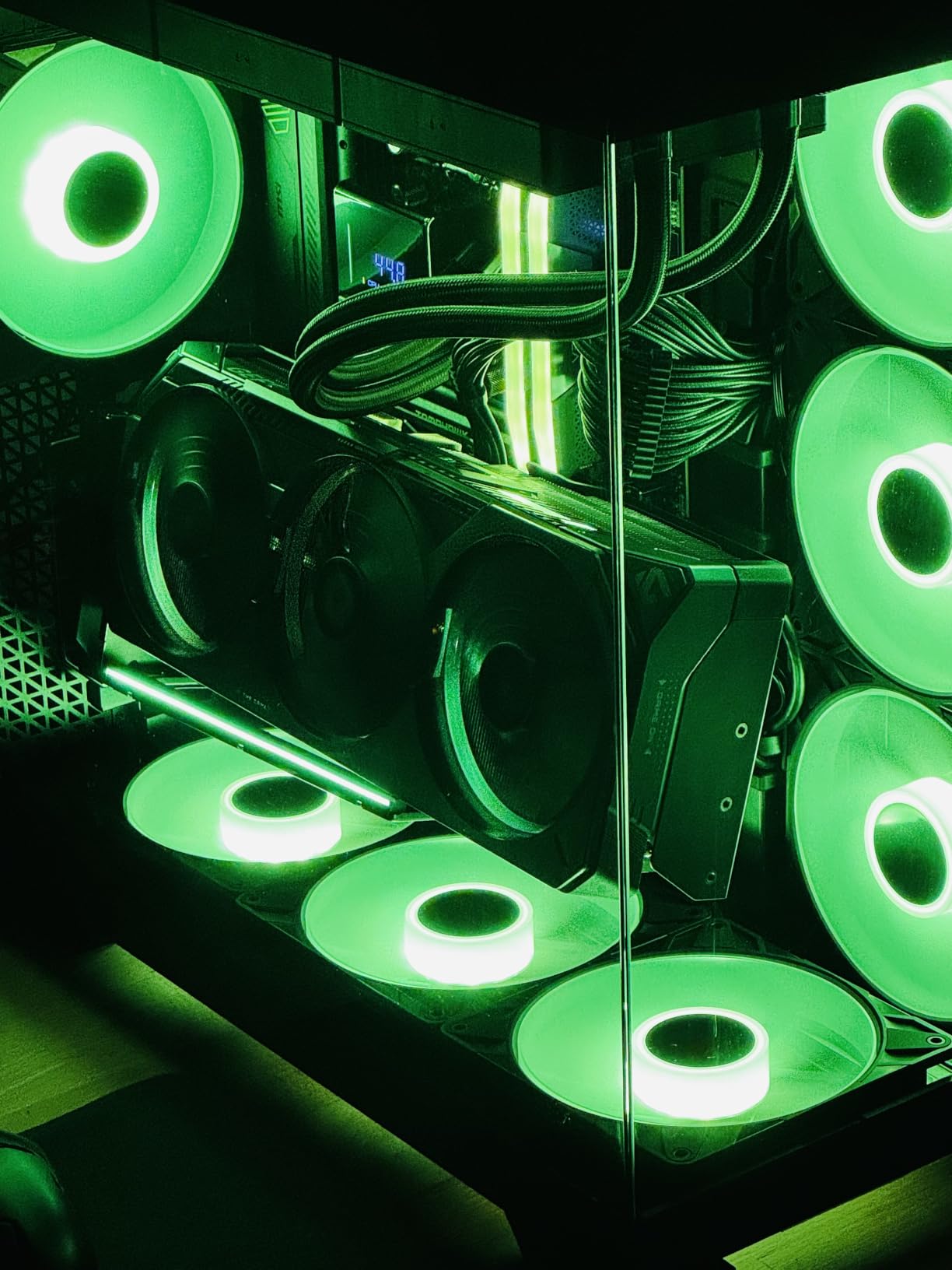
Is 10kg anti-sag support worth it here
Yes, and it is the reason to pick this kit over a cheaper mount if you own a heavy card. The adjustable anti-sag support arm holds GPUs up to 10kg, which removes the PCB deflection that a heavy card accumulates when it hangs from the bracket and the PCIe slot alone.
Yes, a vertically mounted card can still sag, because the card is still cantilevered from a single slot. The difference is how much of the card’s weight the PCB has to carry. A support arm near the far end of the card takes that load off the board.
Case requirements to check first
Six open slots minimum, seven for angled mounting. The 31mm forward shift interacts with CPU coolers, bottom fans and radiators, and it is the most common reason this kit gets returned.
GPU OC buttons and triple full-size DisplayPort layouts can interfere with the bracket position. If your card has a physical overclock button on its edge, verify the clearance before committing.
4. LINKUP PCIe 5.0 Riser Cable 20cm – Best for Next-Gen GPUs
LINKUP PCIE 5.0 Riser Cable | for Vertical GPU Mount | Right…
128GB/s PCIe 5.0 x16
20cm section, 24cm total
Right-angle connector
Multilayer shielding
Pros
- Full 128GB/s on PCIe 5.0 x16
- AVA design for clean eye margins
- Right-angle suits vertical mounts
- Lengths and orientations to fit ITX routes
Cons
- Cable only
- no mounting bracket included
- You must measure the motherboard-to-GPU span
If you own a PCIe 5.0 card, this is the cable that refuses to negotiate downward without a fight. It delivers the full 128GB/s on PCIe 5.0 x16 with tuned impedance and multilayer shielding, and it was validated on ASUS WS WRX80SE WiFi II and WRX90E Gen5 boards, which are among the most demanding platforms for signal integrity.
The AVA design targets clean eye margins under load and through tight bends. That is the specific thing that separates a good Gen 5 riser from a bad one. A Gen 5 link moves 32GT/s per lane, so attenuation that would be invisible at Gen 3 becomes a functional problem.
The right-angle connector is what makes this cable vertical-mount native rather than vertical-mount adapted. The male-to-male PCIe-CEM connectors and the 20cm section (24cm total) fit most ATX mid-towers without a fold.
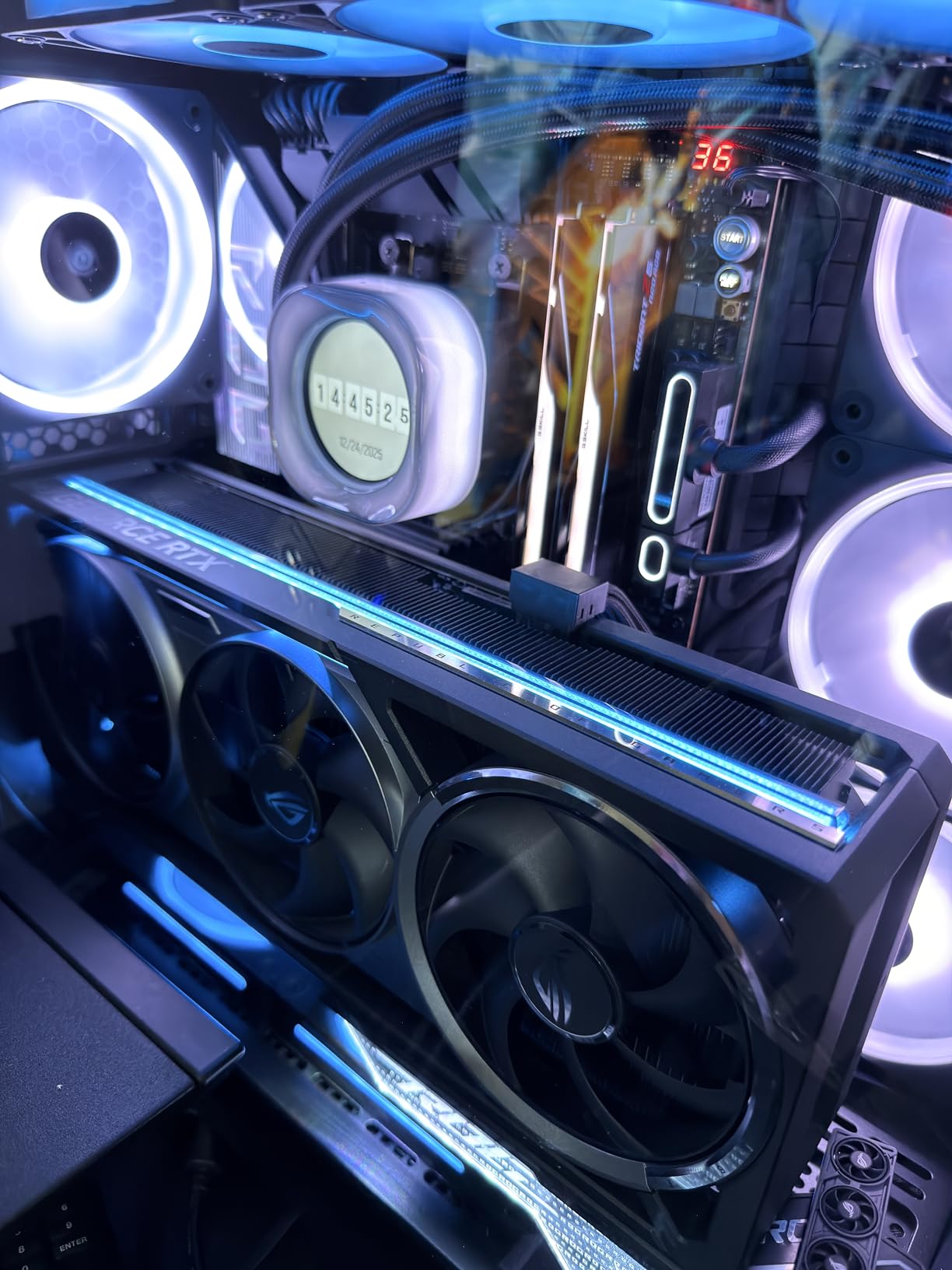
This is a cable and nothing else. The set name is no bracket, and you will need a separate vertical mount, a case with a stock riser position, or a support bracket of your own. Buyers who already own a good vertical bracket should read this as an upgrade, not a starting point.
The other requirement is measurement. LINKUP offers lengths from 2 to 35.4 inches with seven connector orientations, which means you can almost always find a fit, but only if you know the span you need. Measure from the motherboard slot to the GPU connector position in your specific case before ordering.
At 133.3g it is light, and 4.4 across 235 ratings puts it solidly in the community-recommended tier alongside Thermaltake’s TT Premium line.
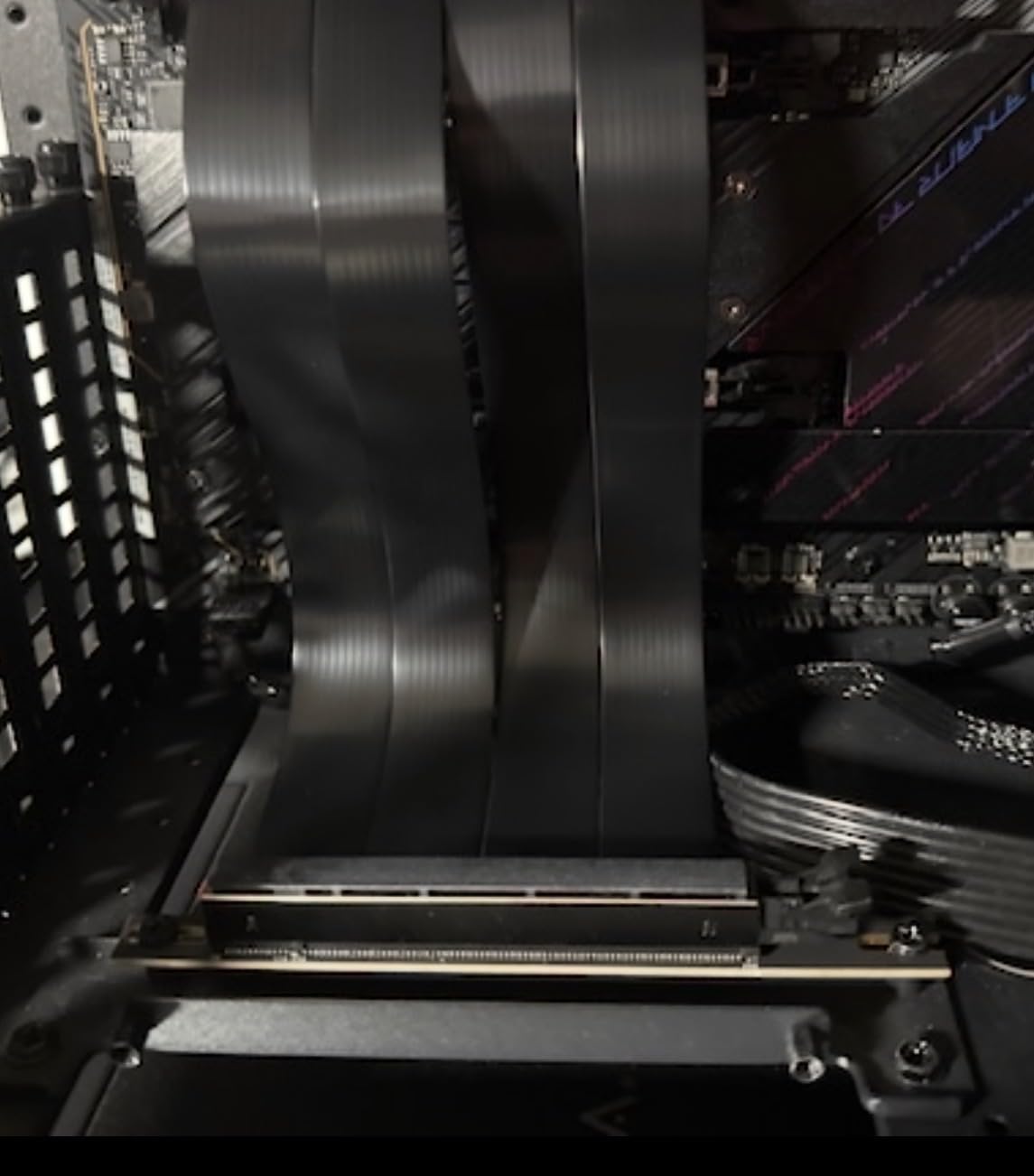
Do you actually need Gen 5 bandwidth
For graphics work, no. A PCIe 4.0 x16 link already saturates every current GPU, so a Gen 5 riser buys you headroom rather than frame rate. You want it if you plan to keep the card for a long time, if you run compute workloads, or if you move an NVMe add-in card through the same slot.
You want it specifically if your motherboard slot is set to Gen5 in BIOS. A Gen 5 slot with a Gen 3 or Gen 4 cable is the exact combination that produces the no-display failures people post about on r/pchelp. Matching generation removes that entire class of problem.
Bracket compatibility notes
Because the connector is male-to-male PCIe-CEM, the mounting screw pattern is the standard one, so it fits most third-party vertical brackets. Confirm the bracket’s connector position matches the orientation you need, since vertical mounts differ on whether the card’s edge fingers face up or down.
Signal integrity is what the brand is built around. If you are routing near a power supply or an RGB hub, keep the run away from both, because those are the sources of the flicker and driver resets that get blamed on the riser.
5. GLOTRENDS 200mm PCIe 5.0 Riser Cable – Plug-and-Play Gen 5
GLOTRENDS 200mm PCIe 5.0 Riser Cable for RTX5090 RTX…
200mm PCIe 5.0 x16
64GB/s
90 degree right-angle female
30AWG silver-plated copper
Pros
- No driver installation
- Two-layer construction lets air through
- Adjustable 97-128mm hole spacing
- Stable Gen 5 throughput reported
Cons
- Cable only
- bracket not included
- Hole spacing does not always match third-party brackets
This ties for the highest average rating in the roundup and it earns it on the detail that annoys people most: no driver installation. The card is PCIe 5.0 x16 at 64GB/s, you plug it in, and it negotiates. That simplicity is worth more than a specification line.
The shielding here is properly specified. Each differential signal pair is double grounded and individually foil-wrapped for EMI control, running on 30AWG silver-plated copper conductors. The 40-pin connector carries 10 pins to 12V for up to 78W and 6 pins to 3.3V, so the cable can handle power delivery alongside data.
Two-layer separated construction is a small engineering choice with a real effect. The separation lets air move through the run, which matters when the cable passes directly under a GPU in a vertical layout.
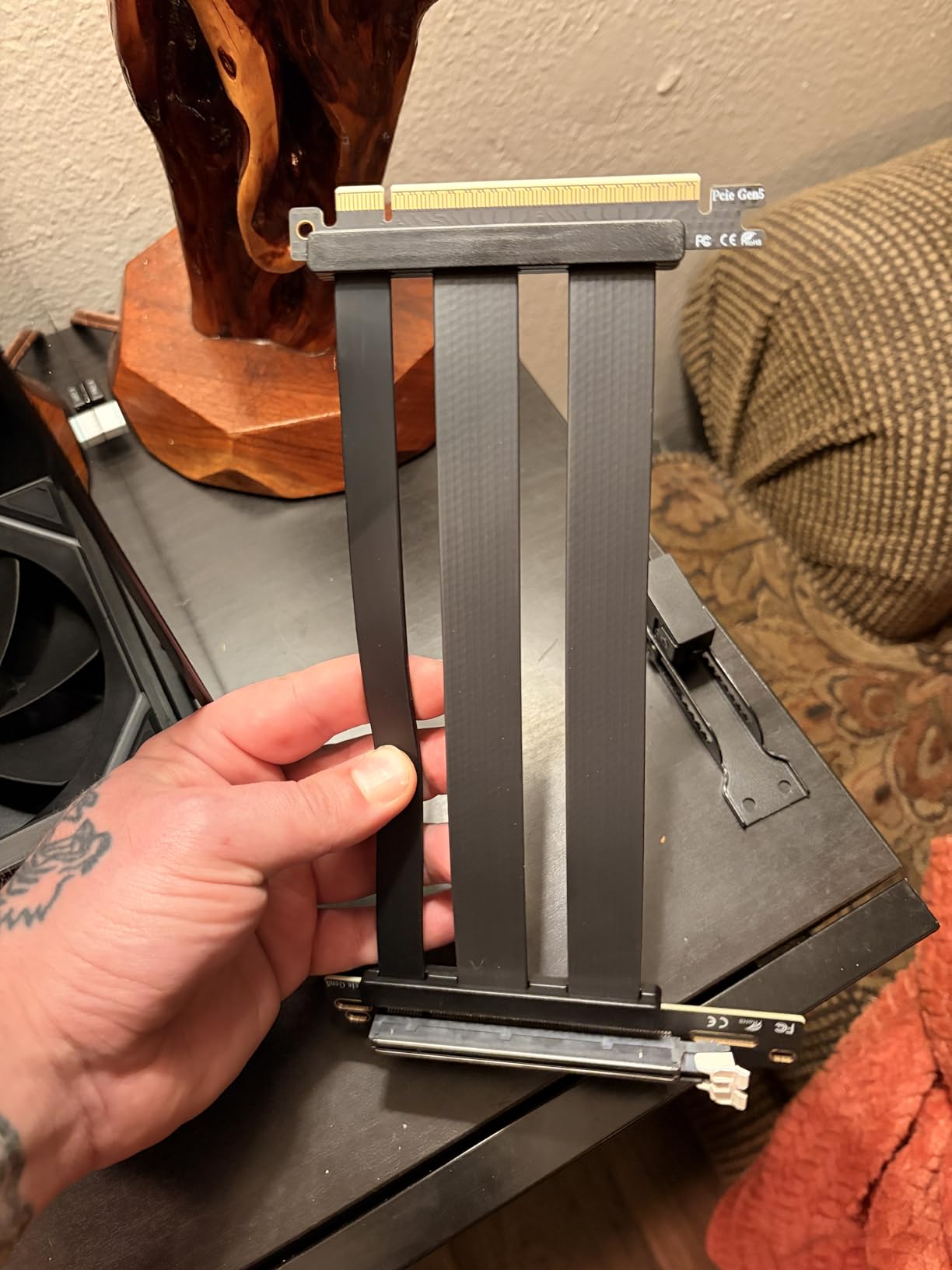
The adjustable screw hole distance of 97 to 128mm covers the 98, 108, 121 and 125mm standards, which is where most fitment complaints originate. If your bracket uses a non-standard pattern, you will need to relocate a hole, and that is a job for a case with accessible hardware.
Like the LINKUP, this is cable only. It works with vertical mounts that use a right-angle female connector, and the 90-degree female and 0-degree male arrangement is the most common orientation in aftermarket brackets.
Offered in lengths from 100mm to 1000mm and in white or black, so matching a themed build is not a problem. Hot swapping is not supported, which is normal and irrelevant for a fixed install.
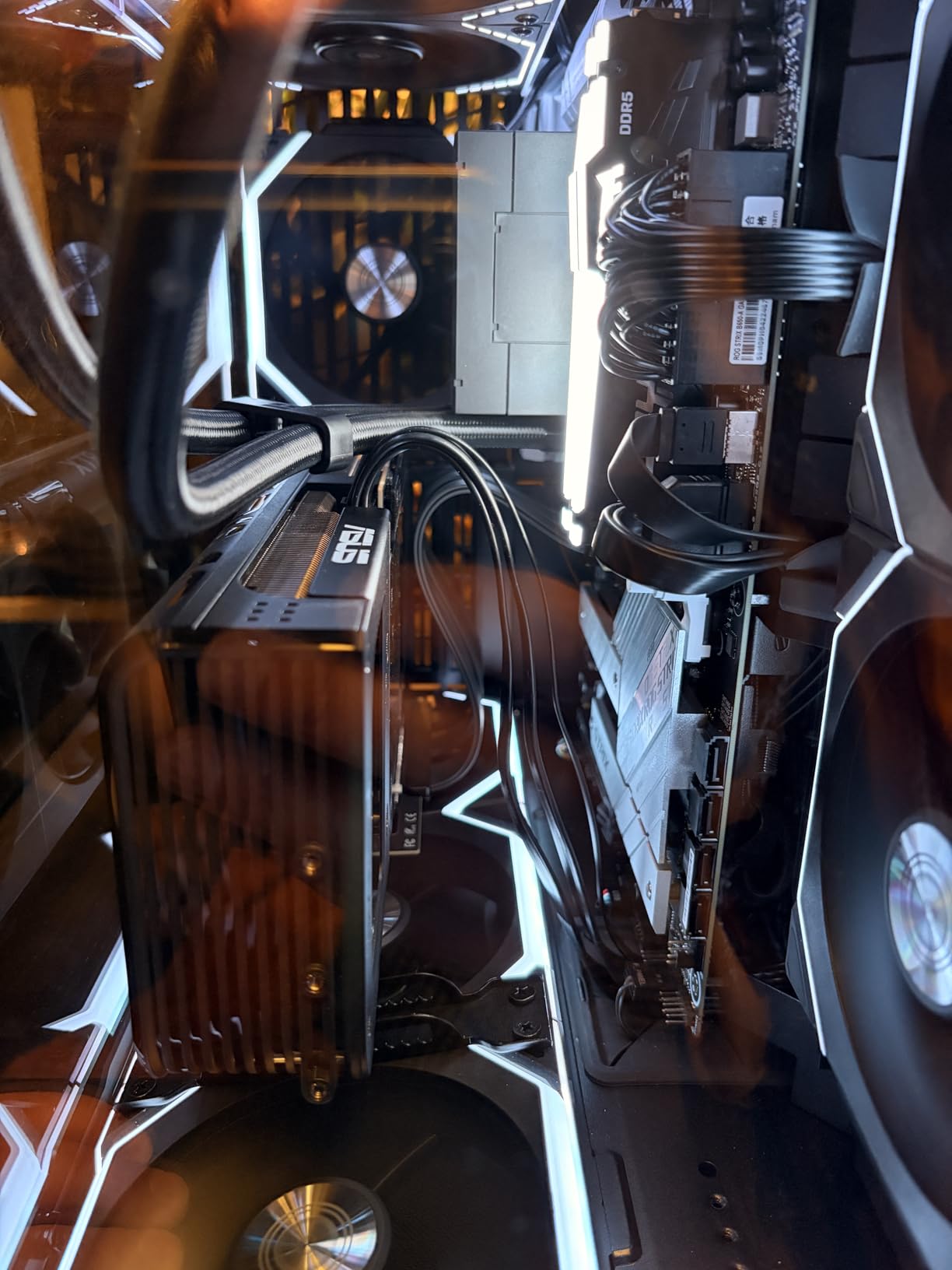
Signal integrity and what 64GB/s means
The 64GB/s figure is the PCIe 5.0 x16 ceiling, and reviewers report stable full-speed performance with RTX 5080 and RX 9070 XT class cards. The pairing of double-grounded, foil-wrapped differential pairs with 30AWG silver-plated copper is the reason the 4.5 holds.
Set your motherboard PCIe slot to Gen 5 to match, or Gen 4 if you want maximum margin. Mismatched negotiation is the single most common cause of the black screens people report after installing any Gen 5 riser.
Getting the hole spacing right
Measure the distance between the two mounting holes on your existing vertical bracket before you order. If it falls in the 97 to 128mm window, the cable adapts. If it does not, plan on a small modification or pick a mount that uses the standard pattern.
Route the cable so it does not cross in front of your case fans. This cable is stiff enough that folding it doubles usually creates a tight bend right where the connector enters the bracket.
6. TRYX String PCIe 5.0 Riser Cable – Best for Flexible Routing
TRYX String PCIE 5.0 Riser Cable Vertical GPU Mount RTX…
200mm PCIe 5.0 x16
128GB/s bidirectional
TPE outer jacket
6-layer PCB base
Pros
- Bandwidth validated by 3DMark tests
- 6-layer PCB with gold-plated connectors
- TPE jacket routes easily in tight builds
- Enhanced EMI shielding
Cons
- Cable only
- no bracket included
- Shorter track record than established riser brands
Most riser cables are stiff and fight you through a tight route. This one does not. The ultra-flexible TPE outer jacket is the reason we picked it for compact builds, where the motherboard slot and the vertical bracket are close together and the cable has to bend without being pinched.
Under the jacket it is a serious cable. A 6-layer industrial-grade PCB base with gold-plated connectors, 128GB/s bidirectional bandwidth, and 32GHz frequency rating. The vendor validated it through the 3DMark PCI Express feature and bandwidth tests, which is a more useful signal than a marketing claim because it measures the actual link.
Enhanced EMI shielding targets power modules and RGB headers specifically, which are the two interference sources that show up as flicker and driver resets in a wired-up build.
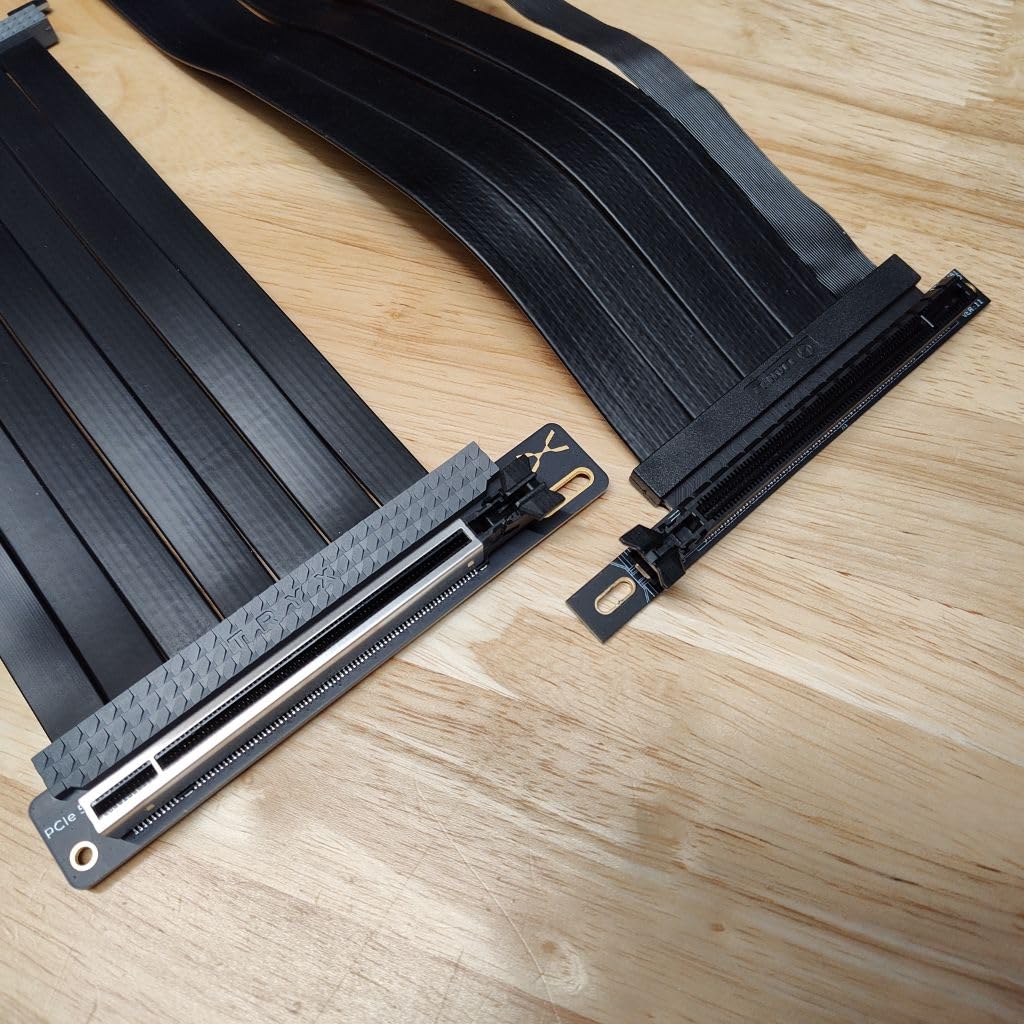
The 77-review base is the smallest of the Gen 5 cables here, and that is the honest drawback. There is no long history of field reports, which means the failure mode data is thinner. The 4.4 average is good, but a smaller sample.
It is a cable with no bracket, and the included components are the riser cable and a manual. Power delivery is listed at 60W through the 16-pin connector, so plan to power the card from the PSU directly rather than through the riser.
It is explicitly targeted at RTX 5090 and 5080 and RX 9070 XT class cards, which is the right generation to be targeting now.
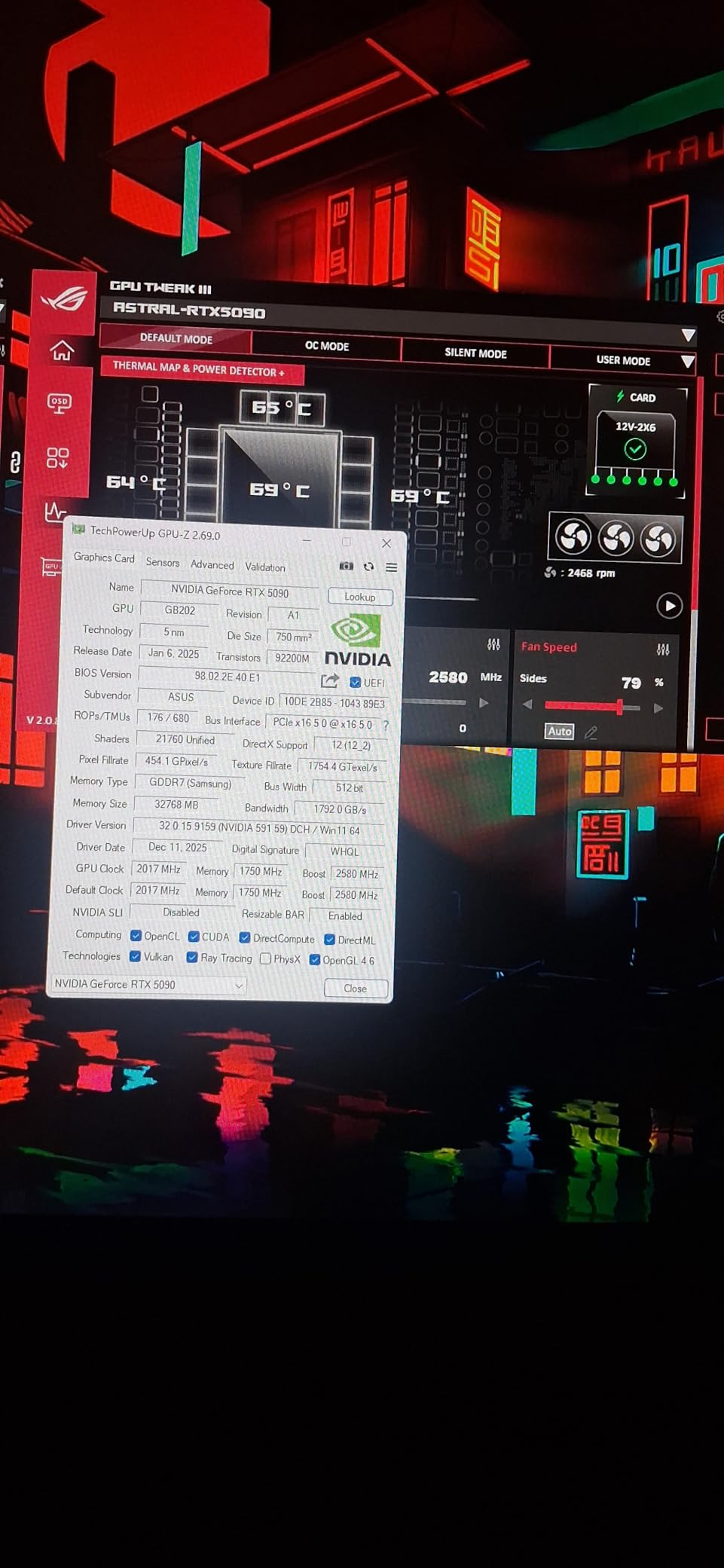
Why flexibility matters in small cases
In a compact chassis, a stiff riser either forces a tight bend or pushes against the GPU backplate. Tight bends on a Gen 5 link are exactly what causes eye margin failure, and a cable that can hold a gentle curve is buying you both routing freedom and signal headroom.
If you have read the r/pcmasterrace threads about riser cables rubbing against backplates, flexibility is the direct answer to that problem. You can route the cable to miss the backplate instead of forcing it flat.
What the shorter history costs you
There is one-year warranty coverage, which is thinner than the two-year coverage on the NZXT and Phanteks kits. For a part that can flex over years, a longer warranty is a reasonable tiebreaker between otherwise similar cables.
Verify the connector orientation your bracket needs before ordering, because this is a male-to-female cable and the vertical mount must present the matching female socket at the correct angle.
7. ConnBull PCIe 5.0 Riser and 3-Slot Bracket Kit – Best All-in-One
PCIE 5.0 Riser Cable with 3 Slots Vertical GPU Mount Bracket…
200mm PCIe 5.0 riser with bracket
128GB/s
29AWG shielded wiring
Needs six free slots
Pros
- Cable and bracket bundled together
- Full Gen 5 bandwidth reported
- Bundled installation video
- Handles RTX 4090
- 5090 and RX 7900 XTX
Cons
- Needs six free expansion slots
- Air-cooled radiators often conflict
- Stiff cable in compact cases
- Slot ribs can block display outputs
Most mismatched parts problems in this category come from buying a cable and a bracket separately and finding the geometry does not agree. This kit removes that variable. You get the 200mm PCIe 5.0 x16 riser and a 3-slot vertical mount bracket in one box, and they are designed against each other.
The electrical spec is solid. 128GB/s data transfer, 29AWG wiring with heavy shielding, and compatibility listed for RTX 4090, RTX 5090, RX 7900 XTX, and the WRX80 and WRX90E workstation platforms. Reviewers report full Gen 5 bandwidth with no performance loss against a direct motherboard connection.
The included installation video in the product details is a small thing that saves real time, because the bracket mounting sequence is not obvious from the parts alone.
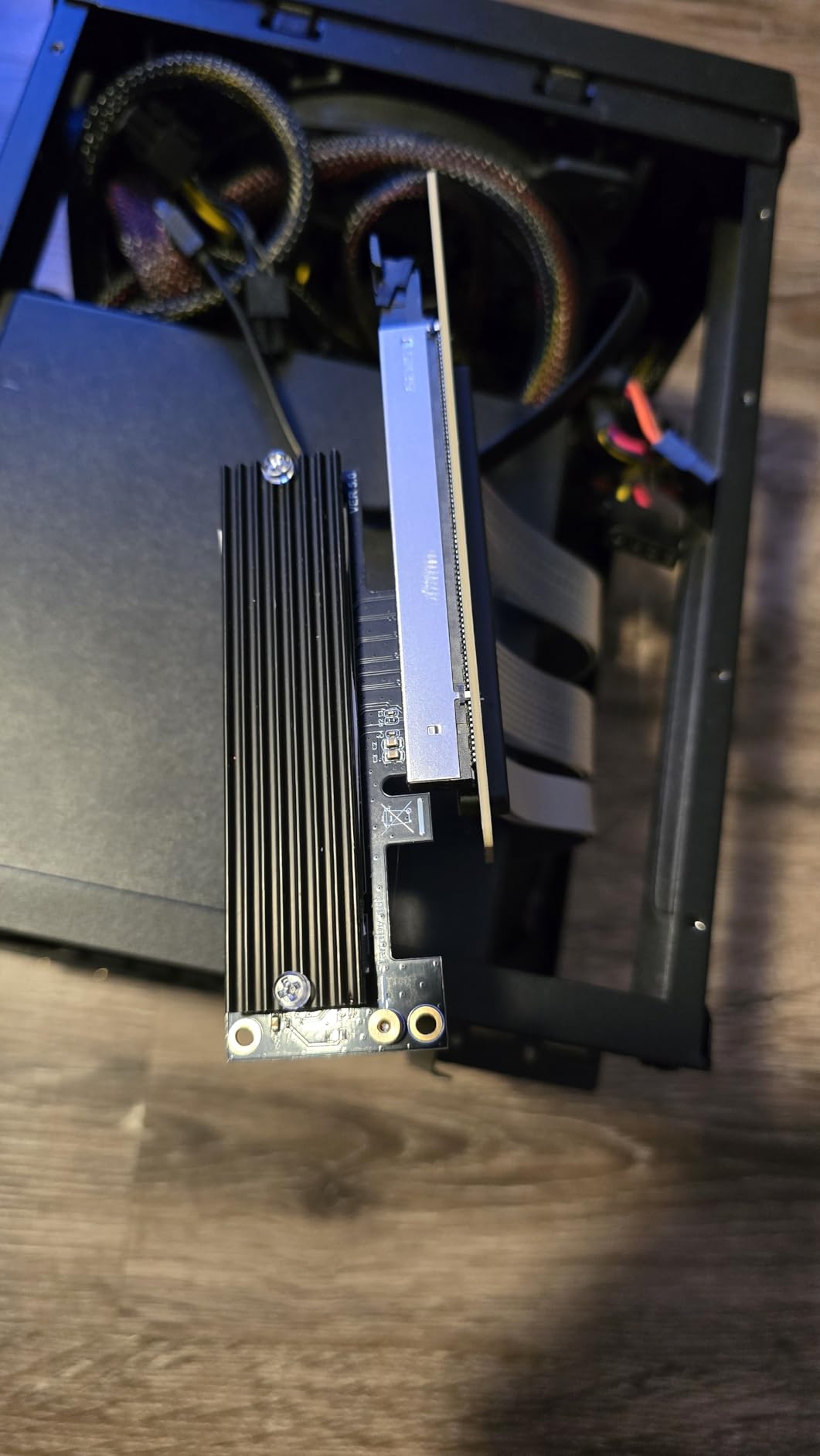
The 4.2 average sits at the lower end of the ratings in this roundup, and the cons list explains most of it. Rear expansion-slot ribs on many chassis can block DisplayPort and HDMI access once the card is vertical, and the fix is trimming the rib. That is a modification, and it is the reason we would not hand this to a first-time builder.
Air-cooled radiators conflict with the vertical card and side panel in most mid-towers, and the cable is stiff enough that compact cases need it folded. Both are solvable but neither is frictionless.
Requiring at least six free expansion slots puts it in the same clearance class as the Lian Li kit, so measure before ordering.
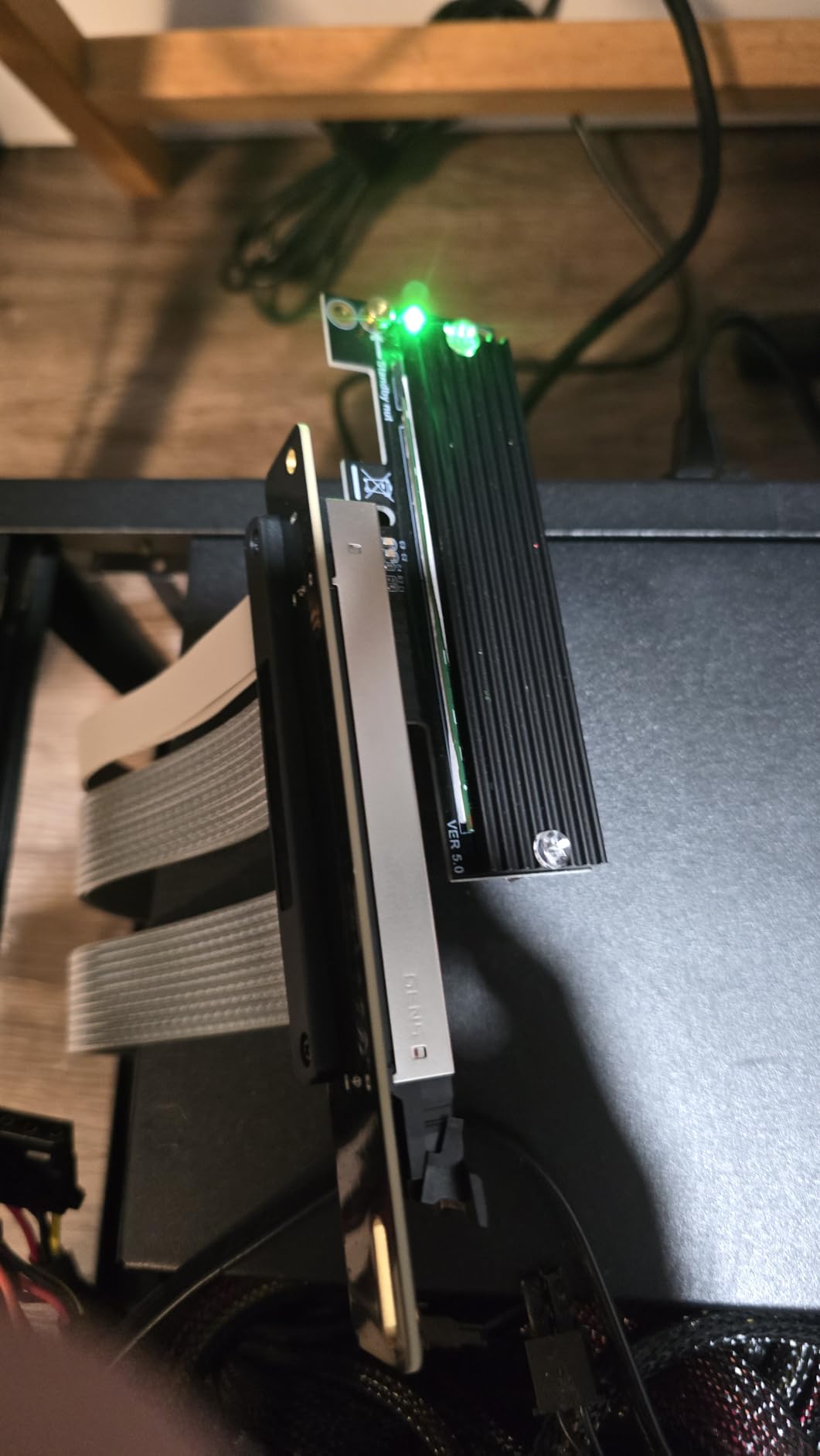
Kit or separate cable: which do you need
Buy a kit when you do not already own a vertical bracket you like and you want a guaranteed-matched pair. Buy a standalone cable when your case already has a riser position, or when you already own a bracket whose geometry suits your build.
This kit is the middle path for many builders. It saves the matching problem and the second shipping step, at the cost of a slightly less refined bracket.
Slot rib interference and clearance
Some cases have ribs between the PCIe slots that block display cable access once the card sits vertical. Check the rib profile against your card’s display output height before you commit, and have a small file ready.
Six free slots minimum, plus room free of fans and cables. The 220g weight means the cable itself is not the issue, the routing space is.
8. EZDIY-FAB Shield Vertical GPU Mount – Best for Compact Cases
EZDIY-FAB Shield Vertical GPU Mount, 115mm PCIe 4.0 Riser…
115mm PCIe 4.0 riser
Angled connector
Steel locking structure
Adjustable support screw
Pros
- Angled connector avoids stressing the motherboard slot
- Bidirectional steel locking structure
- Adjustable support screw
- Suits 3-slot RTX 40 series cards
Cons
- Short 115mm riser limits case choice
- PCIe 4.0 only
- Lowest average rating here at 4.0
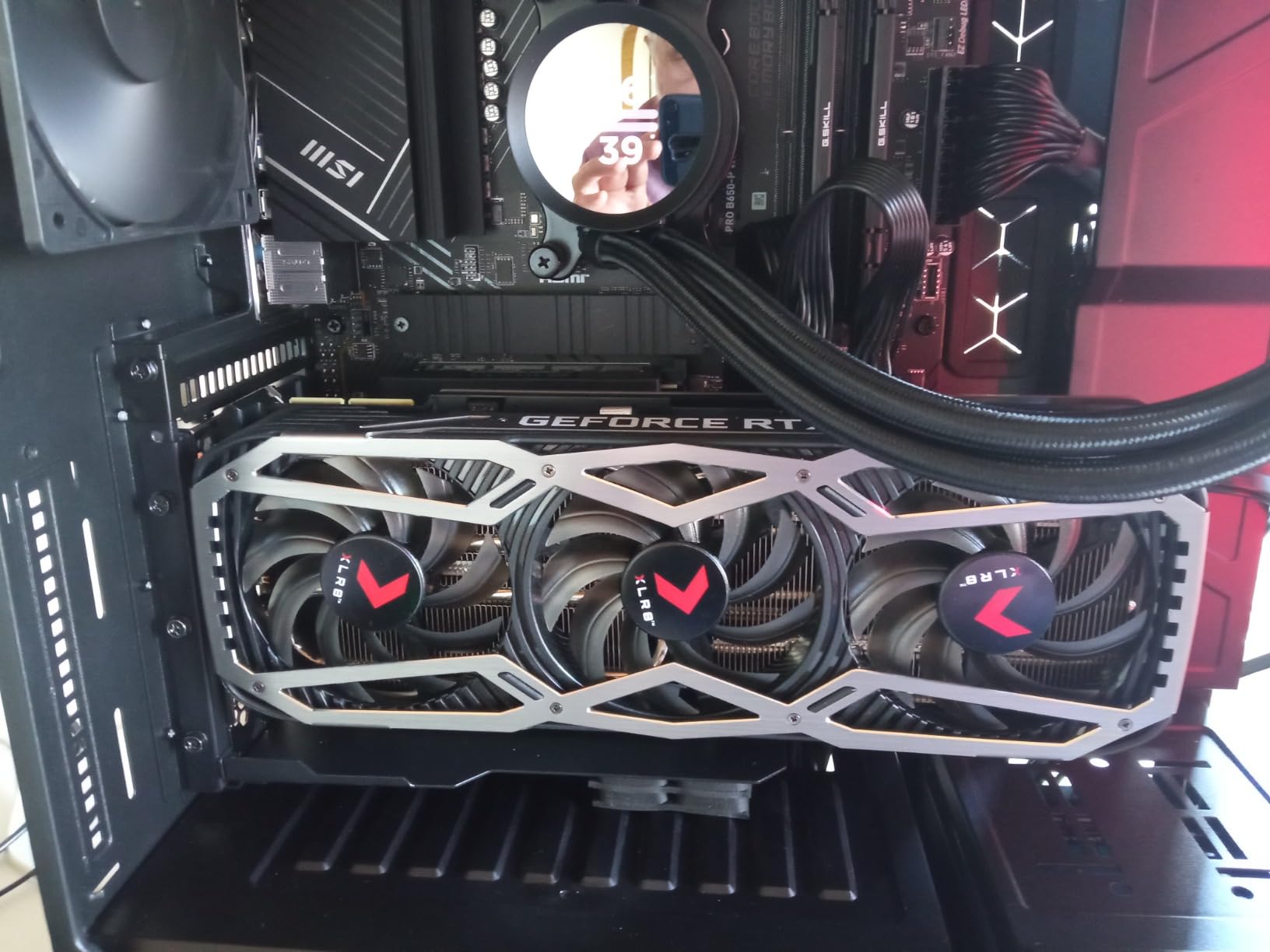
The 115mm riser is the defining constraint here, and it is a feature in small cases. A short cable is stiffer over a shorter span, needs no folding, and takes up almost no space behind the card. In a compact chassis that is the correct trade.
The angled connector is a genuinely good piece of engineering. It avoids bending or crimping the cable at the motherboard slot, which is where stress concentrates and where connector failure eventually starts. The bidirectional locking steel structure holds heavy cards firmly, and the adjustable support screw adds stability at the far end of the card.
It is tailored for enclosures with seven open PCIe slots and ideal for 3-slot RTX 40 series cards, with a minimum eight-slot case recommended for the optimal fit.
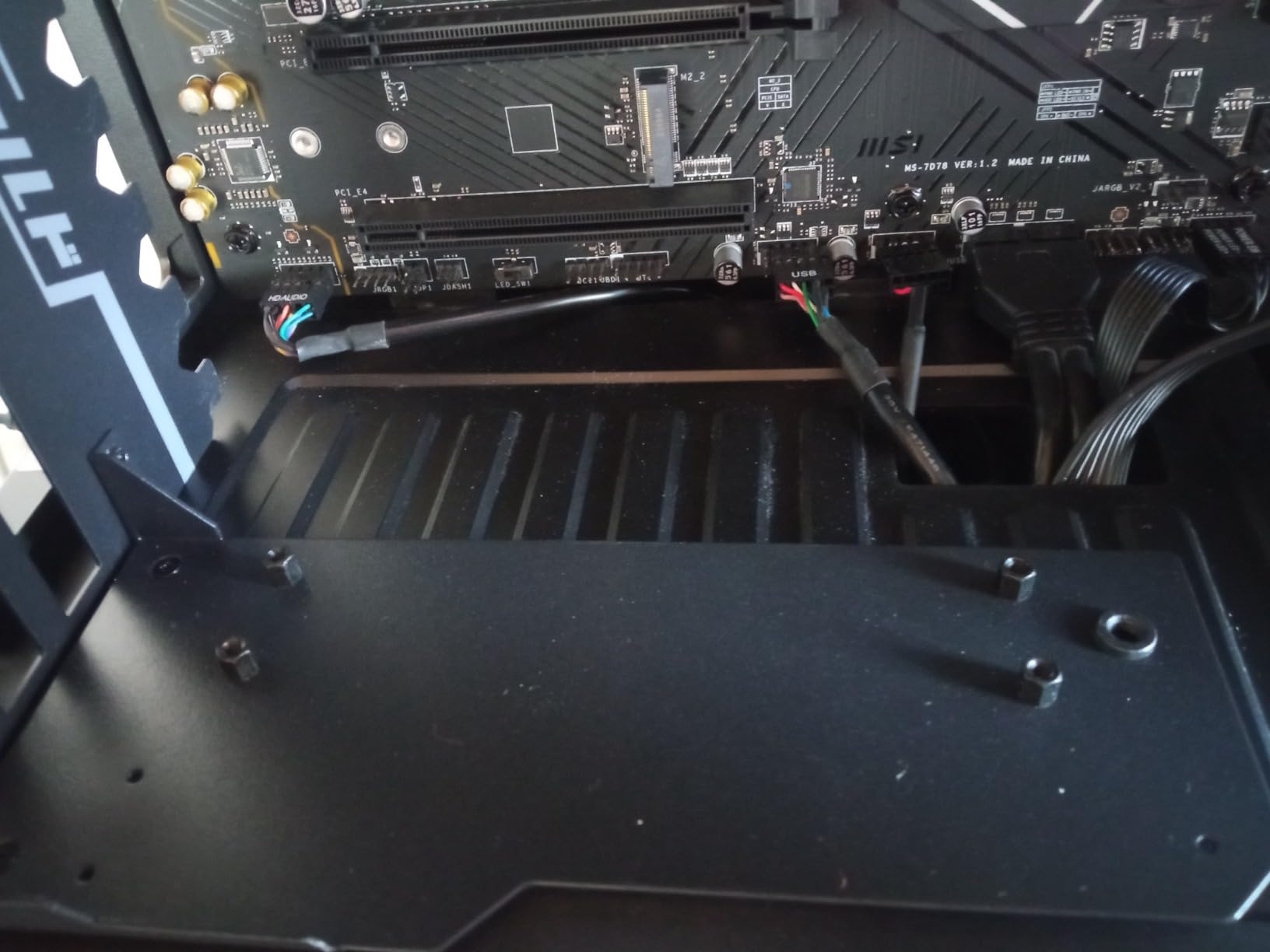
The 4.0 average is the lowest in this roundup, and the reason is the same constraint that makes it good. A 115mm cable is Gen 4 only, so a Gen 5 card negotiates down, and the short length restricts which cases will accept it. The 70-review base is also the smallest of the kit-style products.
Note the two requirements together: seven open PCIe slots and a minimum eight-slot case. Those are not the same measurement, and the difference is usually the slot needed for a vertical card.
At 0.39kg the mount is light, and the 7-inch depth keeps the footprint small.
When a short riser is the right answer
If your motherboard slot sits directly beneath where the card will hang, a 115mm cable is all the length you need and anything longer folds back on itself. Shorter is also stiffer, which reduces the flex that degrades connectors over time.
If your case has the slot far from the bracket position, this cable will not reach and stretching it is how you get intermittent no-display faults. Measure first.
What you give up
Gen 4 ceiling means no future-proofing for link speed. Fine for graphics today, limiting for compute and NVMe add-in cards over the same slot.
The 4.0 rating reflects narrow compatibility more than build quality. The steel locking structure and the angled connector are above-average engineering for a mount at this tier.
9. Phanteks Gen4 Vertical GPU Bracket – Best for Eclipse Cases
Phanteks (PH-VGPUKT4.0_03R) Gen4 Vertical GPU Bracket, 220mm…
220mm flat-line Gen 4 riser
1- to 4-slot GPU support
Rubber anti-sag pads
Alloy steel bracket
Pros
- Supports 1-slot through 4-slot cards
- 220mm gives generous routing freedom
- Rubber pads reduce sag
- Two-year manufacturer warranty
Cons
- Requires a 7-slot ATX chassis
- PCIe Gen 4 only
The widest thickness support in the roundup: 1-, 2-, 3- and 4-slot graphics cards, all on the same bracket. Combined with the rubber pads that support GPU weight and prevent sag, this is a forgiving kit for anyone changing cards often rather than settling on one build.
The 220mm flat-line PCIe Gen 4 x16 riser is longer than most here, and flat-line construction means the conductors run in a controlled geometry rather than a twist. Dual-layer individually shielded cables handle the EMI side. The extra length gives real routing freedom in a tall chassis.
It installs directly in Phanteks Eclipse P300A, P360A and P400A cases, and the alloy steel bracket comes with a two-year manufacturer warranty from an established case and cooling brand.
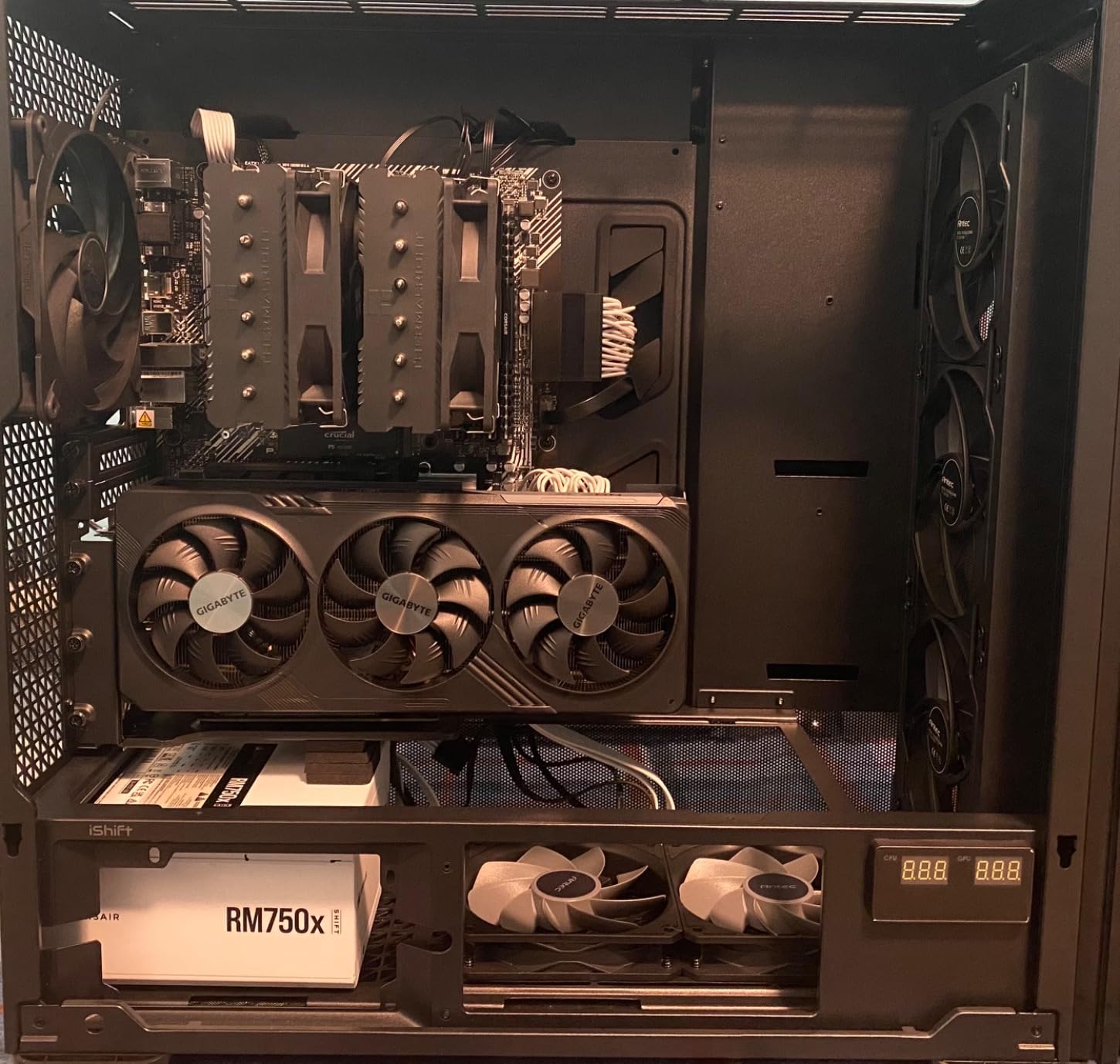
It requires a 7-slot ATX chassis, which is a hard floor. Outside those three Eclipse models you need to confirm the open-slot layout yourself. At 16 ounces the whole kit is light, which means the anti-sag work is done by the rubber pads and the bracket geometry rather than by mass.
PCIe Gen 4 only means a Gen 5 card negotiates down to Gen 4 link speeds. For a graphics card that costs nothing today.
Forty-four ratings is the second-smallest review base here, and the 4.2 average sits mid-pack. The warranty is what gives this kit its edge over cheaper brackets in the same class.
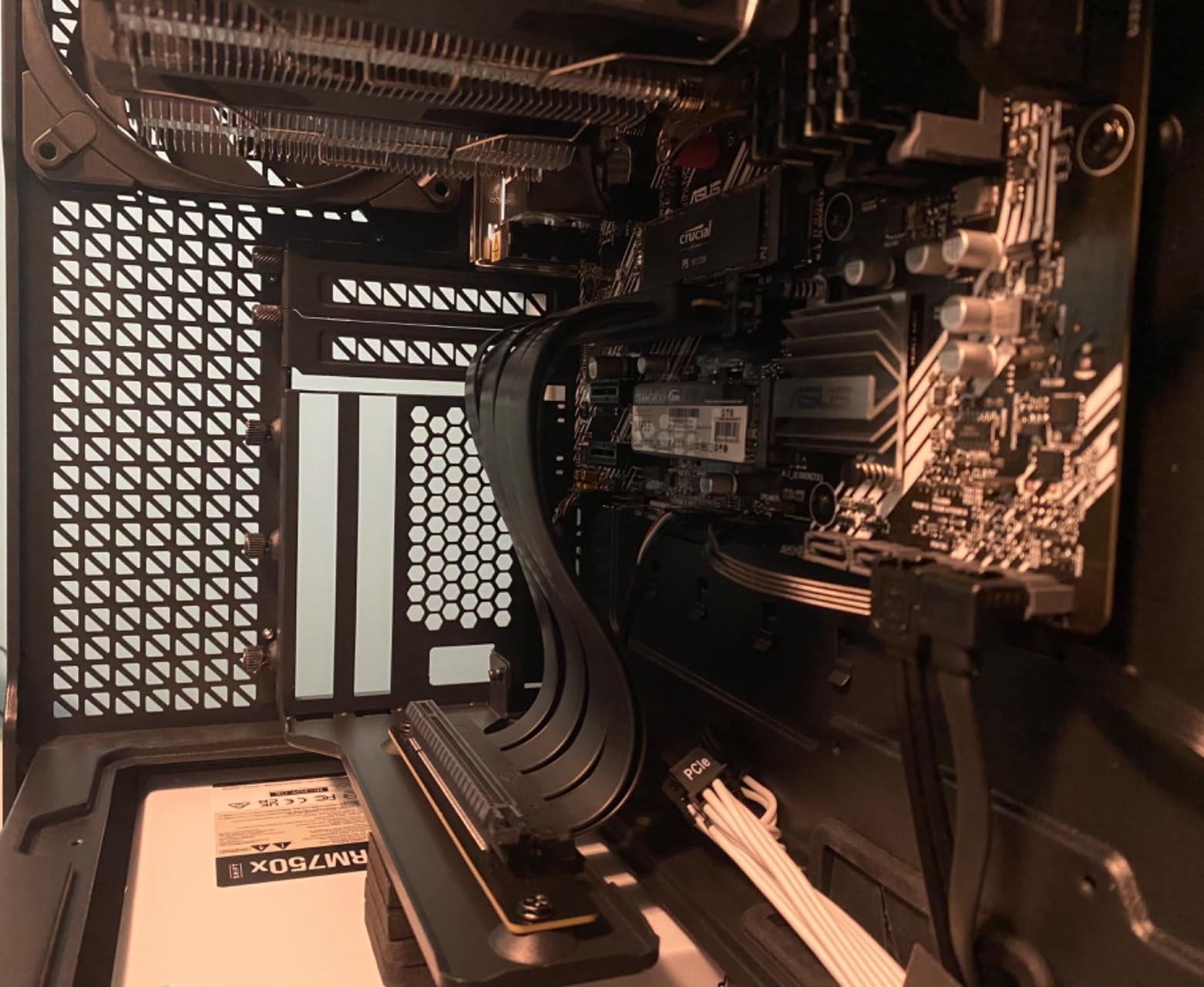
Why cable length matters more than usual here
At 220mm, this riser reaches across a full mid-tower without being stretched. That matters because a stretched cable is a cable under constant mechanical load, and constant load is what produces intermittent faults weeks after an install that seemed perfect.
The extra length also gives you somewhere to go when the display outputs do not clear the slot dividers on the first attempt. A short cable forces the position; a long one lets you choose it.
Slot count and case fit
Seven-slot ATX chassis minimum. In the three Eclipse models named in the specifications it is a direct install, and elsewhere you are counting open slot positions rather than total slots.
Because it fits 1- to 4-slot cards, you can swap a thin card in and out without changing mounts, which is unusual for a kit at this level.
10. GLOTRENDS PCIe 4.0 2-Slot Vertical Mount Bracket – Budget Pick
GLOTRENDS PCIe 4.0 Vertical GPU Mount Bracket with PCIe…
180mm bracket with Gen 4 riser
2-slot GPUs only
Fully open 7/8-slot panel
One-piece iron plate
Pros
- One-piece iron plate resists flex
- Included riser holds GPU speeds
- Three foam pads damp vibration
- Clean minimal appearance
Cons
- Limited to 2-slot cards
- Gen 4 only
- Needs a fully open 7 or 8-slot panel
- Only 30-day warranty
The one-piece iron plate is the reason this bracket does not feel like a budget part. Most mounts at this tier are folded sheet metal, and a folded frame flexes under a heavy card. A single plate with three foam support pads holds its geometry.
It is built for 2-slot thick GPUs, covering GeForce RTX 30 and 40 series and Radeon RX 6000 and 7000 series cards. The female PCIe port can only be secured in slot 2 of the bracket because of the length limits, so plan the card position around that.
Measured throughput is quoted at approximately 26GB/s against a 32GB/s theoretical PCIe 4.0 ceiling, which is a real-world number rather than a headline figure. Reviewers report the included riser maintaining GPU speeds with no blue screens.
The 30-day warranty against manufacturer defects is the weakest coverage in the roundup by a wide margin. For a cable and bracket combination, a 30-day window is effectively a returns period rather than a warranty, and it is a fair reason to step up a tier if you can.
Requiring a fully open 7 or 8-slot PCIe bracket panel rules out any case with solid dividers. Some cases need modification to satisfy that, which is exactly the scenario most builders want to avoid.
At 4.1 across 41 ratings, this is the smallest sample in the group. The construction is sound; the confidence in it is limited.
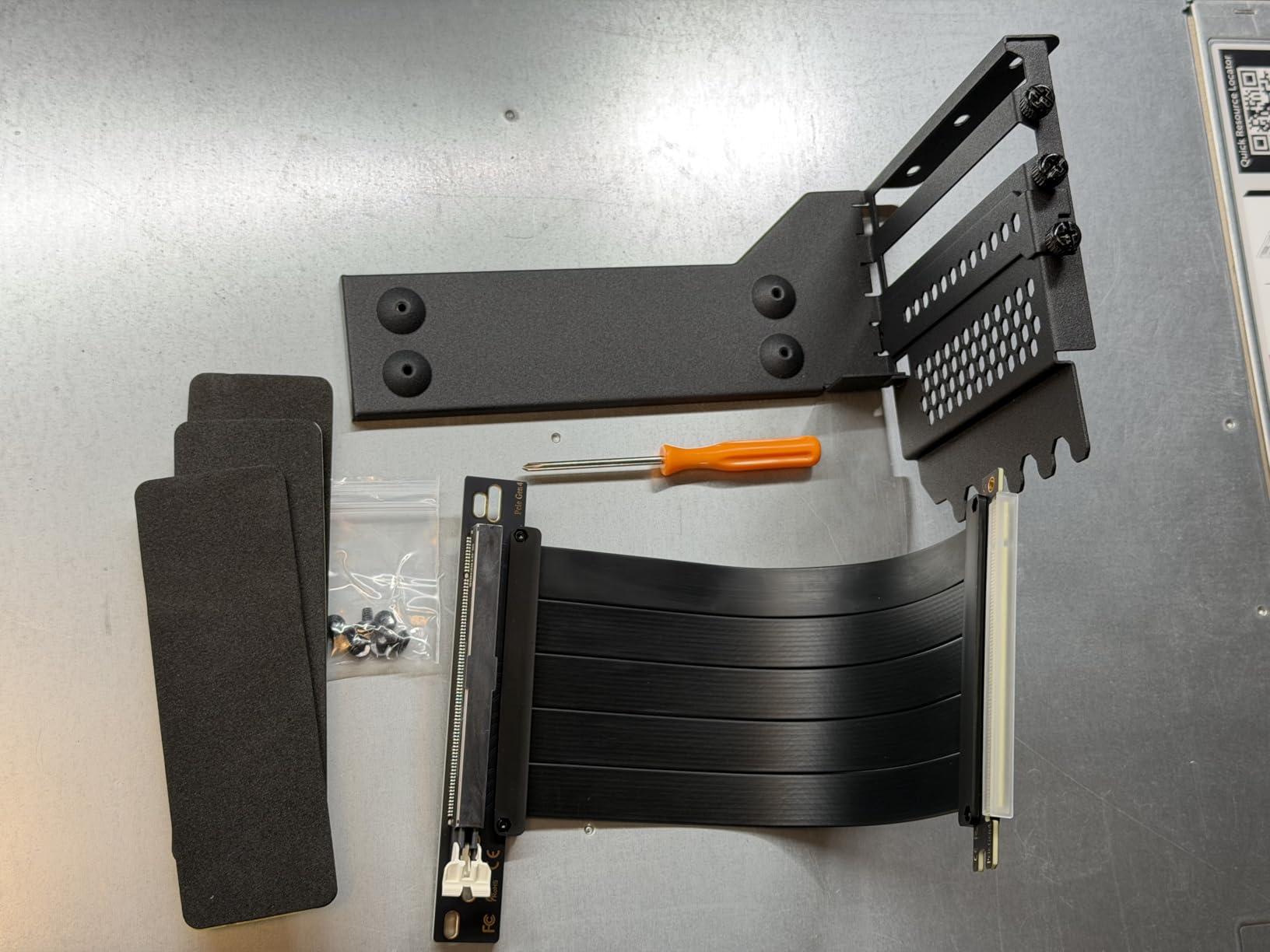
Which cards this actually fits
Two slots thick. That covers a lot of mid-range cards but excludes most flagships, and it excludes any card you would most want to show off through a side panel. Check your card’s thickness before anything else.
Slot 2 placement for the female port is fixed by the 180mm cable length. If the card’s display outputs land elsewhere on the bracket, the alignment will not work.
When budget is the deciding factor
If you are building a first showcase PC with a two-slot mid-range card and a case that already has a fully open expansion panel, this gets the job done with a rigid bracket and a working cable.
For anything heavier or thicker, the 180mm length and the 30-day coverage make the step up to a full kit the better decision. The price difference between this and a full Gen 5 kit is small compared with the cost of a card you cannot mount.
How to Choose a GPU Riser for Vertical Mounting
Match the PCIe generation to your slot
Set the motherboard PCIe slot speed in BIOS to the generation of the riser, not the generation of the card. A Gen 5 slot with a Gen 4 cable frequently fails to auto-negotiate, and the symptom is a black screen with no POST. This is the single most repeated fix on r/pchelp and r/AMDHelp, and it costs nothing to apply preemptively.
For graphics, a Gen 4 x16 link already carries more bandwidth than any current GPU can use. Buy Gen 5 if you want longevity, if you run compute work, or if you plan to move an NVMe add-in card through the same slot.
Measure before you order
Measure the path from your motherboard PCIe x16 slot to where the GPU’s edge connector will sit once vertical. Then add enough slack to route around fans and cable bundles. A 115mm cable suits a tight layout where the slot is close to the bracket; a 200mm to 220mm cable covers most mid-towers; a 300mm run is for open bench and custom loop builds with long routes.
Forum advice across r/PcBuildHelp and r/watercooling is consistent on this. Builders who measure first report smooth installs, and builders who guess report brackets that cannot reach the rear mounting screws.
Kit or standalone cable
Buy a complete kit when you need both the bracket and the cable and want a guaranteed-matched pair. Buy a standalone cable when your case already provides a riser position, or when you already own a bracket. The cables in this roundup all require a separate bracket, so a standalone purchase only makes sense alongside an existing mount.
Count your open expansion slots
Solid dividers behind the card block display outputs. Kits here need between six and seven accessible slots, and one requires a fully open 7 or 8-slot panel. Count open positions, not total slots, and check whether your case would need divider removal, because that is a modification with warranty implications.
Cases designed around a vertical GPU, including the Lian Li O11 Dynamic, Phanteks Eclipse and NZXT H series, are built with open expansion panels for exactly this reason.
GPU thickness, weight and anti-sag
Measure slot thickness before choosing a bracket. Two-slot mounts exist and are cheaper. Three-slot is the modern mainstream. Four-slot support is rare, and the LIAN LI VG4v4 is the only kit here that covers it, with a support arm rated to 10kg.
A vertically mounted card can still sag because it is cantilevered from a single slot. A support arm or rubber pad near the far end of the card takes that load off the PCB and prevents long-term deflection.
Thermals and the glass panel factor
Vertical mounting is a thermal trade. A vertical card sits closer to the tempered glass, and if your case draws air through a bottom intake rather than a side intake, that card gets less fresh air than it would horizontally. Expect a measurable junction temperature increase and budget a couple of degrees of fan curve headroom.
There is a recurring counter-view in the forums that vertical mounting is mainly aesthetic and horizontal is better for pure cooling. That is largely correct in cases with poor bottom intake airflow. If cooling is your priority, a magnetic or bracket-style anti-sag support that keeps the card horizontal serves the same purpose without the cable.
Moving a build with a vertical card
Before you carry a PC with a heavy vertically mounted GPU, remove the card and transport it separately. A riser connector and a cantilevered card are both mechanical parts, and an impact through the case can crack a solder joint or partially seat a connector that appears fine until the next cold boot. This is a step almost no roundup covers and it costs one minute.
Troubleshooting: No Display, Crashes and WHEA Errors After a Riser Install
Almost every riser problem people report online has the same root cause, and it is not a defective cable. It is BIOS negotiation.
1. Enter BIOS and find the PCIe slot configuration for the x16 slot your riser is plugged into.
2. Set the slot speed to match the riser generation exactly. A Gen 4 cable in a slot set to Gen5 is the most common cause of a black screen at POST.
3. If the slot offers an x-lane setting, check it. Some bundled risers are wired x3 rather than x4, and an x4 or x16 slot configured for the wrong lane count can fail to train. Set the lane count to match the cable, which is a problem several r/AMDHelp threads trace to a Phanteks bracket and a mismatched BIOS setting.
4. Save, boot into Windows, then reseat the card and the riser with the power fully off. Hand pressure on the connectors matters here because a connector that is one millimetre short still powers on and still faults.
5. Test the GPU directly in the motherboard slot with no riser. If it works, the card and the slot are fine and the problem is the cable, the bracket, or the BIOS setting.
6. Watch for WHEA errors in HWiNFO64 after a reinstall. WHEA entries mean the link is dropping packets, which is a signal integrity or connection problem rather than a driver problem. Persistent WHEA entries mean change the cable.
If the riser cable physically touches the GPU backplate, that is a routing problem, not a fault. A flexible cable like the TRYX can be routed to miss the backplate without a tight bend. Forcing a stiff cable flat against the backplate is what damages it over time.
Random display flicker or driver resets almost always trace to the cable running next to the power supply or an RGB controller hub. Move the run, and the problem goes away.
Frequently Asked Questions
Do PCIe risers reduce performance?
A quality PCIe 4.0 or 5.0 riser costs almost nothing measurable. On a correctly seated cable running at a matching PCIe generation, frame rates sit inside normal benchmark variance of a direct motherboard connection, and added latency is roughly a nanosecond per 30cm of cable. The problems people notice are mechanical and electrical, not speed: loose connectors, wrong-generation BIOS settings and unshielded cables cause WHEA errors, driver resets and no-display boots.
What are the common problems with GPU risers?
The most common problems are no display after install, WHEA errors, random driver resets, and performance that seems to drop right after mounting. Nearly all of them trace to the motherboard slot set to a higher PCIe generation than the riser, a loose connector, a bundled x3 cable in an x4 or x16 slot, or the cable routed against the PSU and RGB hubs. Physical issues include brackets that cannot reach the rear screws and cables that rub the GPU backplate.
What is the best PCIe riser cable?
For most builders the best overall choice is the Cooler Master Vertical GPU Card Holder Kit V3, whose 165mm PCIe 4.0 riser fits both ATX and micro-ATX cases and has the widest review base in the category. For PCIe 5.0 platforms the LINKUP 20cm cable delivers the full 128GB/s with multilayer shielding and a right-angle connector. For no-drill, no-hassle Gen 5 installs the GLOTRENDS 200mm cable is the simplest.
What is the best vertical GPU mounting kit available?
The Cooler Master Vertical GPU Card Holder Kit V3 is the best overall kit because its toolless adjustment of 65mm horizontally and 30mm toward the side panel solves display output clearance without cutting slot dividers. The NZXT kit is the best choice inside an H7 case thanks to its two-year warranty and AIO clearance. For a four-slot flagship, the LIAN LI VG4v4 is the only kit rated for cards that thick.
Are GPU risers safe, or can they damage a card?
A properly shielded PCIe 4.0 or 5.0 riser from a reputable brand is safe to leave installed indefinitely. Failures come from cheap unshielded cables, connectors under mechanical tension, and generation mismatches rather than from the act of using a riser. Warning signs are WHEA errors in HWiNFO64, display flicker, driver resets and random restarts. If you see those, replace the cable rather than the graphics card.
Is it better to mount a GPU vertically or horizontally?
Horizontal mounting is better for pure cooling because the card draws from the case intake rather than sitting against the side glass. Vertical mounting looks better through a tempered glass panel, frees horizontal space, and lets a support arm take the weight of a thick card. Choose horizontal if your case has weak bottom intake airflow, and vertical if you want the showcase look and can accept a modest junction temperature increase.
What length riser cable do I need for my case?
Measure the path from the motherboard x16 slot to the GPU connector position once the card sits vertical. Around 115mm suits compact layouts where the slot sits close to the bracket, 150mm to 175mm covers most ATX mid-towers, 200mm to 220mm gives comfortable routing freedom in a tall chassis, and 300mm or more is for open bench and custom loop builds with long paths. Add slack for fans and cable bundles.
Do I still need a GPU support bracket with a vertical mount?
Yes, for a heavy card. A vertical mount is still a cantilever: the card hangs from a single PCIe slot, so a support arm or rubber pad near the far end prevents long-term PCB deflection. Kits such as the LIAN LI VG4v4 include an arm rated for GPUs up to 10kg, and the Phanteks and GLOTRENDS brackets use rubber or foam pads for the same purpose.
Final Verdict
The best GPU risers for vertical mounting come down to three questions: what generation is your motherboard slot, how thick is your card, and how many open expansion slots does your case actually have. Answer those before you shop and the choice makes itself.
The Cooler Master Vertical GPU Card Holder Kit V3 is the pick for most people, because toolless two-axis adjustment removes the clearance problems that send people back to horizontal mounts. Inside an NZXT H7, take the NZXT kit for the two-year warranty. Running a four-slot flagship, the LIAN LI VG4v4 is the only kit here that handles the thickness. On a PCIe 5.0 board, add the LINKUP or GLOTRENDS cable.
Whatever you choose, set the PCIe slot speed in BIOS to match the riser before you boot, give the card extra fan curve headroom for the glass panel, and remove the card before moving the case. Those three steps prevent nearly every problem reported in 2026 build forums.
