6 Best Amazon Prime Big Deal Days MacBook Air Deals (October 2026 Sale)
The 13-inch MacBook Air M5 leads this list because it does the least awkward balancing: 16GB of unified memory, a 512GB SSD and a stated 18 hours of battery in a 2.71 pound fanless body. Anyone who wants the bigger screen can step up to the 15-inch M5 for more workspace and a six-speaker system, and anyone spending under the cost of a new machine today should look at the renewed 15-inch M3.
Amazon’s Prime Big Deal Days sale runs October 6-7, 2026, and most of the offers on these laptops need a Prime membership. Prices and configurations shift during the event, so treat this as a shortlist to check rather than a promise.
Contents
Our Top 3 Picks for Best Amazon Prime Big Deal Days MacBook Air Deals
The Editor’s Choice is the 13-inch M5 because it is the configuration most people can carry every day without thinking about it. The 15-inch M5 earns its spot for anyone who works at a desk more than they travel, and the renewed 15-inch M3 is the pick when a large display matters more than a current chip.

MacBook Air M5 13-inch
- Chip: M5
- Memory: 16GB unified
- Storage: 512GB SSD
- Display: 13.6-inch Liquid Retina

MacBook Air M5 15-inch
- Chip: M5
- Memory: 16GB unified
- Storage: 512GB SSD
- Display: 15.3-inch Liquid Retina

MacBook Air M3 15-inch Renewed
- Chip: M3
- Memory: 8GB unified
- Storage: 256GB SSD
- Renewed with 90-day warranty
As an Amazon Associate we earn from qualifying purchases. CERTAIN CONTENT THAT APPEARS ON THIS SITE COMES FROM AMAZON. THIS CONTENT IS PROVIDED 'AS IS' AND IS SUBJECT TO CHANGE OR REMOVAL AT ANY TIME.
Best Amazon Prime Big Deal Days MacBook Air Deals Compared
Every entry below uses the same fields: who it suits, memory, storage and screen size. The first two entries are new machines on Amazon’s storefront, and the remaining four are renewed, which changes what you should check before buying.
| Product | Features | |
|---|---|---|
| MacBook Air M5 13-inch |
|
Check Deal Price |
| MacBook Air M5 15-inch |
|
Check Deal Price |
| MacBook Air M3 15-inch Renewed |
|
Check Deal Price |
 MacBook Air M3 13-inch Renewed MacBook Air M3 13-inch Renewed |
|
Check Deal Price |
 MacBook Air M2 13-inch Renewed MacBook Air M2 13-inch Renewed |
|
Check Deal Price |
 MacBook Air M1 13.3-inch Renewed MacBook Air M1 13.3-inch Renewed |
|
Check Deal Price |
We earn from qualifying purchases. CERTAIN CONTENT THAT APPEARS ON THIS SITE COMES FROM AMAZON. THIS CONTENT IS PROVIDED 'AS IS' AND IS SUBJECT TO CHANGE OR REMOVAL AT ANY TIME.
How We Chose
Two current-generation M5 Airs and four renewed models made the cut. We compared the specs that decide this purchase: chip generation, unified memory, storage, screen size, weight, port selection and warranty terms. We also read the owner reviews on each listing, since a renewed machine and a new one fail in very different ways. Data was checked on October 2026.
1. MacBook Air M5 13-inch: Editor’s Choice
MacBook Air M5 13-inch
Chip: M5
Memory: 16GB unified
Storage: 512GB SSD
Screen: 13.6-inch
Weight: 2.71 lb
Pros
- M5 chip stays quick with dozens of tabs and a call running
- Stated battery life of up to 18 hours
- Fanless at 2.71 lb so it is silent and easy to carry
- Two Thunderbolt 4 ports plus MagSafe
- Supports up to two external displays
Cons
- Only two Thunderbolt 4 ports so a hub helps at a full desk
- 512GB fills quickly with large photo or video libraries
- 16GB is tight for sustained heavy editing
The one to buy if you only buy one. Model MDHE4LL/A, 16GB of unified memory and a 512GB SSD put this machine above the 8GB base tier that has held back cheaper Airs for years.
What stands out in the specs is the balance rather than any single number. The 13.6-inch Liquid Retina display runs at 1 billion colors, the 12MP Center Stage camera handles calls with Desk View, and Wi-Fi 7 with Bluetooth 6 keeps a phone handoff quick. Two Thunderbolt 4 ports, a MagSafe charging port and a headphone jack sit on the edges, and the listing states support for up to two external displays.
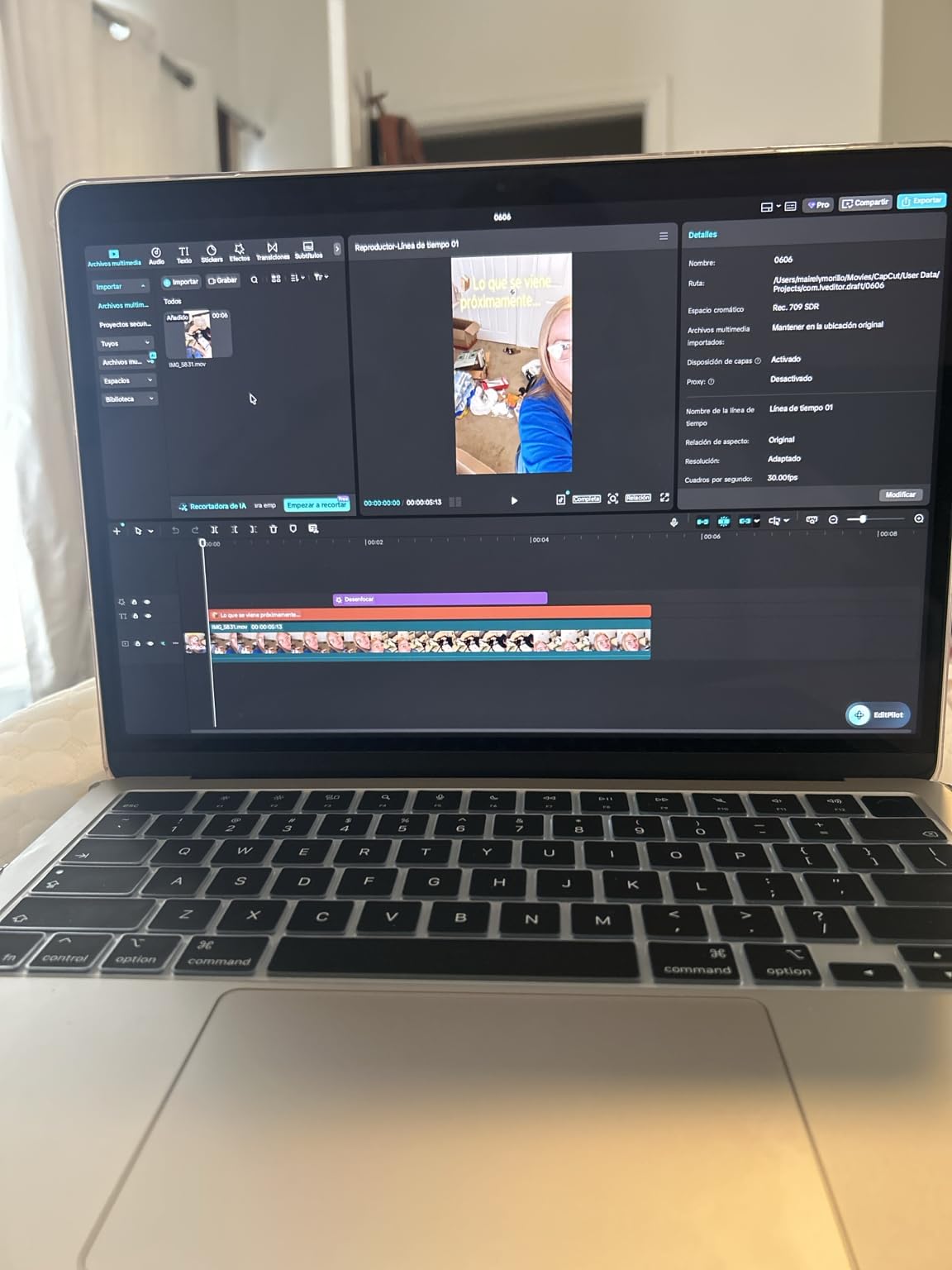
For a commuter this is the easy one to live with. Owners report holding a full workday of calls and documents away from a socket, and at 2.71 pounds with a 0.44 inch profile it disappears into a bag in a way the 15-inch model does not.
- Silent under normal load because there is no fan at all
- Four-speaker system with Spatial Audio and Dolby Atmos
- Three-mic array, which matters on video calls in a noisy room
- Midnight finish here, with Sky Blue, Silver and Starlight also listed
The 15-inch M5 gives up about 1.7 inches of diagonal screen and roughly 0.6 pounds of weight, and you get back a footprint that fits a small table and a train tray. If your day is desk-bound and you want the larger canvas, pick the 15-inch instead.
Skip this one if you edit long 4K timelines or run large virtual machines. The fanless design has no way to cool sustained heavy work, and owners of Airs generally notice throttling before they notice anything else.
The 512GB SSD is the other limit worth naming. Swapping the drive later is not something a MacBook Air owner can do, so if you keep a large photo library or a project folder of video files, plan on an external drive from day one. That is also why the same 16GB and 512GB configuration showing up on the renewed 13-inch M3 later in this list is worth a look.
One more thing to check before the sale ends: the 8.46 by 0.44 by 11.97 inch footprint is smaller than a 15-inch MacBook Pro, so it fits a café table and most airplane seat-back trays without a fair fight.
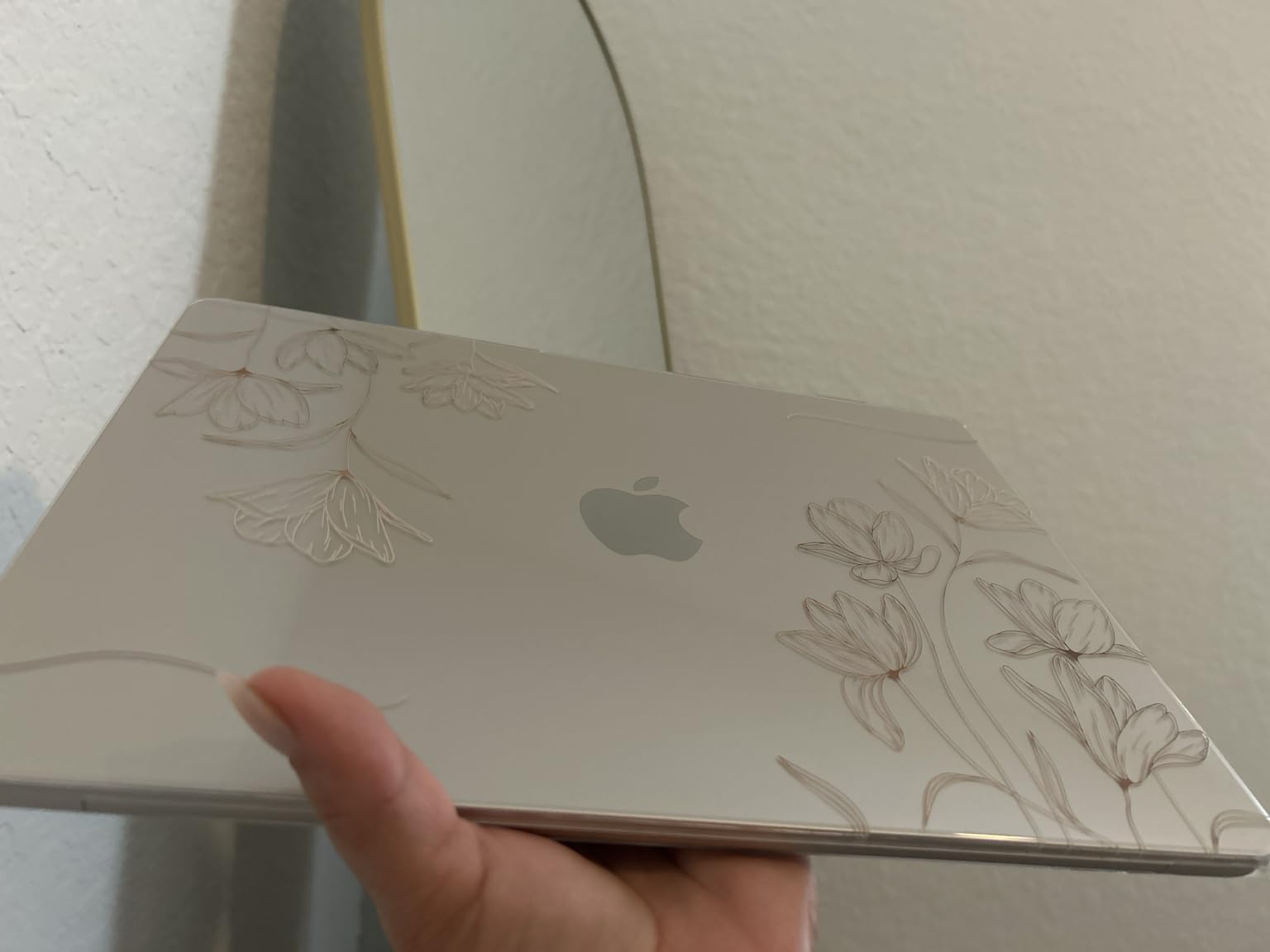
The fanless design also means it is quiet, which is the reason many buyers pick an Air over a Pro in the first place. Check the current price and configuration on the listing, because the same machine number appears in several color and memory combinations.
2. MacBook Air M5 15-inch: Top Rated
MacBook Air M5 15-inch
Chip: M5
Memory: 16GB unified
Storage: 512GB SSD
Screen: 15.3-inch
Weight: 3.32 lb
Pros
- Highest rated entry in this list at 4.8
- 15.3-inch display gives real workspace for documents and spreadsheets
- 16GB keeps multitasking fluid under load
- Six-speaker audio is unusually full for a thin laptop
- Stated battery life of up to 18 hours
Cons
- 3.32 lb is heavier than the 13-inch for travel
- Only two Thunderbolt 4 ports without a hub
- Midnight finish shows fingerprints easily
Owners rate this the highest of anything in the list, and the reason shows in the reviews: the extra screen changes how you work rather than how you look at the laptop.
Model MDVH4LL/A measures 9.35 by 0.45 by 13.4 inches, so it needs a real desk rather than a lap. In exchange you get a 15.3-inch Liquid Retina panel, a three-mic array with six speakers, and the same 16GB and 512GB configuration as the 13-inch.

Picture the working day this suits: two documents side by side, a Slack window and a video call, all visible without minimising anything. Reviewers describe the screen as the reason they stopped looking at a 14-inch Pro, and the keyboard and large trackpad get mentioned just as often.
- Same M5 chip and 16GB memory as the 13-inch, so nothing is downgraded
- Six speakers with Spatial Audio and Dolby Atmos
- 12MP Center Stage camera with Desk View
- Supports up to two external displays alongside the built-in panel
Where it loses to the 13-inch M5 is weight. At 3.32 pounds it is noticeably heavier in a shoulder bag, and if you work from a different place every day the smaller model is the kinder choice.
A few reviews report screen freezes during setup after first boot. That is worth knowing about, though it does not appear in most of the 626 reviews.
For a setup that leans on displays, this machine is easier than it looks. The listing states support for up to two external displays, so a laptop plus one monitor or a laptop plus two is within spec. Port selection is the limiting factor rather than the screen count: two Thunderbolt 4 ports means one port is usually spoken for by charging or by a hub.
The audio is the quiet surprise in the reviews. A six-speaker system with Spatial Audio and Dolby Atmos in a body 0.45 inches thick is more than most laptops at this size manage, and owners watching video on the sofa rather than at a desk mention it repeatedly.

Before you order: the same listing family carries Sky Blue, Silver, Starlight and Midnight. Verify the model number in the listing details, because screen size and color change what you are actually ordering.
3. MacBook Air M3 15-inch Renewed: Best Value
MacBook Air M3 15-inch Renewed
Chip: M3
Memory: 8GB unified
Storage: 256GB SSD
Screen: 15.3-inch
Weight: 3.32 lb
Pros
- Large 15.3-inch Liquid Retina panel for less than a new Air
- M3 8-core chip with 10-core GPU handles office and light creative work
- Backlit Magic Keyboard with Touch ID
- Includes a 35W dual USB-C compact adapter and MagSafe 3 cable
- 90-day limited warranty through Amazon Renewed
Cons
- 8GB unified memory is the thinest tier in this list
- 256GB SSD fills fast and cannot be upgraded
- Renewed condition adds some risk against a new machine
Best for anyone whose eyes are the bottleneck. You get a 15.3-inch 2880 by 1864 Liquid Retina display and an M3 8-core chip with a 10-core GPU for noticeably less than a new machine.
This one is renewed through Amazon Renewed, so the trade is explicit: less money, more uncertainty. Model MRYU3LL/A carries a 90-day limited warranty, runs macOS Sonoma, and includes the 35W dual USB-C compact power adapter and a 2 metre MagSafe 3 cable.

The 8GB of unified memory is the catch, and it is the reason this ranks third rather than first. Buyers report the machine handling documents, browsing and light editing smoothly, but with dozens of applications open at once the headroom runs out quickly.
- Backlit Magic Keyboard, Force Touch trackpad and Touch ID included
- 10-core GPU and 16-core Neural Engine for on-device AI features
- Wi-Fi 6E and Bluetooth 5.3
- Two Thunderbolt / USB4 ports
Set against the renewed 13-inch M3 further down, this machine trades memory and storage for screen size. If your work is spreadsheets, writing and long documents, screen wins. If you keep a lot of applications open, the 13-inch’s 16GB and 512GB is the better machine for less money than new.
The 99 reviews are thin compared with the M5 entries, so treat the rating with some caution. Sentiment is strongly positive and buyers report the machine arriving clean and fully working.
This listing also ranks well inside Amazon Renewed categories, which tells you renewed M3 15-inch machines move in volume. That is useful context: a channel with steady turnover also has more units to compare condition reports against.
Color is worth confirming too. The listing family covers Midnight, Starlight, Silver and Space Gray, and the finish is not interchangeable once the machine arrives.
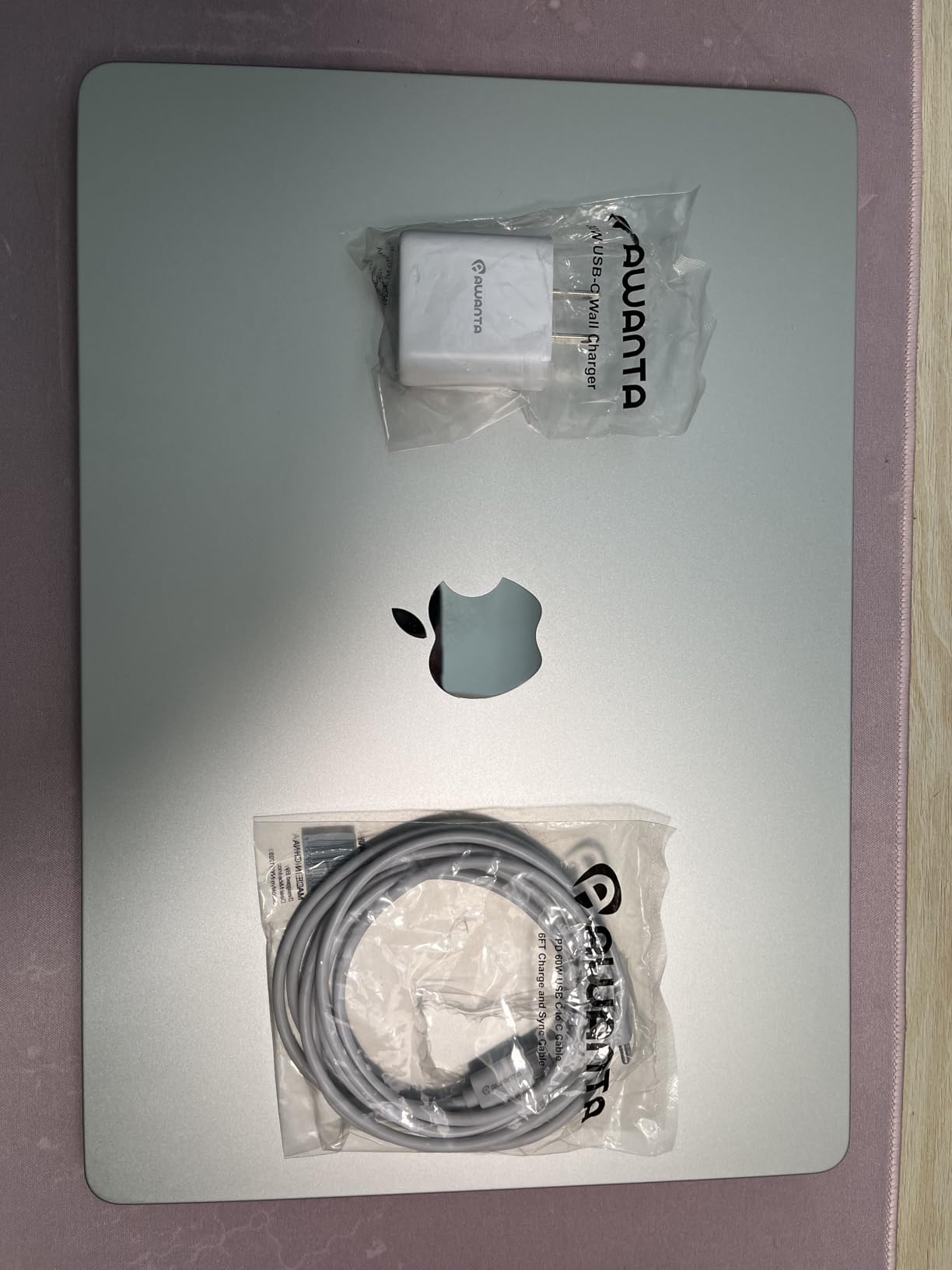
Renewed listings mix color and configuration variants into one family of pages, so confirm the model number and the memory tier on the page before you order. The 90-day window is short, so test everything early.
4. MacBook Air M3 13-inch Renewed: Best for 16GB and 512GB
MacBook Air M3 13-inch Renewed
Chip: M3
Memory: 16GB unified
Storage: 512GB SSD
Screen: 13.6-inch
Weight: 2.7 lb
Pros
- 16GB memory and 512GB SSD below new-machine prices
- 8-core CPU with a 10-core GPU
- 13.6-inch 2560 by 1664 Liquid Retina display
- Stated battery life of up to 18 hours
- Includes 35W adapter and MagSafe 3 cable with 90-day warranty
Cons
- Renewed condition varies and the rating reflects that
- 13.6-inch screen is small for spreadsheet work
- No fan means it throttles under sustained load
The configuration question most people ask is answered here in renewed form: 16GB of unified memory with a 512GB SSD on a 13.6-inch screen. That combination is what most buyers should be looking for, and this model delivers it for less than a new Air.
Model MXCV3LL/A runs an M3 with an 8-core CPU and 10-core GPU, with a 13.6-inch Liquid Retina display at 2560 by 1664 and a 52.6 watt-hour battery. It weighs 2.7 pounds, which is roughly what the current 13-inch weighs.

Buyers focus on the same two numbers when they describe why this one works: memory and storage. At 4.3 it sits lowest of the renewed machines here, and the reviews explain why without any mystery. Complaints describe cosmetic marks and the usual variability of the renewed channel rather than problems with the hardware design.
- Apple Intelligence support with privacy-focused processing
- Backlit keyboard, Touch ID and a Force Touch trackpad
- Two Thunderbolt / USB4 ports
- 90-day limited warranty through Amazon Renewed
The 13-inch M5 wins on chip generation and on-device AI headroom while keeping the memory and storage tier most people actually care about. For general work the difference is smaller than the price gap suggests.
Skip it if you need a graded condition or a longer return window. The 95 reviews give this the smallest sample in the list, so the rating is less reliable than the M5 entries.
The 52.6 watt-hour battery is smaller than what the current M5 machines carry, which is normal for a 2024 model but worth remembering when you plan a long day away from a socket. The listing states battery life of up to 18 hours, and buyers report that figure holding up for ordinary work.
macOS Sonoma is what ships with the machine, so expect to move through a macOS upgrade soon after setting it up. That is a one-time job rather than a reason to skip the machine, but schedule an hour for it.
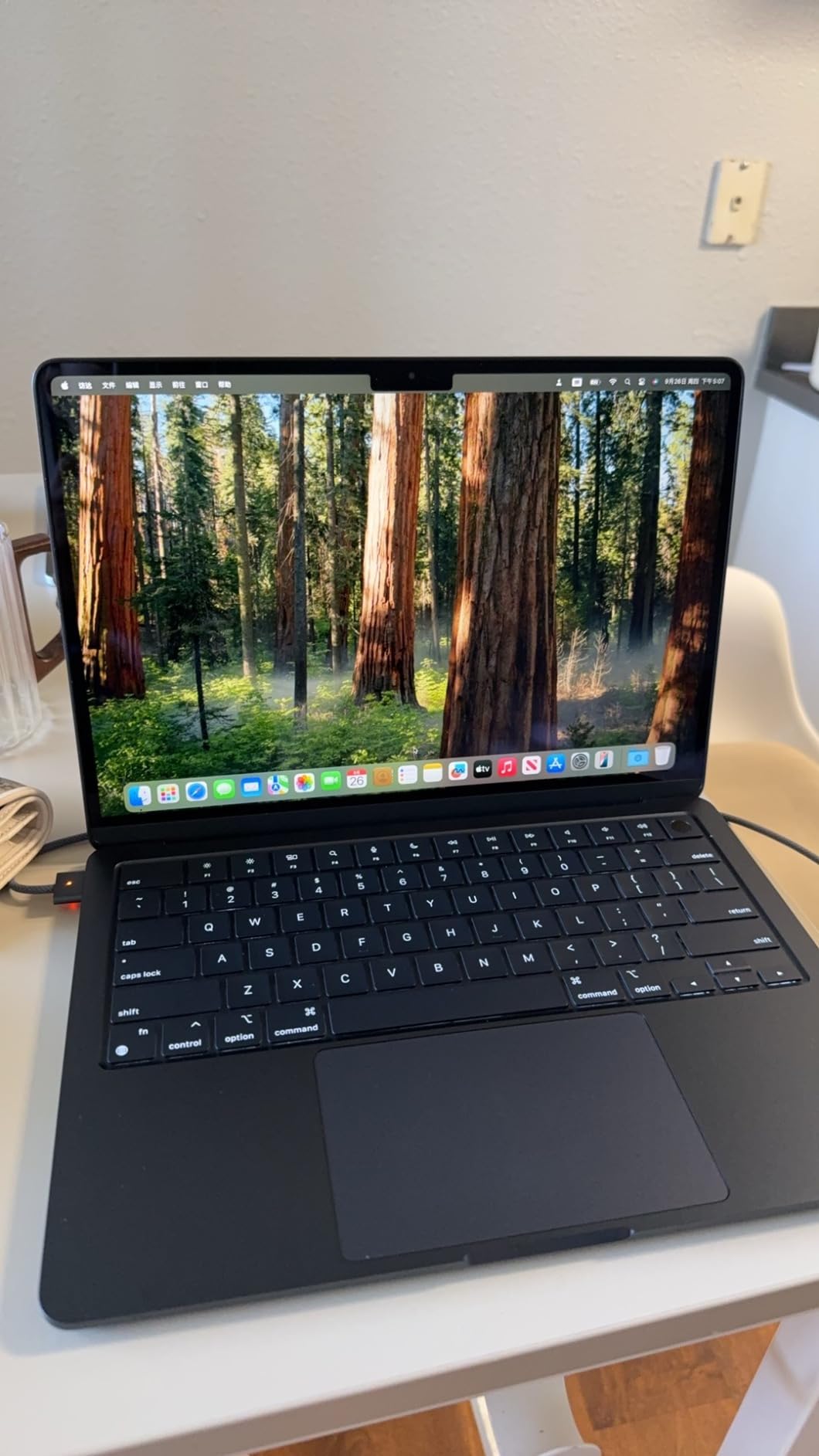
If you already own fast storage or keep large media files, a larger external drive will suit you better. Apple’s unified memory cannot be upgraded after purchase, which is the decision that ages badly.
5. MacBook Air M2 13-inch Renewed: Best for Near-New Condition
MacBook Air M2 13-inch Renewed
Chip: M2
Memory: 16GB unified
Storage: 512GB SSD
Screen: 13.6-inch
Weight: 2.7 lb
Pros
- Renewed Premium grade with machines often described as blemish free
- Battery health commonly reported at 99 to 100 percent
- 606 reviews give the clearest picture of any renewed entry here
- 16GB and 512GB in a 2.7 lb chassis
- Includes a 30W USB-C power adapter
Cons
- Some buyers received 8GB machines on a 16GB listing
- Charger and packaging are often third-party
- One report of a machine that would not power on after a full drain
Buy this one if cosmetic condition matters to you. The Renewed Premium grade on this listing describes units that owners frequently report as looking brand new, with no scratches or blemishes.
Model A2681 with a M2 chip, 8-core CPU and 8-core GPU, 16GB of unified memory and 512GB of storage, on a 13.6-inch LED display at 2560 by 1600. It comes with macOS Monterey and a 30W USB-C adapter, plus a 90-day limited warranty.
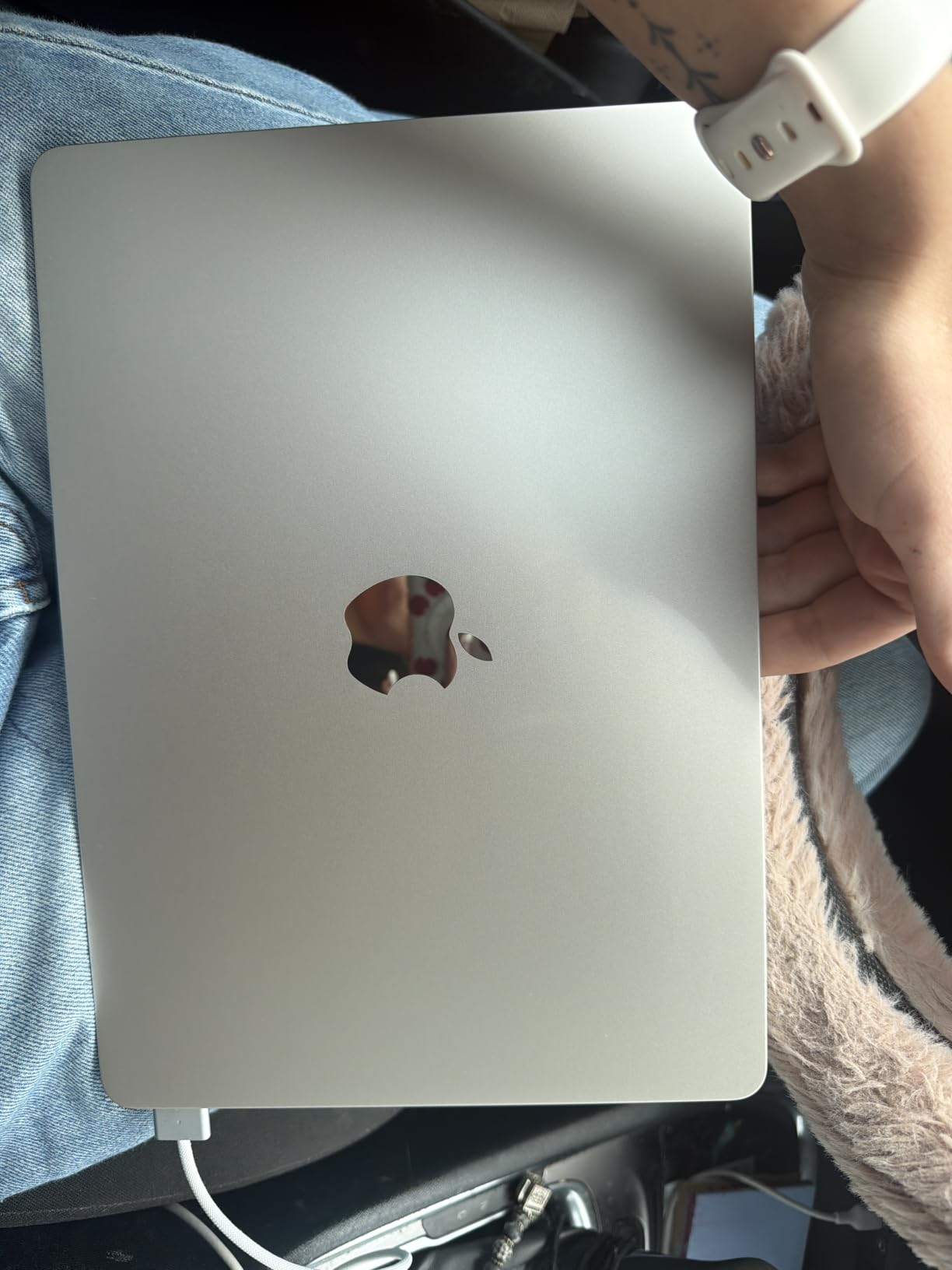
Battery health is the detail owners mention most, with capacity commonly reported at 99 to 100 percent and few charge cycles. That matters more than the chip generation, because a laptop that has been cycling for years is where you would usually expect wear.
- 606 reviews, the third largest sample in this list
- 2.7 pound fanless chassis with silent operation
- Backlit keyboard and Touch ID
- Eight color and GPU combinations listed under the same family
There is one serious thread running through these reviews and it is not about the M2 chip. A meaningful number of buyers say the machine they received had 8GB rather than the advertised 16GB. Check the memory in the listing details and confirm it on arrival inside the return window.
The renewed M3 13-inch is one generation newer with the same memory and storage tier. If a near-new cosmetic condition and high battery health are your priorities, this is the pick. If you want the newest chip instead, take the M3.
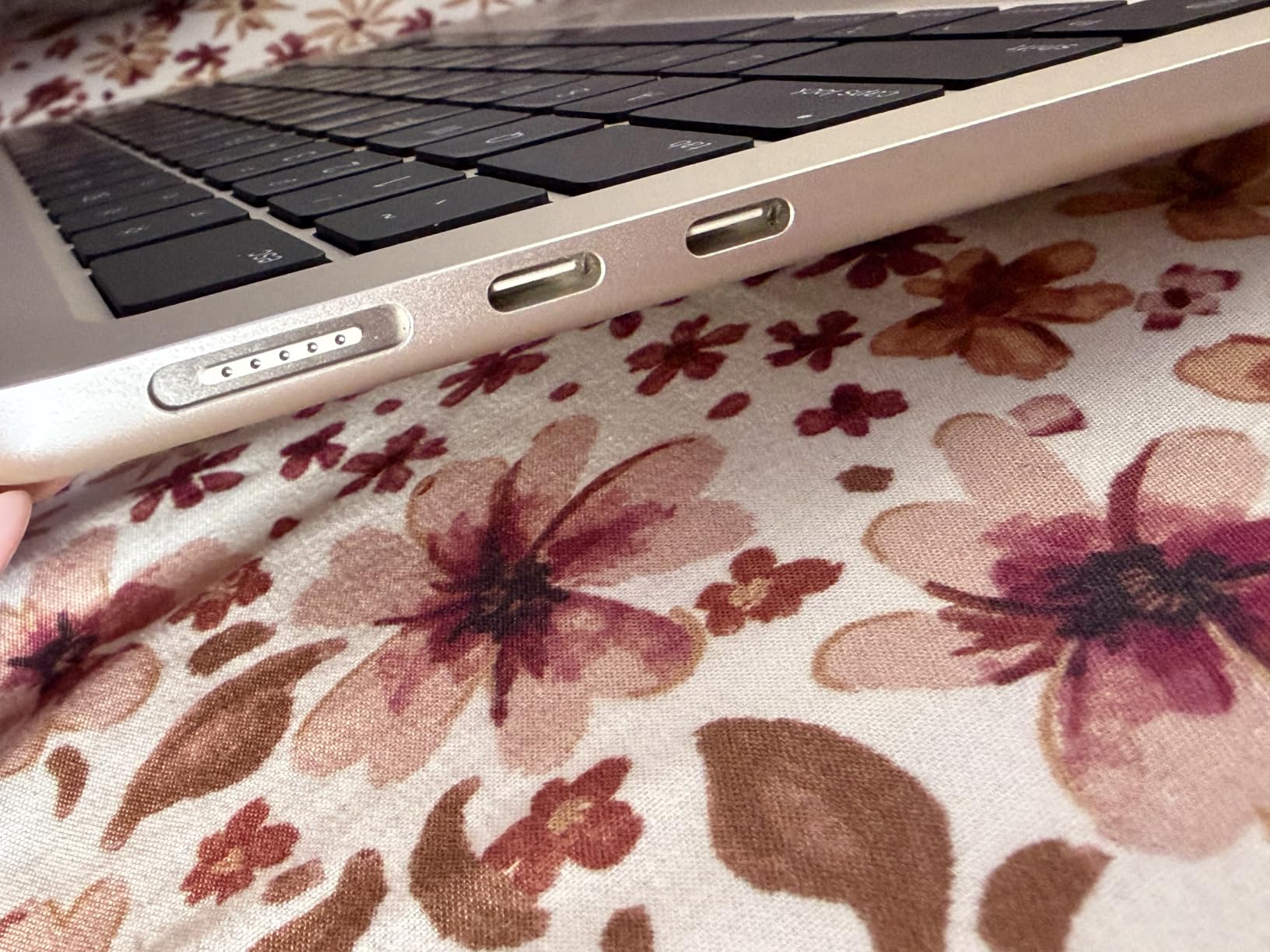
Third-party power adapters and generic packaging are common in this channel and are not a fault in the machine. The included 30W USB-C adapter is a lower-wattage charger than the current models use.
macOS Monterey is the operating system on this listing, so it sits behind what a new machine ships with. On a laptop with a 16-core Neural Engine and Apple Intelligence support available in newer macOS, expect to update soon after purchase.
The listing carries eight color and GPU combinations under the same model family, which is why verifying the exact configuration matters more here than on the current models.
6. MacBook Air M1 13.3-inch Renewed: Budget Pick
MacBook Air M1 13.3-inch Renewed
Chip: M1
Memory: 16GB unified
Storage: 256GB SSD
Screen: 13.3-inch
Weight: 2.8 lb
Pros
- Lowest cost entry in the list and still a 16GB memory tier
- M1 silicon stays fast for documents browsing and light editing
- Stated battery life of 18 hours
- Touch ID and a backlit keyboard
- 1444 reviews make the feedback the most transparent here
Cons
- Highest share of negative reviews here at 15 percent one-star
- Battery health on this generation runs closer to 88 to 91 percent
- Some machines arrive with missing keyboard keys
The cheapest way into a MacBook, and the honest one to describe as a working machine rather than a current one. Model MGN63LL/A is a late-2020 Air with an M1 8-core CPU, 7-core GPU and 16-core Neural Engine.
It pairs 16GB of unified memory with a 256GB SSD on a 13.3-inch 2560 by 1600 Retina IPS display, with Wi-Fi 6, two Thunderbolt 3 / USB4 ports, Touch ID and a 45 watt-hour battery. At 2.8 pounds and 0.63 inches thick it is the thickest machine in this list.
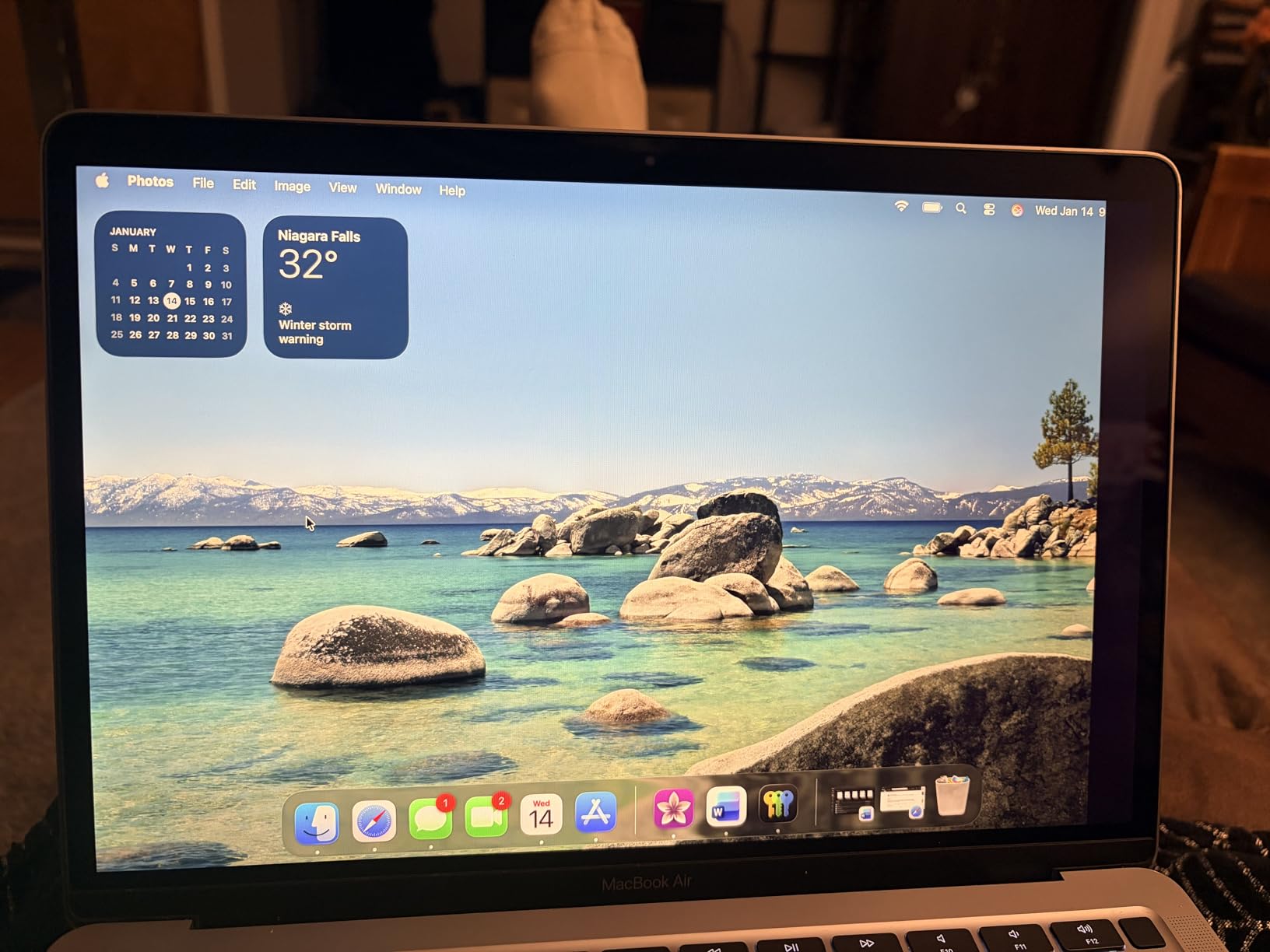
Owners who get a working machine mostly describe it as excellent value. Several report a year or more of reliable daily use with battery health holding steady, and 12 to 18 hours per charge depending on workload.
- Completely silent fanless operation
- 13.3-inch glossy Retina LCD with a sharp image
- Backlit Magic Keyboard and Force Touch trackpad
- Three-mic array and stereo speakers
- 90-day limited warranty through Amazon Renewed
The 4.1 rating and the 15 percent one-star share are the lowest in this list, and the reviews connect them. The failures described are mechanical or electrical, not performance: missing keyboard keys, and one detailed report of a corrupted filesystem that blocked installing software.
Battery health on this generation typically sits closer to 88 to 91 percent rather than near 100. If you plan to keep this machine for years, check the cycle count and capacity as soon as it arrives.
Stepping up to the renewed M2 13-inch buys a chip generation and twice the storage. Pick this one for writing, browsing and email on a budget, and take the M2 for anything heavier.

8GB and 128GB teaching variants get mixed into listings in this channel, so confirm the memory and storage before you order. The box is often generic and a signature may be required on arrival.
This listing has more owner feedback than anything else here, and 67 percent of it is five-star. Read the one-star share as well: at 15 percent, this is the entry in the list where a hardware problem is most likely to reach you, and where it is cheapest relative to the rest of your setup to absorb.
The 45 watt-hour battery and the glossy LCD are both period details. Neither stops the machine doing the job, but both are the things you notice first if you have handled a recent MacBook.
How to Choose MacBook Airs During Prime Big Deal Days
Chip Generation and Everyday Performance
Chip generation matters less than most buying guides suggest, and more in one place. For documents, browsing, spreadsheets, email and video calls, an M1 and an M5 are hard to tell apart. For on-device AI features and longer software support, the newer chip wins.
The M5 chip in both current-generation models pairs a next-generation GPU with Neural Accelerators and a Neural Engine, and the listing describes Apple Intelligence as built in with privacy protections handled on device. The M3 chips add a 10-core GPU and a 16-core Neural Engine, while the M1 pairs an 8-core CPU with a 7-core GPU and a 16-core Neural Engine. None of that changes how a spreadsheet feels.
What does change is longevity. Each generation buys you additional years of current macOS versions, and a machine you intend to keep five years or more should start on the newest chip you can justify. Buyers moving from an M1 or M2 machine usually describe the jump as real in day-to-day use rather than dramatic.
A reasonable rule: at 16GB and 512GB, buy the newest chip you can get, because storage and memory cannot change later. Below that memory tier, an older chip in a better configuration serves you better than a new chip in a thin one.
Buyers moving from an Intel Mac or from an older Intel-era Air get the biggest jump here, because Apple silicon changed everything about how long a machine stays usable. Moving between Air generations is a smaller step. Reviewers describe the difference between a current Air and an older one as a change in responsiveness under load rather than a different experience.
None of these laptops have a fan, which is worth saying out loud: the Air is the quiet choice by design, and the trade-off is what happens when a task runs for a long time.
Memory and Storage Configuration
Treat 16GB of unified memory as the practical floor for anything you intend to keep past three years, and 8GB as an everyday-work tier that will feel tight with many applications open. Unified memory shares capacity between the processor and graphics, so it cannot be upgraded after purchase.
Storage is the harder call. 512GB suits most people who keep documents and streaming libraries; 256GB fills quickly once you add photo or video. If you work with large media, budget for a fast external drive and our picks for portable SSDs that will take the pressure off.
Two figures help when you are reading a listing. Capacity in watt-hours tells you roughly how much energy the battery holds, so a 52.6 watt-hour pack in the renewed 13-inch M3 sits below the current M5 machines. Cycle count and capacity percentage, where the listing shows them, tell you how much life a renewed battery has left before it becomes your problem.
The pairing rule is simple: buy storage you can live with and add an external drive later, but do not buy memory you can live with only barely. Memory cannot be added after purchase; storage can be supplemented whenever you like.
Battery Life and Mobile Use
The M5 models, the renewed 13-inch M3 and the M1 all carry a stated 18 hours of battery, and owners of the M5 machines report holding a workday away from a socket. The renewed 15-inch M3 listing does not state a figure, so plan on charging it overnight.
Weight matters as much as endurance. At 2.71 to 2.8 pounds the 13-inch machines go into any bag; the 3.32 pound 15-inch models are noticeably heavier to carry between rooms or across a campus.
Wireless generation has moved twice across this list. The M5 machines carry Wi-Fi 7 with Bluetooth 6, the M3 models Wi-Fi 6E with Bluetooth 5.3, and the M1 Wi-Fi 6 with Bluetooth 5.0. That only matters if your router and phone are current; otherwise the practical difference is minimal.
Charging is simpler than it used to be. The M5 machines take a MagSafe cable, the renewed M3 and M2 models include USB-C adapters, and the M1 listing includes either an original or generic power adapter. All of them charge over USB-C in practice.
Display Size and External Monitor Support
Pick the 13.6-inch for travel and desk space, and the 15.3-inch for documents, spreadsheets and any work where you keep two windows open. The difference is about 1.7 inches of diagonal screen, which sounds small until you split the display.
The M5 listings state support for up to two external displays, so either size works as a laptop with a desk setup. Our guide to monitors for MacBook Air covers matching a panel to the size of your workspace.
Panel quality is the part the size comparison hides. Every machine here uses a Liquid Retina or Retina panel without a mini-LED backlight, so if you edit HDR video or grade photos in daylight, you are looking at the same class of display on all six. That is a limit of the line, not of the model.
Resolution follows size in the expected way: 2560 by 1664 on the 13.6-inch panels, 2880 by 1864 on the 15.3-inch panel, and 2560 by 1600 on the older 13.3-inch and M2 screens. All are sharp enough that you will not see pixels at normal desk distance.
Ports and Essential Accessories
Every machine here has two USB-C ports and a headphone jack, and the M5 models add MagSafe charging. Two ports is enough for a charger and one accessory, so anyone using an external display, a wired network or several peripherals will want a hub.
If your desk space is limited, a second screen you can unplug when you travel does more than a fixed monitor. Our picks for portable monitors for MacBook Pro cover that setup, and most of them work with any of these laptops over USB-C.
Budget for the accessories a MacBook Air leaves out: a hub with HDMI and card reader slots, an external drive if you chose 512GB and work with media, and a case if you buy renewed and travel with it. A sleeve costs less than one repair and does more good for resale.
Audio is the exception here. Every machine in this list has built-in speakers, and the 15-inch M5’s six-speaker system is the only one that changes how you watch something without headphones.
How to Shop MacBook Air Deals During the Sale
Start with the model number on the listing, because Amazon groups colors and memory tiers into one family of pages: MDHE4LL/A and MDVH4LL/A for the M5 machines, MRYU3LL/A and MXCV3LL/A for the renewed M3 models, MLXW3LL/A for the M2 and MGN63LL/A for the M1.
Then check the memory and storage on the specific page, whether the machine is new or renewed, who sells it and who sends it, what is in the box, and how long the return window runs. Renewed units ship in generic boxes and often include a third-party power adapter, which are normal for this channel.
Apple is not running these offers itself. Amazon is an authorized Apple retailer and applies the temporary price cuts for the length of the event, which means the deal and the model year move independently of each other. Judge the offer on what the machine costs today rather than on the percentage in a badge, because a percentage says nothing about how long the hardware will support the software you need.
On renewal, the grade appears in the listing title: the M2 here is Renewed Premium, the M3 and M1 machines are Renewed. Set a calendar reminder for the end of the return window so the deadline does not pass while you are busy. Most offers need a Prime membership and change through the event, so use the button below to see what a given configuration is actually going for right now.
- Confirm the model number, memory tier and storage on the page you are buying from
- Decide new or renewed before you compare anything else, because the warranty differs
- For renewed machines, check battery cycle count and capacity on arrival
- Count your ports and plan for a hub or a display before the sale ends
- Make sure your Prime trial covers the whole event if you are not a member
Frequently Asked Questions
When does Amazon Prime Big Deal Days run in 2026?
Amazon’s Prime Big Deal Days event runs October 6-7, 2026. It is Amazon’s October flash sale, separate from Prime Day in July and from Black Friday in November. Laptop offers usually appear just before the event starts and popular configurations change through the two days, so check yours early.
Is Prime membership required for Amazon Prime Big Deal Days MacBook Air deals?
Yes, most offers on MacBook Air models during Prime Big Deal Days need an active Prime membership. A free trial counts for the length of the event, so a non-member can usually start one before the sale opens. A few renewed listings run without Prime, and the listing will say so before you check out.
How much memory does a MacBook Air need for everyday use?
Sixteen gigabytes of unified memory is the practical floor for a MacBook Air you plan to keep for several years. Eight gigabytes handles documents, browsing, email and video calls comfortably, but runs out of headroom with many applications open at once. Unified memory cannot be upgraded after purchase, so this is the one spec worth stretching for.
Is the 13-inch or 15-inch MacBook Air better for portability?
The 13-inch is the portable one, at about 2.71 to 2.8 pounds against roughly 3.32 pounds for the 15-inch. The 15-inch gives you about 1.7 more inches of diagonal screen for spreadsheets and documents. If you work at a desk most of the day, the 15-inch is the better machine; if you move around, take the 13-inch.
Can a MacBook Air support more than one external display?
Yes. The M5 MacBook Air listings state support for up to two external displays, so you can run two screens alongside the built-in panel. Check the setup options in your system settings when you connect them, because resolution and refresh rate vary by display. Older machines such as the M1 support one external display at higher resolutions.
Do MacBook Air offers usually change during the sale?
Yes, offers change through the event. Prices move by configuration and color, and configurations with higher memory or storage draw the most attention during the event. Use the listing price as your guide on the day you buy rather than a figure you read beforehand, and decide your configuration before the sale opens.
Final Verdict: Best Amazon Prime Big Deal Days MacBook Air Deals
Buy the MacBook Air M5 13-inch if you want one machine to carry everywhere and keep for years. It has the memory and storage tier most people need, the lightest body in the list and a rating backed by the largest number of owner reviews here. Check the configuration on the listing and use the button to see what it is going for during the sale.
The MacBook Air M5 15-inch is the pick for desk-bound work, with the highest rating in this list and six speakers. The MacBook Air M3 15-inch Renewed is the budget-friendly alternative when a large screen matters more than a current chip, though its 8GB and 256GB will age faster.
The MacBook Air M3 13-inch Renewed is the best route to 16GB and 512GB below new prices. The MacBook Air M2 13-inch Renewed suits anyone who wants a near-new cosmetic condition and near-full battery health. The MacBook Air M1 13.3-inch Renewed is the cheapest way in, and its 1,444 reviews make both the value and the risks easy to see before you order.