
8 Best Soundbars Under $200 (July 2026) Reviewed
The best soundbars under $200 for most people are the Samsung HW-B400F for simple, voice-friendly TV audio, the TCL S55H for a wireless-subwoofer setup, and the ULTIMEA Poseidon M60 for buyers who want a more involved Dolby Atmos system. Each is built for a different room and listening habit, so the right answer is not simply the model with the highest channel count.
A budget soundbar replaces thin, downward-facing TV speakers with forward-facing drivers, easier-to-hear dialogue, and often stronger bass. I focused on the eight verified models below, weighing their stated channel layout, inputs, controls, supplied hardware, ratings, and review volume rather than making claims the product data cannot support.
Contents
For 2026, start with the connection on your TV: HDMI ARC is the easiest route because it can pass sound and let one remote control volume. Optical works well when ARC is unavailable, while Bluetooth is best reserved for music from a phone because TV Bluetooth can introduce audio delay.
Top 3 Picks for Best Soundbars Under $200 (July 2026)
The Samsung is my straightforward pick for a bedroom or smaller living room where clear voices and a single-bar footprint matter. The TCL is the better match when you have floor space for a wireless subwoofer, while the ULTIMEA is for someone ready to place a wired subwoofer and use an app to tune the system.
As an Amazon Associate we earn from qualifying purchases.
8 Best Soundbars Under $200 In 2026
This quick overview compares the channel configuration and the meaningful features reported for every model. A 2.0 bar is a compact upgrade for TV dialogue, 2.1 adds a subwoofer for low-end weight, and 3.1 or 5.1 adds channels intended to make voices or effects more distinct.
| Product | Features | |
|---|---|---|
 Samsung HW-B400F Samsung HW-B400F |
|
Check Latest Price |
 ULTIMEA Poseidon M60 ULTIMEA Poseidon M60 |
|
Check Latest Price |
 vibeadio 110W 2.1 vibeadio 110W 2.1 |
|
Check Latest Price |
 Fire TV Soundbar Plus Fire TV Soundbar Plus |
|
Check Latest Price |
 TCL S55H TCL S55H |
|
Check Latest Price |
 LG S40T LG S40T |
|
Check Latest Price |
 Hisense HS2100 Hisense HS2100 |
|
Check Latest Price |
 Westinghouse 2.0 SBar Mini Westinghouse 2.0 SBar Mini |
|
Check Latest Price |
We earn from qualifying purchases.
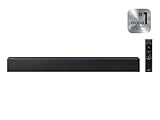
The Samsung HW-B400F is the simplest choice for clearer everyday TV sound.
Samsung HW-B400F B-Series Soundbar, 2.0ch with Built-in...
2.0 channel
Built-in woofer
Voice Enhance
HDMI ARC
Pros
- Voice Enhance for clearer dialogue
- HDMI ARC and optical connections
- Compact 25.23 inch width
- One Remote compatibility
Cons
- Modest 40W stated output
- No separate subwoofer
I would choose the HW-B400F when the mission is making television sound less strained without turning the room into an equipment project. It is a 2.0-channel Samsung bar with a built-in woofer, Voice Enhance, Night Mode, and a 4.6 rating from 1,695 reported reviews.
Its 25.23-inch width and 4.6-pound weight make it especially sensible below a smaller screen or on a bedroom console. The stated 40-watt maximum output tells me to think “controlled small-room upgrade,” not “high-volume home theater.”
Samsung lists HDMI ARC, optical, and Bluetooth, which gives it a practical connection path for older and newer televisions. With a compatible Samsung TV, One Remote Control support can reduce remote clutter, and that small convenience matters every evening.
The community discussion around budget bars repeatedly flags HDMI ARC and CEC setup as a pain point. My advice here is to connect the bar by ARC first, turn on the TV’s CEC setting, select the proper audio output, and only then pair Bluetooth devices.
HDMI ARC and Voice Enhance make this the right fit for simple TV watching.
Voice Enhance is the key feature for viewers who keep reaching for subtitles during news, dramas, and late-night shows. It targets spoken content rather than trying to make the bar imitate a full surround system.
Night Mode is also useful in an apartment or shared home because it gives you a dedicated late-viewing option. I would still start at low volume and adjust from there, since room surfaces affect perceived bass and speech.
The built-in woofer makes this best for smaller rooms with no place for a subwoofer.
The built-in woofer keeps the installation clean, but it cannot offer the placement flexibility of a separate subwoofer. If a deep, physical low end is the priority, a 2.1 model below is a better match.
Wall mounting is supported, yet check that the bar will not cover the television’s IR receiver before committing. The 2.62-inch height is another measurement worth comparing with the space in front of your TV.
The ULTIMEA Poseidon M60 is the most feature-packed choice for an involved movie setup.
ULTIMEA 5.1CH Surround Sound Bar with Subwoofer, Dolby...
5.1 channel
Dolby Atmos
300W output
App EQ
Pros
- 5.1-channel Dolby Atmos system
- VoiceMX dialogue processing
- 10-band app EQ
- Bluetooth 5.4
Cons
- Wired subwoofer needs cable routing
- More pieces to place
The Poseidon M60 stands out because its stated 5.1-channel layout, Dolby Atmos support, six-driver system, and 300-watt output are unusually ambitious specifications in this group. It also has a 4.5 rating across 2,239 reported reviews, a much larger feedback pool than several newer alternatives.
This is not the one I would recommend to someone who wants a bar out of the box and done. Its wired 5.25-inch subwoofer means the room needs a sensible cable path, and the system deserves time with the app rather than a five-minute setup.
For movies, VoiceMX focuses on vocal clarity and BassMX is intended to tune the low end. HDMI eARC is listed for Dolby Atmos, while optical and Bluetooth 5.4 offer additional ways to connect equipment.
The app provides a 10-band graphic EQ and 121 sound presets according to the product data. That can help a room with hard floors or an overly boomy corner, though I would begin with small changes instead of moving every EQ slider at once.
The adjustable app EQ makes this a strong match for listeners who will tune their sound.
App control is a real decision point, not an automatic benefit. It gives a hands-on owner more control over bass, midrange, treble, and presets, but it asks for a willingness to experiment.
I would use a familiar dialogue-heavy scene, then a music track, to set a baseline. Make one adjustment at a time so you can tell whether a change helped rather than guessing.
The wired subwoofer makes this best for a fixed TV wall rather than a flexible layout.
A wired subwoofer can be a reasonable compromise when the TV stand and subwoofer sit on the same side of the room. It is less convenient if the only good bass location is across a walkway.
For console gaming, HDMI eARC is the connection I would try before Bluetooth. It keeps the TV as the central switcher and avoids treating a wireless music connection as a gaming-audio solution.
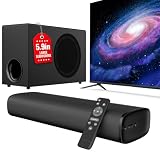
The vibeadio 110W 2.1 is a compact bass-focused option with broad basic connections.
vibeadio Upgraded 110W Sound Bar for TV with 5.9" Powerful...
2.1 channel
110W output
5.9 inch subwoofer
Bluetooth 5.4
Pros
- 5.9 inch wired subwoofer
- ARC optical and AUX inputs
- Movie Music and News modes
- 18-month warranty
Cons
- Smaller 149-review sample
- Less established brand
The vibeadio is a 2.1-channel option that pairs a slim bar with a stated 5.9-inch wired subwoofer and 110-watt output. It earned a 4.5 rating, but its 149 reported reviews mean I would place more weight on its documented connections and layout than on the star average alone.
It supports ARC, optical, AUX, and Bluetooth 5.4, so it works with televisions, PCs, projectors, and laptops listed in the product data. That range is useful for a multipurpose den or a desk-to-projector setup.
The three EQ choices are Movie, Music, and News. That is a practical set: use News when speech matters, Movie when effects and impact matter, and Music as the starting point for Bluetooth playback.
The subwoofer is wired, which is the trade-off for getting a separate bass driver in a compact package. Plan its cable route before opening everything, especially if your media console has closed backing.
The ARC, optical, and AUX inputs make this useful beyond a single television.
ARC is the convenient choice for a TV that supports it, and optical is the dependable fallback for a television without ARC. AUX can be helpful for an older source, but it does not offer the one-remote behavior associated with HDMI CEC.
For a projector, confirm which audio output the projector actually has before choosing any soundbar. “Bluetooth capable” alone does not tell us that video and audio will stay synchronized.
The wired bass module makes this better for a TV stand than a wall-mounted floating setup.
The 5.9-inch subwoofer is the clear reason to choose this over a compact 2.0 bar. It should suit a listener who feels standard TV sound lacks weight in action scenes or music.
It is not the cleanest visual choice where no cable can cross from the TV area to the desired subwoofer spot. A wireless-subwoofer model such as the TCL, LG, or Hisense removes that specific routing concern.
The Fire TV Soundbar Plus is the dialogue-first all-in-one for Fire TV households.
Amazon Fire TV Soundbar Plus (newest model) with built-in...
3.1 channel
Built-in subwoofer
Dolby Atmos
Clear dialogue
Pros
- Dedicated center channel for dialogue
- Dolby Atmos and DTS:X
- HDMI eARC or ARC setup
- Fire TV one-remote integration
Cons
- Detailed output specs are not listed
- No separate subwoofer placement
The Fire TV Soundbar Plus has a stated 3.1-channel configuration, a built-in subwoofer, Dolby Atmos, DTS:X, and a dedicated center channel for dialogue. That center channel is the big reason I would shortlist it for viewers who value clear voices above all else.
It is an all-in-one bar, so there is no separate bass box to find a place for or power outlet for. The trade-off is that the bass stays at the front of the room rather than being independently positioned.
Amazon lists Movie, Music, Sports, and Night modes, plus Bluetooth playback from a phone or tablet. The supplied HDMI cable and HDMI eARC or ARC setup are useful for reducing first-day friction.
Fire TV integration and one-remote control are most appealing if you already use that ecosystem. Owners of other TVs can still connect it, but I would buy it for its channel layout and voice focus first, not solely for the ecosystem tie-in.
The dedicated center channel makes this a direct answer for dialogue clarity.
In practical terms, a center channel is designed to give voices a more dedicated place in the mix. That is different from merely raising overall volume, which can make effects louder without making words easier to follow.
If dialogue is still unclear after setup, verify that the TV is not applying a conflicting sound mode. Then compare the bar’s standard and Night modes with a familiar program before changing several settings together.
The built-in subwoofer makes this the tidiest 3.1 choice for a media cabinet.
A one-piece bar works well for renters, bedrooms, and clean console layouts. It also means fewer power cords and fewer opportunities for a separate subwoofer to compete with furniture placement.
Buyers looking for room-filling low bass should recognize the physical limit of keeping bass drivers inside the bar. A 2.1 system with a separate subwoofer is the better direction when placement flexibility matters more than minimal gear.
The TCL S55H is the best wireless-subwoofer choice for flexible placement and calibration.
TCL S55H 2.1 Sound Bar with Wireless Subwoofer for Smart TV...
2.1 channel
Wireless subwoofer
Dolby Atmos
220W output
Pros
- Wireless 5.5 inch subwoofer
- AI Sonic room calibration
- Dolby Atmos and DTS Virtual:X
- HDMI eARC ARC optical and AUX
Cons
- Separate subwoofer needs floor space
- Listed shipping window can vary
The TCL S55H is a 2.1-channel system with a wireless 5.5-inch subwoofer, 220 watts of stated power, Dolby Atmos, DTS Virtual:X, and AI Sonic Auto Room Calibration. It is the choice I would make for someone who wants a straightforward two-piece system without a signal cable between the TV area and subwoofer.
The bar measures 31.89 inches wide and 2.36 inches high, while the subwoofer measures 7.68 inches wide by 12.60 inches high by 7.68 inches deep. Those figures are useful because small-room buyers often discover too late that the subwoofer has nowhere sensible to sit.
Connectivity is generous: HDMI eARC or ARC, optical, Bluetooth, AUX, and USB are listed, alongside app and remote control. The included HDMI cable and wall-installation kit make the setup package more complete than many basic bars.
Wireless does not mean placement is unlimited; the subwoofer still needs power and should not be sealed into a cabinet. I would begin with it near the front wall, then move it a short distance at a time if bass becomes boomy or disappears at the couch.
The auto room calibration helps this suit rooms that do not have ideal speaker placement.
Auto Room Calibration is useful for a living room where the TV is off-center, a couch sits close to a wall, or hard surfaces make sound sharp. It is not a substitute for putting the subwoofer in a sensible open location.
Run the calibration after placing the bar and subwoofer where they will actually live. Moving furniture later may change what you hear, so recalibrate if the system supports it and the room changes substantially.
The eARC and multiple input options make this practical for TV, music, and console use.
For a console, connect the console to the TV and the TV to the S55H through HDMI eARC or ARC when those ports are available. Then check lip sync with a game menu or a spoken video before settling in.
The stated 10-meter Bluetooth range is useful for music streaming around the room. For television sound, a cable remains the more predictable path because it lets the TV handle timing and remote-volume commands.
The LG S40T is the easiest recommendation for LG TV owners who want a wireless subwoofer.
LG S40T 2.1 ch.Soundbar with Wireless Subwoofer, TV Synergy...
2.1 channel
Wireless subwoofer
Clear Voice Plus
LG app
Pros
- Wireless subwoofer
- Clear Voice Plus dialogue mode
- WOW Interface with LG TVs
- Three-band app EQ
Cons
- Limited to 2.1 channels
- Best integration is with LG TVs
The LG S40T is a 2.1-channel soundbar with a wireless subwoofer, Dolby Audio and DTS Digital compatibility, Clear Voice Plus, AI Sound Pro, and the LG Soundbar App. Its stated 4.4 rating comes from 477 reported reviews, which is a useful but medium-sized feedback sample.
For an LG television owner, the WOW Interface and TV-remote compatibility are meaningful advantages. I like any setup that makes volume control obvious for every member of the household rather than leaving a second remote in a drawer.
The bar is 28.4 inches wide, 3.4 inches deep, and 2.5 inches high, and it can be wall mounted. Its metal grill is also described as offering dust protection, a small but welcome detail for an open media shelf.
The soundbar app offers a three-band equalizer, and the Smart Up-Mixer is intended to broaden the presentation of content. Treat those as adjustment tools rather than a promise of true surround sound from two main channels and a subwoofer.
The WOW Interface makes this the natural fit for an LG TV remote setup.
TV-brand integration reduces setup friction when it works with your specific television. Check your TV’s ports and compatibility information before ordering, then use HDMI for the best chance of one-remote behavior.
If your television is not an LG model, the S40T remains a Bluetooth-and-HDMI 2.1 bar. In that case, compare it more closely with the TCL and Hisense based on the inputs and sound modes you will actually use.
The three-band EQ makes this better for light sound adjustment than deep tuning.
A three-band equalizer gives you basic control of low, middle, and high frequencies without requiring a lot of technical knowledge. I would lower bass first if speech sounds muffled, then make a small midrange change only if needed.
The separate wireless subwoofer is a good fit for a medium room where you want a fuller movie presentation. Keep it clear of enclosed furniture so it can move air rather than rattle the cabinet around it.
The Hisense HS2100 is a balanced everyday 2.1 system with useful TV-focused presets.
Hisense HS2100 2.1ch Soundbar with Wireless Subwoofer, Dolby...
2.1 channel
Wireless subwoofer
DTS Virtual:X
240W output
Pros
- Wireless 5.25 inch subwoofer
- HDMI ARC single-cable connection
- Six EQ modes
- DTS Virtual:X and Dolby Digital Plus
Cons
- Listed stereo output mode
- No true rear speakers
The Hisense HS2100 gives you a 2.1-channel bar and wireless 5.25-inch subwoofer with 240 watts of stated maximum power. It supports HDMI ARC, optical audio, USB, AUX, and Bluetooth 5.3, so it covers the connections most TV shoppers ask about.
Hisense lists DTS Virtual:X and Dolby Digital Plus, along with six EQ modes for movies, music, sports, games, and other content. The system has a 4.2 rating from 1,030 reported reviews, offering a more established feedback base than some similarly configured options.
Forum research specifically says HS2100 owners often feel it exceeds expectations, while the wider budget-bar conversation warns that connectivity can be inconsistent across cheaper brands. That is why I would give HDMI ARC a careful initial setup rather than assuming it will configure itself.
The included HDMI cable, bar, quick-start guide, and wireless subwoofer make the package ready for a basic TV installation. Its 31.5-inch bar width is suited to many mid-sized TV stands, but measure the available ledge before buying.
The six EQ modes make this a convenient choice for mixed sports, games, and shows.
Presets are useful when more than one person uses the television. A Sports or Games mode may be worth trying for those sources, while Movie and Music give simple starting points without needing an app.
I would avoid judging a preset at extreme volume on the first listen. Start with a familiar program at normal viewing volume, where dialogue balance matters more than a dramatic first impression.
The wireless subwoofer gives this the bass flexibility that 2.0 bars lack.
A separate wireless subwoofer can be placed away from the TV console, subject to having a nearby outlet. That flexibility is helpful when the center of the front wall is crowded or the bar needs to stay wall mounted.
The HS2100 is still a 2.1 system, not a system with physical rear channels. DTS Virtual:X aims to create a broader spatial impression, but buyers seeking speakers behind the couch should select a design that actually includes them.
The Westinghouse 2.0 SBar Mini is a small Roku-ready bar for limited spaces.
Westinghouse Sound Bar for Smart TV, 2.0 Compact Soundbar...
2.0 channel
120W output
Roku TV Ready
HDMI eARC
Pros
- Roku TV Ready certification
- HDMI eARC and optical
- Bluetooth 5.3
- Wall-mount kit included
Cons
- No included subwoofer
- Smaller 120-review sample
The Westinghouse 2.0 SBar Mini is the compact choice: it measures 24.17 inches wide by 2.48 inches high and has a stated 120-watt output. It is Roku TV Ready, supports HDMI eARC, and includes a wall-mount kit, HDMI cable, and Roku remote.
This is a clean answer for a small TV, bedroom, office, or apartment where a separate subwoofer is not welcome. Its 4.3 rating is based on 120 reported reviews, so I would call it a promising compact option rather than treating that rating as the final word.
Dolby Atmos and Dolby Digital Plus support are listed alongside HDMI, optical, USB, AUX, and Bluetooth 5.3. The 2.0 configuration is the deciding limitation: it can improve clarity and scale over TV speakers, but it is not built around separate subwoofer bass.
Roku TV Ready certification is a strong convenience signal for Roku TV households. The supplied Roku remote can simplify control, but I would still verify your exact television model and HDMI port before relying on any one-remote setup.
The Roku TV Ready certification makes this the simplest compact option for Roku TV owners.
When the television and bar are designed to work together, setup is usually less intimidating. Start with the included HDMI cable in the TV’s ARC or eARC port, then follow the TV’s audio-device prompts.
If your TV does not have ARC, use the listed optical input instead. You may need to choose an optical or external-speaker output in the TV menu and use the bar’s remote for volume.
The 24.17-inch width makes this best for a bedroom TV or desk-sized display.
Compact dimensions prevent a soundbar from visually overwhelming a small screen or blocking the display base. The bar can also be wall mounted, which keeps a narrow console clear.
Choose a 2.1 model instead if your main goal is bass for action films, music, or a larger living room. The SBar Mini is about space-saving clarity and simple TV integration, not replacing a dedicated low-frequency speaker.
The right budget soundbar depends first on bass needs, TV ports, and room space.
Before choosing between the best budget soundbars, measure the TV stand, look at the label beside your TV’s HDMI ports, and decide whether a separate subwoofer has a real place to live. This takes a few minutes and prevents the most common mismatch: buying an impressive-looking system that cannot be connected or placed well.
HDMI ARC is the best connection for most TVs because it keeps setup and volume control simple.
HDMI ARC sends TV audio back through one HDMI cable to the soundbar. It can also carry CEC commands, which often lets your TV remote adjust soundbar volume and turn the bar on with the TV.
Connect the cable to the HDMI port labeled ARC or eARC on both devices, select external speakers in the TV settings, and turn CEC on if it is off. eARC is a newer version with wider audio-format support, but regular ARC is more than adequate for a basic TV upgrade.
Optical is the reliable fallback when HDMI ARC is not available or refuses to cooperate.
Optical audio carries digital sound but does not usually carry TV-remote volume commands. It is a good solution for older televisions and can resolve an ARC handshake problem after you have checked settings and cables.
Set the television’s audio output to optical or digital out, then select the optical input on the bar. If there is no sound, check whether the TV is outputting a compatible digital format and consult the specific product instructions.
A 2.0 soundbar is enough for clearer voices, while 2.1 is the better answer for bass.
A 2.0 soundbar has two primary audio channels and no separate included subwoofer. The Samsung and Westinghouse are sensible 2.0 choices for a smaller room, a limited console, or a listener who wants speech clarity without extra gear.
A 2.1 system adds a subwoofer, either wired or wireless, and is the more natural choice for movies and music. The TCL, LG, and Hisense use wireless subwoofers, while the vibeadio has a wired subwoofer; choose based on whether you can route a cable or need placement freedom.
A 3.1 or 5.1 system is best when dialogue separation or a fuller system matters more than minimal hardware.
The Fire TV Soundbar Plus uses 3.1 channels and a dedicated center channel, so it is the dialogue-focused all-in-one option. The ULTIMEA is the more complex 5.1 alternative, with stated Dolby Atmos support, a wired subwoofer, and app-based adjustment.
More channels do not remove the need for good placement and a compatible connection. A well-positioned 2.1 system can be a more satisfying choice than a higher-channel system that is squeezed into the wrong room or connected over a delayed TV Bluetooth link.
Gaming works best over HDMI because Bluetooth can add lip-sync delay.
None of the supplied product data gives measured gaming-latency results, so I would not pretend one model is proven faster than another. What we can say is that HDMI ARC or eARC is the sensible connection path to test first because the television can manage the audio link.
After connecting a console, test a game with menu clicks, character dialogue, and fast on-screen action. If sound trails behind the image, check the television’s audio-delay setting and the soundbar’s documented settings before changing hardware.
Voice assistants are not a reason to choose among these verified models.
The product information does not establish built-in voice-assistant support for these eight bars. Voice Enhance, Clear Voice Plus, and VoiceMX refer to sound processing for spoken content, not voice-assistant control.
That distinction matters because shoppers often assume “voice” means Alexa, Google Assistant, or another assistant is integrated. Choose based on the documented TV controls and inputs, then confirm assistant compatibility separately if that feature matters to you.
Power behavior should be treated as a setup detail rather than an energy-performance claim.
These models are corded electronics, and the supplied data does not give comparable standby or operating-energy figures. I cannot rank them for energy use without inventing numbers.
What you can do is look for auto-off behavior in the manual, switch the bar off when away for long periods if desired, and avoid leaving a subwoofer blocked by furniture. Those are sensible ownership habits without overstating power savings.
FAQs
What is the best soundbar under $200?
The Samsung HW-B400F is the best simple pick for clear voices and a compact single-bar setup. Choose the TCL S55H if you want a wireless subwoofer, or the ULTIMEA Poseidon M60 if you want a stated 5.1-channel Dolby Atmos system with app EQ.
Which soundbar gives the best value for money under $200?
Value depends on the system you can place and connect. The TCL S55H offers a stated 2.1 layout, wireless subwoofer, calibration, and broad inputs, while the Hisense HS2100 gives HDMI ARC, a wireless subwoofer, and six EQ modes for everyday viewing.
Do soundbars under $200 have good bass?
They can improve bass substantially over TV speakers, especially 2.1 models with separate subwoofers. A 2.0 bar with a built-in woofer is tidier but will not offer the placement flexibility or low-end presence of a separate subwoofer.
Are budget soundbars worth buying?
A budget soundbar is worth buying when your TV speakers make dialogue hard to follow or sound thin in a small to medium room. Pick HDMI ARC for the simplest connection and match a 2.0, 2.1, 3.1, or 5.1 layout to your room and bass expectations.
What features should I look for in a soundbar under $200?
Look for HDMI ARC or eARC, an optical fallback, a channel layout that fits your bass needs, dimensions that fit your TV stand, and dialogue or EQ modes you will use. Check whether a subwoofer is wired or wireless and whether it has a nearby outlet and a practical location.
The best soundbar under $200 is the one that matches your TV connection and your room.
For 2026, choose the Samsung HW-B400F for a compact dialogue upgrade, the TCL S55H for a wireless-subwoofer setup, or the ULTIMEA Poseidon M60 for the most adjustable multi-channel package. Measure your space, use HDMI ARC when available, and choose a separate subwoofer only when you have a good place to put it.
