
Restaurant Tycoon 3 Winter Update Guide (September 2026) All Codes & Rewards
The Restaurant Tycoon 3 Winter Update has transformed the game into a festive winter wonderland, bringing snow-covered maps, a 12-Day Christmas Challenge with exclusive furniture rewards, new codes for free Cash, and seasonal music packs. This comprehensive guide covers everything you need to know about the Winter Wonderland update, including all active codes, daily challenge rewards, map changes, and expert tips to maximize your holiday experience.
Quick Reference: Winter Update Overview
| Feature | Details | Status |
|---|---|---|
| Winter Map | Complete snow-covered environment | Active |
| Christmas Challenge | 12 daily challenges with exclusive rewards | Day 1-12 Active |
| Active Codes | Snowball (250 Cash), Bacon (250 Cash) | Available |
| Music Pack | Christmas Jazz collection | Available |
| Event Duration | Limited-time seasonal event | Temporary |
Winter Map Transformation: A Complete Visual Overhaul
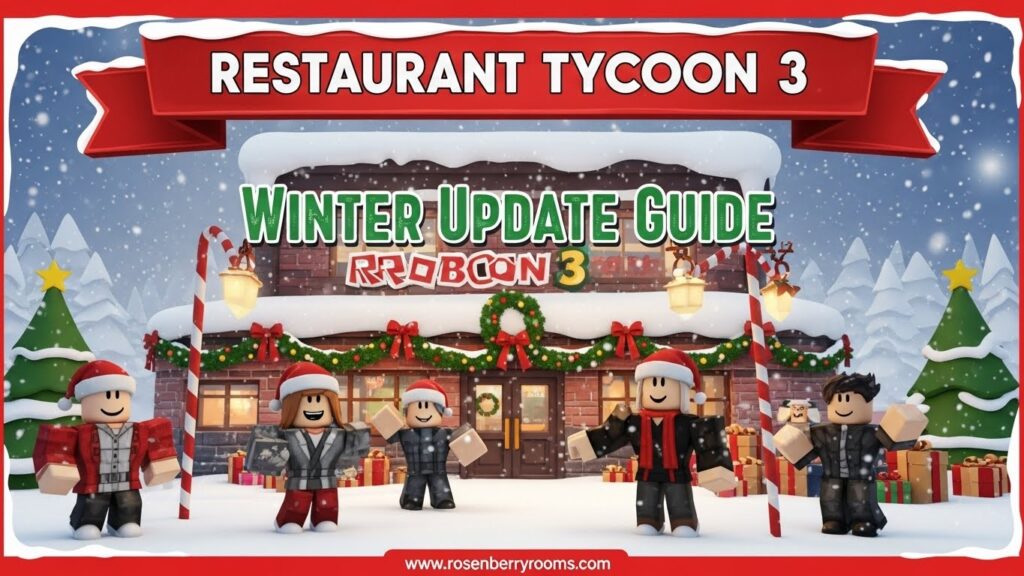
The most immediate change you’ll notice in the Restaurant Tycoon 3 Winter Update is the complete seasonal transformation of the game world. The developers have covered the entire map in a blanket of snow, introducing a cohesive winter theme that immerses players in the holiday spirit.
Contents
Visual Changes Include:
- Snow-covered streets and frosty trees throughout the environment
- Festive decorations scattered across the map
- Winter lighting effects creating a cozy atmosphere
- Seasonal weather effects including falling snow
This isn’t just a simple filter overlay; it’s a full environmental makeover that affects every aspect of the game’s visual presentation. The snowy backdrop provides the perfect inspiration to redecorate your own restaurant with complementary winter themes.
Decorating Opportunities:
- Use icy color schemes (blues, whites, silvers) for interior design
- Install warm lighting to create contrast with the cold exterior
- Add holiday-themed furniture to attract virtual customers
- Create cozy dining areas that encourage longer customer visits
12-Day Christmas Challenge: Complete Reward Guide
The centerpiece of the Winter Update is the limited-time 12-Day Christmas Challenge, a sequential event where a new specific challenge unlocks each day for twelve consecutive days. This event started on December 5, 2025, and offers players the chance to collect exclusive festive furniture items.
How the Christmas Challenge Works:
- Daily Unlock Schedule: New challenges unlock at 12:00 am GMT each day
- Challenge Types: Tasks may include serving customers, earning currency, or placing decorations
- Time Management: Each challenge is time-gated to its specific day
- Skip Option: Players can spend 14 Robux to unlock challenges early
- Reward Collection: Completed challenge items appear in your Build Menu Inventory
Complete Christmas Challenge Reward Schedule:
| Day | Challenge Reward | Item Type | Rarity |
|---|---|---|---|
| Day 1 | Candy Cane | Decoration | Common |
| Day 2 | Present Stack | Decoration | Common |
| Day 3 | Candy Cane Stool | Furniture | Uncommon |
| Day 4 | Christmas Stocking | Wall Decor | Common |
| Day 5 | Jingle Bells | Hanging Decor | Uncommon |
| Day 6 | Reindeer Ice Sculpture | Sculpture | Rare |
| Day 7 | Wreath | Wall Decor | Common |
| Day 8 | Polar Bear Ice Sculpture | Sculpture | Rare |
| Day 9 | North Pole Sign Post | Outdoor Decor | Uncommon |
| Day 10 | Penguin Ice Sculpture | Sculpture | Rare |
| Day 11 | Sleigh | Large Decor | Epic |
| Day 12 | Grand Christmas Tree | Centerpiece | Legendary |
Pro Tips for Christmas Challenge Success:
Consistency is Key: Challenges are time-gated, meaning if you miss a day, you likely miss that day’s exclusive furniture prize. Make it a habit to log in regularly during the event period.
Strategic Planning: Plan your restaurant layout in advance to accommodate the larger items like the Grand Christmas Tree and Sleigh that you’ll earn in the later days.
Resource Management: Save your in-game currency during the challenge period, as you may want to purchase additional items from the Christmas Pack to complement your earned rewards.
Early Bird Strategy: Consider using Robux to skip the wait time for challenges if you’re concerned about missing days, especially for the rare Day 11 and 12 rewards.
Additional Christmas Pack Items
Beyond the challenge rewards, developers have released a special Christmas Pack containing additional festive decorations available for purchase:
- Snow Pile: Outdoor decoration for creating winter scenes
- String Lights: Versatile lighting for indoor and outdoor use
- Gingerbread Chair: Themed seating option
- Gingerbread Table: Matching table for the Gingerbread Chair
These items can be found in the Build Menu under the Packs section, specifically in the Christmas Pack category. They’re perfect for creating a cohesive holiday theme throughout your restaurant.
Active Restaurant Tycoon 3 Codes September 2026
The Winter Update brings fresh opportunities to boost your restaurant empire with free in-game currency. Here are all the currently active codes:
Active Codes Table:
| Code | Reward | Status | Expiration |
|---|---|---|---|
| snowball | 250 Cash | ✅ Active | Limited Time |
| bacon | 250 Cash | ✅ Active | Unknown |
How to Redeem Codes in Restaurant Tycoon 3:
- Launch the Game: Start Restaurant Tycoon 3 in Roblox
- Access Your Restaurant: Create a new restaurant or load an existing one
- Open Shop Menu: Click the shopping basket icon at the bottom of your screen
- Find Code Section: Scroll to the bottom of the Shop menu
- Enter Code: Type the code into the text box (codes are not case-sensitive)
- Submit: Press the ‘Submit’ button to claim your reward
- Confirmation: A success message will appear if the code is valid
Expired Codes (For Reference):
| Code | Original Reward | Status |
|---|---|---|
| outrage | 5x Diamonds | ❌ Expired |
| spotlight | 150 Cash | ❌ Expired |
| birthday | 5x Diamonds | ❌ Expired |
| spook1 | 5x Diamonds | ❌ Expired |
| milkshake | 250 Cash | ❌ Expired |
| jukebox | 5x Diamonds | ❌ Expired |
| gullible100 | 100x Diamonds | ❌ Expired |
| itsfree | 500 Cash | ❌ Expired |
| 10million | 350 Cash | ❌ Expired |
| beta | 10x Diamonds | ❌ Expired |
| alpha | 10x Diamonds | ❌ Expired |
| rt3 | 500 Cash | ❌ Expired |
| earlybird | 10x Diamonds | ❌ Expired |
| thanks5 | Unknown | ❌ Expired |
Pro Tip: Redeem the “snowball” code immediately as it’s specifically tied to the Winter Update and may expire once the seasonal event ends. Developer Ultraw has been active with regular code releases, so check back frequently for new additions.
Christmas Jazz Music Pack: Setting the Festive Mood
Atmosphere is crucial for any successful restaurant, and the Winter Update delivers with the introduction of the Christmas Jazz Music Pack. This collection of background music tracks features smooth jazz renditions of classic holiday tunes, perfect for creating the perfect festive ambiance.
Music Pack Features:
- Jazz-style holiday arrangements of classic Christmas songs
- Background looping for continuous atmosphere
- Volume controls to balance with game sounds
- Multiple track variety to prevent repetition
How to Access the Christmas Jazz Music:
- Open Settings: Access the game’s settings menu
- Navigate to Audio: Find the music or audio section
- Select Christmas Pack: Choose the Christmas Jazz Music Pack
- Adjust Volume: Set the perfect balance for your restaurant
The music pack significantly enhances the immersive experience, making your restaurant feel like a genuine holiday destination. Customers respond positively to the festive atmosphere, potentially leading to increased tips and longer visits.
Maximizing Your Winter Update Experience
To get the most out of the Restaurant Tycoon 3 Winter Update, follow these expert strategies:
Immediate Action Items:
- Redeem Codes Immediately: Use the “snowball” code as soon as possible, as seasonal codes can expire without warning
- Set Daily Reminders: Create calendar alerts for each day of the Christmas Challenge to ensure you don’t miss exclusive rewards
- Theme Your Restaurant: Use the new furniture you earn and the winter map as inspiration to create a uniquely decorated holiday establishment
- Enable Christmas Music: Activate the Christmas Jazz Music Pack to enhance the festive atmosphere
Advanced Strategies:
Themed Restaurant Concepts: Consider creating specialized holiday-themed dining areas within your restaurant. For example:
- Santa’s Workshop Corner: Use the North Pole Sign Post and toy-themed decorations
- Ice Sculpture Garden: Display all three ice sculptures (Reindeer, Polar Bear, Penguin) together
- Gingerbread House Section: Utilize the Gingerbread Chair and Table set for a themed dining area
Customer Flow Optimization: The winter map changes may affect customer behavior patterns. Observe how the snowy environment influences customer movement and adjust your restaurant layout accordingly.
Social Media Integration: Share screenshots of your decorated restaurant on social media platforms. The developer often features well-decorated restaurants, potentially earning you additional recognition or rewards.
Common Mistakes to Avoid:
- Missing Daily Challenges: Set reminders to log in daily for the 12-Day Christmas Challenge
- Ignoring Code Expiration: Redeem codes promptly, especially seasonal ones like “snowball”
- Poor Item Placement: Plan your restaurant layout to accommodate larger items like the Grand Christmas Tree
- Neglecting Atmosphere: Don’t forget to enable the Christmas Jazz Music Pack for the full experience
Platform-Specific Information
The Winter Update is available across all Roblox platforms, but there are some platform-specific considerations:
Mobile Devices:
- Code Redemption: The shopping basket icon may be in a different position on smaller screens
- Performance: The snow effects may impact performance on older devices; consider reducing graphics settings if needed
- Touch Controls: Decorating may be easier with touch controls for precise item placement
PC/Mac:
- Keyboard Shortcuts: Use keyboard shortcuts for faster menu navigation
- Higher Graphics: PC users can enjoy enhanced snow effects and lighting at higher settings
- Multi-monitor: Use multiple monitors to keep challenge information visible while playing
Console:
- Controller Navigation: Menu navigation with controllers may require additional button presses
- Display Settings: Adjust TV display settings for optimal winter map visibility
- Voice Chat: Consider using voice chat to coordinate with friends during challenge completion
Community Resources and Official Channels
Stay connected with the Restaurant Tycoon 3 community for the latest updates, tips, and social interaction:
Official Resources:
- Developer Discord: Join the official Ultraw Discord server for real-time announcements and community discussions
- Roblox Game Page: Visit the official Restaurant Tycoon 3 Roblox page for update notes and player statistics
- Developer Twitter: Follow @UltrawRBX on Twitter for instant code releases and update announcements
- Roblox Developer Forum: Check the official dev forum for technical discussions and developer insights
Why These Resources Matter?
- Real-time Updates: Get instant notifications about new codes and challenges
- Community Tips: Learn advanced strategies from experienced players
- Bug Reports: Stay informed about known issues and their resolutions
- Feature Requests: Participate in discussions about future update possibilities
Frequently Asked Questions (FAQ)
What is the new code in the Winter Update?
The new active code is snowball, which rewards 250 Cash when redeemed. This code is specifically tied to the Winter Update and may have limited availability.
How does the 12-Day Christmas Challenge work?
It’s a sequential event where a new challenge unlocks each day for 12 days starting December 5, 2025. Complete the challenge on its specific day to earn an exclusive piece of holiday furniture. Missing a day may cause you to miss that day’s reward, though you can spend 14 Robux to skip the wait time.
Are the winter map changes permanent?
No, seasonal updates like the snowy map are typically temporary and will likely revert to the standard map after the holiday event period ends. Enjoy the winter wonderland while it lasts!
What is the Christmas Jazz Music Pack?
It’s a new collection of background music featuring jazz-style holiday songs that you can play inside your restaurant to enhance the festive atmosphere. You can find and enable this in the game’s settings or music menu.
Can I still get the challenge rewards if I start late?
You can only complete challenges for the days that are still active during the event period. You will not be able to claim rewards for days that have already passed, though you can spend Robux to unlock challenges early.
How do I find the Christmas Pack in the game?
Open the Build Menu, scroll to the bottom, select Packs, and then choose the Christmas Pack from the row of options. This pack contains additional festive items beyond the challenge rewards.
What happens to my Christmas decorations after the event?
All furniture and decorations earned during the event are permanent additions to your inventory and can be used year-round. Only the seasonal map changes and time-limited challenges will disappear.
How often does the developer release new codes?
Developer Ultraw has been quite active, releasing new codes regularly during major updates and events. Check the official Discord and Twitter accounts for the latest code releases.
Can I complete multiple challenges in one day?
No, challenges are time-gated and unlock on a daily schedule. However, you can spend 14 Robux per challenge to unlock them early if you don’t want to wait.
Will there be more winter-themed updates?
Based on the developer’s activity and the success of this update, it’s likely that Restaurant Tycoon 3 will continue to receive seasonal updates. Follow official channels for future announcements.
Conclusion: Making the Most of the Winter Wonderland
The Restaurant Tycoon 3 Winter Update successfully delivers a festive and engaging seasonal experience that transforms the game into a holiday paradise. By combining a beautiful snowy map transformation with a rewarding daily challenge system, exclusive new music, and valuable gift codes, it gives players plenty of reasons to dive back into the game.
Focus on completing those daily challenges to collect all the limited-time furniture items, especially the rare and epic rewards from Days 6, 8, 10, 11, and 12. Don’t forget to redeem the “snowball” code immediately and set reminders for each day of the Christmas Challenge.
Remember that this winter wonderland is temporary, so make the most of the snowy landscape and festive atmosphere while you can. The decorations and furniture you earn will be permanent additions to your collection, allowing you to create stunning holiday displays year after year.
Whether you’re a seasoned Restaurant Tycoon 3 player or just starting your culinary empire, this Winter Update offers something for everyone. From the visual delight of the snow-covered map to the strategic depth of the Christmas Challenge, there’s never been a better time to build the restaurant of your dreams.
Bookmark this guide and check back regularly for updates, as we’ll continue to add new codes, challenge information, and tips as the Winter Update evolves throughout the holiday season. Happy restaurant building, and may your winter wonderland be filled with happy customers and festive cheer!
