
How to Create Jujutsu Shenanigans Characters (September 2026)
Creating custom characters in Jujutsu Shenanigans has revolutionized the game, allowing players to design unique fighters with personalized movesets, animations, and abilities. This comprehensive guide covers everything from basic Character block setup to advanced Skill Builder techniques, ensuring you can create professional-quality custom characters that stand out in the game.
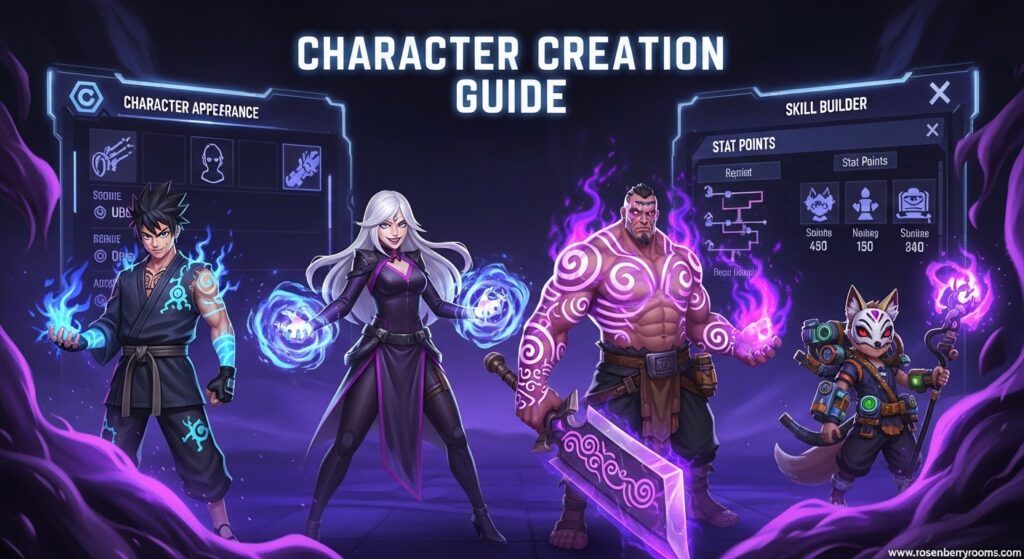
Quick Reference
| Feature | Requirement | Difficulty | Time Needed |
|---|---|---|---|
| Character Block | Build Mode Access | Beginner | 5-10 minutes |
| Custom Skills | Skill Builder Knowledge | Intermediate | 15-30 minutes |
| Custom M1s | Animation Understanding | Advanced | 30-60 minutes |
| Full Moveset | All Above | Expert | 1-3 hours |
Understanding the Character Block System
The Character block is the foundation of custom character creation in Jujutsu Shenanigans, introduced in recent updates to give players unprecedented creative freedom. This powerful feature allows you to create entirely new playable characters that appear directly in the character selection menu, complete with custom names, abilities, and visual identities.
Contents
When you place a Character block in Build Mode, you’re not just creating another moveset – you’re building a completely new fighter slot in the game’s character roster. The system works by linking your custom skill configurations to a new character template, which determines the UI layout and ability bar structure your character will use.
Getting Started with Character Blocks
To begin creating your custom character, access Build Mode and place a Character block. The first crucial step is selecting a base template, as this determines your character’s fundamental UI structure and ability arrangement. After choosing your template, assign a unique name that will appear in the character selection menu.
Once saved, your custom character immediately appears in the selection screen under its designated name. From this point, you can configure four main sections that define your character’s capabilities:
- Skills: Normal abilities that form your character’s core moveset
- Special: Unique, powerful moves tied to separate key bindings
- Awakening: Ultimate abilities that transform your character temporarily
- Melee: Custom basic attack animations and hit detection
Mastering the Skill Builder System
The Skill Builder is the engine behind custom character creation, featuring a comprehensive node-based system that allows for incredible complexity and creativity. Access this powerful tool by selecting “Custom” in any Moveset, Awakening, or Special Block in Build Mode.
Core Skill Builder Components
The Skill Builder interface consists of three main tabs, each serving a specific purpose in the creation process:
Timeline Tab: This is where you structure your custom moves using a sequence of nodes. Each node represents a specific action or effect, and their order determines how your move executes. The timeline supports up to 150 seconds of total animation time, providing ample room for complex combinations.
Conditions Tab: Here you set limitations and requirements for your moves, such as cooldown periods, range restrictions, or specific activation conditions. This tab ensures your custom moves maintain game balance and function as intended.
Properties Tab: This section contains miscellaneous tweaks and fine-tuning options that affect how your move behaves, including damage values, visual effects, and interaction parameters.
Essential Skill Builder Nodes
Understanding each node type is crucial for creating effective custom moves:
Wait Node: Creates timing gaps between actions. Set the “Time” parameter to control how long the pause lasts before the next node activates. This is essential for rhythm and timing in custom combos.
Skill Node: Incorporates existing game skills into your custom moves. Key settings include:
- Speed: Controls animation playback speed (0 prevents execution but shows effects)
- Cancel Last: Halts previous actions when this node activates
- Enable Variants: Allows skill variants to trigger based on input conditions
- Hold For: Automatically holds the skill for a specified duration
- Start: Determines when the skill begins within the timeline
Special Node: Integrates special moves with similar controls to the Skill node, including speed adjustment and variant activation.
Animation Node: Provides access to all game animations, including unused or scrapped content. Key parameters:
- Slider: Cuts or extends animation segments
- Speed: Controls playback rate (default: 1)
- Loop: Makes animations repeat until the next node
- Last Hit: Determines how long animations apply to the last attacked target
Sound Node: Adds custom audio effects using Roblox Marketplace IDs. Control volume and speed to perfect the audio experience.
Velocity Node: Manages character movement during moves. Settings include:
- Force: XYZ coordinates for movement direction and distance
- Time: Duration of movement
- Fade: Enables smooth deceleration when disabled
- Track: Makes movement follow character orientation
- Ragdoll: Applies ragdoll effects for specified duration
Connect Node: Sends activation signals to other blocks, enabling complex interactions and environmental effects.
Hitbox Node: Creates damage areas with precise control over size, position, and effects. This node includes a visual preview system showing how hitboxes interact with character models.
Creating Custom Skills and Abilities
Designing Effective Normal Skills
Normal skills form the backbone of your character’s moveset. When creating these abilities, focus on creating a cohesive playstyle that matches your character concept. Start by naming your skill and setting an appropriate cooldown, then open the Skill Builder to design the actual move.
Combine multiple nodes to create complex effects. For example, a fire-based attack might use:
- Animation node (casting animation)
- Wait node (charging time)
- Skill node (actual attack)
- Sound node (impact sound)
- Hitbox node (damage area)
Developing Powerful Special Abilities
Special abilities should define your character’s unique playstyle. These moves often serve as mobility tools, burst damage options, or combo extenders. When designing specials, consider their role in your character’s overall strategy.
For mobility-focused specials, prioritize Velocity nodes with appropriate Force settings. For damage-focused specials, emphasize Hitbox nodes with large damage areas and visual effects.
Crafting Ultimate Awakening Abilities
Awakening abilities transform your character temporarily, providing significant power boosts. When designing an awakening:
- Choose an appropriate name that reflects the transformation
- Select a suitable animation from the Animation node library
- Set the duration using the dedicated Duration parameter
- Use the Delay setting to sync animations with activation effects
- Design powerful effects that trigger during the awakened state
Advanced Custom M1 Creation
Custom M1 (melee) animations are what truly make your character feel unique. The process requires careful attention to both visual appeal and functional hit detection.
Animation Selection and Timing
The perfect M1 timing is approximately 0.45 seconds per attack, as discovered by experienced builders. This timing provides the best balance between speed and responsiveness while maintaining smooth gameplay flow.
When selecting animations, consider:
- Character theme and personality
- Attack range and coverage
- Transition smoothness between attacks
- Visual clarity for opponents
Hitbox Integration
Without proper hitboxes, custom M1 animations will play but won’t register damage. Follow these steps for effective hitbox integration:
- Place Hitbox nodes immediately after Animation nodes
- Position hitboxes to match the animation’s visual impact points
- Adjust hitbox size to balance gameplay (not too large, not too small)
- Test thoroughly to ensure hit detection feels responsive
Common M1 Issues and Solutions
Problem: M1s don’t deal damage
Solution: Ensure Hitbox nodes are properly placed and sized relative to animations
Problem: Attacks feel slow or unresponsive
Solution: Reduce animation speed or adjust Wait node timing to 0.45 seconds
Problem: Visuals don’t match impact timing
Solution: Use the Start parameter in Skill nodes to sync effects with animations
Troubleshooting Common Character Creation Issues
Movement and Animation Problems
Many players experience issues where custom moves prevent character movement for several seconds after execution. This typically occurs when:
- Timeline nodes exceed reasonable duration limits
- Velocity nodes aren’t properly configured
- Animation loops continue indefinitely
Solution: Review your timeline for excessive Wait nodes and ensure all Velocity nodes have proper Time settings. Check that Animation nodes don’t have Loop enabled unintentionally.
Skill Builder Bugs and Glitches
The Skill Builder system can occasionally produce unexpected behavior. Common issues include:
- Skills not activating when triggered
- Visual effects playing without damage
- Character getting stuck in animations
Prevention Strategies:
- Test each node individually before combining them
- Keep timelines under 30 seconds for most skills
- Use Cancel Last nodes to prevent animation conflicts
- Save frequently to avoid losing progress
Performance Optimization
Complex custom characters can cause performance issues in multiplayer servers. Optimize your creations by:
- Limiting the number of simultaneous visual effects
- Using shorter animation loops
- Reducing unnecessary Sound nodes
- Keeping Hitbox sizes reasonable
Professional Character Design Tips
Building Cohesive Movesets
Professional character creators focus on creating cohesive movesets where all abilities work together toward a unified playstyle. Consider these design principles:
Theme Consistency: Ensure all moves match your character’s concept (fire, ice, speed, etc.)
Combo Flow: Design abilities that chain together naturally
- Start with quick, low-cooldown skills
- Include medium-power combo extenders
- Finish with high-impact special moves
Balance Considerations: Avoid making any single move overpowered
- Use appropriate cooldowns
- Limit damage output for spammable moves
- Create clear weaknesses and strengths
Advanced Techniques
Variant Integration: Use the Enable Variants setting in Skill nodes to create conditional effects based on player input timing.
Environmental Interaction: Incorporate Connect nodes to trigger environmental effects or interact with other build elements.
Visual Storytelling: Use Animation and Sound nodes to create moves that tell a story or convey character personality.
Community Resources and Support
Official Discord Server
Join the official Jujutsu Shenanigans Discord server (“thezs”) for real-time help from experienced builders and direct access to developers. This community is invaluable for:
- Getting immediate feedback on your creations
- Learning advanced techniques from experts
- Staying updated on new features and patches
- Finding collaborators for larger projects
Wiki and Documentation
The official Jujutsu Shenanigans Wiki provides comprehensive documentation for all Skill Builder nodes and features. Bookmark this resource for quick reference during character creation.
Community Showcases
Study successful custom characters created by community members to learn advanced techniques and design principles. The Custom Movesets section of the wiki features numerous examples with detailed breakdowns of how they were constructed.
Frequently Asked Questions
How do I fix bugs in my custom character?
Start by isolating problematic nodes and testing them individually. Common fixes include adjusting Wait node timing, checking Hitbox positioning, and ensuring Velocity nodes have proper Time settings. If issues persist, seek help in the official Discord server.
What’s the best way to learn Skill Builder?
Begin with simple moves using 2-3 nodes, then gradually increase complexity. Study existing characters’ movesets to understand how professionals combine different node types. Practice regularly and don’t be afraid to experiment.
Can I share my custom characters with others?
Yes! You can export your Character blocks and share them with other players. Many creators share their work in the Discord server and on community forums.
How do I make my character feel professional?
Focus on polish details: ensure smooth animation transitions, add appropriate sound effects, balance damage output, and create a cohesive visual theme. Test thoroughly and refine based on feedback.
What are common mistakes to avoid?
Avoid making moves too complex or long, neglecting hitbox placement, ignoring balance considerations, and failing to test thoroughly. Start simple and build complexity gradually.
Conclusion
Creating custom characters in Jujutsu Shenanigans is a rewarding creative process that combines technical skill with artistic vision. By mastering the Character block system, understanding Skill Builder nodes, and following professional design principles, you can create characters that rival official game content in quality and playability.
Remember that character creation is an iterative process – don’t be discouraged if your first attempts aren’t perfect. Join the community, seek feedback, and continue refining your techniques. With practice and dedication, you’ll be creating amazing custom characters that enhance the Jujutsu Shenanigans experience for everyone.
Bookmark this guide and check back regularly for updates as new features and techniques emerge. The world of custom character creation is constantly evolving, and staying informed will keep you at the forefront of this exciting creative community.
