Google Nano Banana (2026) Complete Lens & NotebookLM Guide
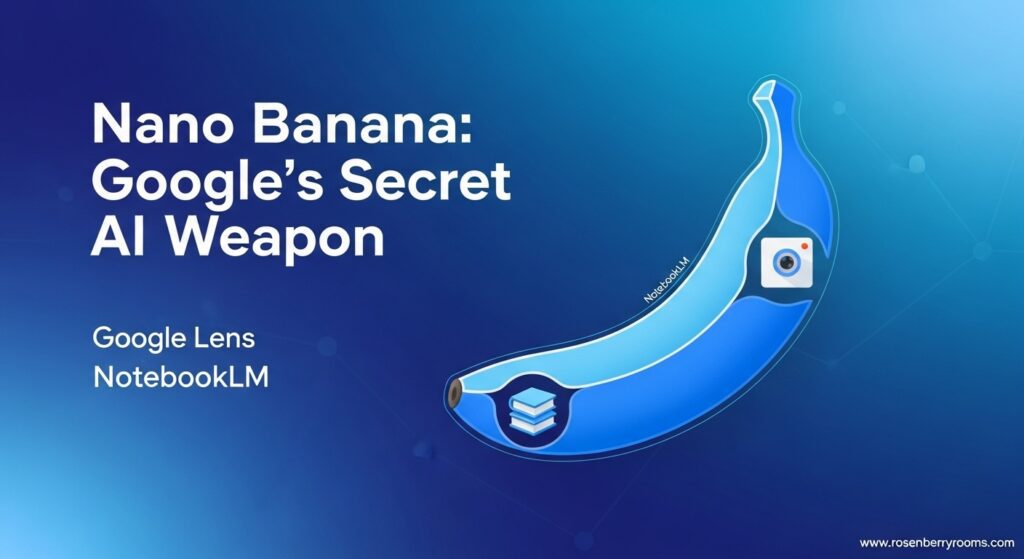
Google’s Nano Banana is Gemini’s latest AI image generation model now integrated into Google Lens and NotebookLM, transforming how you edit photos and create video content. This powerful tool lets you snap pictures with Lens and instantly transform them with AI prompts, while NotebookLM generates stunning video overviews in six visual styles. Launched in August 2025 and expanded in October, Nano Banana has already powered over 5 billion image creations, making it Google’s secret weapon for visual AI creativity.
| Key Feature | Google Lens Integration | NotebookLM Integration |
|---|---|---|
| Primary Function | Photo editing & transformation | Video overview generation |
| Visual Styles | Custom AI transformations | 6 styles: Watercolor, Papercraft, Anime, Whiteboard, Retro Print, Heritage |
| Format Options | Single image editing | Brief & Explainer formats |
| Availability | Rolling out to US & India (English) | Pro users first, then all users |
| Customization | Text prompts & follow-ups | Source-based prompts & style selection |
What is Nano Banana?
Nano Banana represents Google’s cutting-edge AI image generation and editing model, part of the Gemini 2.5 Flash family. First introduced in August 2025 within the Gemini app, this powerful technology has already facilitated over 5 billion image creations, demonstrating its massive adoption and capability. The name “Nano Banana” originated as an internal codename that has since become public, reflecting Google’s playful yet powerful approach to AI development.
Contents
The Technology Behind Nano Banana
Built on Google’s advanced Gemini 2.5 Flash architecture, Nano Banana combines sophisticated image understanding with generative capabilities. Unlike traditional image editors, Nano Banana doesn’t just apply filters—it comprehends context, understands prompts, and creates entirely new visual content that aligns with user intent. This contextual awareness makes it uniquely powerful for both creative and practical applications.
Key Capabilities
- Contextual Understanding: Analyzes image content and user prompts to generate relevant transformations
- Multi-Style Generation: Creates content in various artistic styles and formats
- Real-Time Processing: Delivers quick results for seamless user experience
- Cross-Platform Integration: Works across multiple Google products seamlessly
- Prompt-Based Customization: Responds to detailed text instructions for precise control
Nano Banana in Google Lens: Complete Guide
Google Lens integration brings Nano Banana’s image editing capabilities directly to your smartphone camera, revolutionizing how you capture and transform visual content. This integration allows you to snap photos and instantly modify them using AI-powered prompts, making professional-level photo editing accessible to everyone.
How to Use Nano Banana in Google Lens?
Step-by-Step Instructions:
- Open the Google App: Launch the Google app on your Android or iOS device
- Access Lens: Tap the camera icon next to the search bar
- Enter Create Mode: Look for the yellow banana icon and tap “Create mode”
- Capture or Select: Either take a new photo or choose an existing image from your gallery
- Apply Prompts: Use suggested prompts or describe your desired edits
- Refine and Share: Use follow-up prompts for additional edits, then share your creation
Available Features and Prompts
Suggested Prompts for Quick Results:
- “Make a photo booth pic of me”
- “Transform this into a professional headshot”
- “Add a artistic background”
- “Make this look like a painting”
- “Create a cartoon version”
Advanced Customization Options:
- Style Transformations: Convert photos to watercolor, anime, or retro styles
- Background Changes: Replace or enhance backgrounds with AI-generated scenes
- Object Manipulation: Add, remove, or modify objects within images
- Portrait Enhancement: Improve selfies with professional lighting and effects
- Creative Effects: Apply artistic filters and unique visual treatments
Pro Tips for Best Results
- Lighting Matters: Capture photos in good lighting for better AI understanding
- Clear Prompts: Be specific about what you want to achieve
- Iterative Editing: Use follow-up prompts to refine results
- Gallery Integration: Don’t limit yourself to new photos—edit existing images
- Experiment: Try different styles and prompts to discover creative possibilities
Platform Availability
- Current Availability: Rolling out to users in the United States and India (English language)
- Device Support: Compatible with both Android and iOS devices
- Future Expansion: Google has announced plans to expand to more countries and languages
- Requirements: Updated Google app with Lens integration
Nano Banana in NotebookLM: Video Overviews Revolution
NotebookLM’s integration with Nano Banana transforms how you interact with documents and notes, converting dense text content into engaging, visually rich video overviews. This powerful combination makes complex information more accessible and memorable through AI-generated illustrations and narrated explanations.
Understanding Video Overviews with Nano Banana
Video Overviews in NotebookLM automatically transform your uploaded documents, notes, and sources into narrated videos complete with AI-generated illustrations. With Nano Banana integration, these videos now feature enhanced visual styles and more contextual relevance, making them both informative and visually appealing.
Available Video Formats
Brief Format:
- Purpose: Quick insights and core concepts
- Length: Short, bite-sized videos (typically 1-2 minutes)
- Best For: Quick reviews, summary highlights, key takeaways
- Use Cases: Study refreshers, meeting summaries, concept previews
Explainer Format:
- Purpose: Comprehensive, detailed understanding
- Length: Longer, structured videos (typically 5-10 minutes)
- Best For: In-depth learning, complex topics, detailed analysis
- Use Cases: Educational content, training materials, research summaries
Six Visual Styles Available
- Watercolor: Soft, artistic style resembling watercolor paintings
- Papercraft: Cut-paper aesthetic with layered, dimensional feel
- Anime: Japanese animation style with vibrant colors and dynamic elements
- Whiteboard: Clean, educational style resembling whiteboard drawings
- Retro Print: Vintage printing effect with aged, textured appearance
- Heritage: Classic, timeless style with historical or traditional elements
How to Create Nano Banana Video Overviews?
Step-by-Step Process:
- Upload Sources: Add your documents, notes, or other content to NotebookLM
- Access Video Overview: Click the “Video Overview” button in your notebook
- Customize Settings: Select the pencil icon to access customization options
- Choose Format: Select between “Brief” or “Explainer” format
- Select Visual Style: Pick from the six available Nano Banana styles
- Add Custom Prompts: Specify focus areas or special instructions
- Generate and Review: Wait for processing, then review your video overview
Advanced Customization with Prompts
Effective Prompt Examples:
- “Focus only on the cost analysis sections of the business plan”
- “Convert these recipes into an easy-to-follow video focusing on prep time”
- “Highlight the key scientific concepts in this research paper”
- “Create a summary emphasizing the main arguments and evidence”
- “Make this technical manual more accessible for beginners”
Best Practices for Video Overviews
- Source Quality: Upload well-structured, clear documents for best results
- Prompt Specificity: Be clear about what aspects to emphasize or exclude
- Style Selection: Choose visual styles that match your content’s tone and purpose
- Format Appropriateness: Use Brief for quick insights, Explainer for depth
- Review and Refine: Generate multiple versions to find the most effective approach
Cross-Product Integration Benefits
Nano Banana’s true power emerges from its seamless integration across multiple Google products, creating a unified ecosystem for visual AI creativity and productivity. This cross-product approach allows users to move fluidly between different applications while maintaining consistent AI-powered capabilities.
Google Ecosystem Synergy
Search + Lens + Nano Banana:
- Discover information through Search
- Capture visual content with Lens
- Transform and enhance using Nano Banana
- Share results across platforms
NotebookLM + Nano Banana:
- Convert research documents to video overviews
- Generate visual summaries of complex topics
- Create educational content with AI illustrations
- Enhance learning and retention through visual storytelling
Photos + Nano Banana (Coming Soon):
- Advanced photo editing capabilities
- AI-powered image enhancement
- Creative transformations and effects
- Seamless integration with existing photo libraries
Workflow Examples
Content Creator Workflow:
- Research topic using Google Search
- Capture reference images with Google Lens
- Transform images using Nano Banana in Lens
- Create comprehensive notes in NotebookLM
- Generate video overview with Nano Banana illustrations
- Share final content across platforms
Educational Workflow:
- Upload study materials to NotebookLM
- Generate video overview in Explainer format
- Use Nano Banana styles for visual engagement
- Capture related images with Google Lens
- Enhance images for inclusion in presentations
- Create supplementary materials with Brief format videos
Technical Specifications and Requirements
System Requirements
For Google Lens Integration:
- Operating System: Android 8.0+ or iOS 14.0+
- Google App: Latest version with Lens integration
- Storage: Adequate space for image processing and caching
- Internet: Stable connection for AI processing
For NotebookLM Integration:
- Browser: Chrome, Safari, Firefox, or Edge (latest versions)
- Account: Google account with NotebookLM access
- Subscription: Free tier available, Pro tier for early access
- Documents: Supported file formats (PDF, DOC, TXT, etc.)
Performance Capabilities
Image Processing:
- Resolution: Supports high-resolution image input and output
- Processing Time: Typically 5-30 seconds depending on complexity
- Quality: High-fidelity results with minimal artifacts
- Batch Processing: Limited to single images currently
Video Generation:
- Length: Brief (1-2 min), Explainer (5-10 min)
- Resolution: Standard HD (720p) to Full HD (1080p)
- Processing Time: 2-10 minutes depending on length and complexity
- File Format: MP4 with standard codec compatibility
Community Resources and Official Support
Official Google Resources
Google Blog Announcements:
- Official NotebookLM Nano Banana Announcement
- Google Search/Lens Integration Details
- Product Overview and Roadmap
Support Channels:
- Google Help Center: Comprehensive guides and troubleshooting
- Google Community Forums: User discussions and official support
- Product Feedback: Direct channel for suggestions and bug reports
- Developer Documentation: Technical details for advanced users
Community Resources
Reddit Communities:
- r/notebooklm: User discussions, tips, and shared experiences
- r/GoogleAI: General Google AI discussions and news
- r/MachineLearning: Technical discussions about AI capabilities
Discord Servers:
- Official Google AI Discord: Developer and user community
- NotebookLM Community: User-run server for tips and collaboration
- Google Product Enthusiasts: General Google product discussions
Educational Resources:
- Google AI YouTube Channel: Tutorials and feature demonstrations
- Tech YouTube Channels: In-depth reviews and tutorials
- Blogs and Articles: Regular updates and advanced techniques
Expert Tips and Advanced Strategies
Maximizing Nano Banana’s Potential
For Google Lens Users:
- Prompt Engineering: Learn to write effective prompts for better results
- Style Combinations: Experiment with multiple style applications
- Context Awareness: Provide background context for more accurate results
- Iterative Refinement: Use follow-up prompts to perfect your creations
- Batch Processing: Plan multiple related edits for consistent styling
For NotebookLM Users:
- Document Structure: Organize sources logically for better video generation
- Style Selection: Match visual styles to content type and audience
- Format Strategy: Use Brief for quick reviews, Explainer for deep dives
- Custom Prompts: Develop a library of effective prompt templates
- Multi-Source Integration: Combine various document types for comprehensive overviews
Creative Applications
Business and Professional:
- Create professional headshots from casual photos
- Generate product demonstrations and explanations
- Develop training materials with visual aids
- Produce client presentations with AI-enhanced visuals
Educational and Academic:
- Transform research papers into engaging video summaries
- Create study aids with visual mnemonics
- Develop lecture supplements with animated explanations
- Generate visual abstracts for academic papers
Creative and Personal:
- Design unique social media content
- Create personalized gifts and keepsakes
- Develop artistic projects and portfolios
- Produce visual stories and narratives
Future Developments and Roadmap
Announced Upcoming Features
Google Photos Integration: Google has announced that Nano Banana will be coming to Google Photos “in the weeks ahead” as of October 2025. This integration will bring advanced AI-powered editing capabilities directly to users’ photo libraries, enabling:
- Enhanced photo editing with AI suggestions
- Batch processing for multiple images
- Advanced style transfer and artistic effects
- Seamless integration with existing photo organization
Expanded Language Support: Currently rolling out in English for the United States and India, Google has announced plans to expand Nano Banana capabilities to additional countries and languages, making the technology accessible to a global audience.
Advanced Features in Development:
- Real-time Video Processing: Live video enhancement and transformation
- 3D Image Generation: Creating three-dimensional visual content
- Advanced Style Transfer: More sophisticated artistic style applications
- Collaborative Editing: Multi-user editing capabilities
- API Access: Developer access for third-party integrations
Industry Impact and Trends
Visual AI Market Position: Nano Banana represents Google’s competitive response to the growing visual AI market, positioning the company against competitors like Midjourney, DALL-E, and Stable Diffusion. The integration across multiple Google products gives it a unique advantage in the market.
User Adoption Trends: With over 5 billion images generated since its August 2025 launch, Nano Banana demonstrates strong user adoption and engagement. The expansion to Google Lens and NotebookLM is expected to significantly increase these numbers.
Technological Advancements: The development of Nano Banana reflects broader trends in AI, including:
- Increased focus on multimodal AI capabilities
- Integration of generative AI into existing products
- Emphasis on user-friendly interfaces for complex technology
- Cross-platform functionality and ecosystem development
Frequently Asked Questions (FAQ)
General Questions
What exactly is Nano Banana? Nano Banana is Google’s latest AI image generation and editing model, part of the Gemini 2.5 Flash family. It enables users to transform photos, create new images, and generate video overviews with AI-powered illustrations.
Why is it called Nano Banana? The name originated as an internal codename at Google that has since become public. It reflects the company’s approach to naming AI models with creative, memorable names.
Is Nano Banana free to use? Yes, Nano Banana is available for free through Google Lens and NotebookLM. However, some advanced features or early access may require a Google AI Pro subscription.
Google Lens Integration
How do I access Nano Banana in Google Lens? Open the Google app, tap the camera icon to access Lens, then look for the yellow banana Create mode. From there, you can take or select photos and apply AI transformations.
What types of images work best with Nano Banana? High-quality, well-lit photos with clear subjects work best. However, Nano Banana can enhance and transform various image types, including selfies, landscapes, and objects.
Can I use Nano Banana on existing photos in my gallery? Yes, you can select existing images from your gallery instead of taking new photos. This is perfect for enhancing or transforming your existing photo collection.
NotebookLM Integration
What’s the difference between Brief and Explainer formats? Brief format provides quick, bite-sized video summaries (1-2 minutes), while Explainer format offers comprehensive, detailed video overviews (5-10 minutes) for in-depth understanding.
Which visual style should I choose for my content? Choose based on your content type and audience: Watercolor for artistic content, Whiteboard for educational material, Anime for engaging presentations, Retro Print for vintage themes, etc.
How long does it take to generate a video overview? Processing time varies from 2-10 minutes depending on the length, complexity, and current server load. Brief formats typically process faster than Explainer formats.
Technical and Availability
When will Nano Banana be available in my country? Google is rolling out Nano Banana gradually, starting with the United States and India in English. Expansion to additional countries and languages is planned but no specific timeline has been announced.
What devices are compatible with Nano Banana? Nano Banana in Google Lens works on Android 8.0+ and iOS 14.0+ devices. NotebookLM integration works through web browsers on any device with internet access.
Is there a limit to how many images or videos I can create? Google hasn’t announced specific limits, but fair usage policies apply. Heavy usage may be subject to rate limiting during peak times.
Privacy and Security
How does Google handle my images and data? Images processed through Nano Banana are subject to Google’s privacy policies. Google states that images are used for processing and may be temporarily stored but are not used for training without explicit user consent.
Are my edited images and videos private? Yes, your creations remain private unless you choose to share them. Google respects user privacy and provides controls for sharing and managing your content.
Can I use Nano Banana for commercial purposes? The terms of service for Nano Banana allow for both personal and commercial use, but it’s recommended to review Google’s current policies for any restrictions on commercial applications.
Conclusion: The Future of Visual AI is Here
Nano Banana represents a significant leap forward in making advanced AI image generation and editing accessible to everyone. By integrating this powerful technology into Google Lens and NotebookLM, Google has created a seamless ecosystem that transforms how we capture, edit, and understand visual content.
Whether you’re a student looking to transform complex study materials into engaging videos, a professional seeking to create polished headshots from casual photos, or simply someone who wants to explore creative possibilities with AI, Nano Banana offers tools that were previously available only to experts with specialized software.
As Google continues to expand Nano Banana’s capabilities and integrate it into more products, we can expect even more innovative applications that will further blur the line between human creativity and artificial intelligence. The future of visual AI isn’t just coming—it’s already here, and it’s more accessible and powerful than ever before.
Ready to explore Nano Banana? Start by opening the Google app and trying the new Create mode in Lens, or upload your documents to NotebookLM and experience the magic of AI-powered video overviews. The possibilities are limited only by your imagination.