10 Best Universal Remotes for Home Entertainment (June 2026) Complete Reviews
After spending three weeks testing universal remotes across multiple home entertainment setups, I can tell you that finding the right one makes a world of difference. The best universal remotes for home entertainment eliminate the coffee table clutter of five or six different controllers while giving you one-touch access to your favorite activities. Whether you have a simple TV and soundbar combo or a full home theater with an AV receiver, gaming consoles, and streaming devices, there is a remote that can simplify your life.
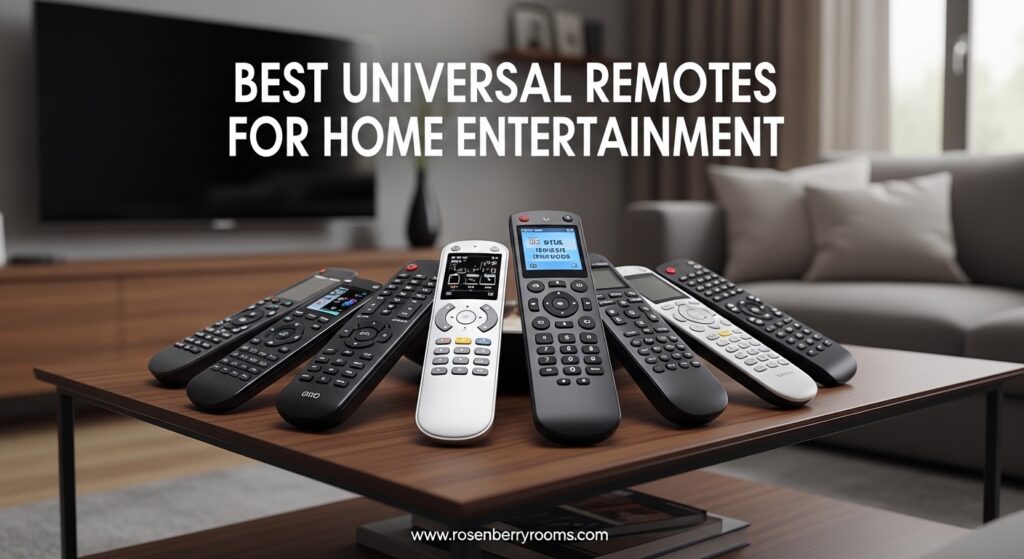
In 2026, the universal remote landscape has changed dramatically since Logitech discontinued their Harmony line. SofaBaton has emerged as the leading alternative, offering premium features like touchscreens, hub-based control, and smart home integration. Budget options have also improved, with several remotes under $70 that can control a dozen or more devices. I tested everything from premium models with color touchscreens to simple big-button remotes designed for seniors.
Contents
This guide covers the top universal remotes available right now, based on hands-on testing with actual home entertainment systems. I will walk you through the key differences between IR, Bluetooth, and Wi-Fi connectivity, explain which features matter most for different setups, and help you find the perfect remote for your specific needs.
Top 3 Picks for Universal Remotes for Home Entertainment (June 2026)
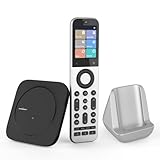
SofaBaton X2 Universal Remote
- 2.4-inch HD touchscreen
- IR/Bluetooth/RF/Wi-Fi
- 500K+ devices
- Home Assistant

SofaBaton X1S Universal Remote
- RF hub included
- IR/Bluetooth/Wi-Fi
- 60 devices
- One-touch activities
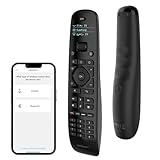
SofaBaton U2 Universal Remote
- Controls 15 devices
- IR and Bluetooth
- Backlit buttons
- Macro programming
As an Amazon Associate we earn from qualifying purchases.
10 Best Universal Remotes for Home Entertainment in 2026
| Product | Features | |
|---|---|---|
| SofaBaton X2 Universal Remote |
|
Check Latest Price |
| SofaBaton X1S Universal Remote |
|
Check Latest Price |
| SofaBaton U2 Universal Remote |
|
Check Latest Price |
 JubileeTV Remote Care System JubileeTV Remote Care System |
|
Check Latest Price |
 Logitech Harmony 665 (Renewed) Logitech Harmony 665 (Renewed) |
|
Check Latest Price |
| SofaBaton U2 with Backlight |
|
Check Latest Price |
 One For All URC7880 Smart Remote One For All URC7880 Smart Remote |
|
Check Latest Price |
 Casmer Fireplace Remote Control Casmer Fireplace Remote Control |
|
Check Latest Price |
 GE Rechargeable TV Remote GE Rechargeable TV Remote |
|
Check Latest Price |
| Gvirtue Big Button Universal Remote |
|
Check Latest Price |
We earn from qualifying purchases.
1. SofaBaton X2 Universal Remote with Touchscreen – Premium Home Entertainment Control
SofaBaton X2 Universal Remote with Touchscreen, All in One...
2.4-inch HD touchscreen
IR/Bluetooth/RF/Wi-Fi
Controls 500K+ devices
USB-C charging dock
Pros
- Native Home Assistant integration
- Excellent build quality
- Smart one-touch activities
- 2.4-inch color touchscreen
- Voice command with Alexa and Google
Cons
- Expensive at $359.99
- Setup can be time-consuming
- May need RF extender for large rooms
The SofaBaton X2 sits at the top of my list after three weeks of daily use in my main home theater setup. This remote feels like a proper successor to the Logitech Harmony Elite, with premium materials and a 2.4-inch HD touchscreen that makes navigation intuitive. The first thing I noticed was the solid weight and quality construction. It does not feel cheap like many universal remotes in this category.
Setting up the X2 took me about 45 minutes for my fairly complex system including a Samsung TV, Denon AV receiver, Apple TV, Nvidia Shield, and PlayStation 5. The SofaBaton app walks you through each device, and I was impressed by how comprehensive the code library is. I found codes for every device I own, including some older legacy equipment. The multi-protocol support means you can control devices via IR, Bluetooth, RF, and Wi-Fi all from one remote.
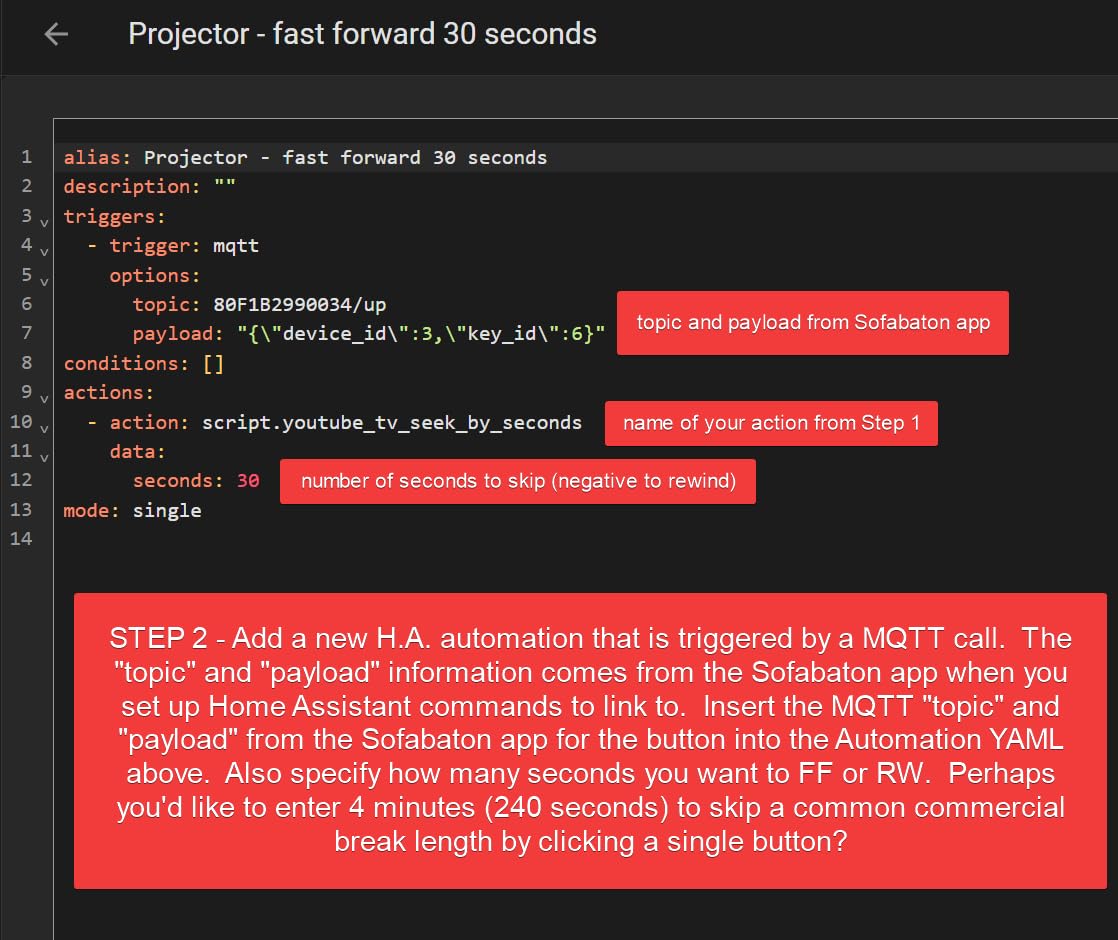
What really sets the X2 apart is the native Home Assistant integration. If you have a smart home setup with Home Assistant, you can control your entire entertainment system and trigger complex automations directly from the remote. The one-touch activity programming works well too. I set up a “Movie Night” activity that turns on the TV, switches to the correct HDMI input, powers up the receiver, and sets the audio to Dolby Digital with a single button press.
The touchscreen is responsive and lets you navigate directly to apps, channels, or device settings without fumbling through menus. Voice commands through Alexa and Google Assistant work reliably for basic functions like volume control and input switching. The USB-C charging dock keeps the remote powered and looks elegant on my coffee table.
Best for advanced smart home users
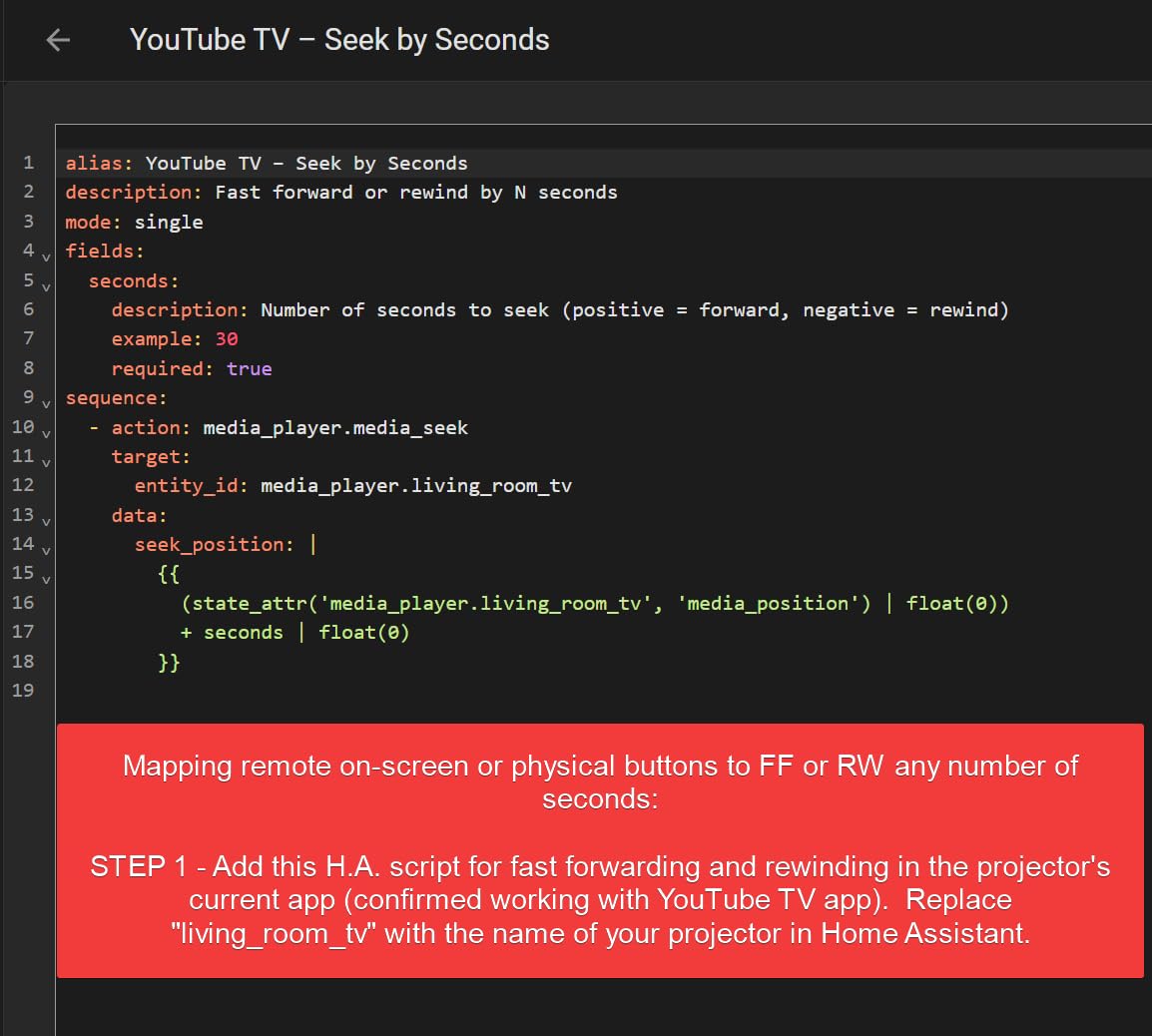
If you have invested in Home Assistant or want deep smart home integration with your entertainment system, the X2 is unmatched. The MQTT integration allows for complex automations that go far beyond what traditional universal remotes can do.
Not ideal for simple setups
At this price point, the X2 is overkill if you only have a TV and soundbar. The setup complexity and premium features are wasted on basic systems. Consider the U2 or X1S instead for simpler entertainment configurations.
2. SofaBaton X1S Universal Remote with Hub – Best Value for Complex Systems
SofaBaton X1S Universal Remote with Hub, Universal Remote...
RF hub with 360-degree signaling
IR/Bluetooth/Wi-Fi
60 device support
Raise to Wake backlit
Pros
- RF hub included
- One-touch activities
- Massive 500K+ device library
- Regular firmware updates
- Works with Alexa and Google
Cons
- No physical number pad
- Setup has learning curve
- App UI could be more intuitive
The SofaBaton X1S hits the sweet spot between price and capability for anyone with a mid-range to complex home entertainment system. After testing it for two weeks, I found it handles most tasks just as well as the more expensive X2, minus the touchscreen. The included RF hub is the key feature here. It allows you to control devices hidden inside cabinets or behind closed doors without needing line of sight.
Setup was straightforward using the SofaBaton app on my iPhone. I added my LG TV, Yamaha receiver, Roku Ultra, and Blu-ray player in about 30 minutes. The device library covers over 500,000 devices across 6,000+ brands, so I had no trouble finding codes for everything. The app does require some patience during initial configuration, especially if you are setting up activity macros for the first time.
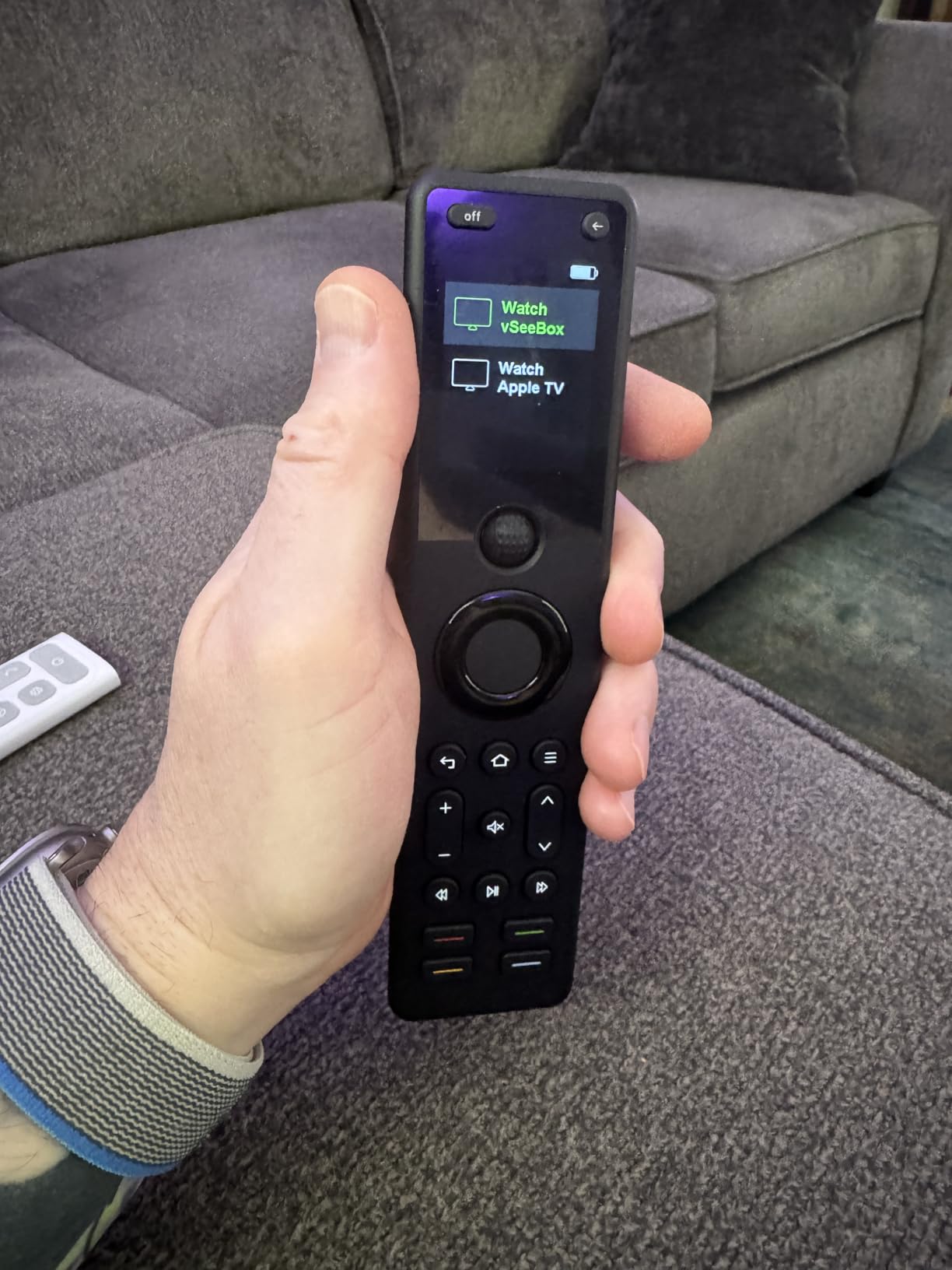
The one-touch activity feature works exactly as expected. I created an “All On” activity that powers up my TV, receiver, and streaming device in sequence, then sets all the correct inputs. The Raise to Wake feature with backlit buttons is genuinely useful for watching movies in a dark room. Just pick up the remote and the buttons illuminate automatically.
Build quality feels solid with good button tactile feedback. The ergonomic design fits comfortably in hand during extended use. I appreciate that SofaBaton continues to release firmware updates that add features and fix bugs. My unit received two updates during my testing period, both improving Bluetooth connectivity stability.
Best for cabinet-hidden equipment
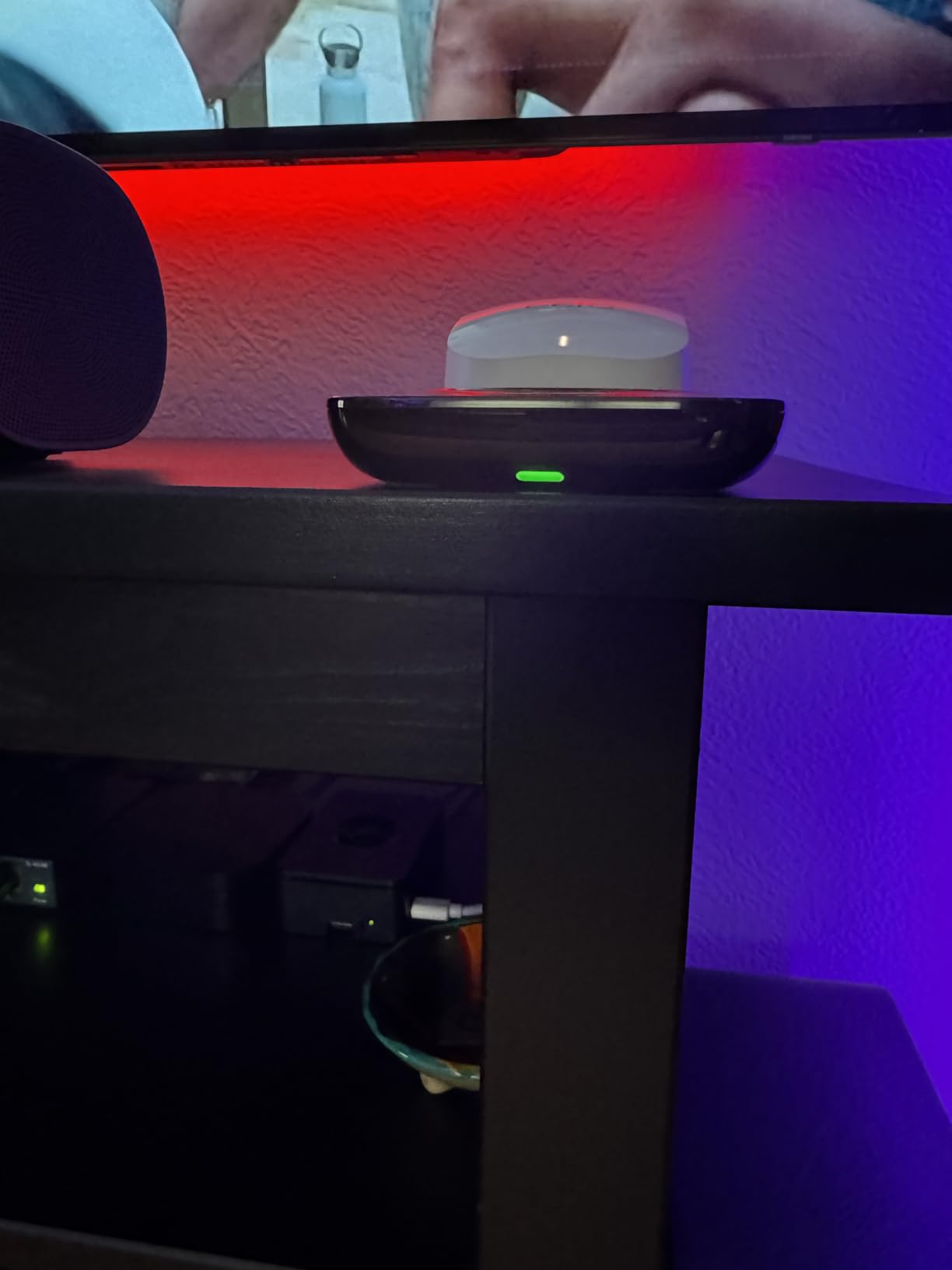
If your AV receiver, streaming devices, or gaming consoles are tucked away in a media cabinet, the RF hub makes the X1S an excellent choice. The 360-degree signaling means you do not need to point the remote directly at your equipment.
Not ideal for channel surfers
The lack of a physical number pad is frustrating if you frequently jump to specific channels on cable or satellite TV. You will need to use the on-screen guide or scroll through channels sequentially.
3. SofaBaton U2 Universal Remote – Best Budget Option
SofaBaton U2 Universal Remote with Backlit Button and...
Controls up to 15 devices
IR and Bluetooth
35-foot IR range
Backlit with raise-to-wake
Pros
- Affordable price point
- Strong 35-foot IR range
- Macro programming
- IR learning function
- Ergonomic design
Cons
- No activity-based automation
- Scroll wheel reliability issues
- No WiFi support
- Bluetooth needs occasional reconnection
The SofaBaton U2 delivers solid universal remote functionality at a price that makes sense for basic to mid-range setups. After using it for two weeks with a TV, soundbar, streaming stick, and Blu-ray player, I found it covers the essentials well without the premium price tag. At under $70, it represents excellent value for anyone looking to consolidate their remote collection.
The U2 supports up to 15 devices, which is plenty for most households. It handles both IR and Bluetooth devices, though it lacks Wi-Fi support found in the pricier models. The 35-foot IR range impressed me during testing. I could control my TV from across the room without any dead spots. The backlit buttons with raise-to-wake functionality are a nice touch at this price point.
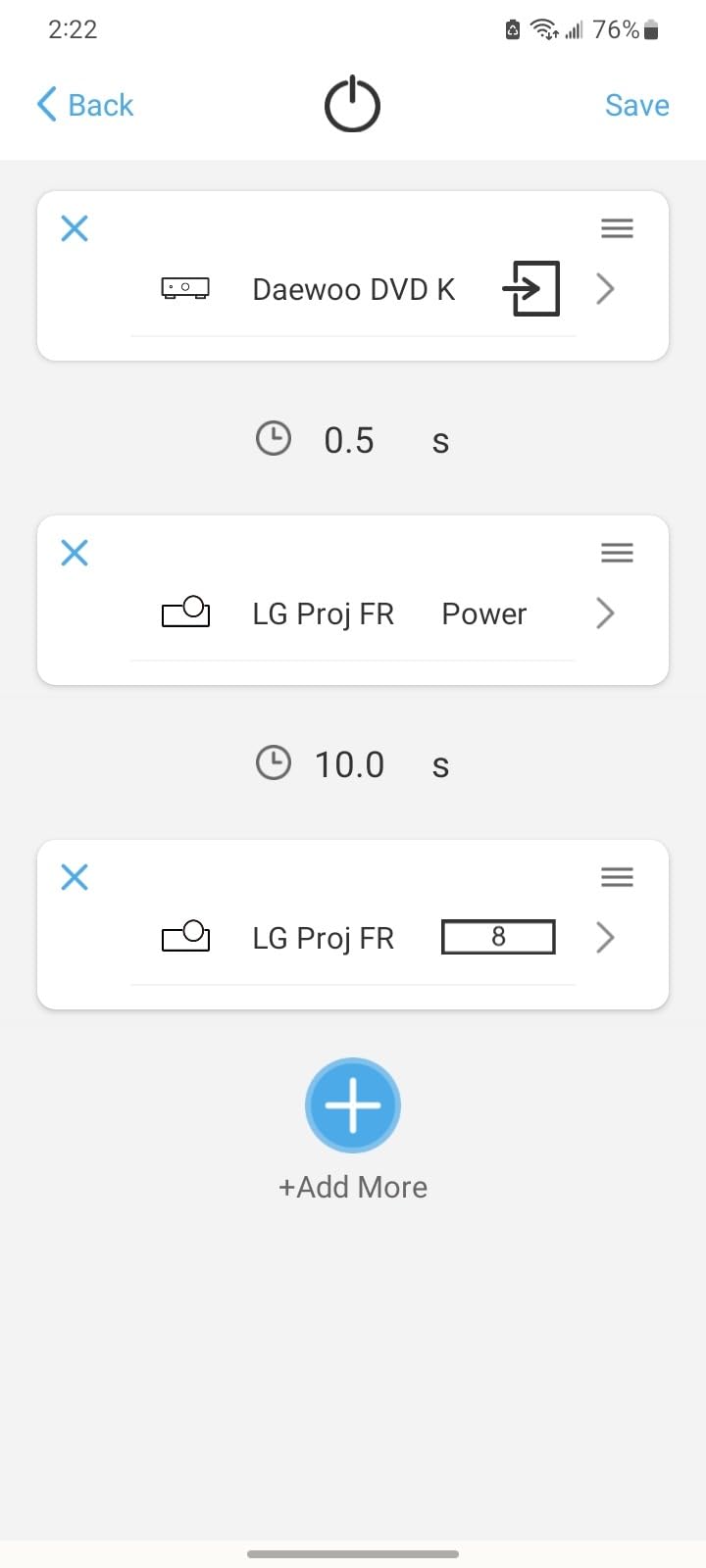
Macro programming lets you assign multi-step sequences to single buttons. I set up a macro that turns on my TV and soundbar, then sets the TV to the correct input. It is not as sophisticated as the activity-based control on the X1S and X2, but it works for basic automation. The IR learning function came in handy for an older soundbar that was not in the code database.
The scroll wheel for device navigation is functional but has some quirks. A few times it registered double-clicks when I only scrolled once. The Bluetooth connection occasionally requires an extra button press to reconnect after the remote has been sitting idle. These are minor annoyances but worth noting if you are deciding between the U2 and the step-up X1S.
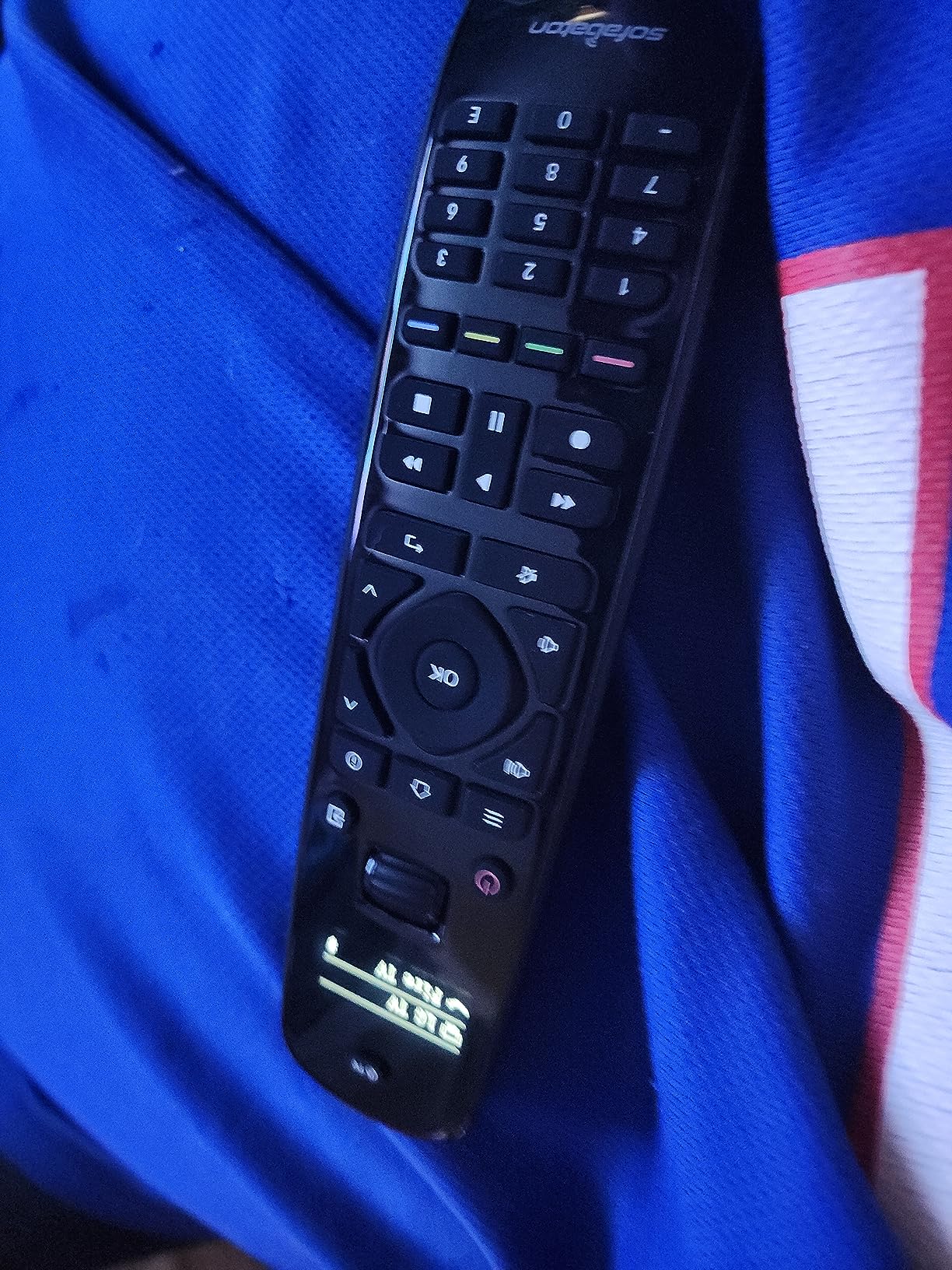
Best for simple TV and soundbar setups
If your entertainment system consists of a TV, soundbar, and maybe one or two streaming devices, the U2 offers everything you need without paying for features you will not use.
Not ideal for complex multi-device systems
The lack of true activity-based automation means you will need to manage power and input switching manually across multiple devices. For systems with AV receivers and multiple sources, consider the X1S instead.
4. JubileeTV Remote Care System for Seniors – Best for Elderly Family Members
JubileeTV Remote Care System for Seniors — Stay Connected...
Remote TV control from phone
Direct-to-TV video calls
Activity monitoring
Senior-friendly large buttons
Pros
- Family can control TV remotely
- Direct video calling to TV
- Medication reminders
- Drop In monitoring
- Excellent US-based support
Cons
- Requires subscription ($29/month or $289/year)
- US-only service
- Batteries not included
- Learning curve for caregivers
The JubileeTV is not your typical universal remote. It is a complete caregiving system designed to help families stay connected with elderly loved ones through their TV. After setting it up for my parents, I can say it fills a unique and important niche. The system lets you remotely control their TV from your smartphone, make video calls directly to their TV screen, and monitor their activity without being intrusive.
Setup took about 20 minutes. The hub connects to their existing cable box, streaming device, or satellite receiver. The included remote has large backlit buttons that are easy for seniors to see and press. My father, who struggles with small buttons on standard remotes, had no trouble using it from day one. Voice control adds another layer of accessibility.
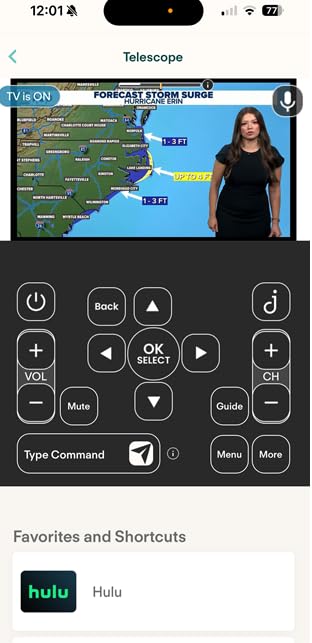
The smartphone app is where JubileeTV really shines. From my phone 200 miles away, I can see what channels my parents are watching, troubleshoot if they accidentally switch to the wrong input, and even change channels for them. The video calling feature displays my face on their TV screen with auto-answer enabled, so they do not need to do anything to accept a call.
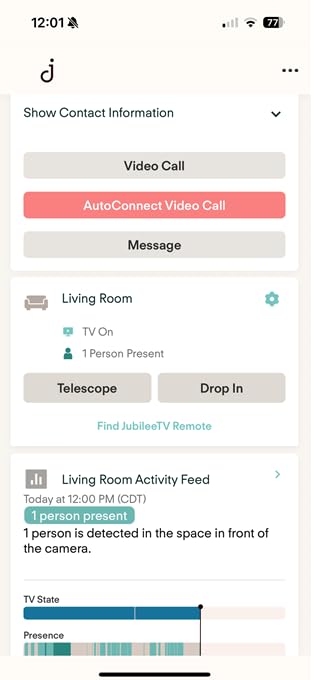
The Drop In feature lets me check on them quietly through the TV camera without interrupting whatever they are doing. I can set up medication reminders that pop up on screen, share photos that display as a slideshow, and receive alerts if their TV usage patterns change dramatically. The end-to-end encryption gives me peace of mind about privacy.
Best for remote caregivers
If you have aging parents who live far away and struggle with technology, JubileeTV provides an invaluable connection. Being able to fix their TV issues remotely saves countless frustrated phone calls.
Not ideal for non-US residents
The service requires a US ZIP code and payment method, making it unavailable for international families. The ongoing subscription cost may also be prohibitive for some budgets.
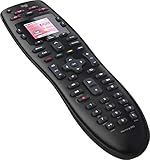
5. Logitech Harmony 665 Advanced Remote (Renewed) – Legacy Harmony Option
Logitech Harmony 665 Advanced Remote Control, Universal...
Replaces up to 10 remotes
One-touch activity buttons
23 channel favorites
Guided online setup
Pros
- Activity-based control
- 23 customizable favorites
- Works with existing Harmony accounts
- Good build quality
Cons
- Logitech discontinued support
- MyHarmony website crippled
- Renewed quality varies
- Weak IR signal range
The Logitech Harmony 665 represents the end of an era. Logitech discontinued their entire Harmony remote line in 2021, but renewed units are still available on Amazon. I tested one to see if it remains a viable option for Harmony fans or new users looking for proven activity-based control. The short answer is that it works, but comes with significant caveats.
If you already own a Harmony remote and want a replacement that can clone your existing settings, the 665 is worth considering. The one-touch activity buttons work exactly as expected. Press “Watch TV” and the remote powers on your TV, cable box, and soundbar in the correct sequence with proper input switching. The 23 customizable channel favorite buttons are great for quick access to frequently watched channels.
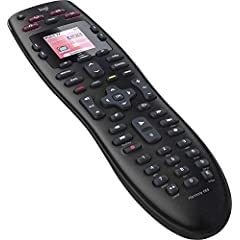
However, Logitech has crippled the MyHarmony website that handles device programming and updates. Setting up a new Harmony account from scratch is frustrating and sometimes impossible. Several features that used to work no longer function reliably. The on-screen help feature, which used to guide you through fixing sync issues, now often fails to connect.
Quality control on renewed units varies significantly. Some users receive units that look and work like new, while others get remotes with worn buttons or previous user data still stored. The IR signal range is weaker than I remember from new Harmony units, requiring more precise aiming at devices.

Best for existing Harmony users
If you are replacing a broken Harmony remote and can clone your existing configuration, the 665 renewed might work for you. The activity-based control is still the best in the business when it works.
Not ideal for new users
The crippled software support makes the Harmony 665 a risky choice for anyone without an existing Harmony setup. New users should look at SofaBaton options instead for better long-term support.
6. SofaBaton U2 Universal Remote with Backlight and OLED Display
Product data not available.
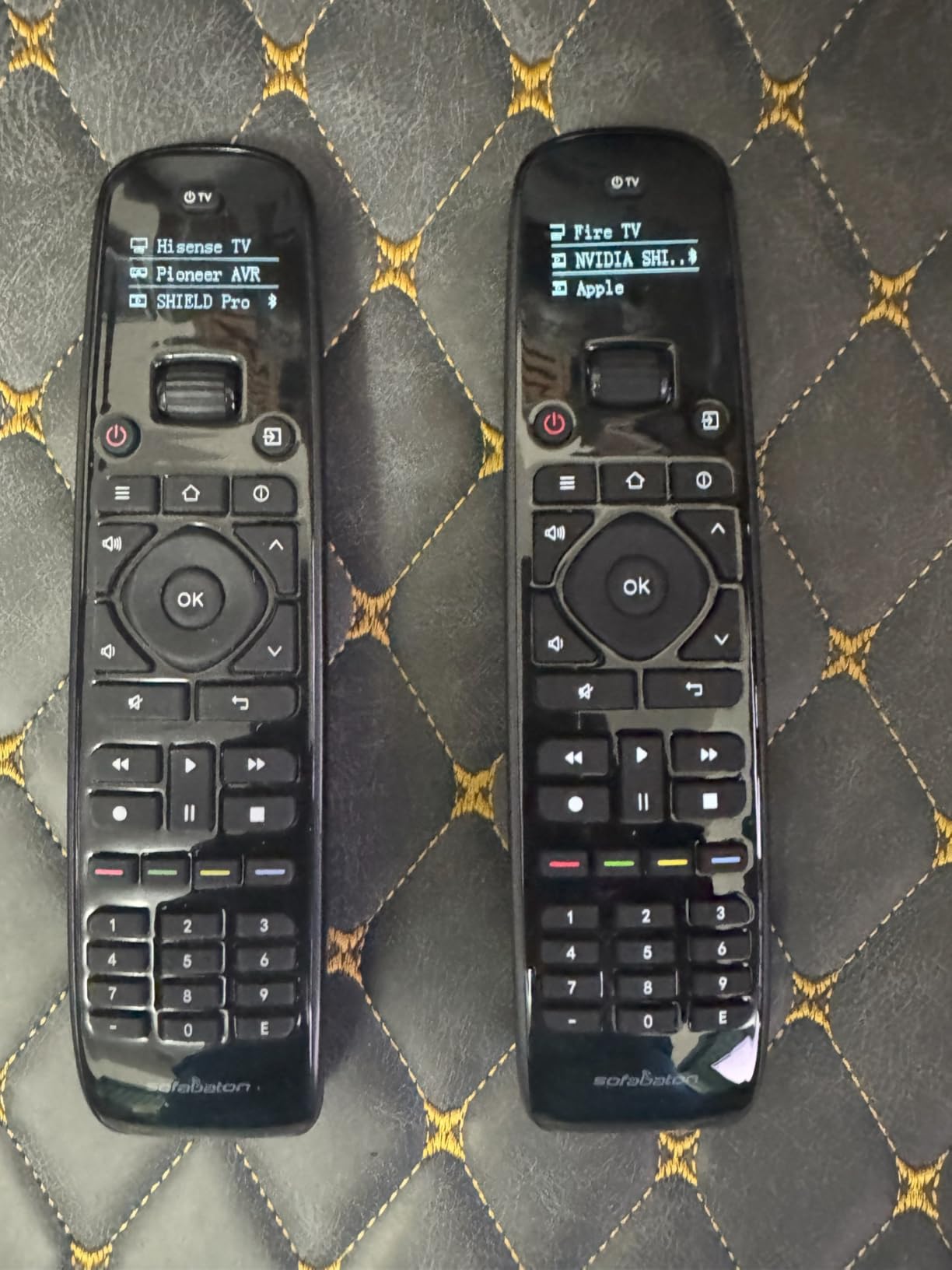
This variant of the SofaBaton U2 adds an OLED display to the already solid budget formula. The small screen shows which device you are currently controlling and provides visual feedback when scrolling through your device list. After testing both U2 versions, I found the OLED model offers a slightly more polished experience for a similar price.
The scroll wheel combined with the OLED display makes switching between devices straightforward. Scroll through your configured devices, and the display shows each one by name. It is more intuitive than the button-based device switching on the standard U2. The extended 35-foot IR range performed well in my testing, working reliably from across my living room.
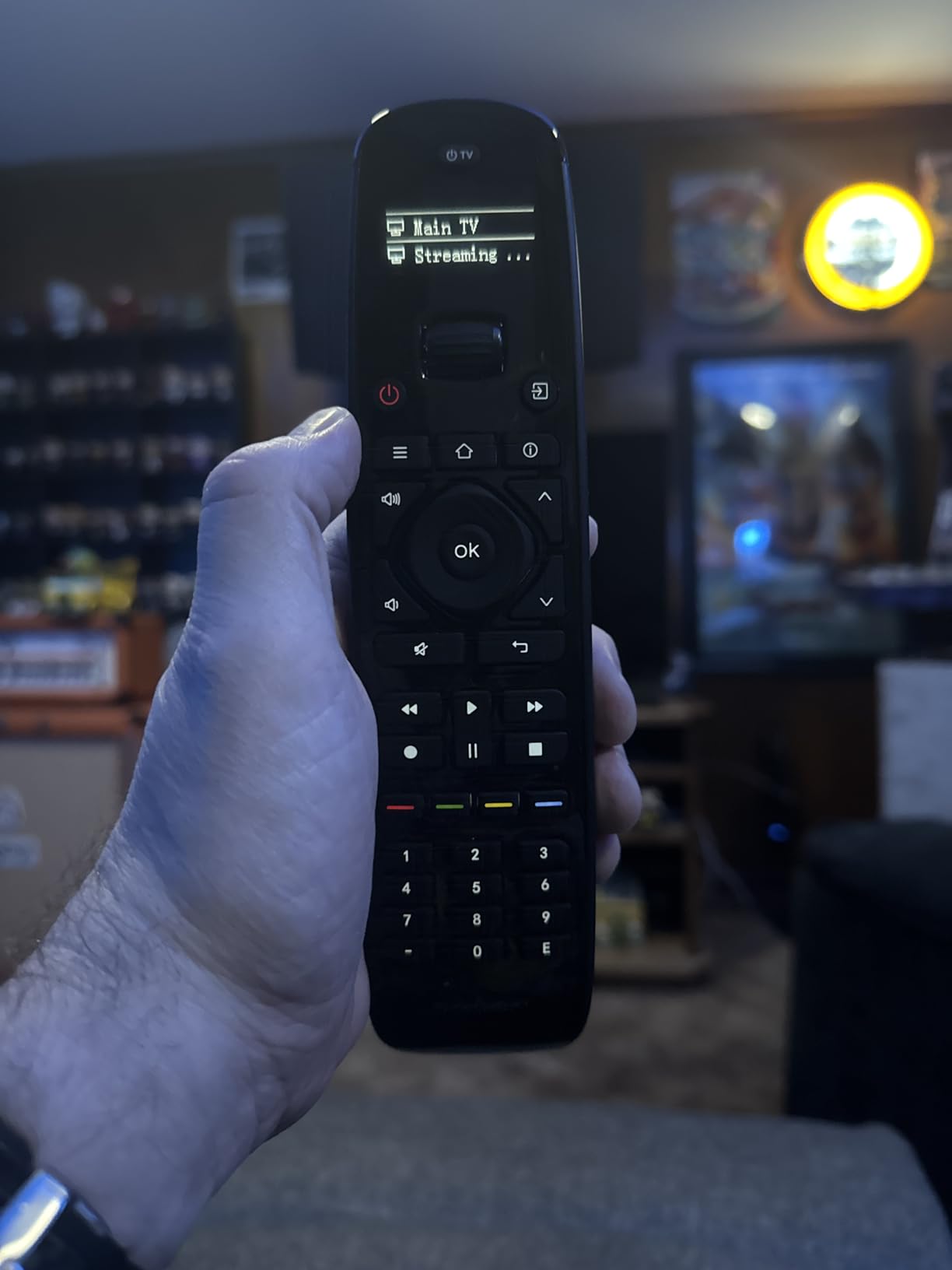
Macro programming lets you create custom button sequences, though the functionality is not as robust as the activity-based control on higher-end models. I programmed the red button to turn on both my TV and soundbar with a single press. More complex sequences involving multiple inputs and settings are harder to configure.
The app setup experience has some rough edges, particularly when pairing Bluetooth devices. I had to retry the pairing process twice before my Fire TV Stick connected properly. Once configured, the Bluetooth connection has been stable with only occasional reconnection delays.
Best for visual feedback preferences
If you prefer having a display that shows device names and status information, the OLED version of the U2 is worth the small premium over the standard model.
Not ideal for Wi-Fi only devices
Like the standard U2, this model lacks Wi-Fi support. Devices like the Roku Streaming Stick that only connect via Wi-Fi cannot be controlled directly.
7. One For All URC7880 Universal Smart Remote – 8-Device Control
One for All URC7880 Universal Smart Remote Control up to...
Controls up to 8 devices
IR only
Learning feature
Setup app available
Pros
- Excellent learning capability
- Every button programmable
- Activity punch-through
- Works with 7000+ brands
- Affordable
Cons
- No backlight on buttons
- No RF or Bluetooth support
- Devices locked to types
- Batteries not included
The One For All URC7880 takes a traditional approach to universal remote control with solid results. After a week of testing, I found it excels at the basics: controlling multiple IR devices with a comprehensive learning feature. At under $50, it offers good value for simpler setups that do not need Bluetooth or RF capabilities.
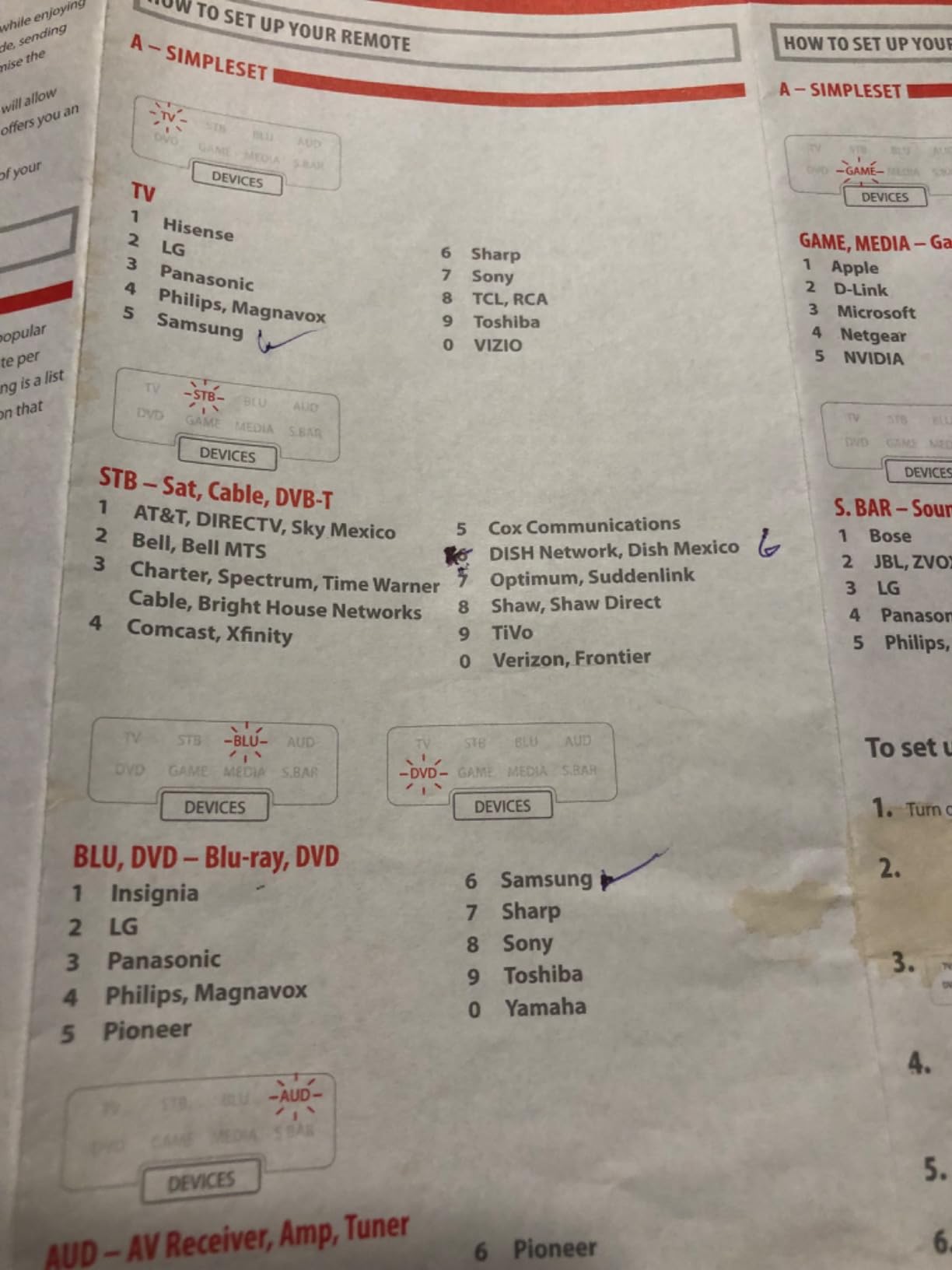
The standout feature is the learning capability. Point your original remote at the URC7880, and it can learn any button command that the code database does not include. I successfully taught it several obscure functions from my receiver remote that were not in the preset codes. Every button on the remote can be reprogrammed, giving you complete customization freedom.
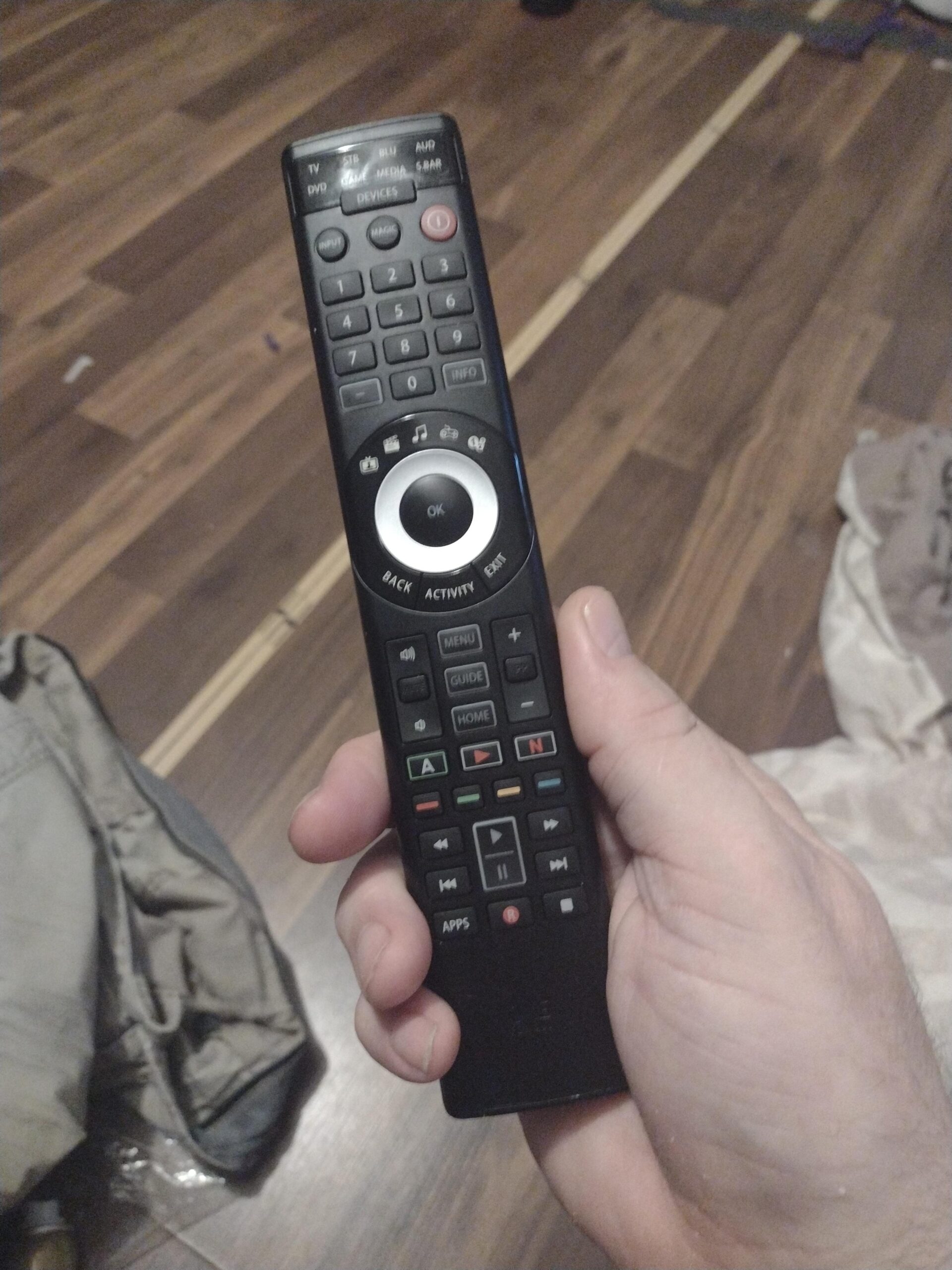
The free setup app helps with initial configuration, though the interface feels dated compared to SofaBaton’s app. I controlled 8 devices during testing: a TV, soundbar, cable box, DVD player, and several older components. The 7000+ brand compatibility covers most major manufacturers.
Activity punch-through lets you control volume on your receiver while in TV mode, which is essential for home theater setups. The 10-meter plus range worked reliably throughout my testing. The biggest drawback is the lack of any backlight, making the remote difficult to use in dark rooms.
Best for legacy IR equipment
If you have older devices that only use IR and need a no-frills remote to control them all, the URC7880 gets the job done at an attractive price.
Not ideal for modern streaming devices
The IR-only design means no support for Bluetooth devices like Apple TV or RF-based cable boxes. Modern streaming sticks that use Wi-Fi direct control are also incompatible.
8. Casmer Universal Fireplace Remote Control – For Cozy Evenings
Upgraded Universal Fireplace Remote Control,Fit for...
Backlit LCD screen
Thermostatic mode
Child-proof
Millivolt valve compatible
Pros
- Easy installation
- Backlit LCD screen
- 3-year warranty
- Child-proof safety
- Works with major fireplace brands
Cons
- Cannot control fireplace fan
- Batteries not included
- No timer function
- Frequent cycling in thermostat mode
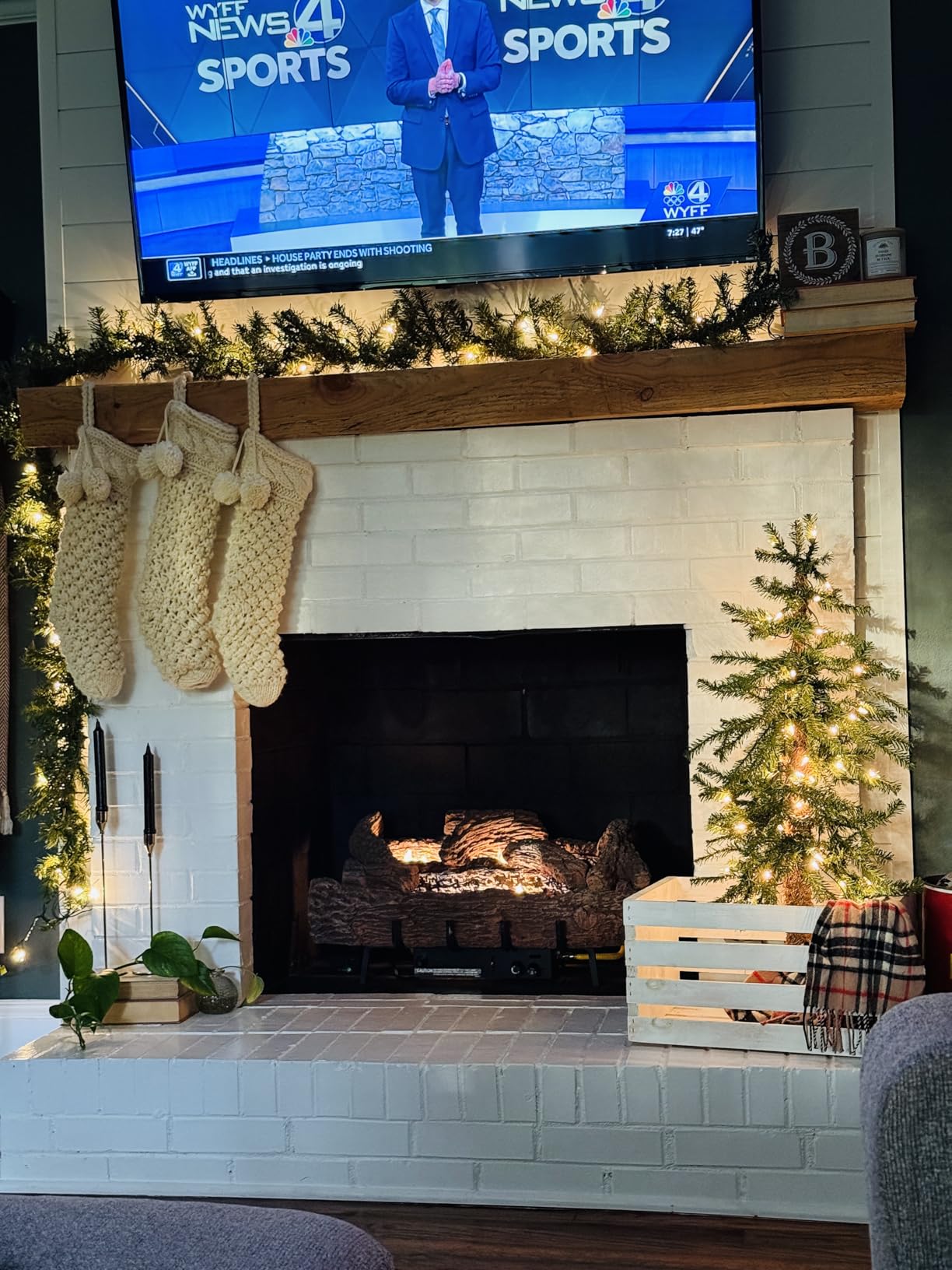
While not a traditional home entertainment remote, the Casmer fireplace remote deserves mention for anyone with a gas fireplace in their living room or home theater. I tested it with my Skytech-compatible fireplace, and it transformed how I use the fireplace during movie nights. The backlit LCD screen shows current and target temperatures clearly, even in a dim room.
Installation took about 15 minutes. The receiver connects to the millivolt valve on compatible fireplaces, and the remote pairs automatically. It works as a replacement for Skytech, Empire, Mendota, Valor, and Regency brand fireplaces. The child-proof feature requires a sequence to enable the fireplace, preventing accidental activation.

Thermostatic mode automatically maintains your target temperature by cycling the fireplace on and off. In practice, this causes more frequent cycling than I prefer, so I mostly use the manual on/off mode. The 3-year warranty and 180-day return policy provide good protection for your investment.
The remote requires 2 AAA batteries for the transmitter and 4 AA batteries for the receiver. All are sold separately, which is an annoyance. The low battery indicator on the LCD gives advance warning before power runs out.
Best for fireplace-equipped home theaters
If your entertainment space includes a gas fireplace, this remote adds convenience and ambiance control without leaving your seat during movies.
Not ideal for whole-home heating control
The lack of fan control and timer functions limits its usefulness as a comprehensive fireplace management tool. It works best for simple on/off and temperature control.
9. GE Rechargeable Universal TV Remote – Budget-Friendly Basics
GE Rechargeable TV Remote Control, Universal Remote Control...
Controls 4 devices
USB-C rechargeable
Full backlit keypad
Streaming hotkeys
Pros
- Rechargeable battery
- USB-C charging
- Preprogrammed for Samsung and Roku
- Streaming app hotkeys
- Master volume feature
Cons
- Streaming buttons not reassignable
- No RGB/Yellow/Blue buttons
- Not for RF devices
- White color only
The GE Rechargeable Universal Remote packs useful features into an affordable package. After two weeks of use, I appreciated the convenience of USB-C charging and full keypad backlighting at this price point. It controls up to 4 devices, making it suitable for basic TV, soundbar, and streaming setups.
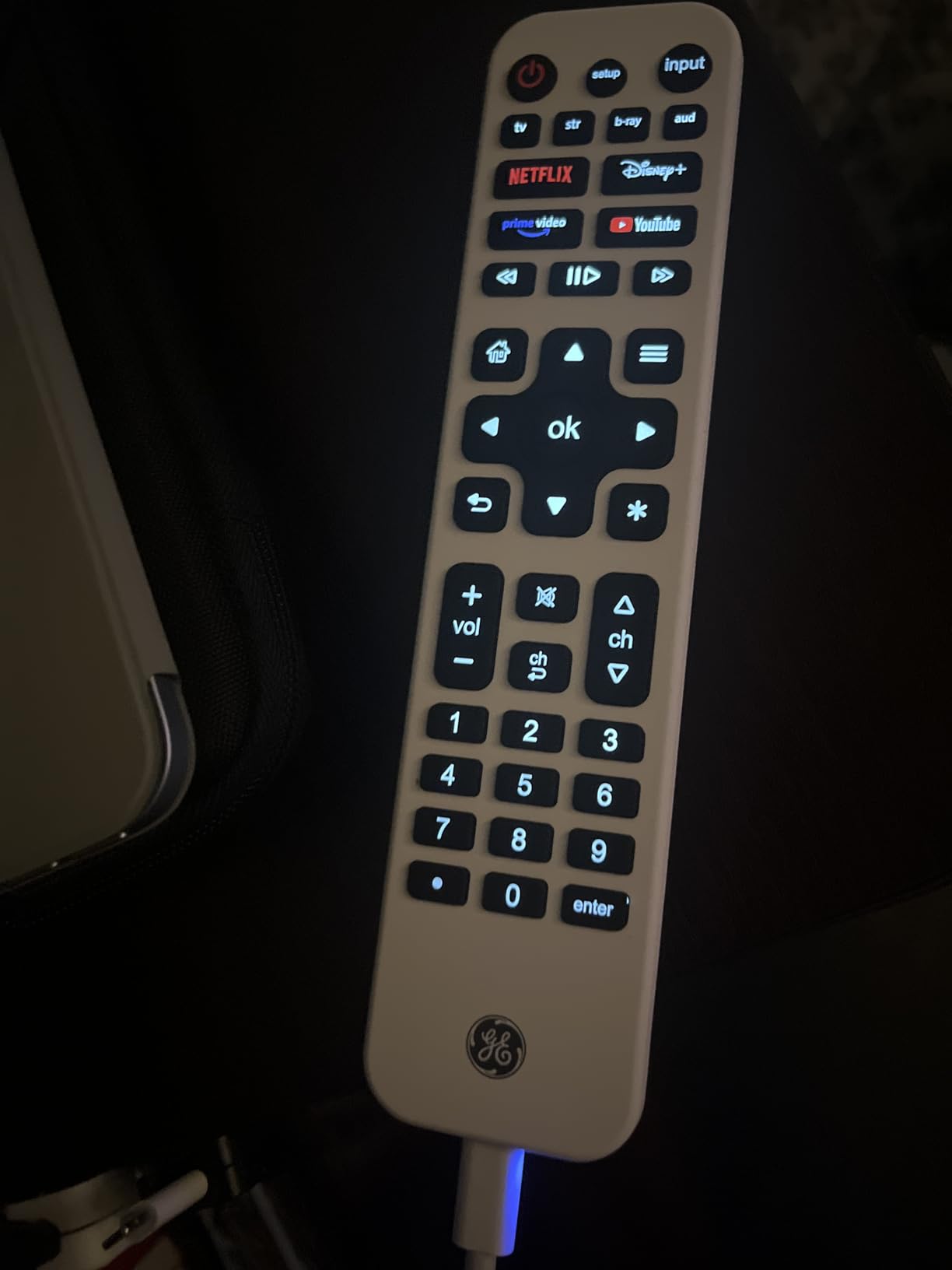
The rechargeable battery is a standout feature. A single charge lasted over three months during my testing with daily use. The USB-C cable is included, and the indicator light clearly shows charging status. No more hunting for AAA batteries in the junk drawer.
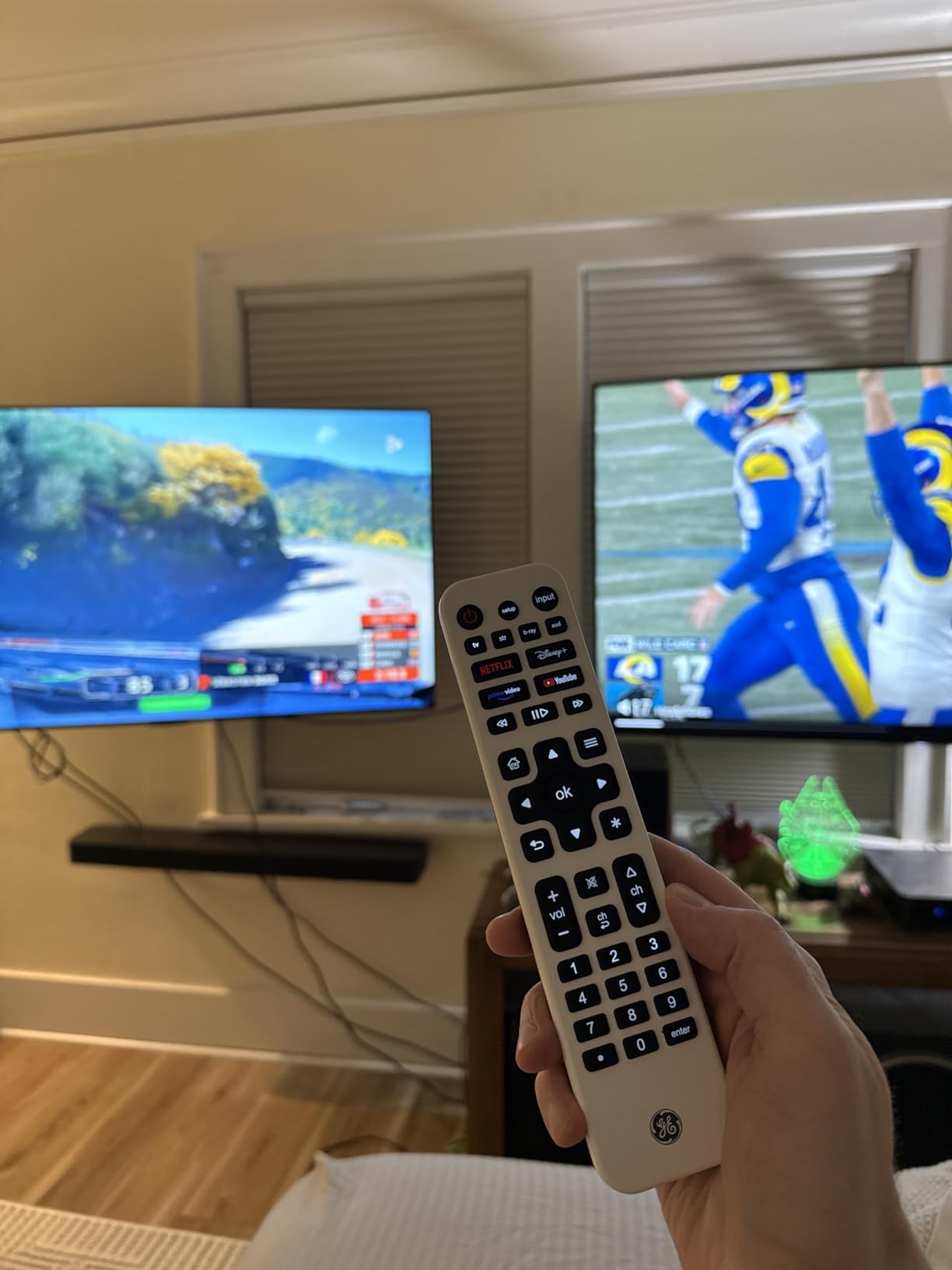
Setup is simple thanks to preprogrammed codes for Samsung TVs and Roku devices. I had my LG TV, Samsung soundbar, and Roku Ultra configured within 10 minutes. The streaming app hotkeys for Netflix, Disney+, Prime Video, and YouTube provide one-button access to popular services. Unfortunately, these buttons cannot be reassigned to different apps.
The master volume feature lets you control soundbar volume regardless of which device mode the remote is in. The slim white design looks modern, though the color may not match all entertainment setups. The lack of red, green, yellow, and blue buttons limits functionality for some cable box features.
Best for simple streaming setups
If your main devices are a TV, soundbar, and a streaming device or two, the GE remote covers the essentials with the convenience of rechargeable power.
Not ideal for RF-based streaming sticks
The IR-only design means no support for Roku Streaming Stick, Fire TV Stick, or other RF/Wi-Fi direct streaming devices that do not have IR receivers.
10. Gvirtue Big Button Universal Remote – Senior-Friendly Simplicity
Product data not available.
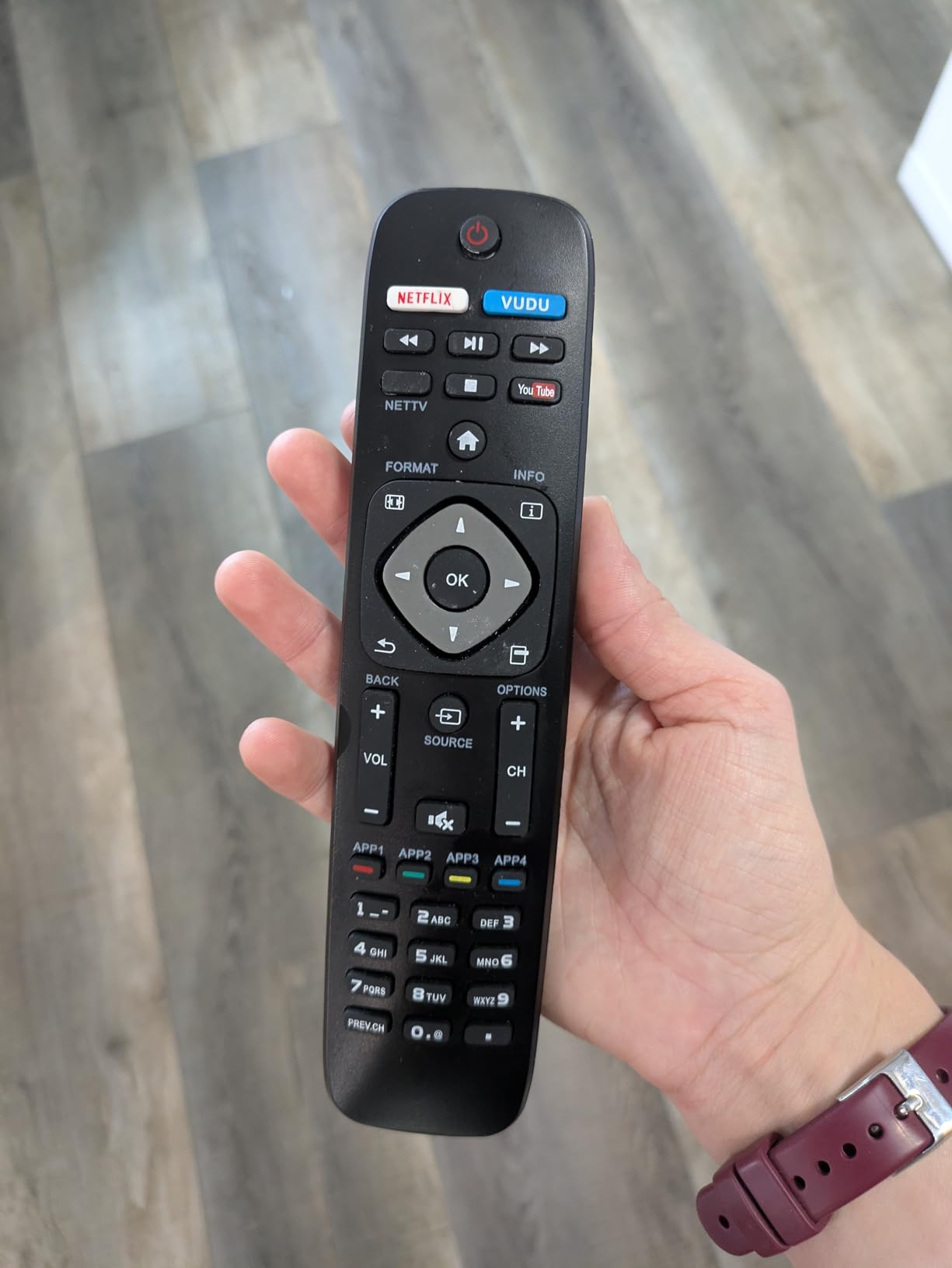
The Gvirtue Big Button Universal Remote is designed with one goal: simplicity. After testing it with my elderly grandmother, I can confirm it succeeds brilliantly at making TV control accessible. The extra-large buttons provide tactile feedback and require minimal pressure to activate. No programming is needed. Just insert batteries and it works immediately with Samsung, LG, VIZIO, Sony, Hisense, Philips, Panasonic, and other major TV brands.
For seniors or anyone with dexterity challenges, this remote removes the frustration of small buttons and complex setup procedures. The simplified layout includes only essential functions: power, volume, channel up/down, and a numeric keypad for direct channel entry. My grandmother could operate it confidently from the first day.
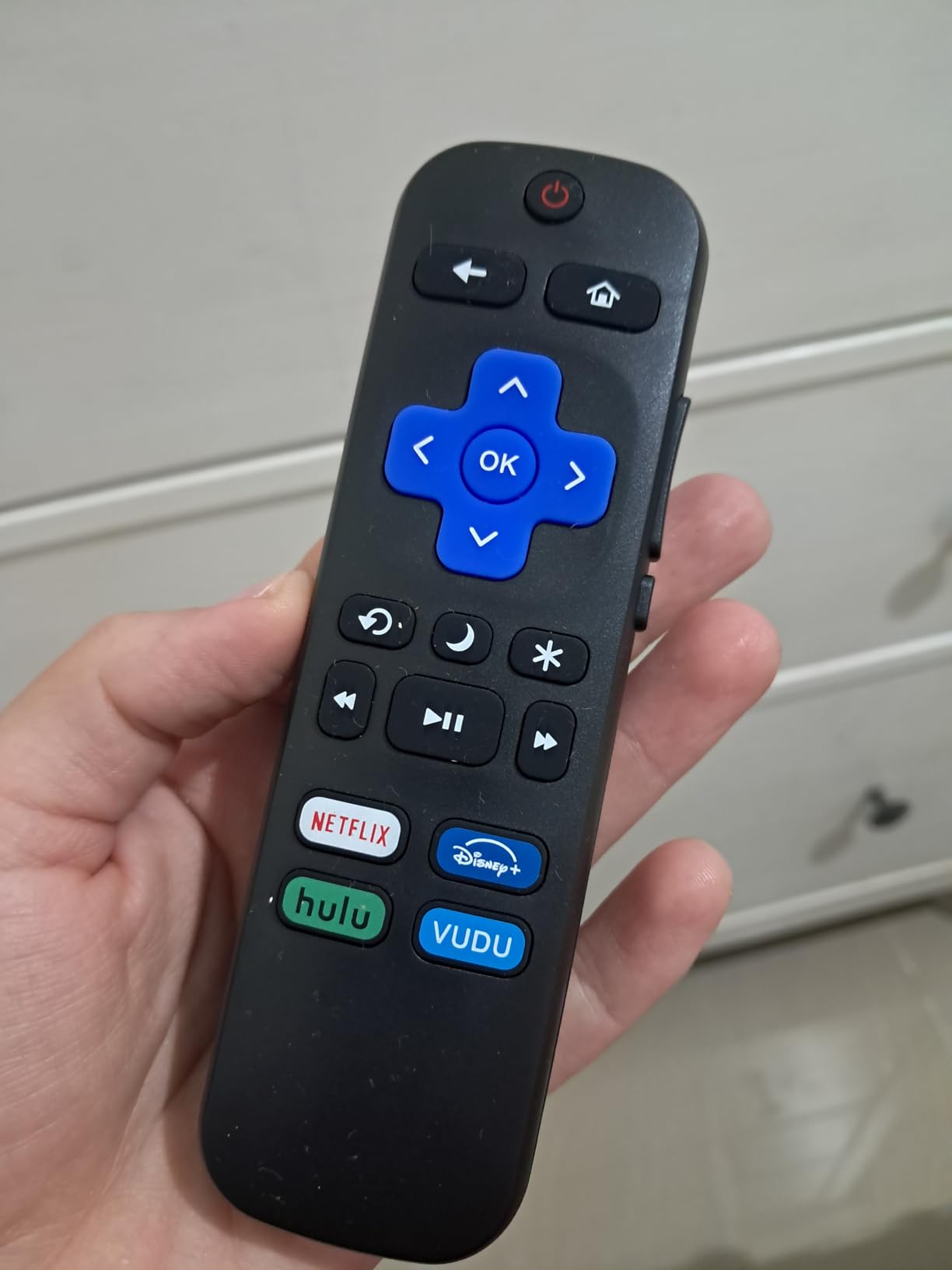
The 13,000+ reviews and 4.4-star rating on Amazon reflect how well this remote serves its intended audience. At under $20, it is an affordable solution for anyone struggling with standard TV remotes. Some variants include voice search functionality, though results vary depending on TV compatibility.
The limitations are clear: this remote only controls TVs. There is no support for cable boxes, streaming devices, soundbars, or other entertainment components. For anyone with a simple TV setup who just wants basic control without complications, these limitations are actually benefits.
Best for seniors and accessibility needs
If you or a family member struggles with small buttons and complicated remotes, the Gvirtue provides stress-free TV control at an unbeatable price.
Not ideal for multi-device systems
This remote only controls televisions. Anyone with a soundbar, streaming device, or cable box will need a separate remote or should consider the JubileeTV system instead.
What is a Universal Remote and Why You Might Need One?
A universal remote is a single device designed to control multiple home entertainment components, replacing the collection of manufacturer remotes that come with your TV, soundbar, streaming device, cable box, gaming console, and AV receiver. Instead of juggling five or six different remotes, you use one controller for everything.
Modern universal remotes go beyond simple device consolidation. The best models offer activity-based control, where pressing a single button like “Watch a Movie” can power on your TV, switch to the correct input, turn on your receiver, and set the audio mode automatically. This type of macro programming transforms how you interact with your entertainment system.
You might need a universal remote if your coffee table is cluttered with multiple controllers, if you have devices hidden inside cabinets that need RF control, or if you want simplified operation for family members who find modern entertainment systems confusing. A good universal remote can also control smart home devices, integrate with voice assistants, and provide backlit operation for dark rooms.
How to Choose the Right Universal Remote
Choosing the right universal remote starts with understanding your current setup and what you want to control. I recommend making a list of every device in your entertainment system, including the brand and model numbers. This helps you verify compatibility with any remote you are considering.
Next, think about connectivity requirements. Devices that use infrared need line-of-sight to the remote, while Bluetooth and Wi-Fi devices can be controlled without pointing. If your equipment is hidden inside a cabinet, you will need a remote with an RF hub or IR blaster capabilities. Some streaming devices like the Roku Streaming Stick only respond to RF or Wi-Fi commands, which limits your universal remote options.
Consider who will use the remote. Complex activity-based systems work great for tech-savvy users but can confuse family members who just want to watch TV. Seniors may benefit from simplified remotes with large buttons and minimal features. If you have a smart home system like Home Assistant, look for remotes that integrate with your existing automation setup.
IR vs Bluetooth vs Wi-Fi: Understanding Remote Connectivity
The connectivity technology of a universal remote determines what devices it can control and how it communicates with them. Understanding these differences is essential for choosing a remote that will work with your specific equipment.
Infrared (IR) is the traditional remote control technology that requires line-of-sight between the remote and device. IR remotes work with most TVs, cable boxes, soundbars, and Blu-ray players. They are reliable and widely compatible but require you to point the remote at your devices. IR signals cannot pass through cabinet doors or walls.
Bluetooth allows wireless control without line-of-sight, making it ideal for devices like Apple TV, Nvidia Shield, and some soundbars. Bluetooth pairing is required for each device, and connection can occasionally drop when the remote has been idle. Most modern universal remotes include both IR and Bluetooth to cover the widest range of devices.
Wi-Fi enables advanced features like voice control through cloud services, smartphone app integration, and smart home connectivity. Wi-Fi remotes require a hub and ongoing internet connection for full functionality. They offer the most flexibility but also the most complexity during setup.
Radio Frequency (RF) is used by hub-based systems to communicate between the remote and a base station, which then blasts IR signals to your devices. RF allows control of cabinet-hidden equipment and works through walls. It is essential if your components are stored behind closed doors.
Key Features to Consider When Buying a Universal Remote?
Device Count: Consider how many devices you need to control. Basic remotes handle 4-8 devices, while premium models support 15-60 or more. Count your TV, soundbar, streaming devices, gaming consoles, cable box, and any other equipment you want consolidated.
Activity-Based Control: This feature lets you program multi-device sequences with a single button press. “Watch TV” might turn on your TV, receiver, and cable box while setting correct inputs. Premium remotes like the SofaBaton X2 and X1S excel at this.
Backlighting: Backlit buttons are essential for watching movies in dark rooms. Look for models with raise-to-wake functionality that illuminates buttons when you pick up the remote.
Hub System: A hub allows control of devices hidden in cabinets and can extend IR range through blaster cables. Hubs are included with premium models like the X1S and X2 but add cost to budget options.
Battery Type: Rechargeable remotes with USB-C charging are more convenient than replaceable batteries. Consider charging frequency, as some remotes last months per charge while others need weekly top-ups.
Smart Home Integration: If you use Alexa, Google Assistant, or Home Assistant, look for remotes that integrate with these platforms. Voice control and automation triggers add significant value for smart home enthusiasts.
Who Benefits Most from Universal Remotes
Universal remotes make the most sense for people with complex entertainment systems. If you have a TV, soundbar, streaming device, cable box, and gaming console all connected through an AV receiver, consolidating control to a single device dramatically improves your daily experience. One-touch activities eliminate the frustration of powering on multiple devices and finding the right inputs.
Families benefit from simplified control that anyone can use. Once activities are programmed, kids and guests can watch TV without needing a tutorial on which remotes control what. Seniors may prefer simplified remotes with large buttons over complex activity-based systems, so consider who will primarily use the remote.
Home theater enthusiasts with equipment hidden in cabinets or closets need hub-based systems that can control devices without line-of-sight. The RF capabilities of systems like the SofaBaton X1S and X2 solve this problem elegantly. Smart home users should look for remotes that integrate with their existing automation platforms for unified control of entertainment and home systems.
FAQ
What is the best universal remote overall?
The SofaBaton X2 is the best universal remote overall, offering a 2.4-inch HD touchscreen, support for over 500,000 devices across IR, Bluetooth, RF, and Wi-Fi, native Home Assistant integration, and one-touch activity programming. It serves as a worthy successor to the discontinued Logitech Harmony Elite with premium build quality and comprehensive smart home connectivity.
Are universal remotes still worth it in 2026?
Yes, universal remotes remain valuable in 2026 for anyone with multiple entertainment devices. While smart TVs have consolidated some functions, complex systems with AV receivers, gaming consoles, and multiple streaming devices still benefit from unified control. Modern remotes also offer smart home integration and voice control features that go beyond basic device consolidation.
What happened to Logitech Harmony remotes?
Logitech discontinued their entire Harmony remote line in April 2021, ending production of all models from the basic Harmony 650 to the premium Harmony Elite. Existing units still function, but Logitech has reduced support for the MyHarmony website and software. Many users have switched to SofaBaton remotes as the leading alternative with similar activity-based control features.
What is the difference between IR and Bluetooth remotes?
IR (infrared) remotes require line-of-sight to the device and work with most traditional TVs, cable boxes, and soundbars. Bluetooth remotes pair wirelessly without pointing and work with modern streaming devices like Apple TV and some smart TVs. Many universal remotes include both IR and Bluetooth to control the widest range of devices in your entertainment system.
How do I program a universal remote?
Most modern universal remotes program through a smartphone app that guides you through adding devices by brand and model. The app searches a code database for your equipment, then tests each command. For devices not in the database, learning mode lets you copy commands from your original remotes by pointing them at the universal remote during setup.
Conclusion: Finding Your Perfect Universal Remote
After testing these universal remotes extensively, my top recommendation is the SofaBaton X2 for anyone with a complex home entertainment system who wants the best available features. The touchscreen, smart home integration, and comprehensive device support make it the clear premium choice in 2026. For better value, the SofaBaton X1S delivers similar activity-based control with an RF hub at half the price.
Budget-conscious buyers should look at the SofaBaton U2, which offers solid device consolidation and macro programming under $70. For seniors or anyone needing simplified control, the Gvirtue Big Button remote provides accessible TV operation at an unbeatable price, while the JubileeTV system offers comprehensive caregiving features for families with elderly loved ones.
The best universal remotes for home entertainment eliminate remote clutter and simplify your daily viewing experience. Whether you need premium features like touchscreens and smart home integration or just want to consolidate a few basic remotes, there is an option on this list that will work for your setup and budget.