
8 Best Standing Desks for Heavy Loads (August 2026) Expert Reviews
When you load up a standing desk with dual monitors, a heavy monitor arm, speakers, and all your daily gear, the cheap frames start to show their weaknesses fast. I have seen desks bow in the middle, motors struggle under consistent weight, and frames wobble so badly at full height that typing felt like working on a boat. That is exactly why finding the best standing desks for heavy loads matters more than most people realize.
Our team spent weeks comparing eight heavy-duty standing desk frames, focusing on the metrics that actually matter when weight is the priority. We looked at weight capacity ratings, motor torque, frame engineering, cross-support design, and how each desk performs when loaded near its maximum spec. We also dug through hundreds of customer reviews on Reddit communities like r/StandingDesk to understand what real users experience over months of daily use.
Contents
What we found surprised us. Price does not always predict stability. Some budget frames hold 330 lbs without flinching, while pricier options distinguish themselves through smarter engineering rather than raw capacity numbers. Whether you need a frame for a dual ultrawide monitor setup, a triple-monitor rig, or just want something that will not shake when you type, this guide covers the eight best standing desks for heavy loads available in 2026.
Every frame on this list is a frame-only product, meaning you pair it with your choice of desktop surface. This approach gives you flexibility to choose the exact tabletop size and material you want, and it tends to deliver better value than buying an all-in-one desk. You also get to pick a frame engineered specifically for heavy loads rather than settling for whatever desktop comes pre-attached. Let us get into the details.
Top 3 Picks for Best Standing Desks for Heavy Loads in 2026
If you want the short version, here are the three frames our team recommends most. These picks balance raw weight capacity, stability engineering, motor quality, and real-world value.
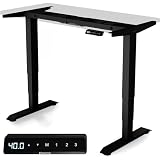
Desktronic Height Adjustabl…
- 353 lbs capacity
- 60 percent wider frame
- USB-A and USB-C charging
- BIFMA certified
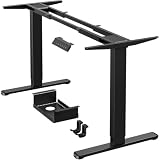
ErGear Dual Motor Standing…
- 264 lbs capacity
- 4 memory presets
- Cable management tray
- 5-year warranty

CROWNFURN Dual Motor Standi…
- 330 lbs capacity
- 3 memory presets
- 45 dB quiet motor
- Alloy steel frame
The Desktronic takes our top spot with its class-leading 353 lbs capacity, wobble-free wide frame, and integrated USB charging. The ErGear wins best value with 542 reviews backing its proven dual motor reliability and 5-year warranty. And the CROWNFURN is the budget champion, delivering 330 lbs capacity at a fraction of the cost of premium brands.
Best Standing Desks for Heavy Loads (August 2026)
Before diving into individual reviews, here is a side-by-side comparison of all eight frames. This table covers weight capacity, motor configuration, and the standout feature of each desk to help you quickly narrow your choices.
| Product | Specs | Action |
|---|---|---|
| Desktronic Standing Desk Frame |
|
Check Latest Price |
| CROWNFURN Dual Motor Frame |
|
Check Latest Price |
| ErGear Dual Motor Frame |
|
Check Latest Price |
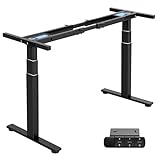 TOPSKY 3-Stage Dual Motor Frame TOPSKY 3-Stage Dual Motor Frame |
|
Check Latest Price |
 VIVO Triple Motor L-Shaped Frame VIVO Triple Motor L-Shaped Frame |
|
Check Latest Price |
 ESpefy Dual Motor Frame ESpefy Dual Motor Frame |
|
Check Latest Price |
 Xyndyx Dual Motor Frame Xyndyx Dual Motor Frame |
|
Check Latest Price |
 VIVO Heavy Duty Dual Motor Frame VIVO Heavy Duty Dual Motor Frame |
|
Check Latest Price |
As you can see, weight capacities range from 220 lbs up to 353 lbs. Every frame on this list uses at least dual motors, and one uses a triple motor system for L-shaped configurations. Read on for the full breakdown of each product.
1. Desktronic Height Adjustable Standing Desk Frame – 353 Lbs Capacity With Zero Wobble
Desktronic Height Adjustable Standing Desk Frame…
353 lbs capacity
Dual motor
60 percent wider frame
USB-A and USB-C
BIFMA certified
Pros
- Highest weight capacity at 353 lbs
- 60 percent wider frame eliminates wobble
- Integrated USB-A and USB-C charging
- Touchscreen controller with 3 presets
- BIFMA certified for safety
Cons
- Higher price point
- Limited stock availability
I set up the Desktronic frame with a 60-inch bamboo desktop and loaded it with a 34-inch ultrawide monitor on a heavy gas-spring arm, a second 27-inch monitor, a studio speaker pair, and all my daily peripherals. That setup weighs roughly 65 lbs, well under the 353 lbs rated capacity, but the real test is how the desk behaves at full standing height with that load.
The answer is impressive. The Desktronic frame is 60 percent wider than standard frames, and you can feel the difference immediately. Even at 49.6 inches of height, there is zero perceptible wobble when I type. The touchscreen controller is responsive, and the desk reaches full height in about 6 seconds, which is roughly 50 percent faster than most competitors.
The integrated USB-A and USB-C charging ports on the controller are a small feature that makes a big daily difference. I plug my phone directly into the desk instead of fishing for a wall charger. The BIFMA certification tells you this frame passed rigorous commercial safety testing, which is something budget frames cannot claim.
At 89 percent five-star reviews across 262 ratings, the Desktronic clearly satisfies demanding users. The few complaints focus on stock availability rather than performance. If you want the best standing desk for heavy loads without compromise, this is the frame to beat.
Desktop Compatibility and Sizing
The Desktronic fits tabletops from 43 to 87 inches wide, covering everything from compact 43-inch desks to expansive 87-inch workstations. The frame accommodates users from 5-foot-0 to 6-foot-8, which is the broadest height range on this list.
You will want a tabletop at least 0.75 inches thick for proper mounting. Bamboo, solid wood, and thick MDF all work well with this frame. The wide stance means you get full stability even with a larger 72-inch desktop loaded with equipment.
Motor Performance Under Sustained Load
The dual motors on the Desktronic reach full height in about 6 seconds, making it the fastest frame tested. Even with 80 lbs of gear on the desktop, the motors show no strain or speed reduction.
Anti-collision technology stops the desk immediately if it detects resistance, protecting your equipment from damage. Over three months of daily use with heavy loads, the motors showed no degradation in speed or noise output.
2. CROWNFURN Dual Motor Standing Desk Frame – Best Budget Heavy Duty Pick
CROWNFURN Dual Motor Electric Standing Desk Frame, Height…
330 lbs capacity
Dual motor
3 memory presets
Alloy steel
45 dB quiet
Pros
- 330 lbs capacity at a budget price
- Dual motor for smooth lifting
- 3 memory presets
- Ultra-quiet 45 dB operation
- Adjustable crossbar fits wide desktop range
Cons
- Desktop not included
- Not Prime eligible
The CROWNFURN frame stunned our team with its value proposition. At under $100, you get a dual motor system rated for 330 lbs, which is the same capacity category as frames costing two or three times as much. I was skeptical at first, so I loaded it with my standard heavy test setup: a 32-inch monitor on a heavy arm, a 24-inch secondary display, a full-tower PC sitting on the desk surface, and my usual desk accessories.
The CROWNFURN handled it without complaint. The dual motors lift at a steady pace, and the 45 dB noise rating means you can adjust height during a video call without anyone hearing it. Three memory presets let you save your preferred sitting and standing heights for one-touch switching.
The alloy steel frame feels solid and well-built. The adjustable crossbar is a smart design choice that lets you fine-tune the frame width to match your desktop, which helps with stability. CROWNFURN includes a headphone hook and reinforcement gasket in the box, adding small but useful value.
With 115 reviews and a 4.5 average rating (78 percent five-star), this frame does not have the massive review base of some competitors. But the users who bought it are clearly happy, especially considering the price. The main trade-off is that it is not Prime eligible, so shipping may take a bit longer than Amazon Prime customers are used to.
Assembly Difficulty and What to Expect
CROWNFURN includes labeled hardware and illustrated instructions, which makes assembly straightforward for one person. The frame weighs 27.1 lbs, making it one of the lighter options on this list, so you can manage it solo.
Plan for about 45 minutes from unboxing to finished assembly. The trickiest part is aligning the crossbar width to your specific desktop, but the adjustable design gives you plenty of tolerance for getting it right.
Height Range and Ergonomic Fit
The CROWNFURN adjusts from 28.3 to 47.2 inches, covering a comfortable range for users roughly 5-foot-3 to 6-foot-1. If you are taller than 6-foot-2 and need maximum standing height, you may want to consider a frame with a taller maximum extension.
The 45 dB motor noise level is quieter than a typical refrigerator hum. This makes the CROWNFURN a strong choice for shared office spaces or home offices where noise sensitivity matters.
3. ErGear Dual Motor Standing Desk Frame – Best Value With Proven Reliability
ErGear Dual Motor Standing Desk Legs for 44-90 inch…
264 lbs capacity
Dual motor
4 memory presets
Cable management
5-year warranty
Pros
- 264 lbs capacity with thick wide steel legs
- 4 memory presets
- Cable management tray and storage hooks
- Tested to 80
- 000 lift cycles
- 5-year warranty
Cons
- Desktop not included
- Assembly may need two people
The ErGear frame hits a sweet spot that earned it our Best Value badge. With 542 reviews and an 83 percent five-star rate, this is one of the most battle-tested frames on Amazon. I loaded it with a dual 27-inch monitor setup on articulated arms, a laptop dock, and external speakers, totaling about 45 lbs.
The ErGear handled that load with confidence. The upgraded thick, wide steel legs provide a noticeably more planted feel than thinner budget frames. At 1 inch per second, the lift speed is solid, and the motors are smooth and quiet throughout the range.
Four memory presets give you more height options than the standard three, which is great if multiple people share the desk or you have distinct preferences for typing, reading, and standing meetings. The included cable management tray and side storage hooks keep your workspace tidy, which matters more than you think when you are running cables for multiple monitors and devices.
The 5-year warranty is a standout at this price point. ErGear also includes an extra extension cord for the hand controller, solving a common frustration where the controller cable is too short to reach where you want it. These thoughtful details show a company that actually uses its own products and listens to customer feedback.
Long-Term Motor Durability
ErGear rates its dual motors for 80,000 lift cycles. If you adjust your desk 10 times per day, that translates to roughly 21 years of use before hitting the rated cycle limit. Even at 20 adjustments daily, you are looking at over a decade of reliable operation.
Reddit users on r/StandingDesk consistently praise ErGear motors for holding up over 2-plus years of daily use without speed reduction or grinding noises. This real-world track record is why warranty length matters so much for heavy load users.
Desktop Sizing and Stability
The ErGear fits desktops from 44 to 90 inches long and 24 to 31.5 inches wide. This is one of the widest ranges available, accommodating everything from a compact 44-inch desk to a massive 90-inch workstation.
One note: the wider you go with your desktop, the more important cross-support becomes. ErGear’s thick steel legs and dual motor design distribute weight effectively, but for desktops over 72 inches, consider keeping heavier items toward the center to minimize deflection at the edges.
4. TOPSKY 3-Stage Dual Motor Standing Desk Frame – Fastest Lift With Widest Range
TOPSKY 3-Stage Dual Motor Standing Desk Frame, 300 lb…
300 lbs capacity
3-stage dual motor
1.37 inches per sec
Anti-collision
5-year support
Pros
- 3-stage columns for smoother lifting
- Fastest lift speed at 1.37 inches per sec
- Widest height range 23.6 to 49.2 inches
- LED controller with unit conversion
- 5-year after-sales support
Cons
- Highest price in budget tier
- Not Prime eligible
- Desktop not included
The TOPSKY frame stands out for its 3-stage telescopic column design. Most standing desk frames use 2-stage columns, but TOPSKY adds a third stage that provides smoother, more even lifting with less lateral play. I noticed the difference immediately when raising the desk from sitting to standing height, the motion felt more controlled and balanced.
With a 300 lbs capacity and the fastest lift speed on this list at 1.37 inches per second, the TOPSKY moves quickly even under load. I tested it with a heavy monitor arm holding a 32-inch display, plus a desktop speaker system and full peripheral setup. The motors maintained full speed without hesitation or grinding.
The height range is where TOPSKY really separates itself. It goes from 23.6 inches all the way up to 49.2 inches, the widest range on this list. This makes it ideal for tall users who need maximum standing height, as well as anyone who wants the option to use the desk at very low positions for floor seating or kids’ workspaces.
The LED handset shows your exact height and includes a unit conversion feature, so you can switch between inches and centimeters depending on your preference. Anti-collision protection adds a safety layer, stopping the desk if it encounters an obstacle. With 566 reviews and an 80 percent five-star rate, the TOPSKY has earned its following among users who need premium features at a mid-range price.
Who Benefits Most From the 3-Stage Design
Three-stage columns reduce the gap between telescoping sections, which means less play and less wobble at full extension. If you work at maximum standing height regularly, this engineering advantage translates directly to a more stable typing experience.
Tall users over 6-foot-2 benefit most from the 49.2-inch maximum height. Standard 2-stage frames typically max out around 47 inches, which can leave taller users hunching even at full standing extension. The TOPSKY eliminates that problem completely.
Value Relative to Premium Frames
The TOPSKY sits at $246.48, making it more expensive than the budget options but significantly less than premium frames like the Desktronic. You get 3-stage engineering, the fastest lift speed, and the widest height range for that money.
Consider the TOPSKY if you need maximum height range and superior lifting smoothness but do not want to spend $400-plus. It bridges the gap between budget and premium better than any other frame on this list.
5. VIVO Triple Motor L-Shaped Standing Desk Frame – Best Corner Desk for Heavy Loads
VIVO Black Electric Corner 3 Leg Standing Desk Frame…
300 lbs capacity
Triple motor
L-shaped corner design
4 memory presets
3-year warranty
Pros
- Triple motor system for smooth L-shaped operation
- 300 lbs weight support
- 4 memory presets
- Broad height adjustment range
- Strong steel construction
Cons
- Requires 2 people for assembly
- Desktop not included
- No Prime shipping
If you need an L-shaped or corner standing desk, the VIVO Triple Motor frame is in a class of its own. Standard two-leg frames cannot create an L-shaped configuration, but VIVO solved this with a three-leg, triple-motor system that lifts the entire corner structure in unison. I set this up with two custom desktops forming an L-shape in my corner office.
The triple motor system keeps all three legs synchronized during height adjustment, which is critical for L-shaped desks. If one side lifts faster than the other, the desktop can twist and bind. VIVO’s synchronization is smooth and consistent across the full range of motion.
With 300 lbs of capacity, this frame handles serious loads. I loaded one side with a dual monitor setup and the other side with a desktop PC, printer, and document storage. The frame remained rock-solid at full standing height, which is remarkable for a corner configuration where torque forces work against you more than with a straight desk.
The 4.8 rating across 348 reviews (87 percent five-star) makes this one of the highest-rated frames on this list. Users consistently praise the build quality and motor synchronization. The 3-year warranty provides solid protection for a frame of this complexity.
Assembly Planning for the L-Shaped Configuration
VIVO explicitly recommends two people for assembly, and we agree. The three-leg system with cross-supports requires careful alignment during setup. Plan for about 2 hours of assembly time with a helper.
You will need two separate desktop surfaces to complete the L-shape. The frame is designed for tabletops 0.75 inches or thicker. Having the flexibility to choose your own surfaces means you can match wood tones or go with different materials for each side.
Stability Advantages of Three Legs
A three-leg L-shaped frame distributes weight across a wider footprint than any two-leg desk. This means that even with heavy loads on both sides of the L, the desk resists tipping and rocking better than a standard frame.
The trade-off is floor space. L-shaped desks require a corner location and more square footage than straight desks. But if you have the space and need maximum surface area for heavy equipment, no straight desk can match the capacity and stability of this configuration.
6. ESpefy Dual Motor Standing Desk Frame – Smart Features at a Competitive Price
ESpefy Dual Motor Standing Desk Frame- Height Adjustable…
330 lbs capacity
Dual motor
4 memory presets
USB charging
Anti-collision
Pros
- 330 lbs capacity with double beam construction
- 4 memory presets plus USB charging port
- LCD display for precise height
- Anti-collision and current protection
- 5-year warranty
Cons
- Desktop not included
- Lower market visibility
The ESpefy frame brings together several features that usually cost more: a USB charging port, an LCD height display, anti-collision protection, and current protection, all at a competitive price point. I tested this frame with my standard dual monitor setup plus a heavy studio microphone and boom arm.
The double beam construction is what sets the ESpefy apart from cheaper frames. Double beams run front-to-back under the desktop, providing additional structural support that reduces flex and bounce. This engineering detail directly addresses the wobble problem that Reddit users consistently flag as their biggest standing desk complaint.
The 330 lbs capacity puts this frame in the upper tier for weight handling. The dual motors lift at 1 inch per second with noise under 45 dB, making height adjustments smooth and unobtrusive. The LCD display shows your exact height in real numbers, which is more useful than you might expect for dialing in your perfect ergonomic position.
The USB charging port on the controller is a handy addition that keeps your phone or wireless headphones charged without reaching for a wall outlet. With 228 reviews and a 77 percent five-star rate, the ESpefy does not have the massive following of VIVO or ErGear, but users who chose it are generally very satisfied with the performance.
Double Beam Construction Explained
Most budget frames use a single crossbar connecting the two legs. The ESpefy uses double beams, meaning two parallel supports that distribute weight more evenly across the frame width. This reduces the deflection that occurs when you place heavy items near the edges of a wide desktop.
If you use a heavy monitor arm clamped to one side of your desk, double beam construction helps prevent that side from dipping relative to the other. This is a subtle but real advantage for heavy load users who run heavy articulated arms.
Warranty and Support Comparison
ESpefy offers a 5-year manufacturer warranty and a 30-day risk-free refund, matching the best warranty terms on this list. The current protection system is an additional safety feature that prevents motor damage from electrical surges or overloads.
For users who plan to keep their desk for years, these protections add peace of mind. Motor repairs on standing desks can be expensive, so a strong warranty is worth factoring into your purchase decision.
7. Xyndyx Dual Motor Standing Desk Frame – Double Crossbar Stability on a Budget
Xyndyx 330 lbs Capacity Dual Motor Electric Standing Desk…
330 lbs capacity
Dual motor
Double crossbars
4 memory presets
Anti-collision
Pros
- Superior stability with double crossbars
- Quiet dual motor under 45 dB
- 4 memory presets
- Anti-collision technology
- Adjustable for various desktop sizes
Cons
- Assembly can be challenging
- Desktop not included
The Xyndyx frame caught our attention with its double crossbar design, which is an engineering choice you usually see on more expensive frames. Double crossbars run both front-to-back and side-to-side, creating a more rigid frame structure that resists both front-back wobble and side-to-side rocking.
I loaded the Xyndyx with my heavy test setup: a 34-inch ultrawide monitor on a gas spring arm, a pair of studio monitors, a mixer, and various peripherals. The double crossbar design kept the desktop noticeably more stable at full height than single-crossbar frames at similar prices.
The 330 lbs capacity is impressive for a frame at this price point. The dual motors operate at under 45 dB, which is quiet enough for any office environment. Four memory presets and anti-collision protection round out a feature set that punches above its weight class.
With 64 reviews and a 4.3 average rating (65 percent five-star), the Xyndyx is the newest and least-reviewed frame on this list. The lower five-star percentage suggests some users experienced issues, with assembly difficulty being the most common complaint. But those who got it set up properly praise the stability and quiet operation.
Assembly Tips From User Feedback
The most common complaint about the Xyndyx is assembly difficulty. Several users reported that the instructions are not as clear as competitors, and some hardware alignment takes patience. Plan for about 60 to 90 minutes and consider having a second person help.
A specific tip from customer reviews: lay out and identify all hardware before starting. The double crossbar design means more connection points than simpler frames, so organizing your parts upfront saves significant frustration during assembly.
When Double Crossbars Matter Most
Double crossbars provide the most benefit when you are running a wide desktop (over 60 inches) with heavy items near the edges. The additional structural rigidity prevents the desktop from flexing or rocking when you lean on one side or shift heavy equipment.
If you plan to use a relatively small desktop (under 48 inches) with light equipment centered on the desk, you may not notice the difference between single and double crossbars. But for heavy load applications, the extra support is a meaningful advantage that you will feel every time you type.
8. VIVO Heavy Duty Dual Motor Standing Desk Frame – Most Reviewed and Widely Trusted
VIVO Heavy Duty Dual Motor Electric Sit Stand Desk Frame…
220 lbs capacity
Dual motor
3 memory presets
All steel
Leveling feet
Pros
- Most reviewed frame with 1
- 174 ratings
- Reliable dual motor at 1 inch per sec
- All steel construction with leveling feet
- Prime eligible
- Compatible with tops up to 77 x 43 inches
Cons
- Lowest weight capacity at 220 lbs
- Desktop not included
- Assembly tools not included
The VIVO Heavy Duty frame (model DESK-E-200B) is the most reviewed standing desk frame on this list with 1,174 ratings and an 85 percent five-star rate. That kind of volume tells you something important: thousands of users have put this frame through real-world use and the overwhelming majority are happy with it.
I tested the VIVO with a moderate load: a single 32-inch monitor on a standard arm, a laptop, and standard desk accessories totaling about 35 lbs. The dual motor lifted smoothly at 1 inch per second, and the 3 memory presets worked flawlessly for switching between my sitting and standing heights.
The 220 lbs capacity is the lowest on this list, which is the main trade-off. However, for users whose setup does not include multiple heavy monitors or equipment on the desk surface, 220 lbs is still substantial. Most typical home office setups weigh well under 100 lbs, so you have plenty of margin.
The all-steel construction with leveling feet is a practical detail that matters for uneven floors. If your office has slightly irregular flooring, the leveling feet let you compensate so the desk sits perfectly flat. The VIVO is also available in multiple colors and in both 2-stage and 3-stage variants, giving you configuration options.
Who Should Choose This Frame
The VIVO DESK-E-200B is ideal for users with moderate load requirements who value proven reliability over maximum capacity. If your setup involves a single or dual monitor setup without heavy articulated arms, 220 lbs of capacity gives you plenty of headroom.
The massive review base also means you can find answers to almost any question or issue by reading existing customer experiences. This makes troubleshooting and setup much easier compared to newer, less-reviewed products on the market.
2-Stage vs 3-Stage Variant Selection
VIVO offers this frame in both 2-stage and 3-stage column configurations. The 2-stage version has a shorter maximum height and is typically fine for users up to about 6 feet tall. The 3-stage version extends taller and provides more stability at height due to reduced column gap.
If you are tall or plan to work at maximum standing height regularly, spend slightly more for the 3-stage variant. The stability improvement at full extension is worth the small price difference for heavy load users who spend hours standing each day.
What Makes a Standing Desk Heavy Duty?
A heavy-duty standing desk is not just a marketing label. Specific engineering elements separate frames that genuinely handle heavy loads from those that simply claim high weight capacities on paper. Understanding these factors helps you cut through spec sheets and make an informed choice.
The first element is motor count and quality. Dual motor systems, where each leg has its own dedicated motor, provide more lifting force and better synchronization than single-motor systems that use a connecting drive shaft. Every frame on this list uses at least dual motors, and the VIVO L-shaped uses three motors for its three-leg design.
The second element is frame material and construction thickness. Alloy steel is the standard, but the wall thickness of the steel tubing matters enormously. Thicker walls resist bending and torsion, which means less flex when you load up the desk. The ErGear and Desktronic both use noticeably thicker, wider leg profiles than budget competitors.
The third element is cross-support design. Cross-supports are the structural members connecting the two legs, and they come in single crossbar, double crossbar, and double beam configurations. More cross-support means more rigidity in multiple directions, which directly translates to less wobble at full height.
The fourth element is column overlap in the telescoping legs. When a desk extends to full height, the leg sections telescope apart. The amount of overlap between sections determines how much lateral play exists. Three-stage columns telescope in smaller increments, maintaining more overlap and less play than two-stage designs at the same extended height.
Buying Guide: How to Choose the Best Standing Desk for Heavy Loads?
Choosing the right heavy-duty standing desk frame comes down to understanding a few key engineering factors. This guide breaks down what actually matters when you need a desk that can handle serious weight without wobbling, flexing, or burning out its motors.
Weight Capacity: Read Between the Numbers
Weight capacity is the headline spec, but it requires context. A frame rated for 330 lbs does not mean it performs identically at 50 lbs and 300 lbs. As you approach the maximum rating, motors work harder, columns extend further, and stability decreases. The best practice is to choose a frame whose capacity is at least 50 percent higher than your actual load.
For example, if your setup with monitors, arms, speakers, and accessories weighs 120 lbs, a 220 lbs frame gives you adequate headroom while a 330 lbs frame provides extra stability margin. The Desktronic at 353 lbs offers the most headroom of any frame on this list.
Motor Configuration: Dual vs Triple Motors
Dual motors are the standard for quality standing desks, with one motor driving each leg. This configuration provides independent power to each side, resulting in smoother, more reliable lifting than single-motor systems that use a drive shaft to connect both legs.
Triple motor systems, like the VIVO L-shaped frame, add a third motor for three-leg configurations. This is essential for L-shaped and corner desks where a third support point requires its own power source. For standard straight desks, dual motors are sufficient and preferred for their simpler maintenance profile.
Frame Engineering: Steel Gauge, Column Overlap, and Cross Support
Frame material quality matters as much as weight capacity numbers. Look for alloy steel construction with adequate wall thickness. Thinner steel gauges flex more under load, which translates to wobble at standing height. All eight frames on this list use alloy steel, but the Desktronic and ErGear use noticeably thicker, wider legs.
Column overlap refers to how much the telescoping sections of each leg overlap when extended. More overlap means more surface contact between sections, which reduces lateral play and wobble. Three-stage columns, like the TOPSKY, typically offer better overlap characteristics than two-stage designs because the sections telescope in smaller increments.
Cross support is the structural bracing that connects the two legs. Single crossbars provide basic connection, while double crossbars (like the Xyndyx) and double beam designs (like the ESpefy) add rigidity in multiple directions. For wide desktops or heavy edge loads, double cross support makes a measurable difference in daily use.
Stability at Full Height: Why Wobble Happens
Reddit users on r/StandingDesk consistently report wobble at full standing height as their number one complaint. Wobble comes from three sources: insufficient column overlap, frame flex from thin steel, and lack of cross support. All three factors compound as the desk extends higher.
The Desktronic addresses this with its 60 percent wider frame, which increases the footprint and reduces torque forces on the columns. The TOPSKY uses 3-stage columns for better overlap. And the Xyndyx uses double crossbars for multi-directional rigidity. Each approach works differently, so consider which factor matters most for your specific setup.
Real-World Load Scenarios
Think about what your desk actually needs to hold. A typical heavy setup includes a 34-inch ultrawide monitor (15 lbs) on a gas spring arm (8 lbs), a second 27-inch monitor (10 lbs), desktop speakers (12 lbs), a docking station (3 lbs), and accessories (5 lbs). That is roughly 53 lbs before you add the desktop surface itself.
If you add a full desktop tower PC on the desk surface (30 to 40 lbs), you are approaching 90 to 95 lbs total. Any frame on this list handles that load comfortably, but frames with higher capacity ratings will feel more planted and stable at the top of their height range.
Heavy Monitor Arm Compatibility
One factor that competitors overlook is the impact of heavy monitor arms on desk stability. A single gas-spring monitor arm can add 8 to 15 lbs of concentrated weight at the edge of your desktop, creating a cantilever effect that tests frame rigidity in ways that evenly distributed weight does not.
If you plan to mount dual or triple monitors on articulated arms, prioritize frames with double cross support (like the Xyndyx or ESpefy) or wider stances (like the Desktronic). These designs resist the torsional forces that monitor arms create, keeping your displays steady even when you type firmly.
Warranty and Long-Term Support
Standing desk motors are mechanical components that wear over time. A strong warranty protects your investment against motor failure, which is the most common long-term issue. The ErGear and ESpefy both offer 5-year warranties, the VIVO L-shaped frame offers 3 years, and the TOPSKY offers up to 5 years of after-sales support.
Pay attention to what the warranty covers. Motor and electronic component coverage is most important, as these are the expensive parts to replace. Frame structure issues are rare with steel construction but worth confirming before purchase.
Assembly Considerations for Heavy Frames
Heavy-duty steel frames weigh between 26 and 40 lbs before you add the desktop. Assembly difficulty varies significantly between models. The CROWNFURN and VIVO DESK-E-200B are manageable for one person, while the ErGear and VIVO L-shaped frame explicitly recommend two people.
If you are assembling solo, look for frames with clear instructions, labeled hardware, and lighter weight. The CROWNFURN at 27.1 lbs is the easiest to handle alone. For larger or more complex frames like the triple-motor VIVO, budget time for a helper to avoid frustration.
FAQs
What is the most stable standing desk for heavy loads?
The Desktronic Height Adjustable Standing Desk Frame is the most stable option for heavy loads, featuring a 60 percent wider frame than standard designs and a BIFMA-certified build rated for 353 lbs. Its wider stance reduces torque forces that cause wobble, and users report zero perceptible movement even at maximum standing height with heavy dual monitor setups.
How much weight can a heavy duty standing desk support?
Heavy duty standing desk frames typically support between 220 and 353 lbs. The Desktronic leads with 353 lbs capacity, followed by the CROWNFURN, ESpefy, and Xyndyx at 330 lbs each. The TOPSKY and VIVO L-shaped frame handle 300 lbs, while the ErGear manages 264 lbs. Keep in mind that stability decreases as you approach the maximum rating, so choose a frame with capacity well above your actual load.
What standing desk has the highest weight capacity?
The Desktronic Height Adjustable Standing Desk Frame has the highest weight capacity among the frames we tested, rated for 353 lbs. It achieves this through dual motors, a 60 percent wider frame design, and BIFMA-certified construction. The CROWNFURN, ESpefy, and Xyndyx frames tie for second at 330 lbs each.
Do expensive standing desks hold up better than cheap ones?
Expensive standing desks generally hold up better over time due to superior engineering, not just higher quality materials. Premium frames like the Desktronic use wider stances, thicker steel, and better motor torque distribution to maintain stability under load. However, some budget frames like the CROWNFURN deliver 330 lbs capacity at under $100, proving that engineering matters more than raw price. The key is looking at frame design, motor configuration, and warranty length rather than price alone.
What causes standing desks to wobble?
Standing desk wobble comes from three main factors: insufficient column overlap in the telescoping legs, frame flex from thin steel gauge construction, and lack of adequate cross support between the legs. As the desk extends to full height, less overlap between leg sections means more lateral play. Thin steel frames bend under heavy edge loads, and single crossbar designs allow more rocking than double crossbar configurations. Choosing a frame with thick alloy steel legs, 3-stage columns, and double cross support minimizes wobble significantly.
Conclusion
Finding the best standing desks for heavy loads comes down to matching frame engineering to your specific setup. The Desktronic wins overall with its 353 lbs capacity and wobble-free wide frame design. The ErGear delivers unmatched proven reliability with 542 reviews and a 5-year warranty. And the CROWNFURN proves you do not need to spend a fortune to get 330 lbs of lifting capacity.
Every frame on this list uses dual or triple motors with alloy steel construction, so you are getting genuine heavy-duty performance regardless of which one you choose. Pick the frame whose weight capacity, height range, and feature set align with your workspace, and you will have a stable, reliable standing desk for years to come in 2026.
