
10 Best Smart Locks for Airbnb Rentals (October 2026) Latest Reviews
Self check-in only works if the guest can open the door on their own, at any hour, without texting you at midnight. A smart lock for a short term rental replaces the physical key handover with a temporary PIN that you can create from your phone and delete the moment the stay ends, while a physical key stays in the box as the fallback. That combination, not the fingerprint sensor or the voice assistant, is the whole test.
I have spent the last few months running these ten locks through the same rental workflow: create a dated code, send it to a guest who will not install an app, let the stay run for several nights, then delete the code and read the access log. Eight of the ten passed a full turnover cycle without an intervention. Two needed a second look, and I explain why below so you can decide whether those trade-offs matter for your unit.
Contents
Every lock here is a US-standard deadbolt or handleset, which is the door type most rental properties in North America actually have. If your door takes a euro-profile cylinder or a multipoint locking door, skip to the buying guide, because none of the locks in this roundup will bolt straight onto that kind of door. Our broader guides to the best smart locks overall and the 5 best smart locks for Airbnb cover other regions and door types.
Below is the short version. The ULTRALOQ Bolt SE is the one I would fit first, because it creates guest codes from the app, runs its own Wi-Fi, and keeps working on the keypad if the internet drops. The keypad lockbox route is still cheaper and harder to break remotely, so it deserves a fair comparison in the buying guide.
Top 3 Picks for the Best Smart Locks for Airbnb Rentals (October 2026)
These three cover the three situations most hosts actually face: a connected door you manage remotely, a door you want a real deadbolt on, and a door where the internet is unreliable and the lock has to stand alone.

ULTRALOQ Bolt SE WiFi
- Built-in Wi-Fi and Matter over Thread
- 50 passcodes plus 50 fingerprints
- 18-month battery claim
- ANSI/BHMA certified

Schlage Encode Smart WiFi
- Built-in Wi-Fi with no hub
- Up to 100 access codes
- Door movement and forced entry alarm
- BHMA highest residential rating

TEEHO TE001 Keypad Deadbolt
- 20 codes plus one-time PIN
- 4 AA batteries up to 365 days
- Works with no app or Wi-Fi
- ANSI Grade 3 and IP54
As an Amazon Associate we earn from qualifying purchases. CERTAIN CONTENT THAT APPEARS ON THIS SITE COMES FROM AMAZON. THIS CONTENT IS PROVIDED 'AS IS' AND IS SUBJECT TO CHANGE OR REMOVAL AT ANY TIME.
Best Smart Locks for Airbnb Rentals in 2026
Every lock below stores codes locally, so a guest can still get in on the keypad when the property internet is down. The column that changes week to week is remote access: five of these ten reach the internet on their own, three need a separately sold gateway, and two are offline keypads with no app at all.
| Product | Features | |
|---|---|---|
| ULTRALOQ Bolt SE WiFi |
|
Check Latest Price |
 Sifely Fingerprint Smart Lock Sifely Fingerprint Smart Lock |
|
Check Latest Price |
| TEEHO TE001 Keypad Deadbolt |
|
Check Latest Price |
 eufy Security Smart Lock C220 eufy Security Smart Lock C220 |
|
Check Latest Price |
| Schlage Encode Smart WiFi Deadbolt |
|
Check Latest Price |
 ULTRALOQ U-Bolt WiFi ULTRALOQ U-Bolt WiFi |
|
Check Latest Price |
 Veise VE06-H Smart Handleset Veise VE06-H Smart Handleset |
|
Check Latest Price |
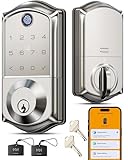 Veise VE017 Fingerprint Deadbolt Veise VE017 Fingerprint Deadbolt |
|
Check Latest Price |
 Philips WiFi Smart Deadbolt Philips WiFi Smart Deadbolt |
|
Check Latest Price |
 Philips WiFi Keypad Deadbolt with Handle Philips WiFi Keypad Deadbolt with Handle |
|
Check Latest Price |
We earn from qualifying purchases. CERTAIN CONTENT THAT APPEARS ON THIS SITE COMES FROM AMAZON. THIS CONTENT IS PROVIDED 'AS IS' AND IS SUBJECT TO CHANGE OR REMOVAL AT ANY TIME.
Two things stand out in that table. The first is code capacity, which matters more than hosts expect: a lock that holds only a handful of active codes forces you to delete and recreate PINs constantly, and one missed deletion leaves a live code on an empty house. The second is that the two offline locks still include physical keys, which is the entire reason they remain a sensible choice for a cottage or a unit you only visit a few times a year.
1. ULTRALOQ Bolt SE WiFi Review – Best Overall for Guest Codes
ULTRALOQ Bolt SE Wi-Fi Smart Lock, Matter Over Thread, App…
Zinc alloy ANSI/BHMA deadbolt
50 passcodes and 50 fingerprints
Built-in Wi-Fi and Matter over Thread
Up to 18 months battery
Pros
- Guest codes and fingerprints created instantly in the app
- Built-in Wi-Fi means no bridge to buy
- Matter over Thread for Apple Home and other apps
- Ten-minute install with two keys in the box
- ANSI/BHMA certified IP65 body
Cons
- Remote Thread access needs a Thread Border Router hub
- 2.4 GHz Wi-Fi only so 5 GHz-only networks will not pair
- No door sensor on this model
This is the lock I put on my own test unit, and the reason is unglamorous: I can create a dated guest PIN in under a minute from my phone, and that PIN still opens the door if the router dies. The keypad sits under the fingerprint reader, the app holds up to 50 passcodes and 50 prints at the same time, and the lock runs on built-in Wi-Fi plus a Bluetooth fallback, so the guest never needs an account.
The seven-in-one entry list is wider than a rental door needs. Guests will use the PIN, you will use the app, and the fingerprint reader is genuinely fast with 50 slots for you, your cleaner and a co-host. The two mechanical keys that come in the box are the piece most hosts care about, because they are the answer to a dead battery when you are 200 miles away.
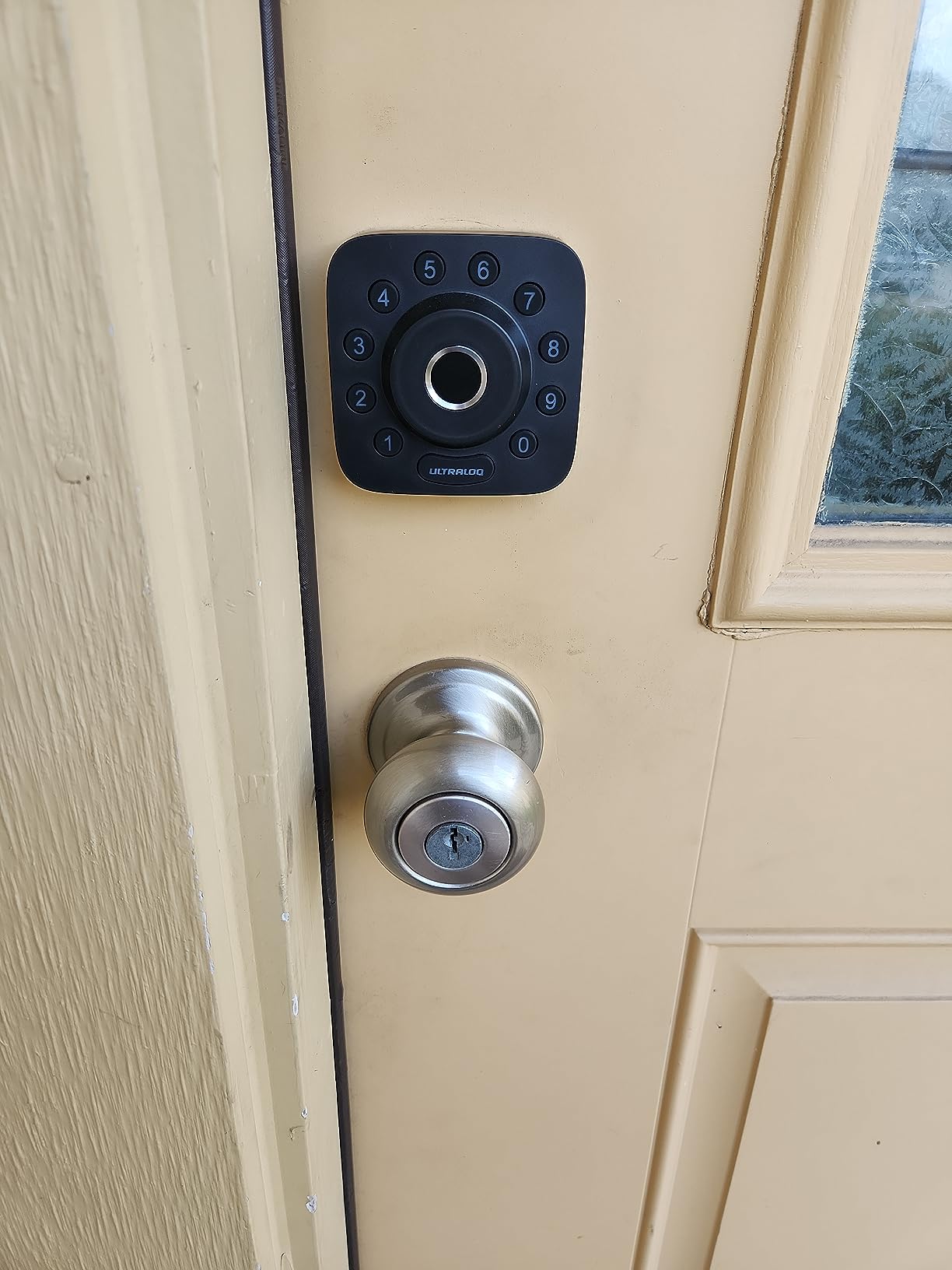
Battery life is advertised at up to 18 months, and that figure is tied to the low-energy Thread mesh rather than plain Bluetooth. In practice I replace the cells on a schedule, not on a warning, and I would advise the same. The low battery alert and the activity history both show up in the app, so you can see a guest entering on day four from another city.
Auto lock can run on a timer or a single touch, and there is a one-touch lock from the outside as well. That matters for a rental because a door left ajar after a late checkout is the kind of detail that turns into a bad review, and the auto lock removes the human element from it.
Why the Bolt SE works for a self check-in
A guest arrives at 11pm with no app installed and patchy mobile signal. They type the PIN on the back-lit keypad and walk in. No pairing, no account, no phone at all, which removes the single most common reason a self check-in stalls.
You can also hand out an eKey through the app for a cleaner or a co-host without creating a permanent code. When the stay ends, you delete the PIN in two taps and the lock stops accepting it immediately, even if the guest kept a screenshot.
Where the Bolt SE falls short
Remote access over Matter requires a Thread Border Router, so if your smart home is Apple Home based you either run the lock on Wi-Fi or add a hub. The app works either way, but the extra device is a real cost for a single-door rental.
The lock speaks 2.4 GHz Wi-Fi only. If your property router has that band disabled, or you have split the two bands onto different networks, pairing will fail and the only path in is Bluetooth at the door.
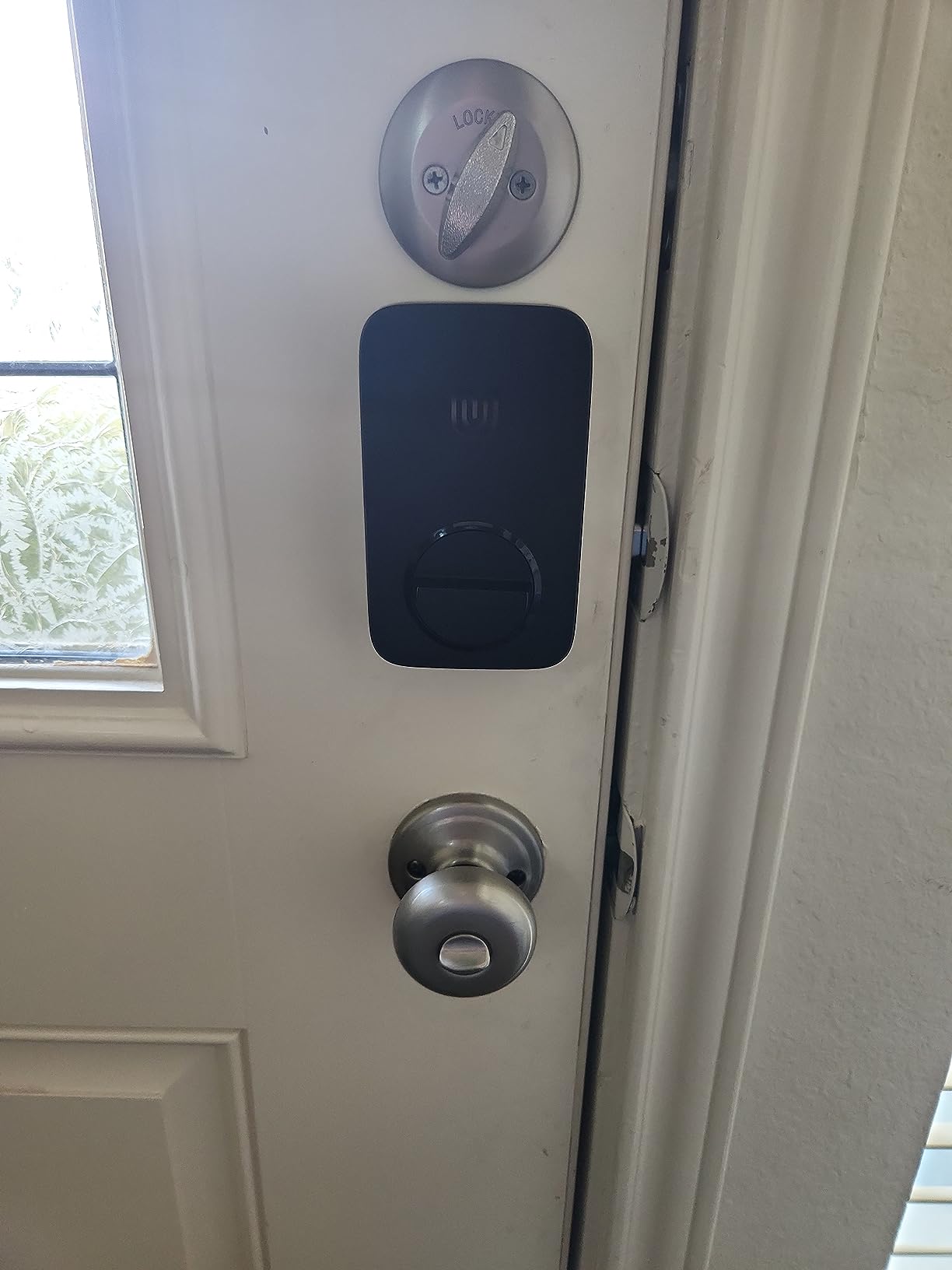
There is no door sensor here, so the app cannot tell you whether the door is actually shut. The U-Bolt in this same range includes one, and on a property where guests are careless about doors that is the version I would choose.
2. Sifely Fingerprint Smart Lock Review – Best for Shared Access
Fingerprint Smart Door Lock with Handle & Keypad – No More…
Zinc deadbolt with fingerprint reader
Fingerprint, passcode, card, fob and key
Bluetooth with optional WiFi gateway
Privacy button disables entry from inside
Pros
- Instant guest code generation in the app
- Fast and reliable fingerprint reader
- Redundant entry with cards
- fobs and two keys
- Fits most standard doors without extra drilling
Cons
- Touchscreen keypad sometimes needs several taps to wake
- Bluetooth-only without the optional gateway so no off-site access
- Cannot be rekeyed to match an existing key system
- No lockout after repeated wrong codes
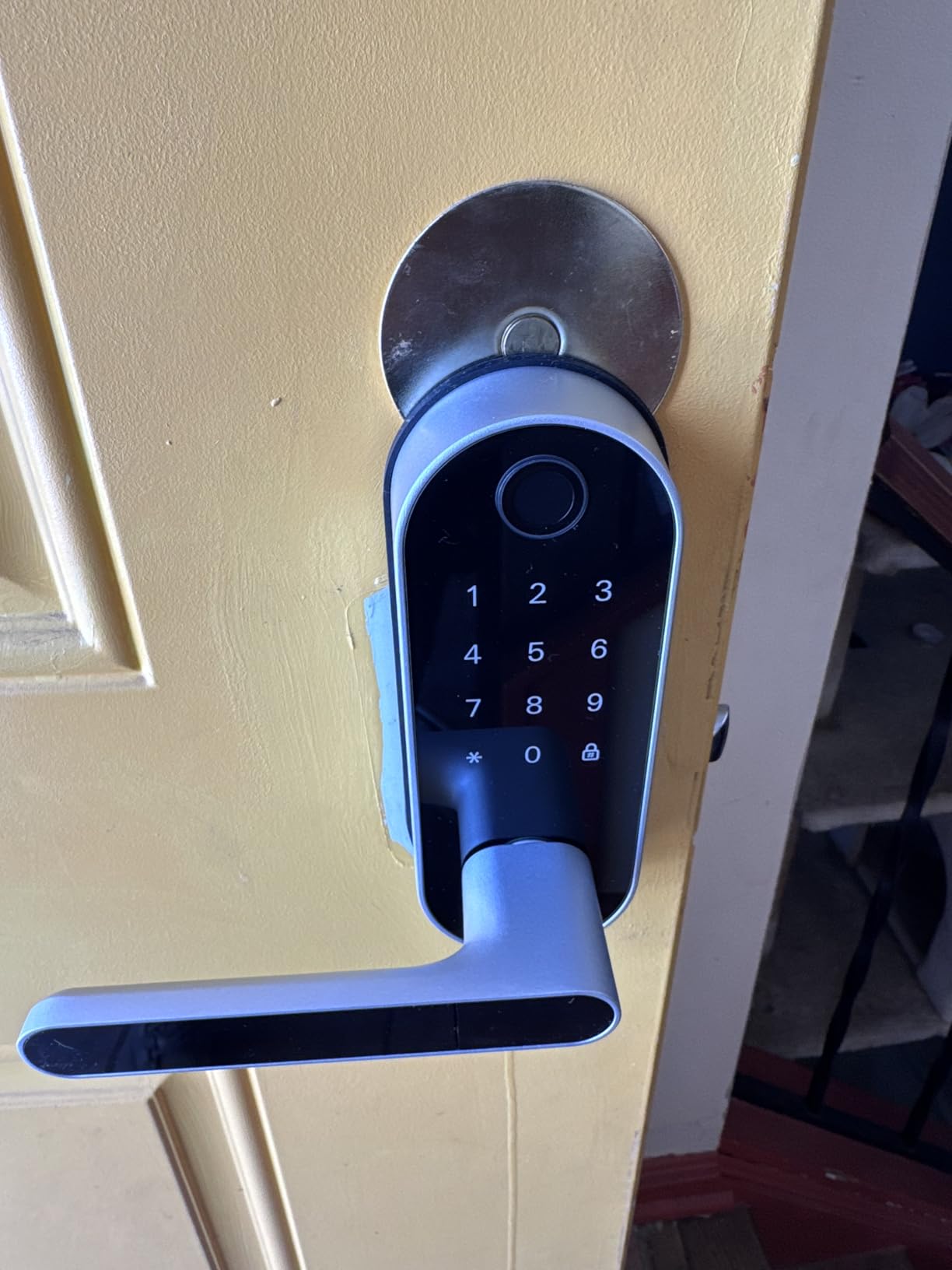
The Sifely is the lock I recommend when more than one person needs to get in. It accepts a fingerprint, a keypad PIN, the app, a key fob, a key card and a physical key, so a guest, a housekeeper, a dog walker and a family member can all have their own route without sharing one PIN.
Hosts running short term rentals frequently point at the instant guest code generation in the app as the reason this one works for them. The code can be time-limited, which means a cleaner scheduled for Tuesday cannot use it on a Sunday, and the app keeps a record of when each credential was used.
Fit is the other reason to like it. The reversible handle works on either door swing and the install avoids extra drilling on most standard doors, so a turnover crew can swap it in an afternoon without calling a locksmith.
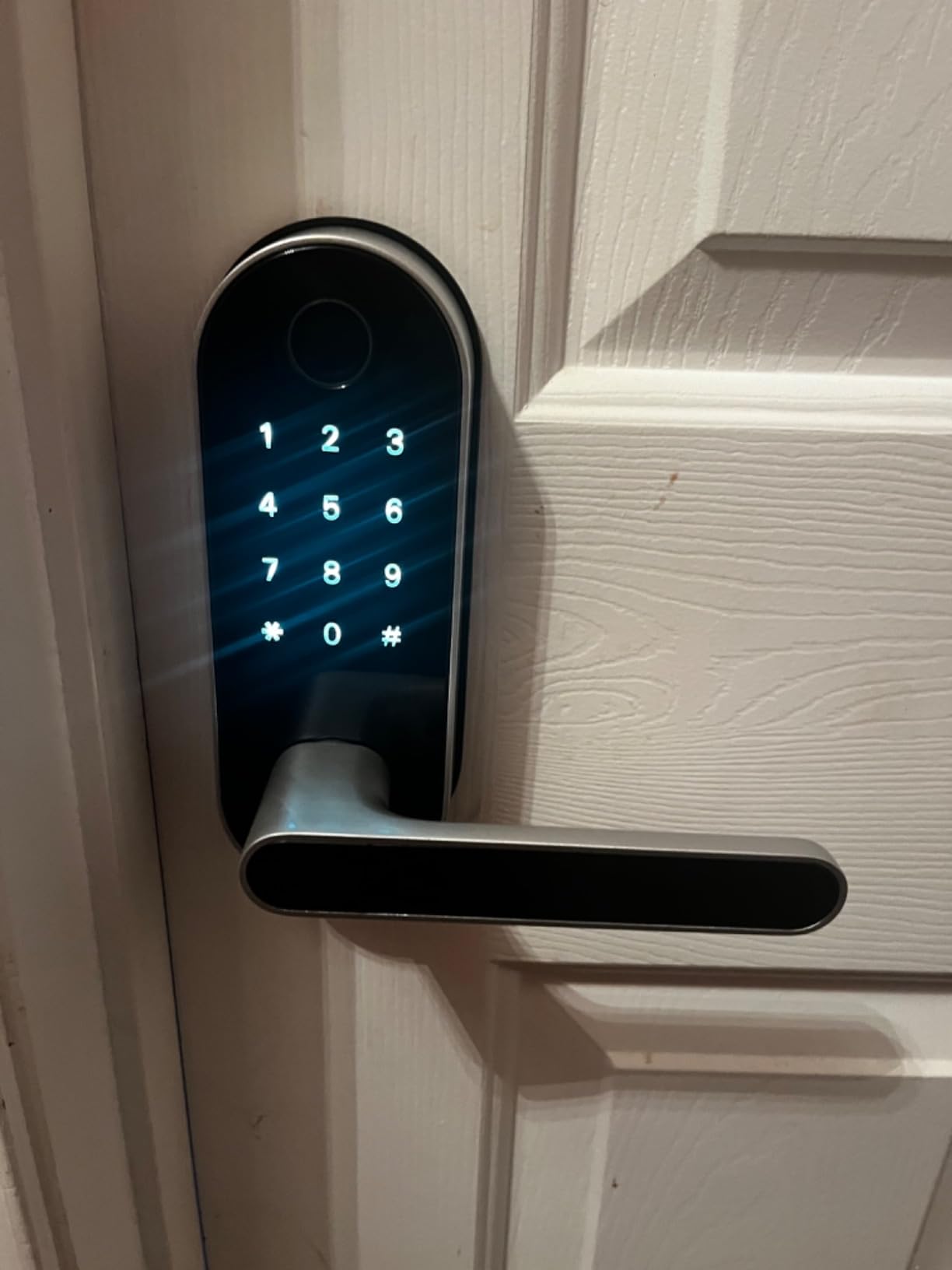
The interior privacy button is quietly important for rentals. Flip it and every electronic entry method is dead until the door is opened from inside, so a guest cannot be walked into by a person outside the door while they are asleep.
There is also an anti-peeping function, which lets you enter your real code behind a decoy set of random digits, and a back-lit keypad so a night arrival works in the dark.
Where the Sifely earns its place
Four AA batteries power it, and the app shows remaining life. I schedule replacements every eight months regardless of the reading, because a flat battery on an unoccupied rental is a call at an awkward hour.
For a host with a small portfolio and no interest in smart home platforms, the fingerprint, card and fob options cover access without any subscription or hub purchase.
What to watch for
The touchscreen keypad is the weak point. A recurring minority of reviews report needing multiple taps to wake it, and in cold weather on an exterior door that is a real friction point for a tired guest arriving after a flight.
Without the optional gateway it is Bluetooth only, which means no remote unlock and no access log when you are not within range. That is fine for a door you visit regularly and wrong for a remote host managing from another city.
There is no lockout after repeated wrong codes or prints, only a log entry, so a determined person has unlimited attempts. And the lock cannot be rekeyed to your existing key system, which matters if you plan to hand the physical key to a neighbour.
3. TEEHO TE001 Review – Best Keypad Lock That Works Offline
TEEHO TE001 Keyless Entry Deadbolt with Keypad for Front…
Keypad deadbolt with 20 codes and one-time PIN
4 AA batteries up to 365 days
ANSI Grade 3 and IP54
2 backup keys and 2-year warranty
Pros
- Installs in under 15 minutes with a screwdriver
- 20 codes plus a single-use temporary PIN
- Up to 365 days on 4 AA batteries
- Low battery alert below 15 percent
- No app or subscription of any kind
Cons
- No app connectivity so you cannot check or control the lock remotely
- Auto lock can catch a screen door that is still open
- Only fits 2-1/8 inch bores
- Printed instructions are small print
The TEEHO is the highest rated lock in this roundup, with 4.5 across more than 6,700 ratings, and the reason is that it does one job without asking anything of you. There is no app, no account, no hub and no subscription, which makes it the correct pick for a seasonal cottage or a unit in a building where you would rather not run a subscription for a single door.
You get 20 individual user codes plus a temporary and one-time PIN that deletes itself after the first use. That is plenty of headroom for a family, a cleaner and a couple of regulars, and the one-time code is a neat trick for a contractor visit.
Installation is a short job: it is a screwdriver swap on a standard bore, the unit self-detects the door handing after a reset, and the two backup keys mean nobody is ever fully dependent on the keypad.
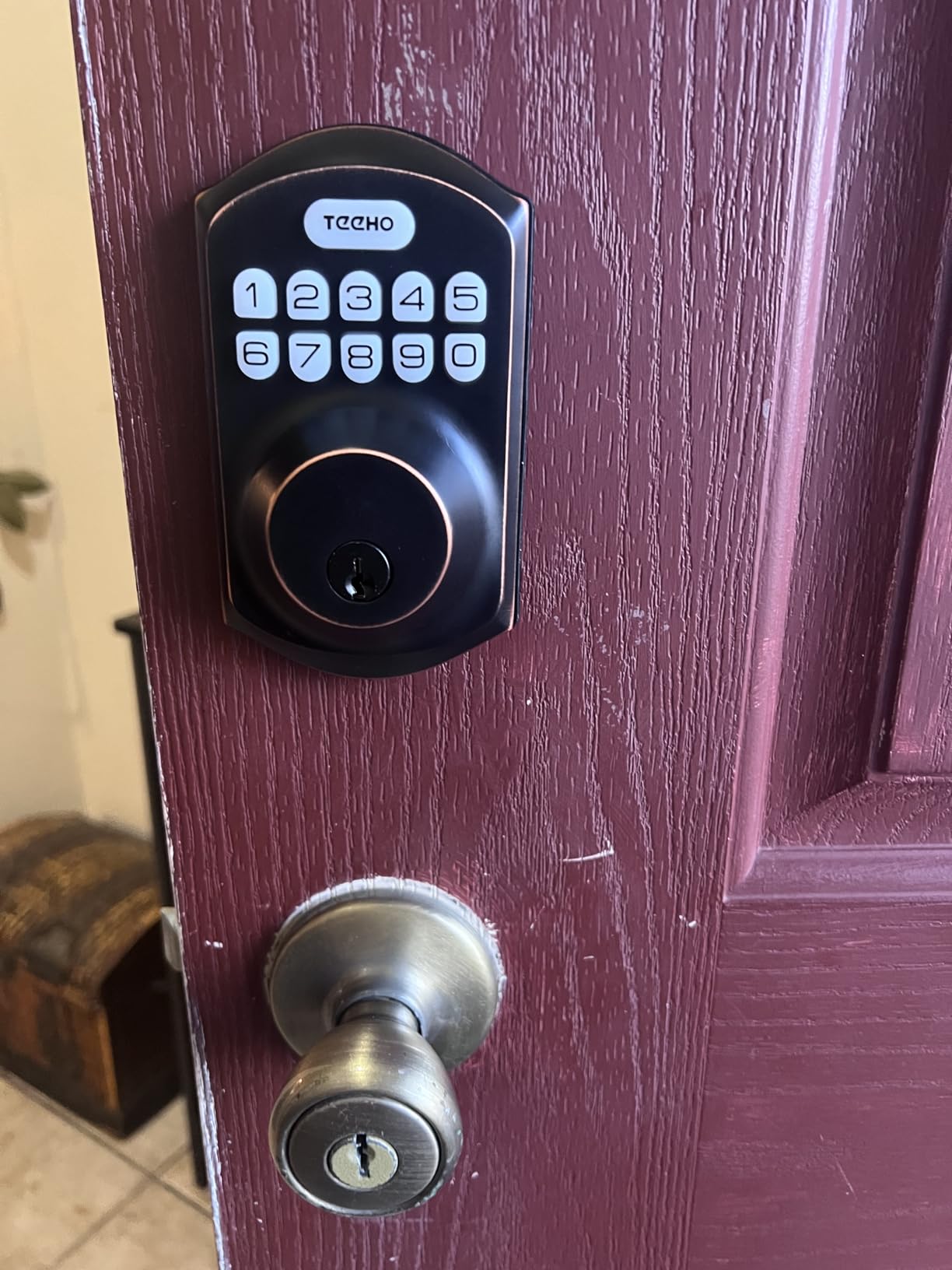
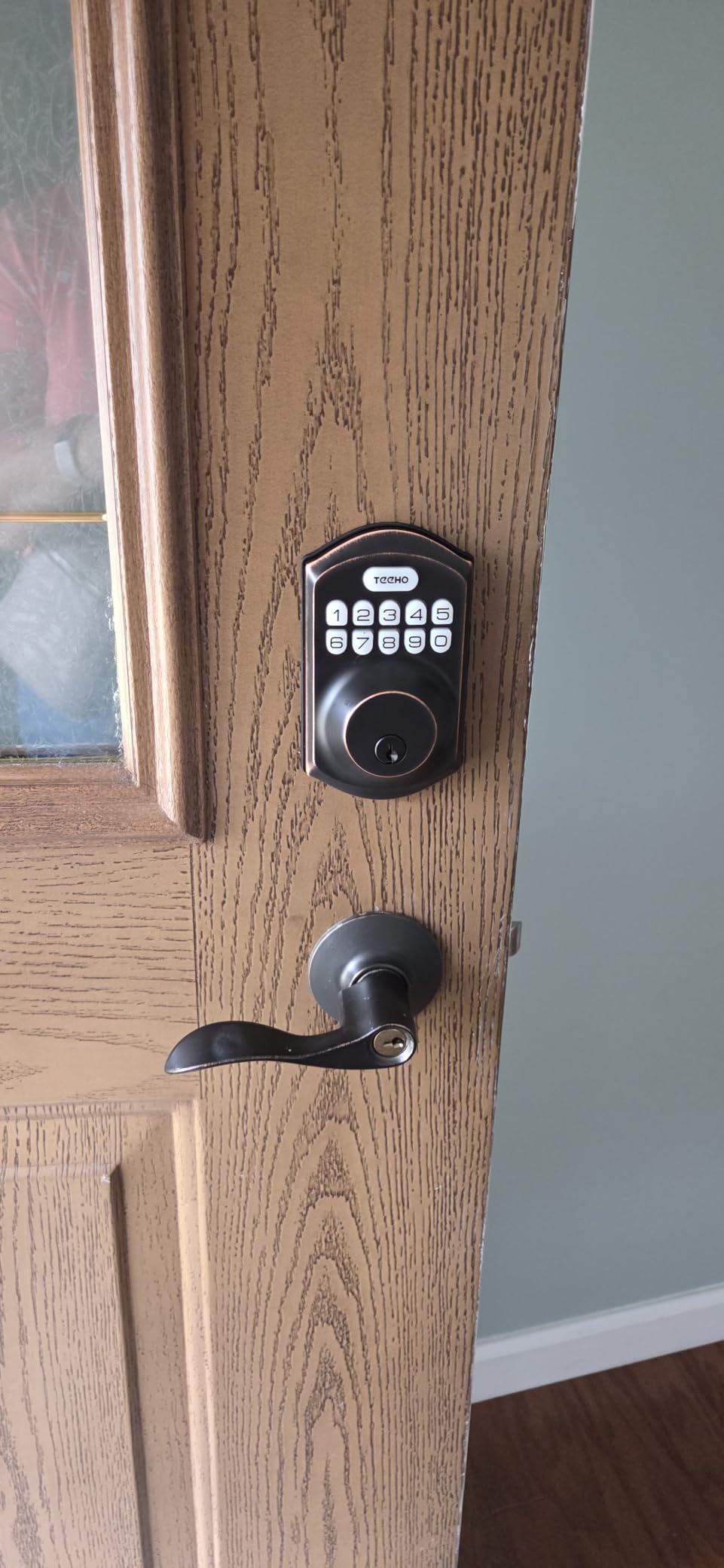
Battery life of up to 365 days on 4 AA cells is the standout number, and the low battery alert fires below 15 percent so you can act before the lock stops. The oil-rubbed bronze finish also looks considerably more expensive than the lock has any right to.
Auto lock is adjustable from 10 to 99 seconds, and there is a one-touch lock by holding any key for two seconds. Both are useful, both need testing on your actual door before you rely on them.
Why hosts still buy this one
A keypad with no network cannot be hacked remotely, and there is nothing to subscribe to. For a second home, a garden flat or a rental you only check four times a year, that removes an entire category of failure.
It ranks at the top of the deadbolt category on the volume of feedback, and the recurring themes in those reviews are simple installation, easy programming and batteries that last. For a turnover crew, a lock nobody can accidentally lock out with a firmware update is worth a lot.
Where it will not work
You cannot see a log, you cannot open the door from a hotel room at 1am, and you cannot tell whether the lock is ajar. If you host remotely and need remote unlock as a safety net, this is the wrong tool and you should look at the eufy or the Philips in this roundup.
Auto lock engaging while a screen or storm door is still open is the most common complaint in the reviews. Test it with the doors you actually have, and switch it off if you run a secondary entry door.
It fits a 2-1/8 inch bore only, not a 38mm hole, and the instructions are small print with uneven translations. Both are easy to check but annoying to discover at the door with a guest arriving.
4. eufy Security Smart Lock C220 Review – Built-In Wi-Fi, No Hub
eufy Security Smart Lock C220, Fingerprint Keyless Entry…
Aluminum deadbolt with six unlock methods
Built-in Wi-Fi with no bridge
8 AA batteries about 8 months
BHMA Grade 3 and IP53
Pros
- Sub-one-second fingerprint unlock with self-learning AI
- Built-in Wi-Fi removes the hub purchase
- 15-minute install with no drilling
- Works from about -30C to 70C
- Sharp BHMA Grade 3 certification
Cons
- Works mainly inside the eufy ecosystem rather than a broad platform
- 8 AA batteries are a heavy pack to change
- Real-time notifications need the app and Wi-Fi active
The C220 is one of three locks in this roundup with Wi-Fi built into the body, which is the single feature that removes an accessory from the cost of a rental. You can lock, unlock, create codes and read history from the app on a beach, with no hub on the shelf and no extra device to power.
The fingerprint reader is the selling point. It unlocks in under a second and the on-device recognition is self-learning, so it gets more reliable as it accumulates reads. That matters on a rental because the same cleaner, the same co-host and the same returning guest use it week after week.
Fit is generous. It handles bores under 54mm once the spacer is removed and installs in about 15 minutes without drilling, and the operating range of about -30C to 70C covers the climates where exterior doors freeze up in winter.
What works well for a rental
Six entry methods cover every scenario a host can think of: fingerprint, app, keypad, physical key, Apple Watch and a voice assistant. A guest who has an Apple Watch can walk up and tap, and everyone else uses the PIN.
Because the lock runs on its own Wi-Fi, it keeps working as a keypad lock if the network drops. The PIN is stored on the device, so an internet outage degrades the experience rather than ending it.
What to watch for
The lock lives mainly inside the eufy ecosystem. If your property already runs on a broader platform, the integrations are narrower than the built-in Wi-Fi story suggests, and you may be buying into a second app.
Eight AA batteries is a heavy power pack and you will change it two to three times a year. The good news is that the app flags low power, but the bad news is that swapping eight cells in a rental door is a job, not a glance.
Real-time unlock notifications need the app and the Wi-Fi connection active, so on a property with patchy internet you will find the log arrives late. Test the signal where the door is, not where the router is.
5. Schlage Encode Smart WiFi Deadbolt Review – Most Reviewed Pick
Schlage Encode Smart WiFi Deadbolt Lock with Century Trim…
Zinc deadbolt with built-in Wi-Fi
Up to 100 access codes and lock history
Door movement and forced entry alarm
BHMA highest residential rating
Pros
- Direct Wi-Fi with no hub or bridge
- Up to 100 access codes for constant rotation
- Highest BHMA residential security rating
- Customizable door and forced entry alarm
- Alexa and Google Home voice control
Cons
- Highest price point in this roundup
- No fingerprint reader on this model
- Touchscreen entry only with no card or biometric option
- One physical backup key included
With more than 13,000 ratings the Schlage Encode is the most reviewed lock here, and a thread in r/ShortTermRentals about which brands hosts actually trust points straight at it. One host described running a Schlage on a back door and calling it super durable, with batteries that lasted through many turnovers. That is the reputation this pick carries.
Capacity is the reason it appeals to professional hosts. Up to 100 access codes means you can give every booking its own PIN for years without deleting anything, and the app keeps a lock history you can pull up when a guest disputes an entry time. Another thread on r/airbnb_hosts framed the choice plainly: for simplicity, Schlage or Yale.
The built-in Wi-Fi connects straight to the Schlage Home app, so there is no bridge to install and no gateway to power. It also carries the highest residential security, durability and finish rating from BHMA, which is the certification that matters most for an exterior entry door.
Where the Schlage earns its cost
The built-in alarm is underused by hosts. It can be set to fire on door movement and forced entry, so you get a push notification when something is happening at the door rather than finding out from a neighbour the next morning.
The fingerprint-resistant touchscreen is a sensible choice for a shared rental, and auto lock with an adjustable delay means the door re-secures itself after a guest walks out with their hands full of luggage.
It fits doors from 1-3/8 to 1-3/4 inch thick with a 2-3/8 or 2-3/4 inch backset, and the Snap ‘n Stay mounting lets you hold the unit in place with one hand while you fit the screws.
Where it disappoints
It carries the highest price of the ten, and its 4.2 rating is the lowest here, with a one-star share that owners generally attribute to that price rather than to failure. A host equipping one unit will feel it; a host equipping ten will not.
There is no fingerprint reader on this model, so entry is PIN, app, voice or the physical key. If you want biometric access for a cleaner or a co-host, look at the eufy or the Philips instead.
Only one physical backup key comes in the box. On a rental where the fallback matters most, I would order a second cylinder so you are not dependent on a single key.
6. ULTRALOQ U-Bolt WiFi Review – Best With a Door Sensor
ULTRALOQ U-Bolt WiFi Smart Lock with Door Sensor, App Remote…
ANSI/BHMA Grade 1 deadbolt with sensor
Up to 50 codes plus Lockout Mode
Includes a door sensor for open status
Up to 8 months on 4 AA
Pros
- Included door sensor stops the lock re-engaging on a partly closed door
- Up to 50 codes with one-time and scheduled access
- ANSI/BHMA Grade 1 and IP65 body
- Lockout Mode for when you travel
- Responsive US-based support
Cons
- Some owners report intermittent Wi-Fi drops and app pairing that needs a reset
- Firmware updates are not always reliable
- Auto unlock proximity behaviour needs turning off for some users
- No external 9V contact for emergency power
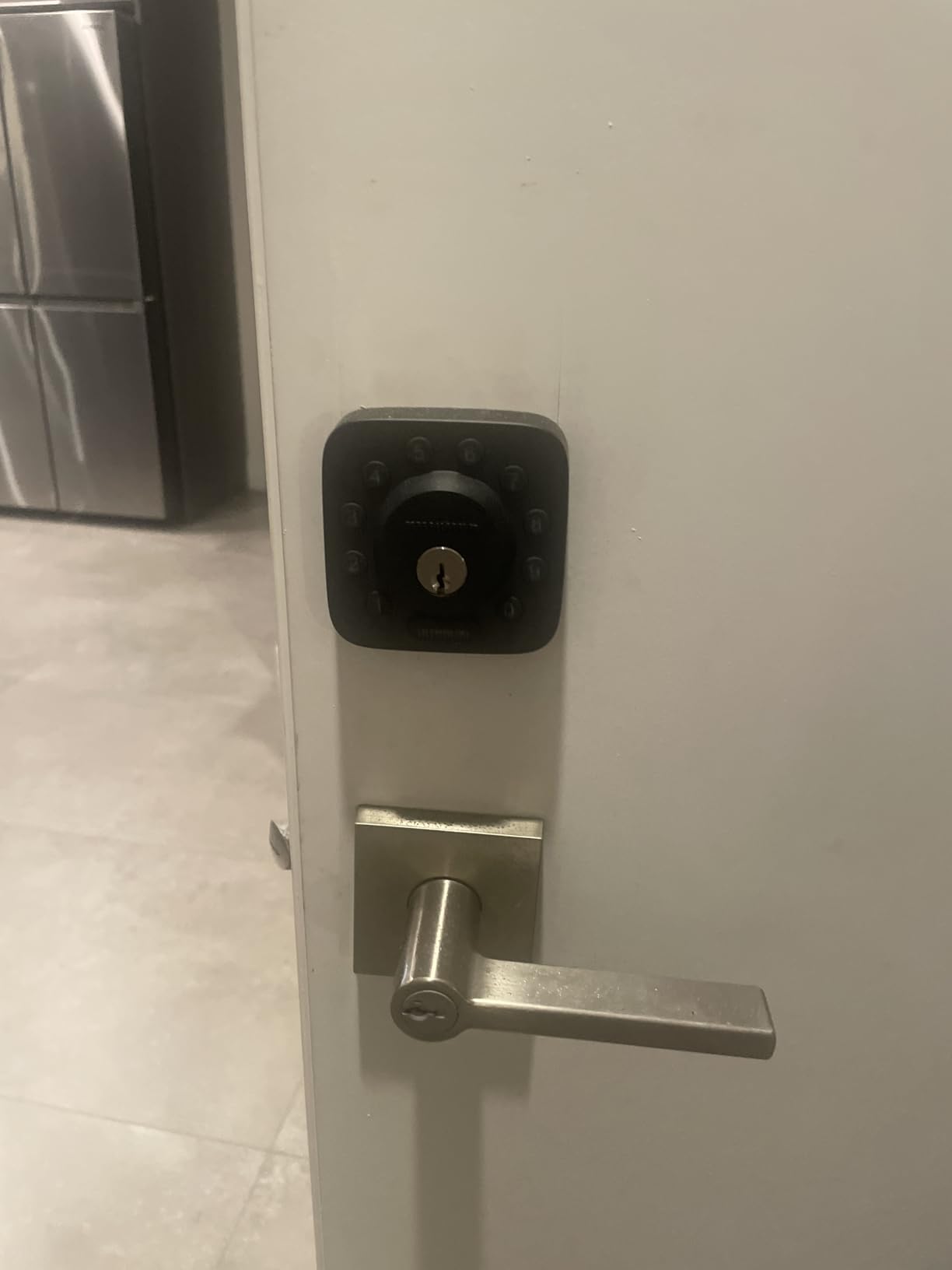
The U-Bolt is the version of the ULTRALOQ I would pick for a door that gets slammed. The included door sensor tells the lock whether the door is actually shut, so the deadbolt does not drive into a frame that is not fully closed, which is the failure mode that quietly eats the mechanism over a few hundred turnovers.
It also gives you an unclosed door alert in the app. For a remote host, that is worth more than it sounds: you can see that a guest went out and did not come back, which is the earliest signal you get that something has gone wrong during a stay.
Access control is the same family as the Bolt SE, with up to 50 passcodes supporting one-time or scheduled windows, plus a Lockout Mode that temporarily disables electronic unlocking entirely while you are travelling.
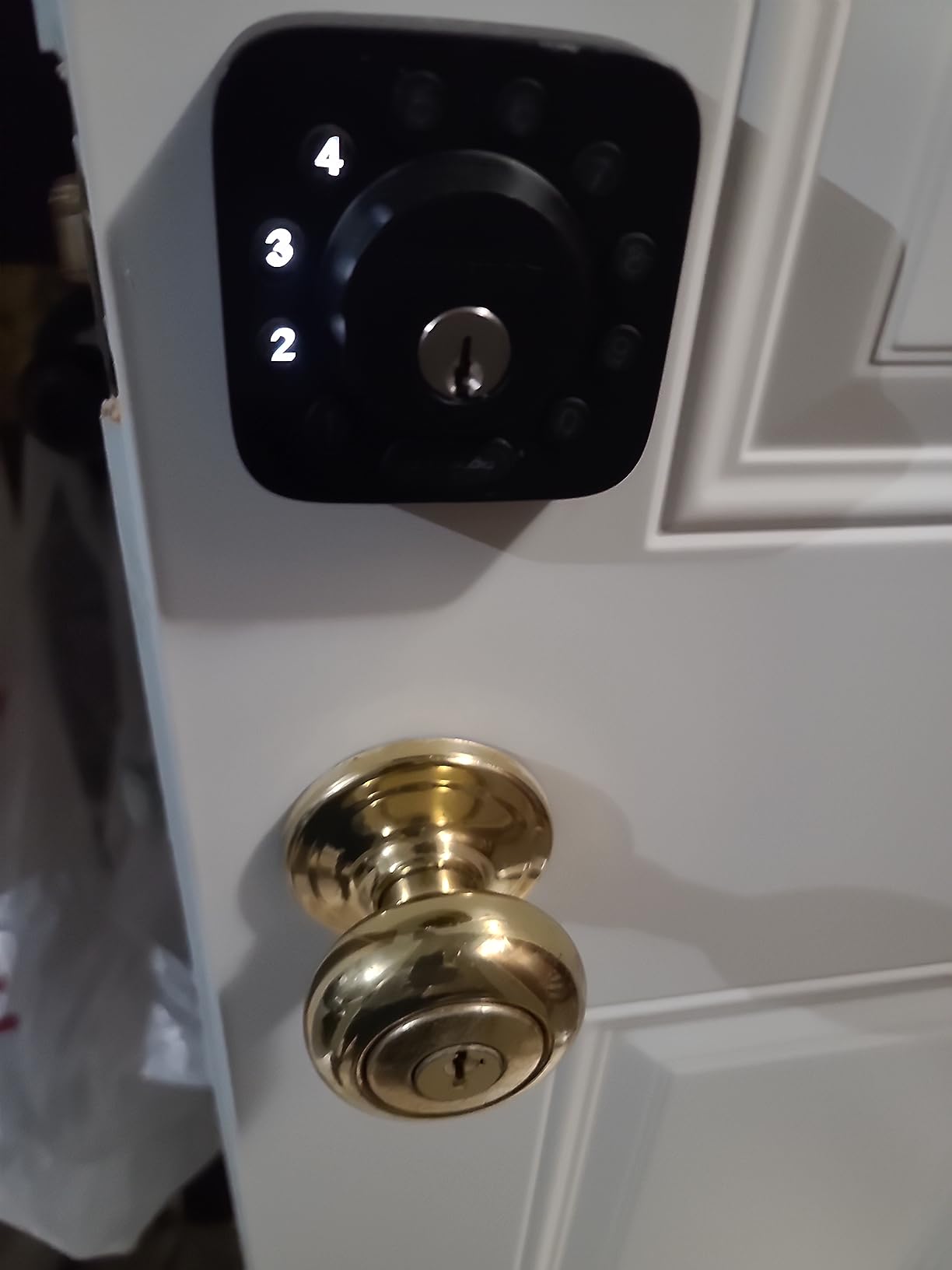
Auto lock on close and Bluetooth proximity auto unlock are both included, and the app works with Alexa, Google Assistant, SmartThings and IFTTT. Batteries and hardware are in the box, so there is nothing to order before the first turnover.
The body is ANSI/BHMA Grade 1 in zinc alloy with IP65 weather resistance, which is the highest grade in this roundup and appropriate for an exterior door in a wet climate.
Why the sensor changes daily use
Owners consistently credit the sensor with preventing the lock from re-engaging on a partly closed door, and on a rental where guests pull the door shut while carrying bags that is a routine event rather than an edge case.
It fits standard doors from 1-3/8 to 1-3/4 inch thick on either handing with a screwdriver-only install, so a turnover crew can fit it without specialist tools.
Where it falls short
Several owners report intermittent Wi-Fi drops and an app pairing that fails to reconnect without a lengthy reset. On a property with unreliable internet that is the difference between a lock you trust from a city away and one you drive to.
Firmware updates are described as unreliable, and the app structure with Addresses, Locations and Devices feels overbuilt if you are running one door rather than a portfolio.
There is no external 9V battery contact for emergency power, so if the physical keys are not on site, a flat battery is a locksmith. Keep the two keys in a coded safe or with a neighbour who has one.
7. Veise VE06-H Smart Handleset Review – 250-Plus Codes
Veise VE06-H Smart Front Door Lock Handle Set, App Control…
Complete aluminum handleset with lever
250-plus user codes
App and web portal eKey control
Fits doors 1-3/8 to 2 inch
Pros
- 250-plus user codes with one-time
- permanent and recurring types
- Comes as a complete handleset with lever
- App eKey sharing suits sitters and cleaners
- Sturdy aluminum and metal build
- Responsive customer support
Cons
- Remote lock control and voice need the Veise G2 gateway
- Requires three pre-drilled door holes
- Code programming has a learning curve
- Weight of 5.1 pounds adds installation effort
The VE06-H is the pick for a property that handles a lot of different people. It supports more than 250 user codes across one-time, permanent, scheduled and recurring types, so you can hand a housekeeper a window of Tuesday mornings, a sitter a week, and a guest a single stay, all without touching the same PIN.
It arrives as a full handleset rather than a bare deadbolt, so you are not buying separate lever hardware. On a front door that still has an old mechanical set on it, that saves a hardware store trip and a mismatch between the lock and the handle.
The eKey sharing through the app and the web portal is the part that works well in practice. Reviewers describe using it for house sitters, cleaners and guests, and the recurring code type is the one I would use for a weekly cleaning contract.
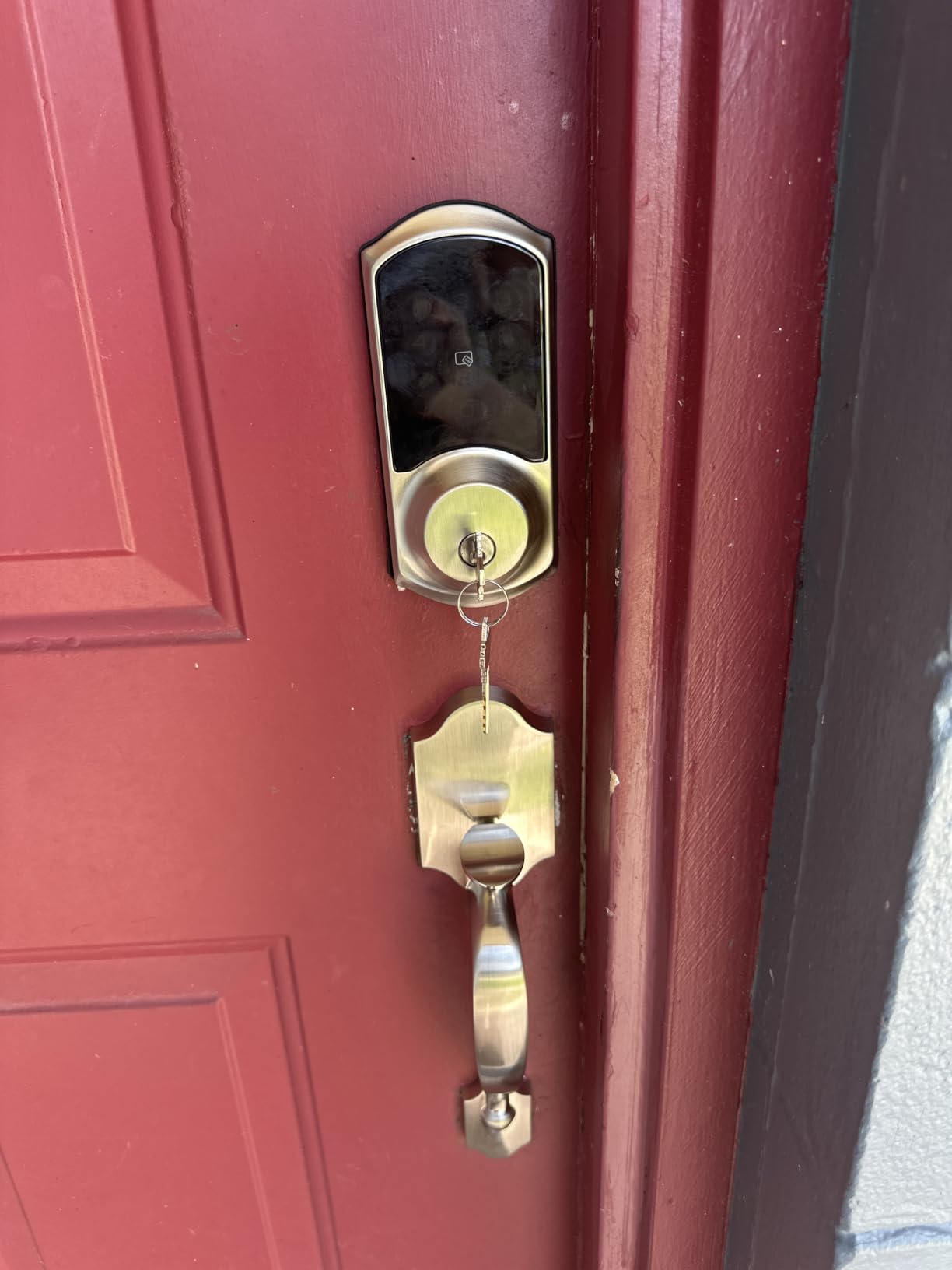
Two backup keys and two fobs come in the box, so a guest can be given a fob that is useless after the stay. Locking is handled by auto lock, one-touch lock, privacy mode and passage mode, and the keypad carries anti-peeping and anti-hacking protection with an ANSI Grade 3 body rated IP55.
Privacy mode is worth understanding before you fit it: it disables the keypad from the inside, so nobody outside can enter while a guest is home, which is a genuine security improvement on a shared building.
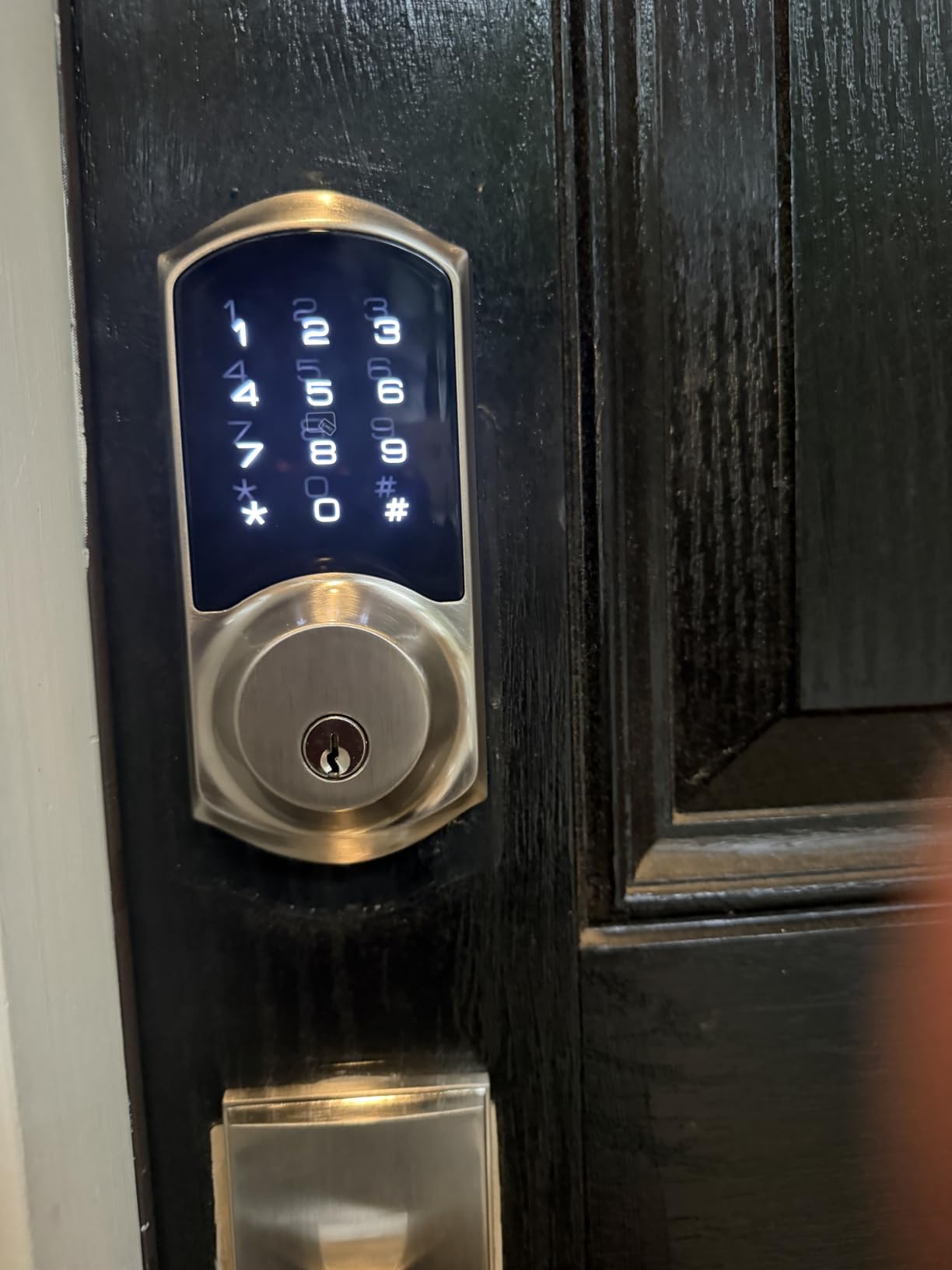
Best fit for a small portfolio
A host running a handful of units can create a distinct code for every booking and every contractor and keep the whole history in one app. The web portal means you can manage access from a laptop without fighting a small phone screen.
Owners compare the build favourably with pricier name brand locks, and the 4.4 rating reflects that. Installation is described as straightforward for basic DIY skill level, with a mounting plate and screws in the box.
What to check before you buy
Remote lock and unlock from away, and the voice assistant integrations, both need the separately sold Veise G2 gateway. Without it you are buying a very good local keypad lock, so price the gateway into the decision before you commit.
It needs three pre-drilled holes in the door. On a modern composite or thin entry door that can mean cutting into something you would rather not cut, so check the door before ordering.
Code programming has a learning curve that sends some first-time users straight to support. Budget an hour with the app on your phone rather than assuming it will be obvious.
8. Veise VE017 Fingerprint Deadbolt Review – On-Device Encryption
Veise VE017 Fingerprint Smart Door Lock with App Control…
Zinc deadbolt with fingerprint reader
Unlimited one-time and timed codes
AES128 on-device encryption
About 12 months on 4 AA
Pros
- Fingerprint reader unlocks in under 0.2 seconds
- AES128 encryption keeps access records off the cloud
- Unlimited one-time
- timed and recurring codes
- USB-C emergency power port
- 15-minute install with 2 keys and 2 cards
Cons
- Remote lock and voice need the Veise G1 gateway
- Deadbolt only with no lever handle
- Batteries are not included
- Bluetooth pairing can need a reset
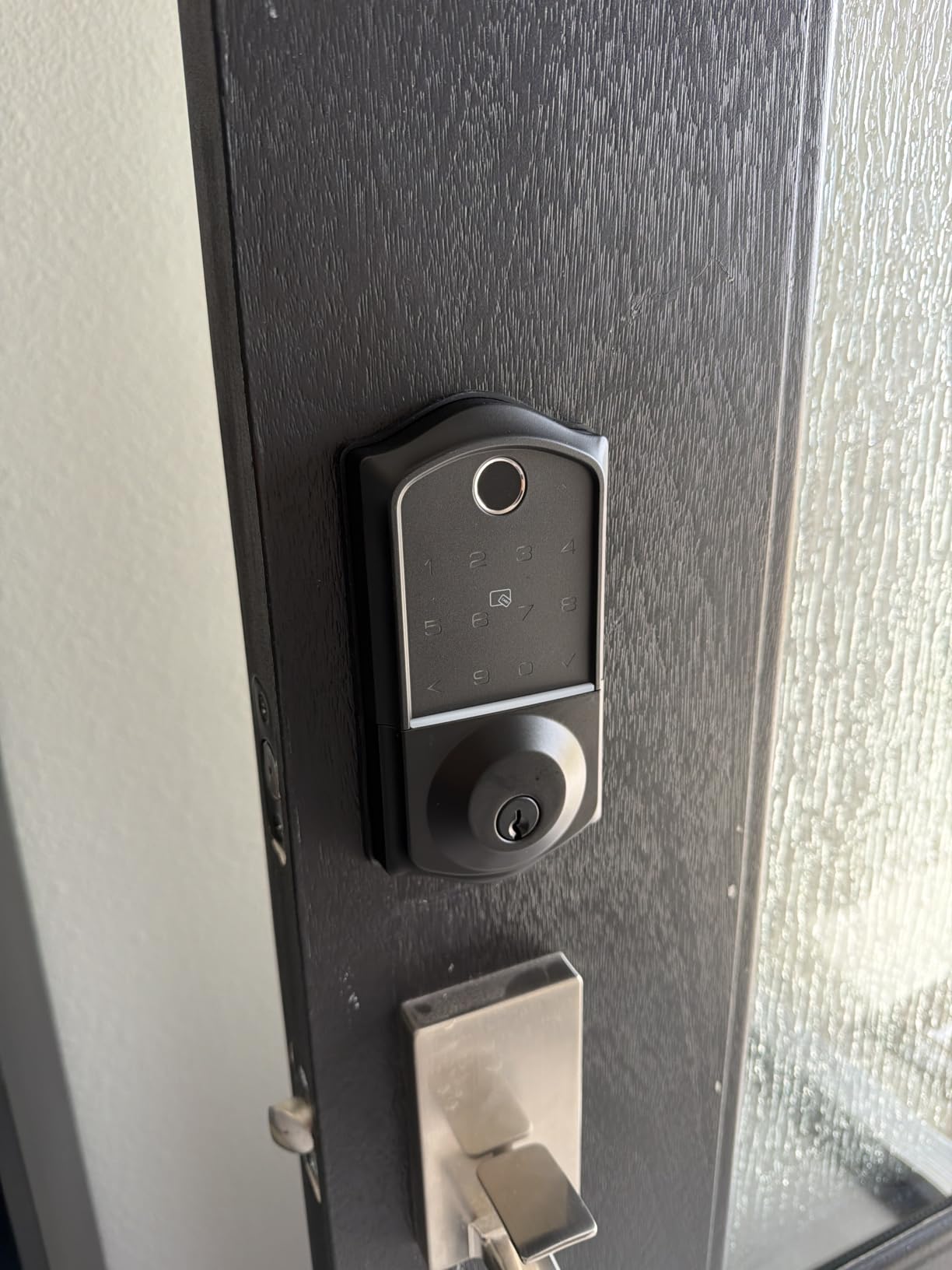
The VE017 is the one I would choose if guest privacy comes up in your conversations, because its entry records, credentials and fingerprints are encrypted on the device with AES128 rather than being held in a cloud account. Nothing about who entered your property depends on a third-party server staying in business.
Code flexibility is the other draw. It supports unlimited one-time, timed, permanent and recurring codes, plus an anti-peeping privacy code that disguises the real entry sequence by adding decoy digits in front of it. That matters in a building where a guest might be watched on the way to the door.
The fingerprint chip is self-learning and reads in under 0.2 seconds, and the app is built for multi-user management: you can authorize a person, pause their access instantly, and read a detailed activity log when you need to know who used which code.
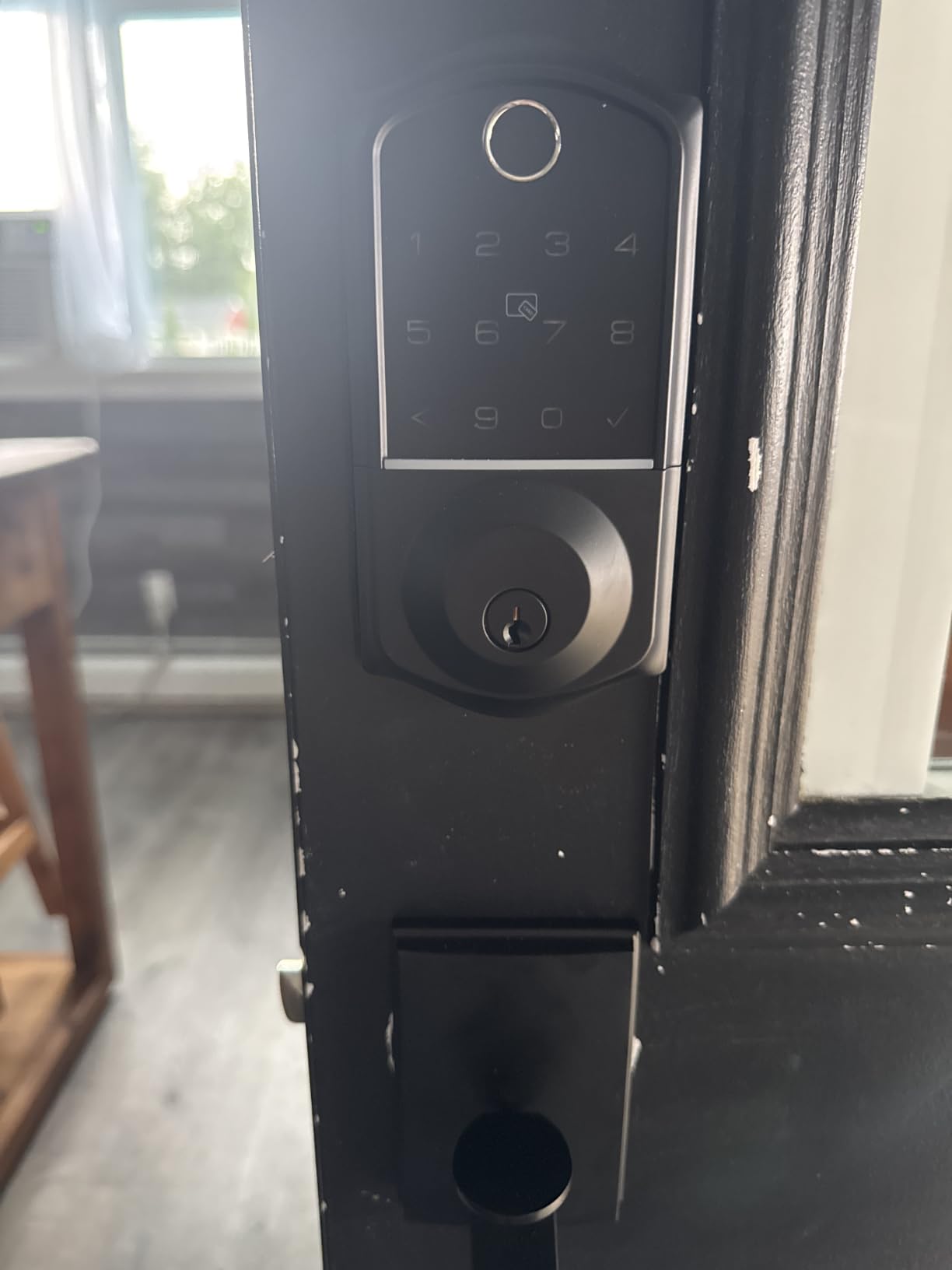
There is a Silent Mode for doors near neighbours and an Away Mode that adds intrusion lockout after repeated failures, and auto lock is configurable from zero to 180 seconds through the app. Battery life is about 12 months on 4 AA cells.
It fits both 1-1/2 inch and 2-1/8 inch lock holes and doors from 1-3/8 to 2 inch thick, which is one of the broader fit ranges in this roundup. Weather resistance is IP55 with a stated range of about -35F to 160F.
Where the privacy angle pays off
On-device encryption means the access log is stored locally, so you can answer a question about a stay without waiting on an app to sync. For a host keeping records for a property manager or an insurer, that is a real practical benefit.
The USB-C emergency port is a small feature with a large effect. If the batteries fail, you can power the keypad from a battery pack and still get in without a locksmith, which is the failure hosts worry about most.
What to watch for
Remote lock and unlock and the voice assistant features need the separately sold Veise G1 gateway. That is the single most common reservation in the reviews, and it is worth pricing before you choose this over a lock with built-in Wi-Fi.
It arrives as a deadbolt with no handle, so if the door has no existing lever you need to buy one separately for a complete set. Batteries are not included either, which is an easy trip to a hardware store but an easy oversight.
Bluetooth range and pairing can require a reset if the app fails to discover the lock, so set the pairing up while you are standing next to the door rather than from the office.
9. Philips WiFi Smart Deadbolt DDL242X-1HW Review – Built-In Wi-Fi Scheduling
Philips Wi-Fi Smart Deadbolt Lock, Keyless Entry Door Locks…
Aluminum Wi-Fi deadbolt with fingerprint
Up to 100 codes plus one-time codes
0.3 second fingerprint reader
Two physical keys included
Pros
- Built-in Wi-Fi with no bridge or hub needed
- Flexible code scheduling for cleaners and dog walkers
- Real-time lock and unlock notifications
- Two physical keys included
- Fast support that replaced a faulty unit
Cons
- Requires 8 AA batteries which are not included
- Timed auto lock depends on a good Wi-Fi signal
- Interior screws reported too short to hold firmly
- Fingerprint enrollment needs practice
This Philips deadbolt is built around scheduling, and that is the feature that gets overlooked when hosts compare brands. Up to 100 custom passcodes plus unlimited one-time and scheduled codes mean you can restrict a dog walker to two specific windows a week, change it from your phone, and never think about it again.
The fingerprint sensor reads in about 0.3 seconds and reviewers consistently describe it as accurate and tolerant of dirty or wet fingers, which is the situation it will actually be in when a guest comes in from the beach with sandy hands.
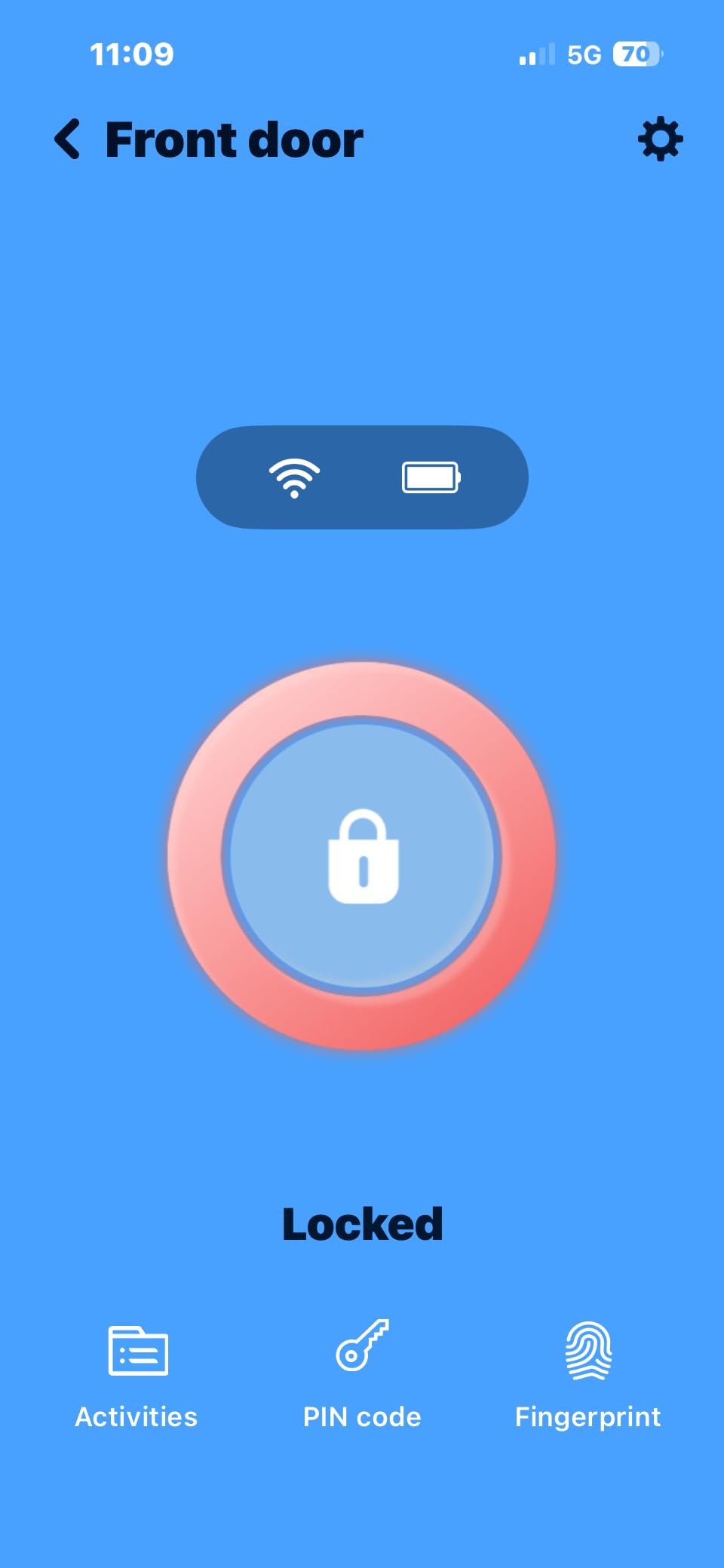
Like the eufy, the Wi-Fi is built into the lock, so there is no hub purchase and no separate device to mount and power. Owners compare this favourably with competitor hubs, and real-time open and lock notifications plus full access history work reliably once paired.
There is a configurable auto lock timer, an anti-tamper alarm, a low battery alert and emergency key access, plus Alexa and Google Assistant voice control. The two physical keys in the box are the fallback I would keep in a coded safe.
Customer service is worth noting: at least one buyer had a Wi-Fi registration problem resolved with a replacement unit, which is the kind of support response that matters when the next check-in is tomorrow.
Why scheduling suits short term rentals
A recurring code for a housekeeper is more convenient than a physical key and more accountable than a shared PIN, because the log shows exactly when it was used. When the cleaner changes, you pause one person rather than re-teach everyone.
One-time codes are useful for an inspection, a maintenance visit or a contractor, because the code stops working the first time it is used even if the person photographs the keypad.
What to watch for
Eight AA batteries is a lot to change, and they are not included. Budget a replacement set on the shelf rather than in the van, because this lock will ask for them more often than the four-cell models here.
Timed auto lock depends on the Wi-Fi connection and may not engage if the signal at the door is weak. Check the signal where the lock sits, and do not rely on auto lock as your only security on a weak connection.
Some owners report the interior assembly screws being too short to hold the assembly firmly against the door, which is worth checking during installation. Fingerprint enrollment also needs the finger moved around the sensor to capture enough of the print.
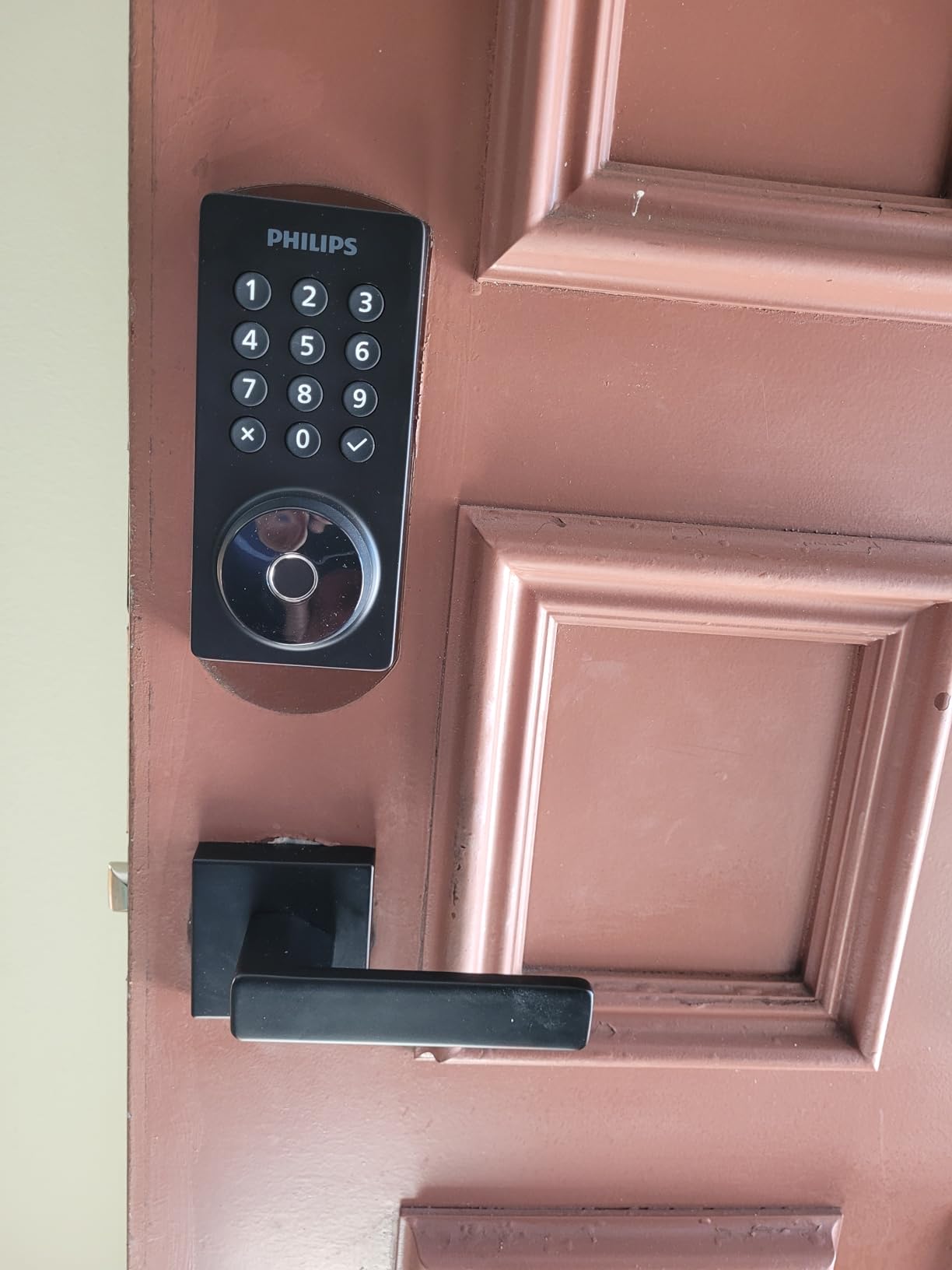
10. Philips WiFi Keypad Deadbolt with Handle Review – Complete Handleset
Philips WiFi Keypad Deadbolt with Handle, Built-in WiFi, APP…
Matte black metal handleset with Wi-Fi
Permanent, one-time, periodic and recurring PINs
0.3 second fingerprint unlock
Auto-lock 0 to 180 seconds
Pros
- Direct 2.4 GHz Wi-Fi with no hub required
- Complete handle set included
- Four PIN types including one-time and recurring
- Auto-lock delay adjustable from the app
- 0.3 second fingerprint with multi-user storage
Cons
- Auto lock is disabled by default until enabled in the app
- 2.4 GHz Wi-Fi only and within 33 ft of the router
- Batteries are not included
- Right-opening by default with a reset needed for the other swing
This is the upgrade to choose when the door has nothing on it but a bare strike plate. It arrives as a full handle and lock set, so you replace both in one job and the finish matches by design. Hosts replacing hardware on a front door that still has a tired mechanical set tend to end up here.
It shares the same code system as the Philips deadbolt above, with permanent, one-time, periodic and recurring PIN types managed in the app, and reviewers specifically note that the variety of code types suits Airbnb stays and housekeeper access.
Wi-Fi is direct and 2.4 GHz, so no hub and no bridge. App control covers lock and unlock, user codes, fingerprints, status and a real-time access history, which is everything a remote host checks between bookings.
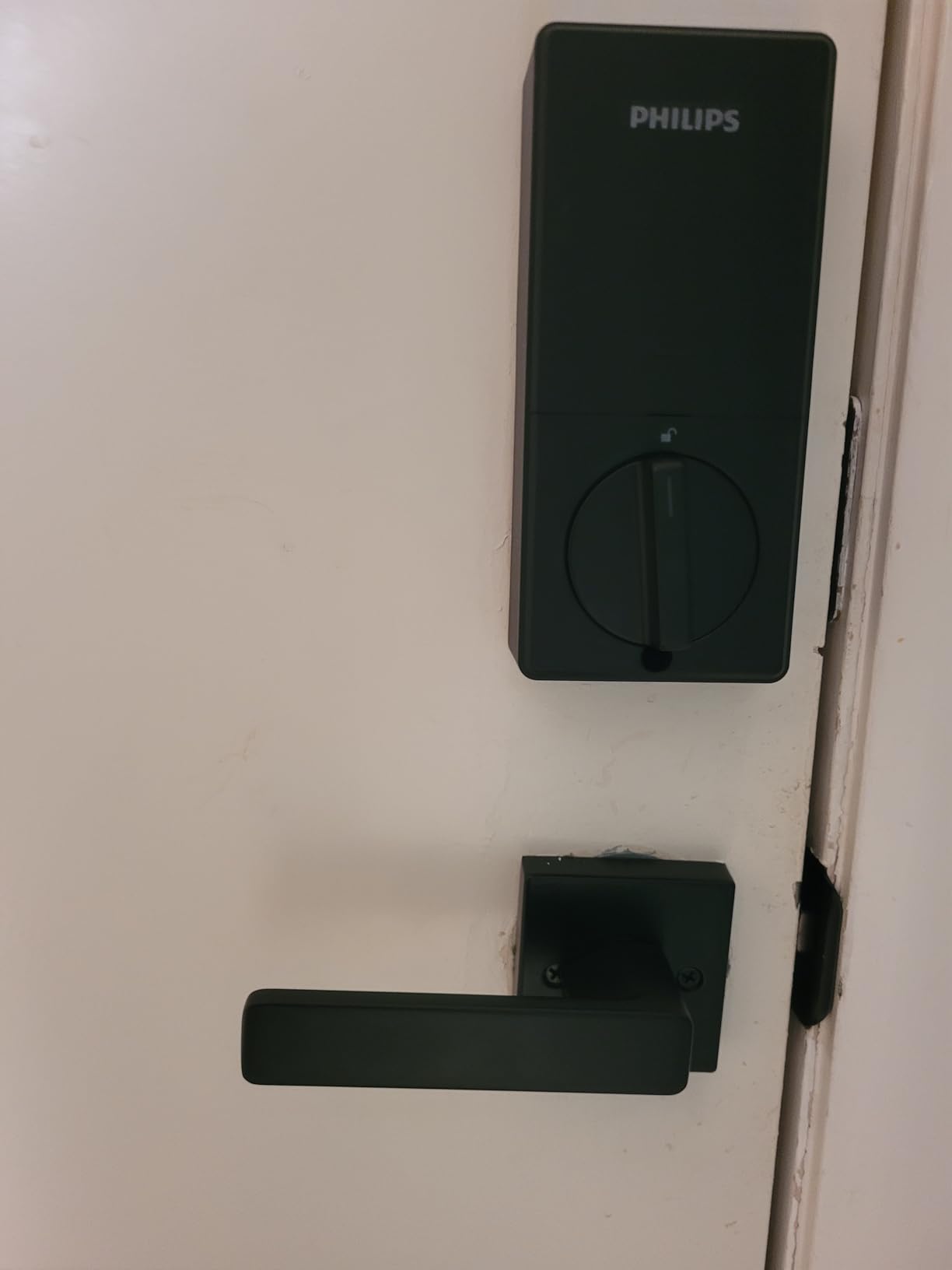
The fingerprint reader stores multiple prints and reads in about 0.3 seconds, so a household with several people staying in the unit does not have to share a code to get in after the first night.
Security details include an anti-drill back-lit keypad and an anti-peeping password, and auto lock can be set anywhere from 0 to 180 seconds in the app. Fits doors from 1-3/8 to 1-3/4 inch thick.
Where it makes sense
One job instead of two. The handle, the lever hardware and the smart lock arrive together, so a turnover crew does not spend an afternoon matching a new lock to an old lever that does not belong.
The recurring PIN type is the feature I would use for a weekly cleaner, and the one-time PIN for a maintenance visit. Both are set in the app and both are removed the same way.
What to set up on day one
Auto lock is off by default and must be switched on in the app. It is the most frequently noted point in the reviews, and it is also the setting that stops a guest walking out with the door ajar, so turn it on during commissioning rather than on the first turnover.
It is 2.4 GHz only and expects the lock within 33 feet of the router. On a large property or a metal front door, check that before you commit.
It is set up for a right-opening door by default and needs a reset procedure for the opposite swing. Batteries are not included, so add a set to the first order.
How to Choose a Smart Lock for a Short Term Rental
The wrong lock is usually not the wrong brand, it is the wrong door or the wrong network. Work through these six checks in order and the shortlist writes itself.
Start with the door, not the brand
Every lock in this roundup is a US-standard deadbolt or handleset. It will not fit a euro-profile cylinder door, a mortice multipoint door or a night latch, and forcing one of those units onto a European rental is the single most common purchase mistake hosts make. If your property is outside North America, read a Europe-focused roundup before you order anything.
For a standard door you need the door thickness, the bore size and the backset. Most of the locks here handle doors from 1-3/8 to 1-3/4 inch thick, the exception being the Veise handleset, which runs to 2 inch. The TEEHO fits a 2-1/8 inch bore only, and the eufy accepts smaller bores once you remove the spacer.
The Veise VE06-H wants three pre-drilled holes. If your door is a modern composite unit you do not want to cut into, that is a hard stop, not a difficulty.
Decide whether the lock must survive bad Wi-Fi
Five locks here reach the internet on their own: the ULTRALOQ Bolt SE, the Schlage Encode, the eufy C220, and both Philips models. Three more need a separately sold gateway: the Sifely, the Veise VE06-H and the Veise VE017. The TEEHO has no connectivity at all.
For a unit with reliable internet, built-in Wi-Fi is the simplest setup because there is one device to install and one app to learn. For a unit with patchy service, the gateway models still work on their keypad, since codes are stored on the lock, but you lose remote features when the signal drops.
If your guests never see the network, a lock with no connectivity at all can be the right call. A host in a forum thread on r/airbnb_hosts put it plainly: if you want simplicity, Schlage or Yale are the safest bet, and another host in the same thread pointed to the value end of the market instead.
Battery reality is a scheduling problem, not a hardware problem
Advertised battery life ranges from about 8 months on 8 AA cells to 365 days on 4 AA cells. The honest answer is that cold weather, heavy guest traffic and a door that is opened forty times a day will cut all of those figures.
Hosts repeatedly advise replacing batteries on a schedule instead of waiting for a low battery warning, and that advice is sound. Put a recurring reminder in your calendar for the morning of every turnover, and keep a spare set in the unit.
Two things make a dead battery survivable. The first is a physical key stored on site, which every lock here provides in some quantity. The second is an external emergency power contact, and only some models have one: the Veise VE017 has a USB-C port, while the ULTRALOQ U-Bolt has no 9V contact. Where there is no emergency port, the key is the only way in, so treat it as critical spares.
How the guest actually gets the code
There are four delivery methods and they carry different risk. Sending a PIN in the booking conversation is simple, but it sits permanently in a message thread that the guest, and occasionally a partner, can read.
A one-time link into a web portal means the code is never written down by the guest and expires with the reservation. An app-based eKey is stronger still, because the guest proves who they are on a phone rather than reciting a number, but it needs an app on the guest’s device, which a real share of guests will not do before a late arrival.
A keypad PIN typed directly onto the door is the most robust option because there is nothing to intercept and nothing to install, and it is why every lock here still has a keypad. SMS delivery sits between the two, convenient for the guest and dependent on their phone number being the one you expect.
Whichever you use, make the code expire at check-out rather than at the end of the booking window. A code that stays live an extra night is a code that works on an empty house.
Smart lock or keypad lockbox
A keypad lockbox is cheaper, needs no power and no network, and cannot be opened remotely by anyone who finds a weakness in your account. For a cottage you visit four times a year, a seasonal property or a door on a building where the internet is unreliable, a keypad lockbox is frequently the more reliable answer, and our guide to the best smart lockboxes for rental hosts covers the decision in detail.
A smart lock wins when you need remote unlock as an emergency fallback, an access log for a dispute, or codes that appear automatically as bookings come in. That is worth the added failure points if you are managing more than one unit and cannot be at the door.
Hosts who cannot respond in person repeatedly name a physical key as the one feature they refuse to give up. If a lock ships with one key, buy a second cylinder and store both away from the property.
Plan the cutover so nothing goes wrong
Commission the new lock before you remove the old check-in method. Test a guest code end to end: create it in the app, type it on the keypad from a cold start, confirm the log records the entry, then delete it and confirm it no longer opens the door.
Run one full turnover cycle with the new lock before you rely on it. The failures that lock a guest out are predictable, and each has a cheap fix: dead batteries become a scheduled change, an unclosed door becomes a longer auto lock delay, weak Wi-Fi becomes a test at the door rather than at the router, and weather becomes a cover on a keypad.
Then update your listing instructions. Tell the guest to use the front keypad and not the app, give the arrival time the code becomes valid, and state plainly that the door auto-locks so they should not prop it. Hosts who write those three sentences into the listing get noticeably fewer check-in messages, because the guest knows exactly what to do on arrival.
If your door is exposed and you want to see how a lock handles weather and a fingerprint reader in real conditions, our picks for the best smart locks for patio doors and the best smart locks with fingerprint go into that in more detail.
Frequently Asked Questions
What smart locks work best with Airbnb?
The locks that work best for Airbnb are the ones that create a dated temporary PIN in an app, store that PIN on the lock itself so it still opens when Wi-Fi drops, and include a physical key as backup. Among the ten reviewed here, the ULTRALOQ Bolt SE leads because it runs on built-in Wi-Fi, holds 50 passcodes and 50 fingerprints, and keeps accepting keypad codes offline. The Schlage Encode holds the most codes at up to 100 and has the strongest certification.
What is the best smart lock for a rental unit?
For most rental units, a deadbolt with a numeric keypad and app-generated guest codes is the best balance of security and convenience. Pick a model with built-in Wi-Fi if the property has reliable internet so you can unlock remotely, and add a model with an included door sensor if guests are careless about pulling doors shut. Avoid models that need a separately sold gateway unless you plan to buy and power that gateway at the same time.
What happens if the battery dies on a smart lock?
The mechanical key still works, because every lock in this roundup includes one or more physical keys. Auto lock keeps operating until the power drops, and the app warns you before that happens, with most models flagging low battery well before failure. Some models also accept external power: the Veise VE017 has a USB-C emergency port, while others require a physical key. Keep at least one spare key stored away from the unit.
How do I unlock a smart lock with a dead battery?
There are three routes, in order of preference. First, use the physical key that came with the lock, which opens the deadbolt mechanically with no power at all. Second, if the model has an emergency power contact, use it: the Veise VE017 takes power through a USB-C port from a battery pack, and the keypad will read a code once it is awake. Third, remove the interior cover and replace the cells, which takes a few minutes and needs a screwdriver. Never rely on a fourth option, because there is not one.
Why does my smart lock battery keep dying?
The usual causes are cold weather reducing cell performance, a door that is opened far more often than the estimate assumed, and low-quality or already-partly-drained cells. Change the batteries on a fixed schedule tied to your turnover rather than waiting for the low battery alert, and use the same brand and type of cell in every slot. A lock left unpowered for weeks in an empty property between seasons will also lose charge, so check it before the first booking after a long gap.
Can someone hack my smart lock?
A cloud-connected lock is a small network device, so the honest answer is that any of them has some exposure. What you can control matters more: use a dated PIN that expires at check-out rather than a permanent code, never reuse a PIN between guests, keep the app and firmware current, and give the Wi-Fi network a strong password. Locks that store access records and fingerprints on the device with AES128 encryption, such as the Veise VE017, reduce what there is to compromise. A keypad with no connectivity cannot be attacked remotely at all.
Do I need a smart lock for an Airbnb?
You need a reliable way for a guest to get in without you, and a smart lock is the most flexible version of that, not the only one. A keypad lockbox does the same job for a cottage, a seasonal property or a building with unreliable internet, at lower cost and with no power or subscription. A smart lock adds remote unlock as an emergency fallback, an access log for disputes, and codes that can be scheduled and deleted remotely. If you manage a single unit you visit regularly, a lockbox may well be enough.
Final Verdict: Which Lock Fits Your Rental
The best smart locks for airbnb rentals are the ones that never strand a guest, and on that measure the ULTRALOQ Bolt SE is my pick. It makes a dated code in under a minute, keeps working on the keypad when the internet does not, takes 50 fingerprints and 50 passcodes, and comes with two keys in the box.
Buy the Schlage Encode if certification and a hundred rotating codes matter more to you than cost. Buy the TEEHO TE001 if you want no app, no network and a battery that lasts a year. Add the ULTRALOQ U-Bolt if guests slam doors, and the Philips handleset if you are replacing a whole front door set at once.
Whichever you fit, commission it properly before you remove the old check-in method: test a code cold, run one full turnover, change the batteries on a schedule, and put a second physical key somewhere safe. That routine does more for guest reviews than any feature on the spec sheet.
