
8 Best Projectors for Bright Rooms (August 2026) Verified Reviews
The best projectors for bright rooms are not simply the models with the biggest number on the box. They need enough stated light output to compete with windows and lamps, a sensible placement plan, and a screen that does not throw every stray light source straight back at the viewer.
Yes, projectors can work in a bright room. A high-lumen projector paired with controlled window light and the right screen can make sports, television, and casual daytime viewing genuinely watchable; direct sun on the screen is the limit no projector can fully overcome.
Contents
For 2026, I would start with a manufacturer-listed 3000 ANSI-lumen class model for an ordinary living room with windows, then choose a larger light-output margin for open plans, skylights, or a very large image. The eight picks below span 1080p smart models and true 4K laser units, with different answers for flexible placement, gaming, and all-in-one streaming.
One detail matters when comparing the specifications: ANSI lumens and ISO lumens are named measurement standards, while a plain “lumen” claim is less useful on its own. I have kept each maker’s wording intact where possible rather than treating unlike labels as a perfect head-to-head measurement.
My short list favors models that publish 3000, 3200, or 3500 ANSI or ISO lumens, plus one 2500 ANSI-lumen portable option for rooms where curtains can do some of the work. A laser light source also removes the usual lamp-replacement concern, though its output and black levels still depend on the room and screen.
Top 3 Picks for Best Projectors for Bright Rooms (August 2026)
The NEBULA X1 is my editor’s choice for its 3500 ANSI lumens, true 4K resolution, triple-laser engine, and Dolby Vision support. The HAPPRUN K7 PRO makes the straightforward all-in-one case with 3000 ANSI lumens, Google TV, automatic focus, and dual 10W Dolby speakers.
For fast console play in a lit living room, the BenQ TK710 is the focused choice: it combines 3200 ANSI lumens and true 4K with a listed 4 ms response time at 1080p and 240 Hz. Each pick still benefits from a screen that matches its throw type.
Best Projectors for Bright Rooms in 2026
This overview centers on the facts that matter before installation: manufacturer-listed output, native resolution, light source, and the setup or play feature that separates each model. It is a starting point, not a substitute for checking the throw distance for your exact screen size.
| Product | Specs | Action |
|---|---|---|
 VISSPL A5 VISSPL A5 |
|
View on Amazon |
 HAPPRUN K7 PRO HAPPRUN K7 PRO |
|
View on Amazon |
 NEBULA X1 NEBULA X1 |
|
View on Amazon |
 BenQ TK710 BenQ TK710 |
|
View on Amazon |
 ELEPHAS W1K ELEPHAS W1K |
|
View on Amazon |
 XGIMI HORIZON 20 XGIMI HORIZON 20 |
|
View on Amazon |
 Hisense C2 Ultra Hisense C2 Ultra |
|
View on Amazon |
 ViewSonic LX700-4K ViewSonic LX700-4K |
|
View on Amazon |
1. The VISSPL A5 is a portable smart choice for partly controlled light
【Now with Netflix & 3000ANSI】Smart 4K Projector with…
2500 ANSI lumens
1080p native
LED, WiFi 6, Netflix
Pros
- Netflix-ready smart system
- AI auto focus
- WiFi 6 and Bluetooth 5.2
- 30 dB cooling claim
- 100000-hour LED source
Cons
- 1080p native resolution
- Listed brightness is lower in one specification
The VISSPL A5 is the outlier here because its listing combines a 2500 ANSI-lumen specification with 4K support rather than native 4K. I would treat it as the portable choice for a bright-but-manageable bedroom, apartment, or covered outdoor setup, not the first pick for an all-glass living room at noon.
Its native 1920 by 1080 resolution is honest and completely usable for streaming, while HDR10+ support and a claimed 99.8% color gamut add useful context. The listing also names official apps including Netflix, so there is less reason to plan around an external streaming stick.
Automatic focus, 4P/6D keystone correction, and the 360-degree rotating stand are particularly helpful when the projector must move between a table and a ceiling position. The stated three-to-ten-foot throw range makes it a better fit for compact setups than a projector intended to sit far across a deep room.
I also like that VISSPL specifies WiFi 6, Bluetooth 5.2, Dolby 3D surround audio, and a 100,000-hour LED light source. The 30 dB cooling claim sounds promising on paper, but fan sound is affected by mode and room noise, so I would not assume silence during the brightest setting.
This projector suits viewers who want a compact smart setup
The A5 makes the most sense when convenience matters as much as maximum brightness. Its auto-adjustment tools reduce the friction of temporary placement, and the tripod, tabletop, wall, floor, and ceiling mounting options give renters and occasional users more choices.
Use a modest screen size, put the image on the wall away from direct window light, and close blinds for daytime movies. With that kind of light control, the listed 2500 ANSI lumens have a more realistic task.
This projector needs more light control than the stronger picks
A room with a skylight, white walls, and open blinds is likely to overwhelm this model more quickly than the 3000-to-3500-lumen choices. Its review data is positive at 4.7 from 118 reviews, but that rating does not change the physical effect of ambient light.
Choose it for a smaller, flexible image rather than assuming “4K support” delivers native 4K detail. A neutral or light-rejecting screen and reduced window light are sensible additions.
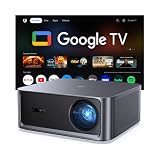
2. The HAPPRUN K7 PRO is a simple 3000 ANSI-lumen living-room package
HAPPRUN 3000 ANSI Lumens Outdoor Projector with Official…
3000 ANSI lumens
1080p native
Google TV and Dolby audio
Pros
- Official Google TV
- 3000 ANSI lumens
- Auto focus and 6D keystone
- Dual 10W Dolby speakers
- WiFi 6
Cons
- 1080p native resolution
- Some streaming use may need HDMI
The HAPPRUN K7 PRO makes a clean case for viewers who want to unpack one projector and start streaming. Its manufacturer-listed 3000 ANSI lumens meet the practical starting point that comes up repeatedly in bright-room discussions, and Google TV puts official streaming apps and voice control inside the projector.
This is a native 1080p model that supports 4K input and HDR10+, so it should be evaluated as a sharp Full HD projector rather than a true 4K projector. That distinction is useful when the seating distance is close or the image will be very large.
The specified 40-to-300-inch image range and 5.48-to-22-foot throw-distance range give it wide potential, but only a throw-distance check can tell you whether it fits your furniture layout. Its 7.1-pound weight and ceiling-mount capability also make a semi-permanent installation realistic.
HAPPRUN lists auto focus, auto obstacle avoidance, and 6D auto keystone, which are welcome when a screen or blank wall is not perfectly positioned. The dual 10W speakers with Dolby Audio can keep a simple setup tidy, though a separate sound system may still suit a larger room.
This projector works best for bright-room streaming without extra boxes
For a living room that has ordinary windows rather than direct sun on the screen, this model’s 3000 ANSI-lumen rating and integrated Google TV are a sensible match. I would mount it square to the screen first and use keystone only for minor correction, since physical alignment preserves more of the projected image.
Its Google Voice Assistant support is also meaningful for households that dislike cable clutter and extra remotes. WiFi 6 and Bluetooth 5.2 round out a practical smart-projector feature set.
This projector is less suited to pixel-focused 4K viewing
The native panel remains 1920 by 1080 even when the incoming signal is 4K. Buyers who sit close, want fine 4K console detail, or expect a premium home-theater image should look to the native 3840 by 2160 models in this guide.
At maximum image sizes, every projector needs more light to maintain punch. In a bright room, I would target a restrained screen size before chasing the stated 300-inch maximum.
3. The NEBULA X1 is the brightest all-around premium 4K pick
Nebula X1 4K Projector by Anker, Triple Laser Portable Home…
3500 ANSI lumens
True 4K
Triple laser and Dolby Vision
Pros
- 3500 ANSI lumens
- Native 4K resolution
- Triple laser engine
- Dolby Vision
- Auto-align gimbal
Cons
- Spatial recall needs initial setup
- Portable form still needs thoughtful placement
The NEBULA X1 is the clearest all-purpose answer for a bright living room where image quality matters alongside stated output. Its 3500 ANSI lumens are among the highest claims in this group, and it pairs that brightness with a triple-laser light source and native 3840 by 2160 resolution.
Dolby Vision, the NebulaMaster Image Engine, ISF-certified color accuracy, and a 14-element all-glass lens put the emphasis on more than a bright white image. The listing specifies 5000:1 native contrast and 56,000:1 dynamic contrast, figures that are helpful as product context but will not replace dark-room black levels in daylight.
For placement, the X1 includes an auto-align gimbal, auto focus, obstacle avoidance, and spatial recall. Those systems can make a movable projector feel less fiddly, but I would still give the initial alignment time and keep the projector’s path to the screen clear.
The stated 40-to-300-inch range offers flexibility for indoor and outdoor viewing. Its 30,000-hour laser operating-life claim is a key long-term advantage over a conventional lamp design because it avoids a scheduled lamp replacement plan.
This projector fits viewers who want a bright large image with 4K detail
I would choose the X1 for a main living-room screen where daytime sports, evening films, and varied streaming are all part of the brief. The 3500 ANSI-lumen claim gives more headroom than the 3000-lumen models, while native 4K keeps fine detail intact.
Pair it with a fixed-frame ambient-light-rejecting screen if windows face the screen. That combination cannot defeat direct sunlight, but it makes the projector’s stated brightness work much harder for the viewer.
This projector asks for a deliberate screen and placement plan
Its adjustment technology is useful, yet automatic geometry correction should not be the reason to ignore mounting position. A projector centered on the screen with a level mount produces the cleanest result before any digital correction is applied.
The 4.5 rating from 104 reviews is encouraging, but calibration preferences and room light still decide the final image. Use its high-output mode for daytime viewing, then consider a quieter or more color-focused setting when the room is dark.
4. The BenQ TK710 is the direct answer for bright-room gaming
BenQ TK710 4K HDR Laser 3200 Lms Home Entertainment Movie…
3200 ANSI lumens
True 4K laser
4 ms at 1080p 240Hz
Pros
- 3200 ANSI lumens
- True 4K HDR10 and HLG
- 4 ms response at 240Hz
- Lens shift and 1.3x zoom
- 20000-hour laser source
Cons
- 4K gaming is 60Hz
- HDMI-only connectivity
The BenQ TK710 is the specialist pick when a bright room doubles as a console or PC play space. It states 3200 ANSI lumens and native 4K UHD resolution, then adds a 4 ms response time at 1080p and 240 Hz for people who care about quick on-screen response.
That refresh-rate detail needs a precise reading: the listing says 4K gaming is limited to 60 Hz, while the 240 Hz mode is at 1080p. I appreciate that the trade-off is clear because it lets a buyer decide whether 4K detail or high-refresh speed matters more for a given game.
The laser source is rated for 20,000 hours, and HDR10 plus HLG support add versatility for games and video. BenQ also lists 95% Rec.709 coverage and a 600,000:1 contrast ratio, though ambient light will still lighten dark scenes and reduce visible contrast.
Vertical lens shift and 1.3x zoom are unusually useful bright-room installation features. Rather than putting the projector in an awkward spot and relying heavily on keystone, those optical adjustments make it easier to fill a screen from a workable shelf or ceiling location.
This projector fits fast games and a fixed-screen room
The TK710 suits a dedicated entertainment area where the screen location is known and the projector can stay put. Its listed 8.4-to-16.3-foot throw distances and maximum 144-inch image guide the room plan before mounting.
For competitive games, I would use the 1080p/240 Hz mode and place the projector away from a bright lamp aimed near the screen. For narrative games or films, native 4K with HDR is the more compelling reason to select it.
This projector has connectivity and screen-size boundaries
The hardware connectivity in the listing is HDMI, so buyers with older analog sources or an elaborate input collection may need an external switcher or receiver. That is not a deal-breaker, but it should be planned before a ceiling install.
Its 144-inch stated maximum is also smaller than several 300-inch listings here. In a bright room, though, that limit may be a practical strength: a smaller image concentrates the available light and can look more forceful in daytime use.
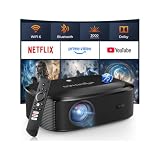
5. The ELEPHAS W1K is a widely reviewed 3000 ANSI-lumen portable option
4K Projector with WiFi and Bluetooth – 3000 ANSI Lumens…
3000 ANSI lumens
1080p native
LED with auto focus
Pros
- 3000 ANSI lumens
- Auto focus and keystone
- Dual-band WiFi
- Bluetooth 5.2
- 100000-hour LED source
Cons
- 1080p native resolution
- Some apps may need mirroring
The ELEPHAS W1K earns attention because it combines a 3000 ANSI-lumen claim with a 4.3 rating drawn from 3,399 reviews, the largest review base among these eight listings. That does not make it a native 4K projector, but it does make it a well-established 1080p option for buyers who want a portable bright room projector.
It accepts 4K content while projecting at its native 1920 by 1080 resolution. The listed 10,000:1 contrast figure, HDR support, and Dolby sound effects are useful extras, although contrast in a room with windows comes first from managing the light that hits the screen.
Auto focus, auto keystone correction, and 50% to 100% zoom make this model more forgiving in temporary setups. Its 4.4-to-18.7-foot listed throw distance supports a broad range of rooms, while the carrying bag reinforces the portable intent.
ELEPHAS specifies two HDMI ports, two USB ports, dual-band WiFi, and Bluetooth 5.2. That connection selection is handy for adding a console, media stick, or separate audio without treating the projector’s built-in app options as the only route.
This projector suits flexible movie nights and familiar 1080p streaming
I would consider the W1K for a multipurpose room where the projector comes out for a game, a weekend film, or an occasional patio session. A 3000 ANSI-lumen claim gives it a stronger daylight starting point than lower-output portable units.
Keep the image below the very largest sizes in a lit room, and use a real screen rather than a colored wall when possible. The screen’s surface has a major effect on apparent contrast and color consistency.
This projector does not replace a native 4K laser model
Native 1080p is the deciding limitation for shoppers who want 4K sharpness from close seats or on a large fixed screen. The 4K support label refers to input compatibility, not the panel’s output resolution.
Streaming compatibility language can also vary by app and connection method. If a specific service is non-negotiable, verify its current route on the projector before building the rest of the system around it.
6. The XGIMI HORIZON 20 is a flexible-install true 4K laser projector
XGIMI HORIZON 20 4K RGB Triple Laser Home Projector…
3200 ISO lumens
True 4K
RGB triple laser, lens shift
Pros
- 3200 ISO lumens
- Native 4K RGB triple laser
- Optical zoom and lens shift
- Google TV with Netflix
- 1 ms 240Hz gaming claim
Cons
- ISO and ANSI figures are not identical
- 4.9 kg portable weight
The XGIMI HORIZON 20 is for the buyer who wants true 4K and a more forgiving physical installation. Its RGB triple-laser engine is rated at 3200 ISO lumens, and the ISO label should be read as the maker’s stated standard rather than casually converted to ANSI lumens.
Native 3840 by 2160 resolution, Dolby Vision, HDR10+, IMAX Enhanced, and Filmmaker Mode establish a high-spec cinema feature set. The listed 100,000:1 contrast ratio can indicate strong potential in a controlled room, but daytime black levels remain limited by reflected room light.
What separates the HORIZON 20 from many smart projectors is optical zoom plus lens shift. I put those features high on my checklist because moving the optics preserves the projected pixel structure better than making large digital keystone adjustments.
Google TV with licensed Netflix and Harman Kardon speakers give it an all-in-one character, while VRR, ALLM, 240 Hz, and a listed 1 ms response time broaden its gaming appeal. It can make up to a 300-inch image, although a bright-room user should prioritize brightness per screen area over sheer size.
This projector fits rooms where the mount cannot be perfectly placed
The HORIZON 20 is especially sensible when a ceiling joist, shelf, or furniture layout does not line up neatly with the center of the screen. Optical zoom and lens shift offer practical placement freedom without making correction entirely digital.
Its specified 3200 ISO-lumen output should be paired with blackout shades or an ALR screen for daytime use. I would select screen size after measuring the room, not after seeing the maximum advertised diagonal.
This projector needs careful specification comparisons
Its 3200 ISO-lumen figure is useful, but compare it carefully with products labeled ANSI lumens because the terms are not interchangeable without a controlled comparison. The right conclusion is that it belongs in the high-output group, not that one number automatically wins.
At 4.9 kilograms, it is portable in the sense that it can move, but it is not a featherweight grab-and-go device. A stable table or a planned mount will make the most of its premium optics.
7. The Hisense C2 Ultra gives a 4K triple-laser image unusual physical freedom
Hisense C2 Ultra, Triple Laser Smart Portable Projector, 4K…
3000 ANSI lumens
True 4K
Triple laser, 1.67x optical zoom
Pros
- 3000 ANSI lumens
- Native 4K triple laser
- 1.67x optical zoom
- 360 degree rotation
- 240Hz Xbox-ready gaming
Cons
- 13.9-pound unit
- Setup can take patience
The Hisense C2 Ultra is the choice for people who need the projector itself to adapt to the room. It combines a stated 3000 ANSI lumens, native 4K resolution, and a triple-laser light source with 360-degree horizontal rotation and 135-degree vertical tilt.
Its 1.67x optical zoom is the headline installation feature because it changes image size without the loss associated with digital scaling. The listed 65-to-300-inch projection range gives a broad canvas, yet daylight viewing will look more convincing at a restrained screen size.
Hisense names 110% BT.2020 coverage with Delta E approximately 0.9 accuracy, Dolby Vision, and IMAX Enhanced. Those cinema credentials pair well with the 2000:1 native contrast specification, though a bright environment turns the screen into the dominant contrast factor.
The projector also lists a JBL sound system, a 240 Hz refresh rate, and Designed for Xbox positioning. At 13.9 pounds, it is movable but substantial, so I would treat the adjustable stand as a placement tool rather than repeatedly carrying it between rooms.
This projector fits awkward rooms and flexible entertainment spaces
The adjustable rotation and tilt are meaningful if a conventional forward-facing ceiling mount is not practical. They can help when the projector sits on a side table, points upward, or must be repositioned for a temporary viewing area.
For an image that faces windows, choose an ALR screen intended for a standard-throw projector. The C2 Ultra is not an ultra-short-throw model, so it does not call for the lenticular CLR screen designed around UST light paths.
This projector requires a secure support surface and setup time
The listed review insights praise color, brightness, and gaming, while also noting some setup concerns. I would unbox it with enough time to test throw distance, focus, zoom, and the screen angle before inviting people over.
Its one-year manufacturer warranty is shorter than the three-year coverage listed for the BenQ and ViewSonic models here. Buyers who value longer stated coverage should weigh that difference with the Hisense placement flexibility.
8. The ViewSonic LX700-4K brings 3500 ANSI lumens to bright gaming and sports
ViewSonic LX700-4K 3500 Lumens 4K Laser Projector, 240Hz and…
3500 ANSI lumens
True 4K laser
4.2 ms gaming response
Pros
- 3500 ANSI lumens
- Native 4K resolution
- 4.2 ms input lag
- 1.36x optical zoom
- Dual HDMI inputs
Cons
- Mixed review pattern
- Color feedback is mixed
The ViewSonic LX700-4K matches the NEBULA X1 for the highest listed brightness in this group at 3500 ANSI lumens. It backs that figure with native 4K UHD resolution, a laser source rated for 20,000 hours, and gaming specifications that are well suited to a bright living-room setup.
ViewSonic lists 4.2 ms input lag, 1440p at 120 Hz, and up to 240 Hz, along with Designed for Xbox recognition. This combination is attractive for sports and games where ambient light stays on and motion clarity matters as much as cinematic black levels.
The 1.1-to-1.5 throw ratio, 1.36x optical zoom, horizontal and vertical keystone, four-corner adjustment, and 360-degree projection give it a wide installation toolkit. Two HDMI inputs are a quiet advantage for a setup with both a console and a streaming device.
It supports HDR and HLG alongside ViewSonic SuperColor technology. Its rating is 4.0 from 116 reviews, and the supplied insights flag both praise for brightness and gaming and some concern about color accuracy, so I would make screen choice and calibration a priority.
This projector fits bright game days and console-focused rooms
The LX700-4K is a strong match when the screen needs a generous amount of stated output and the room also hosts fast gaming. A 3500 ANSI-lumen rating gives it useful headroom against moderate ambient light, especially on a screen size chosen with daylight in mind.
Golf Mode is another specific feature for simulation users. Its 30-to-300-inch stated image range is broad, but I would keep a bright room toward the 80-to-150-inch range highlighted in the product features rather than assuming bigger is better.
This projector benefits from a cautious calibration check
Mixed color feedback in the provided review insights means this is not the model I would buy solely on its brightness number. Test its picture modes with your actual wall color, screen material, and viewing content during the retailer’s return period.
Digital keystone and four-corner adjustment solve placement problems, but optical zoom and a square mount should come first. A light-colored ceiling and walls can also reflect light back onto the screen, reducing the contrast that a high lumen rating alone cannot restore.
Brightness, screen choice, and placement decide whether a bright-room projector works
The short answer is to buy stated output for the room you have, not the dark home theater you wish you had. For common living rooms with window light, 3000 ANSI lumens is a sensible minimum from the research; for skylights or heavy daylight, use more output, shrink the image, add stronger light control, or combine all three.
Brightness is only half of the answer because every lumen of room light hitting the screen washes the image toward gray. Close blinds before a daytime film, turn off lights that point at the screen, and put the screen on a wall that is not directly opposite a window whenever possible.
Choose brightness by light level and screen size
A dim or evening-only room can work with less output, while a normal bright living room is where 3000 ANSI lumens becomes a practical baseline. A room with a glass roof, direct sun, or several uncovered windows may need 4000 or more lumens in practice, but controlling the light and screen area can make a greater difference than chasing a single specification.
Screen size spreads the same projector light across more surface area. If daytime viewing looks flat, reducing a 150-inch image to 100 or 120 inches can improve apparent brightness without changing the projector.
Read ANSI lumens, ISO lumens, and plain lumens carefully
ANSI lumens and ISO lumens identify measurement standards, which makes them more helpful than a plain marketing lumen number. Even then, published figures are not a guarantee of what reaches your screen after picture mode, zoom, distance, and image size are chosen.
I would compare like with like where possible and leave a margin rather than buying to a theoretical minimum. This matters because forum users frequently report that marketing brightness does not always match their daytime experience.
Use the screen that matches your projector type
An ALR screen is an ambient-light-rejecting screen: it is built to reject some light arriving from directions other than the projector. For standard-throw and short-throw projectors like the models above, look for an ALR screen designed for their forward projection angle.
Ultra-short-throw projectors need a CLR, or ceiling-light-rejecting, lenticular screen because their light approaches from below at a steep angle. Do not automatically buy a CLR screen for a conventional projector; using a screen matched to the throw type is the point.
Screen gain, color, and room layout matter too. A high-contrast gray or ALR material can help a bright room look less washed out, but it may narrow viewing angles or require more deliberate projector placement.
Pick long throw, short throw, or UST for the room rather than the trend
A standard long-throw projector usually sits several feet from the screen and often offers zoom or lens-shift flexibility. It is a good fit when the room has a clear projection path and a ceiling mount or rear shelf is realistic.
A short-throw projector sits closer and can reduce people walking through the beam. An ultra-short-throw projector sits inches from the wall or screen and can feel like a TV replacement, but it is very sensitive to screen flatness and works best with a dedicated CLR screen in ambient light.
Choose laser or LED with ownership and consistency in mind
Laser models in this roundup list operating lives from 20,000 to 30,000 hours, while the VISSPL and ELEPHAS LED models list 100,000 hours. The practical takeaway is that these solid-state sources do not ask buyers to schedule conventional lamp replacements.
That does not mean brightness is permanent or that a laser automatically wins every picture-quality comparison. What it does mean is fewer consumable-light-source decisions over the projector’s stated operating life.
Set up the projector for daytime clarity before fine-tuning movies
First, mount or place the projector squarely to the screen, then use optical zoom and lens shift if available. Use auto focus and digital keystone as finishing tools rather than substitutes for physical alignment.
Second, select the brighter picture mode for daytime and turn off unnecessary room lighting. Third, check the image with actual sports, games, and streaming scenes rather than a static menu, because motion, dark scenes, and skin tones reveal different weaknesses.
Finally, listen for fan noise in the brightness mode you intend to use. Brighter modes can change cooling behavior, and a quiet room can make that more noticeable than a specification sheet suggests.
Skip these common bright-room mistakes
The first mistake is buying on a large claimed screen size alone. A 300-inch image may be possible, yet it is rarely the smart choice for a daylight projector setup.
The second is projecting onto a colored or uneven wall while judging the projector’s color accuracy. A proper screen, or at least a smooth neutral wall, gives the projector a fairer chance.
The third is calling a 4K-supported 1080p projector a native 4K projector. Both can accept modern streaming content, but the native pixel count is a real difference for close seating and large images.
FAQs
Do projectors work in a bright room?
Yes. A projector can work in a bright room when it has enough stated light output for the screen size, the screen is kept out of direct sun, and window or lamp light is controlled. For a typical bright living room, 3000 ANSI lumens is a practical starting point; an ALR screen can improve perceived contrast.
How many lumens do you need for a projector in a bright room?
Start around 3000 ANSI lumens for a normal living room with windows and use more headroom for heavy daylight, skylights, or very large screens. Screen size matters: reducing the image size concentrates the projector light and can improve daytime clarity. Compare ANSI or ISO measurements carefully rather than treating every lumen label as identical.
What is the best projector settings for a bright room?
Use the projector’s brighter picture mode for daytime, reduce or switch off light that hits the screen, and align the projector physically before applying keystone correction. Select a modest screen size, use optical zoom or lens shift when available, and check the result with real sports, games, and movies. Save a more color-focused or quieter mode for nighttime viewing.
Which projector produces the brightest image?
Among the models in this guide, the NEBULA X1 and ViewSonic LX700-4K list 3500 ANSI lumens, the highest stated ANSI output here. The final image also depends on screen size, screen material, picture mode, distance, and the amount of ambient light in the room.
The right bright-room projector is the one matched to your screen and daylight
For the most complete high-output 4K package, I would begin with the NEBULA X1. Choose the BenQ TK710 when fast gaming is central, the XGIMI HORIZON 20 or Hisense C2 Ultra when placement flexibility matters, and the HAPPRUN K7 PRO or ELEPHAS W1K when native 1080p plus smart convenience is enough.
The best projectors for bright rooms in 2026 do not make a sunlit wall behave like a dark theater. Pick a model with a realistic stated brightness target, use a screen made for its throw type, limit light on the screen, and set image size by daylight performance rather than marketing maximums.
