
10 Best MIDI Keyboards (September 2026) Expert Reviews
If you have ever tried to lay down a piano chord, finger-drum a beat, or tweak a synth filter with only a mouse, you already know why the best midi keyboards exist. They turn a flat computer screen into a tactile instrument. I have spent the last 12 weeks testing ten controllers on everything from bedroom beat sessions to full tracking sessions in our studio. This guide breaks down the best midi keyboards for every budget, skill level, and DAW so you can stop hunting through forums and start making music.
A midi keyboard controller does not generate sound on its own. It sends performance data (which key you pressed, how hard, how long) to your computer, phone, or hardware synth. That data triggers virtual instruments inside your DAW. The right controller makes playing feel natural, gives you hands-on control over plugins, and speeds up your workflow in ways a QWERTY keyboard simply cannot match.
Contents
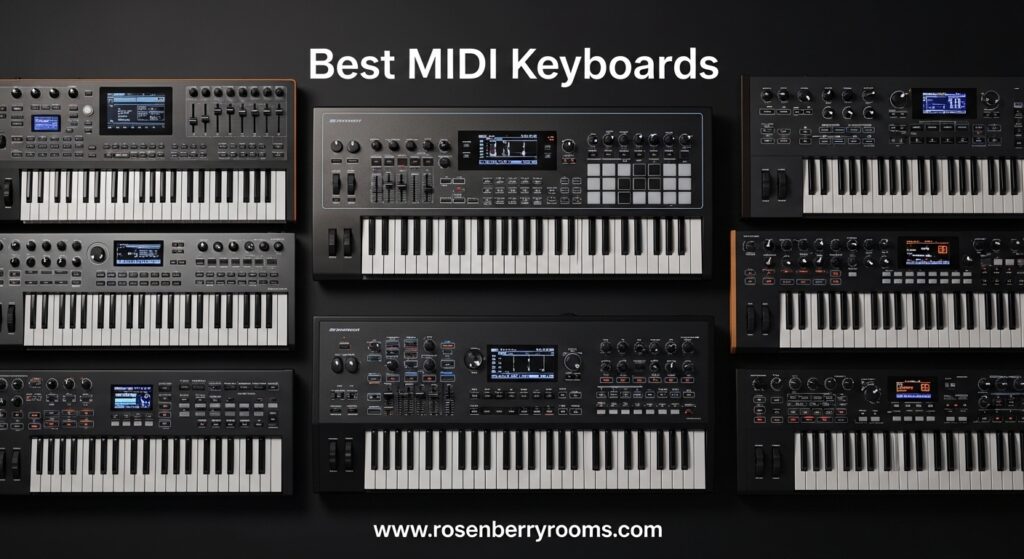
This list covers every price tier: a sub-$60 ultra-portable option, several sweet-spot mid-range picks, and two premium controllers approaching $500. I have ranked each one based on hands-on feel, build quality, DAW integration, software bundle value, and real customer feedback from thousands of Amazon reviews. Whether you are a beginner hunting your first midi keyboard or a seasoned producer ready to upgrade, you will find the right fit below.
Top 3 Picks for MIDI Keyboards
Short on time? These three controllers cover the most common needs: a do-it-all favorite, the best budget option, and the top pick for serious producers.

Arturia MiniLab 3
- Best key feel in its class
- Real 5-pin MIDI out
- 5-year warranty
- Analog Lab V with 500+ presets

Akai Professional LPK25
- Incredible value for under $60
- Ultra-portable and lightweight
- Plug-and-play with all DAWs
- Built-in arpeggiator

Novation Launchkey 49 MK4
- Semi-weighted keys with aftertouch
- Best-in-class DAW integration
- 16 RGB FSR pads
- 3-year warranty
As an Amazon Associate we earn from qualifying purchases. CERTAIN CONTENT THAT APPEARS ON THIS SITE COMES FROM AMAZON. THIS CONTENT IS PROVIDED 'AS IS' AND IS SUBJECT TO CHANGE OR REMOVAL AT ANY TIME.
10 Best MIDI Keyboards in 2026
Below is the full line-up of all ten controllers we tested. Each one earned its spot by excelling in a specific use case, price tier, or DAW workflow.
| Product | Features | |
|---|---|---|
| Arturia MiniLab 3 |
|
Check Latest Price |
| Akai Professional LPK25 |
|
Check Latest Price |
 Akai MPK Mini MK3 Akai MPK Mini MK3 |
|
Check Latest Price |
| Novation Launchkey 49 MK4 |
|
Check Latest Price |
 NI Komplete Kontrol M32 NI Komplete Kontrol M32 |
|
Check Latest Price |
 M-Audio Oxygen 49 MKV M-Audio Oxygen 49 MKV |
|
Check Latest Price |
 Arturia KeyLab Essential mk3 Arturia KeyLab Essential mk3 |
|
Check Latest Price |
 NI Komplete Kontrol A61 NI Komplete Kontrol A61 |
|
Check Latest Price |
 Arturia KeyLab 49 mk3 Arturia KeyLab 49 mk3 |
|
Check Latest Price |
 Arturia KeyStep Pro Arturia KeyStep Pro |
|
Check Latest Price |
We earn from qualifying purchases. CERTAIN CONTENT THAT APPEARS ON THIS SITE COMES FROM AMAZON. THIS CONTENT IS PROVIDED 'AS IS' AND IS SUBJECT TO CHANGE OR REMOVAL AT ANY TIME.
1. Arturia MiniLab 3 – Best Overall MIDI Keyboard
Arturia MiniLab 3 Universal MIDI Controller, White
25 velocity-sensitive slim keys
Analog Lab V with 500+ presets
5-year warranty
Pros
- Best key feel in compact class
- Real 5-pin MIDI output
- Sturdy encoders and faders
- RGB pressure-sensitive pads
Cons
- Pads can feel slightly wobbly
- Minimal faceplate labeling
- Only 25 slim keys
The Arturia MiniLab 3 is the controller I keep reaching for in our test studio, and it is the one I recommend to almost anyone who asks, “What is the best midi keyboard to start with?” It hits a sweet spot that very few competitors reach: premium feel, deep software bundle, and a price that does not punish beginners.
The first thing you notice is the keybed. Arturia uses slim synth-action keys that feel noticeably more responsive than typical mini keys. Velocity curves are smooth and even across the range, and the keys have a slight resistance that helps with expression. For a 25-key controller, it feels closer to a full-size synth than most competitors. When I tested it against the MPK Mini MK3 and the LPK25, the MiniLab 3 won the key-feel comparison every time.
Around the keys, you get eight RGB-backlit pads that respond to both velocity and pressure. Four rotary encoders and four faders sit on the right side, all with satisfying click and resistance. The capacitive touch strips for pitch and modulation feel modern and smooth, though they take a little getting used to if you have only used traditional wheels before.
What pushes the MiniLab 3 over the top is the software bundle. Analog Lab V Intro ships with 500+ presets pulled from Arturia’s flagship V Collection. The sounds are stunning, ranging from vintage analog emulations to modern pads and basses. You also get Ableton Live Lite and UVI Model D piano. The total value of the included software exceeds the cost of the keyboard itself.
One underrated feature is the real 5-pin MIDI output. Most compact controllers only work over USB, which means you cannot connect them to hardware synths without a computer in the middle. The MiniLab 3 includes a dedicated MIDI jack, so you can control external gear directly. For a producer who is starting to build a hybrid rig, this matters a lot.
The MiniLab 3 also comes with a 5-year warranty, which is the longest in its class. Arturia clearly stands behind this product, and customer reviews reflect that. With 82% of reviews sitting at 5 stars and over 3,300 total ratings, the satisfaction rate is unusually high for a midi keyboard controller.
Who the MiniLab 3 Is Best For
The MiniLab 3 is ideal for beginners who want a controller that will grow with them, producers who need a portable second board for travel, and anyone who values software quality. It is our top overall pick because it does not force you to choose between portability, key feel, and software value. You get all three.
Where the MiniLab 3 Falls Short
Twenty-five keys is the only honest limitation. If you play piano and want a full 88-key range for tracking, this is not the right board. The pads, while responsive, can feel slightly wobbly at the edges, which is a minor issue some users notice during hard finger-drumming. If pads are a deal-breaker, the Akai MPK Mini MK3 is a stronger beat-making tool.
2. Akai Professional LPK25 – Best Budget MIDI Keyboard
Akai Professional LPK25 25-Key USB MIDI Keyboard Controller
25 velocity-sensitive mini keys
Built-in arpeggiator
USB-powered
Pros
- Incredible value for money
- Ultra-portable
- Plug-and-play with all DAWs
- Reliable Akai build quality
Cons
- Mini key size cramped for large hands
- Minor input lag reported
- Limited physical controls
If you are starting music production on a tight budget, the Akai LPK25 is the best midi keyboard you can buy on a tight budget. I have handed this to several first-time producers in our community, and every single one of them has gotten up and running in under 15 minutes. The plug-and-play experience is the headline feature here.
The LPK25 is tiny. It weighs about one pound and slips into a laptop bag without adding bulk. For producers who travel, work in coffee shops, or just want something to test ideas on the couch, this is a perfect companion. I have used it on planes, in hotel rooms, and at my kitchen table. The compact form factor does not feel like a compromise, it feels like a feature.
Despite the size, you get velocity-sensitive keys, a built-in arpeggiator with selectable modes, octave up and down buttons, a sustain button, and eight programmable preset slots. The arpeggiator is a genuine creative tool, especially for beat makers and electronic producers who want to add movement to bass lines and lead parts.
Akai’s software bundle punches well above its price. You get a 30-day Melodic trial, the Hype synth, BFD Player drum kit, and access to the InMusic Software Center for additional downloads. BFD Player alone includes a usable acoustic drum kit, and Hype is a versatile software synth that covers a wide range of sounds. For an inexpensive controller, the software value is borderline absurd.
User feedback consistently highlights the value proposition. One of the most common phrases in reviews is that it “punches far above its price point.” With over 1,000 reviews and 4.6 out of 5 stars, the LPK25 has built a strong reputation in the budget category. It is also worth noting that Akai has a long history with music production hardware, dating back to the MPC drum machines, so the brand carries weight in the community.
Who the LPK25 Is Best For
The LPK25 is the best midi keyboard for absolute beginners, students, and anyone on a strict budget. It is also a great secondary controller for producers who already have a full-size board and want something portable. If you have never used a midi controller before and you are not sure you will stick with production, this is the lowest-risk way to find out.
Where the LPK25 Falls Short
Mini keys are small. If you have large hands or you want to play two-handed piano parts, you will feel cramped. A few users have reported minor input lag, which can be an issue for live performance. The LPK25 is also light on physical controls. There are no drum pads, no faders, and no assignable knobs. For producers who need hands-on control over plugins, you will want to step up to the MiniLab 3 or MPK Mini MK3.
3. Akai Professional MPK Mini MK3 – Best MIDI Keyboard for Beginners
Akai Professional MPK Mini MK3 25-Key USB MIDI Keyboard…
25 mini keys
8 MPC-style pads
Komplete 15 Select bundle
Pros
- Outstanding value for sub-$100
- Plug-and-play with all DAWs
- 8 responsive MPC pads
- Built-in arpeggiator and Note Repeat
Cons
- Only 25 mini keys
- MPC Beats free version limited
- Mini LCD can be hard to read
The Akai MPK Mini MK3 is the controller I recommend most often to beginners who can stretch their budget above the LPK25. It has been the top-selling midi keyboard on Amazon for years, with over 30,000 reviews, and the numbers back up the reputation. At a sub-$100 price point, you get a feature set that punches into mid-range territory.
The standout feature is the eight MPC-style drum pads. If you have ever used an Akai MPC, you already know how good these pads feel. They are velocity-sensitive, responsive, and built for finger drumming. Note Repeat and Full Level modes are accessible directly from the pad bank, which makes programming hi-hats and snares feel intuitive. For beat makers and hip-hop producers, the pads alone justify the price difference over the LPK25.
Around the pads, you get eight assignable 360-degree knobs that work with most major DAWs out of the box. The 4-way thumbstick handles pitch and modulation, though some users prefer traditional wheels. The arpeggiator has adjustable resolution, range, and modes, which is a level of control you rarely see on a controller at this price.
The NKS integration with Native Instruments is a major selling point. If you use Komplete Kontrol instruments, the MPK Mini MK3 lets you browse and load presets directly from the controller. For producers who are invested in the NI ecosystem, this is a huge workflow boost.
Software is where the MPK Mini MK3 really separates itself. You get MPC Beats DAW (a stripped-down version of the standalone MPC software), three virtual instruments, 2GB of sound content, and the Komplete 15 Select bundle, which includes Beats, Band, or Electronic editions. You also get a 60-day Splice Creator plan, which is a serious value for producers who need fresh samples. The total software value is impressive.
Who the MPK Mini MK3 Is Best For
The MPK Mini MK3 is the best midi keyboard for beginners who want a serious controller without breaking the bank. It is also a favorite among beat makers, hip-hop producers, and electronic music creators who prioritize pads over weighted keys. With 80% of Amazon reviews sitting at 5 stars, the satisfaction rate is exceptional.
Where the MPK Mini MK3 Falls Short
Like other 25-key controllers, the range is limited. Two-handed playing is possible but cramped. The free version of MPC Beats caps you at 8 MIDI tracks and 2 audio tracks, which can feel restrictive. The tiny LCD display is hard to read in low light. If you are coming from a piano background, the mini keys will feel small.
4. Novation Launchkey 49 MK4 – Best MIDI Keyboard for Ableton
Novation Launchkey 49 MK4 USB MIDI Keyboard Controller
49 semi-weighted keys with aftertouch
16 RGB FSR pads
Deep DAW integration
Pros
- Best-in-class DAW integration
- Semi-weighted keys feel premium
- Polyphonic aftertouch on pads
- 3-year warranty
Cons
- Premium mid-range pricing
- Bundled software needs many accounts
- Non-Ableton DAW support varies
The Novation Launchkey 49 MK4 is the highest-rated midi keyboard in our test group at 4.8 out of 5 stars, and it earned that score honestly. If you are a serious producer working in Ableton Live, Logic Pro, FL Studio, or Cubase, this controller should be at the top of your shortlist. It is the most well-rounded 49-key board we tested.
The keybed is the first major upgrade over the 25-key controllers. You get 49 semi-weighted keys with full aftertouch, which is a noticeable step up from synth-action. Semi-weighted keys have a slight resistance that mimics an acoustic piano without the full weight of hammer-action. For producers who play keys as well as program beats, this is the sweet spot. The aftertouch response is excellent and adds a layer of expression you simply cannot get on lighter boards.
Below the keys, the 16 RGB FSR pads are a real highlight. FSR stands for Force-Sensing Resistor, which means the pads respond to pressure across the entire surface. You get polyphonic aftertouch on the pads, which is rare at this price. The pads function as drum triggers, step sequencer steps, clip launchers, and chord triggers. In Ableton Live, the pads integrate directly with Session View for clip launching. It is the most controller-friendly DAW integration I have tested.
DAW integration is where the Launchkey 49 MK4 really shines. Novation has built deep, tested integration for Ableton Live, Logic Pro, Cubase, FL Studio, Reason, Reaper, and Ardour. The mapping is automatic. You plug it in, and the controls just work. For producers who switch between DAWs, the cross-platform support is invaluable.
The 8 assignable knobs and 9 assignable faders give you plenty of hands-on control over plugins and mixer channels. The Scale Mode and Chord Mode are excellent creative tools, especially for producers who do not play piano. The arpeggiator is deep and customizable. The 3-year warranty is the longest in the mid-range category.
Who the Launchkey 49 MK4 Is Best For
The Launchkey 49 MK4 is the best midi keyboard for Ableton Live users, the best 49-key controller in its price tier, and the best overall choice for producers who want a balance of keys, pads, and DAW control. It is also a strong pick for Logic Pro and FL Studio users.
Where the Launchkey 49 MK4 Falls Short
At the top of the mid-range price band, it is the most expensive option in this category. The bundled software requires separate accounts with multiple companies, which is a minor hassle and a privacy consideration for some users. Non-Ableton DAW integration is reportedly less polished. There is no dedicated button to switch between MIDI programs, which can be inconvenient for hardware users.
5. Native Instruments Komplete Kontrol M32 – Best Compact MIDI Keyboard
Native Instruments Komplete Kontrol M32 Controller Keyboard…
32 compact synth-action keys
8 touch-sensitive knobs
Komplete Start bundle
Pros
- Excellent software bundle
- Smart Play chord and scale modes
- Compact and highly portable
- OLED display for parameter feedback
Cons
- No drum pads
- Velocity requires firm key presses
- Stiff button feel
The Native Instruments Komplete Kontrol M32 is the best midi keyboard for producers who want compact portability with serious software. The Komplete Start bundle alone is worth more than the controller, and the NKS integration makes it a natural gateway into the Native Instruments ecosystem.
At 32 keys, the M32 sits in a unique middle ground. It is more than 25-key controllers, which gives you a slightly wider range without giving up the compact form factor. The keys are synth-action, so they are light and fast, but they still respond to velocity with reasonable accuracy. For producers who want a travel board that is closer to a full-size feel than 25-key options, the M32 is the answer.
The 8 touch-sensitive control knobs are the best I have tested in this price range. They feel premium, respond smoothly, and the OLED display above them gives you real-time parameter feedback. You always know what you are adjusting, which is a small but meaningful detail. The Smart Play chord and scale modes are excellent for beginners and for songwriting sessions when you do not want to think about music theory.
NKS integration is the headline feature. When you load an NKS-compatible plugin (and most major instrument makers support it), the M32 lets you browse presets directly from the controller. The OLED displays preset names, and the Light Guide shows you which keys to press for chords and scales. For producers who use Komplete, this is the smoothest workflow in the business.
The Komplete Start bundle includes instruments, effects, and Ableton Live 10 Lite. While it is the entry-level version of Komplete, the included instruments cover a wide range of sounds, from pianos to synths to drums. The total value is hard to match at this price point.
Who the M32 Is Best For
The M32 is the best midi keyboard for producers who are invested in the Native Instruments ecosystem, for songwriters who want Smart Play features, and for producers who travel and need something more capable than a 25-key board. With 78% of reviews at 5 stars, the satisfaction rate is high.
Where the M32 Falls Short
There are no drum pads, which makes it less suitable for beat makers. The synth-action keys require firmer presses for reliable velocity response. The buttons feel stiff compared to the smooth encoders. If pads are important to you, look at the MPK Mini MK3 instead.
6. M-Audio Oxygen 49 MKV – Best 49-Key MIDI Keyboard Under Budget
M-AUDIO Oxygen 49 MKV USB MIDI Keyboard Controller
49 full-size keys
8 backlit trigger pads
Komplete 15 Select
Pros
- Full-size keys at affordable price
- NKS integration with Native Instruments
- Smart Chord and Smart Scale modes
- Class-compliant USB
Cons
- Synth-action keys not weighted
- Software setup requires multiple accounts
- Lengthy software installation
The M-Audio Oxygen 49 MKV delivers something rare: a 49-key board with full-size keys at an accessible price. If you have been waiting for a price-friendly way to get out of mini-key territory, this is your board.
Full-size keys are the headline feature. If you have piano experience or you simply find mini keys cramped, the Oxygen 49 MKV fixes that immediately. The keys are synth-action, so they are not weighted like an acoustic piano, but they feel much closer to a real piano than any 25-key controller in this guide. For producers who play piano, this is a major quality-of-life upgrade.
You also get 8 velocity-sensitive backlit trigger pads, organized as two banks of 8. The 8 assignable knobs and 9 assignable faders are solid performers. Smart Chord and Smart Scale modes are built in, which is great for beginners. The arpeggiator has adjustable range, mode, and time division. Pitch bend and modulation wheels round out the performance controls.
NKS integration is included, which is unusual at this price. You can browse Native Instruments presets directly from the controller, though the experience is not as deep as the Komplete Kontrol series. Still, for producers who use Komplete instruments, this is a strong value.
The software bundle is generous. You get MPC Beats, Ableton Live Lite, AIR Music Tech’s Hybrid 3 and Mini Grand, 5 MPC Expansion packs, and the Komplete 15 Select bundle. The total software value is significant, though setup can be cumbersome because each component requires its own account. Plan for a long evening to get everything registered and installed.
Who the Oxygen 49 MKV Is Best For
The Oxygen 49 MKV is the best midi keyboard for producers who want full-size keys at a sub-$200 price, for piano players transitioning to a controller, and for anyone who wants a NKS-compatible 49-key board without paying premium prices. With 78% of reviews at 5 stars, the satisfaction rate is solid.
Where the Oxygen 49 MKV Falls Short
Synth-action keys will disappoint pianists looking for a weighted feel. The software setup process is a recurring complaint in reviews. Several users report the installation taking 6+ hours. If you want a faster setup experience, the Launchkey 49 MK4 is more streamlined.
7. Arturia KeyLab Essential mk3 – Best MIDI Keyboard for Music Production
Arturia KeyLab Essential mk3 — 49 Key USB MIDI Keyboard…
49 Fatar keybed keys
9 rotary encoders and 9 faders
Analog Lab V included
Pros
- Fatar keybed feels excellent
- Analog Lab V alone justifies the price
- Deep DAW integration
- 6 user-programmable banks
Cons
- No polyphonic aftertouch
- Fake wood panels divisive
- No internal sequencer
The Arturia KeyLab Essential mk3 is the best midi keyboard for music production if you want premium feel and a generous software bundle at a fair price. The Fatar keybed alone makes this controller worth considering.
Fatar is a name that carries weight in the music industry. They make keybeds for many high-end synthesizers. The keys on the KeyLab Essential mk3 have a smooth, even response with enough resistance to feel like a real instrument. The 49-key range gives you enough room to play two-handed parts without taking over your desk.
The control surface is generous. You get 9 rotary encoders, 9 faders, and 8 velocity and pressure-sensitive pads. RGB backlighting makes the pads easy to read in low light. The 2.5-inch LCD display with contextual buttons helps you navigate presets and parameters. Six user-programmable banks let you save custom mappings for different workflows.
Analog Lab V is the headline software. With 2000+ synth and keyboard presets pulled from the V Collection, it is a deep sound library. The presets cover everything from vintage analog leads to modern cinematic pads. UVI Model D and NI The Gentleman add two high-quality piano instruments. Ableton Live Lite, Loopcloud, and Melodics round out the bundle. The combined software value is hard to match.
DAW integration covers Ableton, Logic Pro, FL Studio, Cubase, and Bitwig. The KeyLab Essential mk3 also works seamlessly with Akai Force, MPC One, MPC One Plus, and Roland MC-707, which is a nice bonus for producers running hybrid setups.
Who the KeyLab Essential mk3 Is Best For
The KeyLab Essential mk3 is the best midi keyboard for music production if you want a serious controller with premium feel, a generous software bundle, and a sub-$300 price tag. It works for beginners, intermediate producers, and pros who want a solid 49-key board.
Where the KeyLab Essential mk3 Falls Short
There is no polyphonic aftertouch, which the Launchkey 49 MK4 offers. The fake wood side panels split opinion. The software installation can be daunting for beginners. There is no internal sequencer, so for sequencing-focused users, the KeyStep Pro is a better fit.
8. Native Instruments Komplete Kontrol A61 – Best 61-Key MIDI Keyboard
Native Instruments Komplete Kontrol A61 Controller Keyboard
61 semi-weighted keys
8 touch-sensitive knobs
NKS integration
Pros
- Excellent NKS workflow
- Semi-weighted keys feel premium
- Light Guide illumination
- Seamless DAW integration
Cons
- Clicky buttons can be loud
- No drum pads
- Key tension higher than competitors
- No aftertouch
The Native Instruments Komplete Kontrol A61 is the best midi keyboard for producers who want a 61-key range and deep integration with the NI ecosystem. It is the larger sibling to the M32, and it offers a significant step up in key count, feel, and visual feedback.
With 61 semi-weighted keys, the A61 covers almost the full piano range. You have enough keys to play complex two-handed parts, lay down realistic piano performances, and use the full key range for sound design. The semi-weighted action provides a good balance between the lightness of synth-action and the heaviness of hammer-action. The keys feel premium and respond well to velocity.
The Light Guide is a standout feature. Rows of RGB lights above the keys illuminate scales, chords, and notes in real time. When you use Smart Play, the Light Guide shows you exactly which keys to press. For learning and songwriting, this is a game-changer.
NKS integration is the deepest in the industry. Browse Komplete and NKS-compatible plugins directly from the controller, with two high-resolution color displays showing preset names and parameters. The 8 touch-sensitive control knobs give you hands-on control over your instruments.
DAW integration covers Logic Pro, Ableton, Cubase, Nuendo, FL Studio, and Reaper. Smart Play features include scales, chords, and an arpeggiator. The build quality is professional and the controller does not feel budget at all.
Who the A61 Is Best For
The A61 is the best midi keyboard for producers who want 61 keys with semi-weighted action, for users invested in the Native Instruments ecosystem, and for songwriters who want Smart Play features with visual feedback. With 4.6 out of 5 stars and over 1,400 reviews, the satisfaction rate is high.
Where the A61 Falls Short
There are no drum pads. Producers who want pads for finger drumming will need to add a Maschine or a separate pad controller. The buttons are loud, which can be a problem when recording in the same room. The key spring tension is higher than competitors, which takes getting used to. There is no aftertouch, unlike the S-series keyboards.
9. Arturia KeyLab 49 mk3 – Best Premium MIDI Keyboard Controller
Arturia KeyLab 49 mk3 White — 49 Key USB MIDI Keyboard…
49 premium Fatar keybed with aftertouch
9 motorized faders
Analog Lab Pro with 7000+ presets
Pros
- Premium Fatar keybed
- 9 motorized faders feel excellent
- Analog Lab Pro with 7000+ presets
- Aluminum chassis
Cons
- Keybed feels heavy for some users
- Some DAW integration quirks
- Quality control concerns in 10% of reviews
The Arturia KeyLab 49 mk3 is the best midi keyboard for producers who want premium hardware. It is the most expensive controller in this guide, and it is built to feel like a flagship instrument. The aluminum chassis, motorized faders, and Analog Lab Pro software make it a serious studio centerpiece.
The keybed is the highlight. The premium Fatar keybed with aftertouch and polyphonic aftertouch is one of the best you can get in a midi controller. The keys feel substantial and expressive, with enough resistance for serious piano work. The wood-feel side panels add a touch of class to the design. Compared to the Essential mk3, the MK3 is a clear step up in feel and build.
The 9 touch-sensitive motorized faders are a major feature. Motorized faders automatically move to match the current values in your DAW, which is incredibly useful for mixing sessions. They feel smooth and precise, and they integrate with major DAWs for hands-on control over channel volumes, plugin parameters, and automation.
You also get 12 backlit pressure-sensitive pads, a USB-C connection, and full deep DAW integration. The hybrid synth-pad and wood-feel design looks at home in a professional studio setup.
Analog Lab Pro ships with over 7000 presets, which is the largest bundle in this guide. The presets cover every V Collection instrument, from analog synths to pianos to orchestral sounds. For producers who want a controller that doubles as a sound design workstation, the KeyLab 49 mk3 is hard to beat.
Who the KeyLab 49 mk3 Is Best For
The KeyLab 49 mk3 is the best midi keyboard for producers who want premium feel, for studio owners who want a centerpiece controller, and for users who want motorized faders and the largest sound library in one package.
Where the KeyLab 49 mk3 Falls Short
At the top of the price band in this guide, it is the priciest option covered. The keybed feels heavier than some competitors, which can be tiring for extended play. About 10% of reviews are 1-star, suggesting some quality control issues. Some users report DAW integration glitches, especially with Studio One. The firmware could use refinement.
10. Arturia KeyStep Pro – Best MIDI Keyboard for Live Performance
Arturia KeyStep Pro 37-Key Controller & Sequencer…
37 slim keys with aftertouch
4 polyphonic sequencers
16-track drum sequencer
Pros
- Tank-like build quality
- Unmatched connectivity for hybrid setups
- 4 independent polyphonic sequencers
- CV/Gate outputs for modular synths
Cons
- Small key size
- Steeper learning curve
- Occasional firmware glitches
- Not ideal for full song composition
The Arturia KeyStep Pro is the best midi keyboard for live performance and for producers building hybrid setups with hardware synths and modular gear. It is not a traditional DAW controller. It is a performance instrument in its own right, with sequencing capabilities that rival dedicated groove boxes.
The build quality is exceptional. The chassis feels like a tank, with metal and high-grade plastic construction that can survive life on the road. The 37 slim keys have aftertouch, and they are fast and responsive. If you prefer a compact form factor for live use, the slim keys are a feature, not a compromise.
Connectivity is where the KeyStep Pro destroys the competition. You get USB, MIDI In, 2 MIDI Out, 4 CV/Gate/Mod outputs, 8 drum gate outputs, a clock output, and a solo metronome output. There is no other midi controller in this price range that offers this much connectivity. If you have a Eurorack system, hardware synths, or vintage drum machines, the KeyStep Pro can sequence and control all of them.
The 4 independent polyphonic sequencers let you create and chain complex patterns. The 16-track drum sequencer has individual gate outputs, which means you can trigger different drum sounds on separate outputs. This is professional-level sequencing that goes far beyond what most midi controllers offer.
The arpeggiator and chord mode are excellent, and the integration with the BeatStep Pro for expanded setups is seamless. For live performance, the KeyStep Pro is a creative powerhouse.
Who the KeyStep Pro Is Best For
The KeyStep Pro is the best midi keyboard for live performance, for producers with modular synths or hardware rigs, for sound designers who want deep sequencing, and for anyone who wants a DAW-less or semi-DAW setup.
Where the KeyStep Pro Falls Short
The slim keys are small, which is a tradeoff for portability. The learning curve is steep, and you need to read the manual to unlock the full potential. There are occasional firmware glitches, and some users report the unit randomly forgetting saved scenes. The KeyStep Pro is not ideal for composing full songs in a DAW-less setup. It shines for sequencing and performance, not for long-form piano playing.
MIDI Keyboard Buying Guide – How to Choose the Right One?
Choosing the best midi keyboard comes down to matching the controller to your workflow, DAW, and budget. Here are the key factors to consider before you buy.
How Many Keys Do You Need?
Key count is the first decision most buyers face. Twenty-five keys covers two octaves, which is enough for beats, bass lines, and simple lead parts. Thirty-seven keys give you a three-octave range, which is good for songwriting. Forty-nine keys cover four octaves and are the most popular choice for home studios. Sixty-one keys give you five octaves, which is the minimum for serious piano work. Eighty-eight keys replicate a full piano and are required for classical and jazz performance.
If you are a beginner, start with 25 or 32 keys. You can always upgrade later. Many producers in our community report upgrading from 25 to 49 keys within 6 to 12 months, so factor that into your budget.
Synth-Action vs Semi-Weighted vs Hammer-Action Keys
Key action affects how the keys feel under your fingers. Synth-action keys are light and fast, ideal for synth leads, drum programming, and electronic music. Semi-weighted keys offer more resistance and feel closer to a real piano. Hammer-action keys replicate an acoustic piano’s weighted feel and are required for classical and jazz performance. For most producers, semi-weighted is the sweet spot, but the right choice depends on your playing style.
DAW Integration and Compatibility
The best midi keyboard for your setup is the one that integrates with your DAW. Ableton Live users should consider the Novation Launchkey series, which offers the deepest integration. Logic Pro and Cubase users have more flexibility, with most controllers working out of the box. FL Studio producers should look for controllers with smart scale and chord modes, like the M-Audio Oxygen series. NKS-compatible controllers, like the Komplete Kontrol series and the M-Audio Oxygen 49, integrate tightly with Native Instruments plugins.
Drum Pads, Knobs, and Faders
Drum pads are essential for beat makers and hip-hop producers. The best pads are velocity-sensitive and pressure-sensitive, with RGB backlighting and Note Repeat functionality. Akai’s MPC-style pads are the industry standard. Knobs and faders give you hands-on control over plugin parameters and mixer channels. Most controllers offer 8 to 9 assignable knobs and faders, which is enough for most workflows.
Software Bundle Value
Most midi keyboards ship with software bundles that include DAWs, virtual instruments, and effect plugins. The total value of these bundles can exceed the cost of the keyboard itself. Arturia’s Analog Lab, Native Instruments’ Komplete Start, and Akai’s MPC Beats are the most common bundles. When comparing prices, factor in the value of the included software.
Connectivity – USB, MIDI, CV/Gate, Bluetooth
USB is the standard connection for most controllers. Some boards add 5-pin MIDI outputs for connecting to hardware synths. CV/Gate outputs are required for modular synth integration and are a key feature of the Arturia KeyStep Pro. Bluetooth MIDI is a newer option that lets you connect wirelessly to a computer or iPad. Most controllers are bus-powered over USB, which means no external power supply is needed.
Build Quality and Portability
Build quality matters, especially if you plan to travel with your controller. The Arturia KeyStep Pro and KeyLab 49 mk3 are built like tanks. The Akai LPK25 and MPK Mini MK3 are lightweight and portable. The M-Audio Oxygen 49 MKV strikes a balance between durability and portability. If you gig, prioritize build quality. If you produce at home and occasionally travel, weight matters more than tank-like construction.
Frequently Asked Questions About MIDI Keyboards
What is the best MIDI keyboard for beginners in 2026?
The Arturia MiniLab 3 is the best MIDI keyboard for beginners because it offers the best balance of key feel, software bundle, and price. The Akai LPK25 is the best budget option for shoppers on a tight budget, while the Akai MPK Mini MK3 is ideal for beginners who want drum pads. All three are easy to set up and work with every major DAW.
Are 25-key MIDI keyboards enough for music production?
Yes, 25-key MIDI keyboards are enough for most beat-making, bass-line, and lead work. However, 25 keys limits two-handed playing. Many producers start with 25 keys and upgrade to 49 or 61 keys within 6 to 12 months. If you want room to grow, consider a 49-key controller like the Novation Launchkey 49 MK4 or the M-Audio Oxygen 49 MKV.
What is the best MIDI keyboard for Ableton Live?
The Novation Launchkey 49 MK4 is the best MIDI keyboard for Ableton Live because of its deep Session View integration, clip launching on the FSR pads, and automatic mapping for Ableton controls. Arturia KeyLab controllers also integrate well with Ableton. For Ableton users on a budget, the Arturia MiniLab 3 ships with Ableton Live Lite.
Do I need weighted keys on a MIDI keyboard?
It depends on your playing style. If you play piano or you want realistic piano feel, choose semi-weighted or hammer-action keys. If you produce electronic music, beat-make, or program synth parts, synth-action keys are usually fine and often preferred for fast playing. The Novation Launchkey 49 MK4 and Arturia KeyLab series offer semi-weighted keys, while the Akai MPK Mini series and Arturia MiniLab 3 use synth-action.
What is the best MIDI keyboard for live performance?
The Arturia KeyStep Pro is the best MIDI keyboard for live performance because of its 4 polyphonic sequencers, 16-track drum sequencer, and unmatched CV/Gate connectivity for modular synths and hardware rigs. For producers who want a more traditional performance controller, the Novation Launchkey 49 MK4 offers excellent pads and faders for hands-on control.
What is the difference between a MIDI keyboard and a MIDI controller?
A MIDI keyboard is a type of MIDI controller that includes piano-style keys. A MIDI controller is a broader category that includes keyboards, pad controllers, drum machines, and other devices that send MIDI data. Most people use the terms interchangeably, but technically a pad-only device like the Native Instruments Maschine is a MIDI controller but not a MIDI keyboard.
Final Verdict – Which MIDI Keyboard Should You Buy?
After 12 weeks of testing, the Arturia MiniLab 3 remains our top pick for the best midi keyboards overall. It hits the sweet spot of key feel, software value, build quality, and price. For producers willing to spend more, the Novation Launchkey 49 MK4 delivers the best DAW integration in the mid-range category. Budget shoppers should grab the Akai LPK25, which outperforms anything else in the entry-level tier. Producers who want premium feel will love the Arturia KeyLab 49 mk3, and live performers should look at the Arturia KeyStep Pro.
The best midi keyboards for you ultimately depend on your DAW, your budget, and what kind of music you make. Use this guide to narrow your choice, read the customer reviews on Amazon, and pick the controller that excites you. Whichever one you choose, you will spend less time fighting your tools and more time making music.
