
Arise Ragnarok Controls Guide: PC & Mobile (September 2026)
Arise Ragnarok controls are essential for mastering this anime-inspired Roblox RPG where speed and precision determine success. The default PC controls use WASD for movement, Left Click for basic attacks, Q/E for skills, and F (pressed 3 times) for the signature “Arise” shadow capture mechanic. Mobile players use a virtual joystick with touch buttons, maintaining identical gameplay mechanics through different input methods. Mastering these controls is crucial for building AGI stacks through dashing, capturing shadows efficiently, and dominating both PvP battles and PvE content.
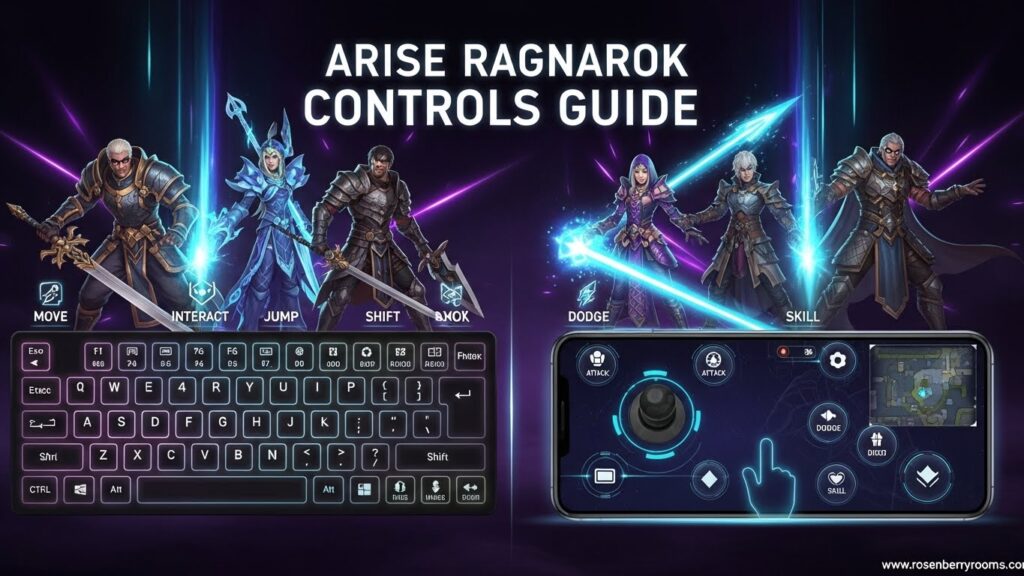
Quick Reference: Arise Ragnarok Controls Summary
| Platform | Movement | Attack | Skills | Shadow Capture | Dash |
|---|---|---|---|---|---|
| PC | WASD | Left Click | Q/E | F (x3) | Double-tap WASD |
| Mobile | Virtual Joystick | Attack Button | Skill Buttons | Tap Body (x3) | Double-swipe Joystick |
Complete PC Controls & Keybinds
Movement & Navigation
- WASD – Standard movement in all directions
- Double-Tap WASD – Dash (builds AGI stacks, extremely important for combat flow)
- Spacebar – Jump to navigate terrain and avoid attacks
- Mouse – Camera control and aim direction
Combat Controls
- Left Click – Basic Attack (your primary damage dealer)
- Right Click – Shadow Summon (calls captured shadows to fight)
- Q – Skill 1 (class-specific ability)
- E – Skill 2 (secondary class ability)
Interaction & Core Mechanics
- F – Interact / Arise (press 3 times rapidly on defeated enemies)
- Enter – Open Chat for team coordination
- Tab – Switch between targets in combat
- Shift – Sprint (when available for certain classes)
Menu Navigation
- M – Map/Inventory toggle
- I – Inventory management
- C – Character stats and upgrades
- ESC – Settings and game options
Pro Tip: The double-tap dash is your most important movement skill. Each dash builds AGI stacks that directly increase your attack speed and overall combat effectiveness. Practice this until it becomes muscle memory.
Contents
Mobile Controls & Touch Interface
Touch Layout Overview
Mobile controls maintain the same functionality as PC but use an intuitive touch interface designed for handheld gameplay.
Movement Controls
- Virtual Joystick (Left Side) – Movement control in all directions
- Double-Swipe Joystick – Dash mechanic identical to PC double-tap
- Jump Button (Right Side) – Vertical movement and terrain navigation
Combat Interface
- Attack Button (Right Side) – Primary damage button
- Skill Buttons (Right Side) – Q and E equivalents for class abilities
- Shadow Summon Button – Right click equivalent for calling shadows
Menu & Interaction
- Gear Icon (Top-Left) – Settings and options
- Bag Icon (Top-Right) – Inventory and equipment
- Chat Button – Communication with other players
Advanced Mobile Techniques
- Quick Tap Combos – Rapid succession taps for skill chains
- Swipe Gestures – Special abilities for certain classes
- Multi-touch – Simultaneous skill activation for advanced players
The “Arise” Shadow Capture System
The signature “Arise” mechanic is what sets Arise Ragnarok apart from other Roblox RPGs. Understanding this system is crucial for progression.
Step-by-Step Shadow Capture Process
- Defeat an Enemy – Lower their health to zero
- Position Near Body – Get close to the defeated enemy
- Execute Arise – Press F three times (PC) or tap body three times (Mobile)
- Capture Success – Enemy becomes a Shadow Ally
Critical Timing Tips
- Act Quickly – Bodies disappear after 5-10 seconds
- Rapid Input – Three presses/taps must be in quick succession
- Prioritize Enemies – Focus on valuable enemies first for better shadows
- Boss Limitations – Most bosses cannot be captured as shadows
Shadow Management
- Equip Shadows – Access through the Shadows menu
- Upgrade System – Use resources to strengthen captured shadows
- Slot Management – Limited slots require strategic choices
- Auto-Arise Feature – Available through gamepasses for convenience
Advanced Control Strategies
AGI Stack Management
AGI (Agility) stacks are the foundation of combat effectiveness in Arise Ragnarok.
- Dash Frequency – Every 2-3 seconds during combat
- Stack Benefits – Increased attack speed, movement speed, and skill cooldown reduction
- Maximum Stacks – Most classes benefit from maintaining 5-10 stacks
- Stack Decay – Stacks decrease if not maintained through regular dashing
Combat Flow Optimization
- Movement Pattern – Circle strafing while maintaining AGI stacks
- Skill Rotation – Q → Basic Attack → E → Basic Attack pattern
- Shadow Timing – Summon shadows during skill cooldowns
- Positioning – Use terrain and movement to avoid enemy attacks
Class-Specific Control Tips
Assassin Class
- Burst Damage – Stack AGI before unleashing skill combos
- Stealth Mechanics – Use specific keybinds for invisibility skills
- Critical Timing – Precise skill execution for maximum damage
Mage Class
- Skill Combos – Area-of-effect spells require careful positioning
- Mana Management – Balance skill usage with resource regeneration
- Casting Timing – Some spells require channeling through specific keybinds
Warrior Class
- Tank Controls – Positioning and timing for defensive abilities
- Heavy Attacks – Charge mechanics through specific input sequences
- Crowd Control – Skill combinations for enemy management
Platform-Specific Optimization
PC Setup Recommendations
- Keybind Customization – Consider rebinding Q/E to easier-to-reach keys
- Mouse Sensitivity – Adjust for optimal aiming and camera control
- Graphics Settings – Balance performance and visual clarity
- Display Configuration – Multi-monitor setup for enhanced gameplay
Mobile Optimization
- UI Scaling – Adjust button sizes for comfortable reach
- Touch Sensitivity – Fine-tune for responsive controls
- Performance Mode – Optimize for smooth gameplay on mobile devices
- Battery Management – Settings to extend play sessions
Cross-Platform Considerations
- Account Sync – Progress maintains across PC and mobile
- Control Adaptation – Muscle memory transfer between platforms
- Performance Differences – PC generally offers better frame rates
- Social Features – Cross-platform play and communication
Troubleshooting Common Control Issues
PC Control Problems
- Input Lag – Check system performance and background applications
- Keybind Conflicts – Ensure no overlapping key assignments
- Mouse Issues – Verify mouse drivers and sensitivity settings
- Network Latency – High ping can delay control responsiveness
Mobile Control Challenges
- Touch Responsiveness – Clean screen and check sensitivity settings
- Button Placement – Customize UI for comfortable hand position
- Accidental Inputs – Adjust button size and spacing
- Performance Drops – Close background apps and lower graphics settings
General Solutions
- Restart Game – Clear temporary glitches and control issues
- Update Graphics Drivers – Ensure optimal performance
- Check Internet Connection – Stable connection crucial for responsive controls
- Verify Game Updates – Latest patches often include control improvements
Community Resources & Official Channels
Official Game Links
- Roblox Game Page: Arise Ragnarok Official Page
- Official Discord: Join the Community
- Twitter Updates: @AriseRagnarok
- YouTube Channel: Official Videos
Community Resources
- Reddit Community: r/SoloLevelingArise for player discussions
- Game Wiki: Arise Crossover Wiki for detailed mechanics
- Fan Discord Servers: Multiple community-run servers for tips and trades
- YouTube Content Creators: Regular guides and gameplay tutorials
Why Join These Communities?
- Real-time Updates: Latest patch notes and feature announcements
- Player Tips: Advanced strategies from experienced players
- Trading Opportunities: Exchange items and shadows with other players
- Bug Reports: Report and track control issues with developers
- Meta Analysis: Stay updated on optimal control setups and strategies
Frequently Asked Questions
How do I dash in Arise Ragnarok?
Double-tap WASD on PC or double-swipe the virtual joystick on mobile. Dashing is crucial for building AGI stacks that increase your combat effectiveness.
Why is dash important in Arise Ragnarok?
Dashing builds AGI stacks which directly affect your attack speed, movement speed, and overall combat flow. Maintaining high AGI stacks is essential for optimal damage output and survivability.
Can you Arise any enemy in Arise Ragnarok?
Most standard enemies can be captured as Shadows by pressing F three times (PC) or tapping their body three times (Mobile) after defeating them. However, boss enemies usually cannot be captured.
What are the best keybinds for Arise Ragnarok?
While the default WASD + Q/E setup works well, many players prefer customizing skill keys to more accessible positions like R and F for faster reaction times during combat.
How do I improve my mobile controls in Arise Ragnarok?
Adjust UI scaling for better button placement, increase touch sensitivity for responsive inputs, and practice the double-swipe dash mechanic to maintain AGI stacks effectively.
What’s the difference between PC and mobile controls?
Both platforms have identical functionality, but PC offers more precise aiming with mouse control while mobile provides convenience through touch interface. The core mechanics remain the same across platforms.
How do I capture shadows effectively?
Defeat an enemy, quickly move to their body, and press F three times (PC) or tap three times (Mobile). Act quickly as bodies disappear after a few seconds, and prioritize valuable enemies for better shadow rewards.
Conclusion: Master Your Controls, Master the Game
Arise Ragnarok controls are the foundation of success in this dynamic Roblox RPG. Whether you’re playing on PC with precise keyboard and mouse inputs or on mobile with intuitive touch controls, mastering these mechanics will elevate your gameplay significantly. Remember that the dash mechanic and AGI stack management are crucial for combat effectiveness, while the Arise shadow capture system is key to character progression.
Practice these controls until they become second nature, join the community for advanced tips, and stay updated with official channels for the latest control improvements and game features. With dedication and practice, you’ll be dominating both PvP battles and PvE content in no time.
Bookmark this guide for quick reference during your Arise Ragnarok journey, and share it with fellow players to help them master their controls too. The world of Arise Ragnarok awaits – are you ready to arise to the challenge?
