Complete Tunados Brasil Controls (September 2026 Guide)
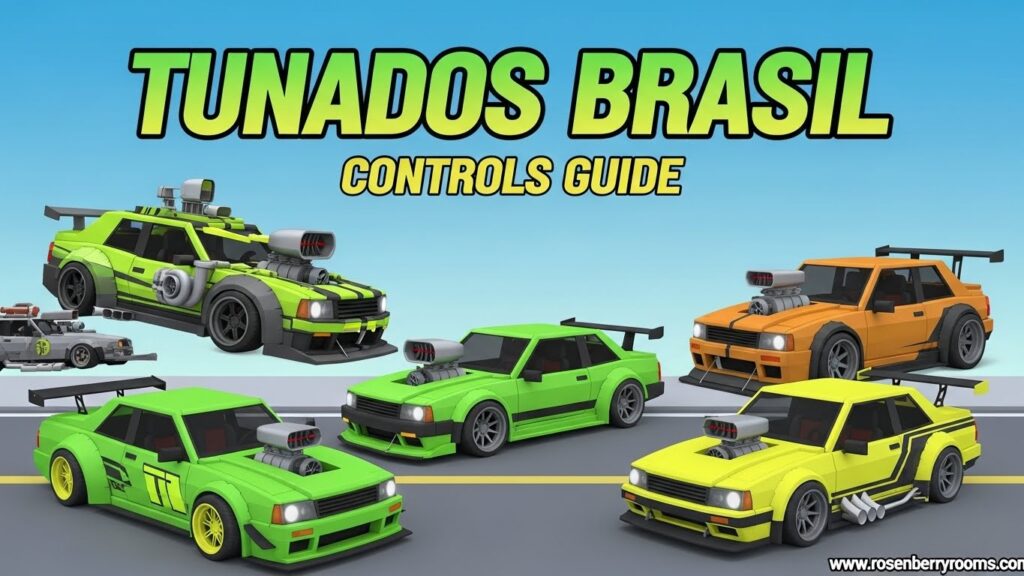
Tunados Brasil is Roblox’s premier Brazilian car tuning game where you customize, race, and show off modified vehicles. Master the essential controls including WASD for driving, E for entering/exiting vehicles, and B for opening the tuning menu. This comprehensive guide covers all keyboard shortcuts, advanced driving techniques, and pro tuning tips to dominate the Brazilian car scene.
Quick Reference
| Control | Function | Category |
|---|---|---|
| W/A/S/D | Accelerate/Steer/Brake/Reverse | Basic Driving |
| E | Enter/Exit Vehicle | Vehicle Control |
| B | Open Tuning Menu | Customization |
| Shift | Boost/Nitro | Racing |
| Space | Handbrake | Advanced Control |
| M | Open Map | Navigation |
| T | Chat | Communication |
| 1-5 | Quick Access Items | Inventory |
| Tab | Player Menu | Social |
| ESC | Settings/Menu | System |
Game Overview
Tunados Brasil brings the vibrant Brazilian car tuning culture to Roblox, allowing players to experience the thrill of modifying and racing customized vehicles in a Brazilian-inspired environment. The game combines realistic car physics with extensive customization options, creating an immersive experience for car enthusiasts and racing fans alike.
Contents
Key Features:
- Extensive car customization with Brazilian tuning styles
- Multiple game modes including racing, cruising, and car shows
- Real-time multiplayer interactions
- Dynamic weather and day/night cycles
- Brazilian-inspired locations and music
- Progressive unlocking system for new parts and vehicles
Core Controls Breakdown
Basic Movement Controls
WASD Driving System:
- W (Forward): Accelerate your vehicle forward
- S (Backward): Brake when moving forward, reverse when stopped
- A (Left): Steer left
- D (Right): Steer right
Pro Tip: Hold W + Shift simultaneously for maximum acceleration. Use gentle S taps for controlled braking rather than holding it down.
Vehicle Interaction Controls
Essential Vehicle Commands:
- E Key: Enter and exit vehicles. Stand near any vehicle and press E to enter
- B Key: Open the comprehensive tuning menu
- F Key: Toggle headlights on/off
- H Key: Honk horn (important for Brazilian car culture expression)
- L Key: Lock/unlock your vehicle
- G Key: Open/close doors and trunk
Advanced Driving Controls
Performance Controls:
- Shift (Hold): Activate nitro/boost for speed bursts
- Spacebar: Handbrake for drifting and sharp turns
- Ctrl: Crouch/lower car stance (when modified with suspension)
- R: Reset vehicle position if stuck or flipped
- X: Activate special vehicle features (hydraulics, neon lights)
Camera Controls:
- Mouse Movement: Look around while driving
- Scroll Wheel: Zoom in/out
- C: Change camera view (first person, third person, cinematic)
- V: Toggle rear view mirror
Tuning Menu Navigation
The tuning menu (B key) is your gateway to customization mastery. Here’s how to navigate it efficiently:
Main Tuning Categories:
- Performance: Engine, transmission, turbo, exhaust
- Appearance: Body kits, paint, wheels, spoilers
- Interior: Dashboard, seats, steering wheel
- Audio: Sound systems, exhaust notes
- Suspension: Height, stiffness, camber
Tuning Menu Controls:
- Mouse Click: Select options
- Arrow Keys: Navigate menus
- Enter: Confirm selection
- ESC: Back to previous menu
- Number Keys 1-5: Quick access to main categories
Game Mode Specific Controls
Racing Mode Controls
Race-Specific Commands:
- N: Open race navigator
- J: Join available races
- K: Check race rankings
- Y: Quick race restart (when available)
- U: Toggle race UI elements
Racing Techniques:
- Use spacebar for drift corners
- Time nitro boosts (Shift) on straightaways
- Master the racing line for optimal lap times
- Use brake tapping (S) instead of full braking for speed maintenance
Car Show Mode Controls
Show Commands:
- P: Enter pose mode for car shows
- Z: Cycle through poses
- Q/E: Rotate vehicle in show mode
- +/-: Adjust engine RPM for sound demonstration
- F1-F4: Quick access to favorite show presets
Free Roam/Cruising Controls
Cruising Features:
- M: Open map with teleport options
- I: Toggle cruise control for relaxed driving
- O: Open social menu for player interactions
- P: Activate player profile
- ,/.: Adjust radio stations
Advanced Techniques and Pro Tips
Mastering Drifting
Perfect Drift Setup:
- Approach corner at medium speed
- Tap spacebar for handbrake
- Turn sharply with A/D
- Counter-steer to maintain drift angle
- Release spacebar and accelerate out
Drift Control Tips:
- Use small steering adjustments
- Maintain consistent throttle
- Practice in empty parking lots first
- Learn different drift angles for various corner types
Tuning Optimization
Performance Tuning Strategy:
- Engine: Balance horsepower with torque curves
- Suspension: Adjust for your driving style (soft for comfort, stiff for racing)
- Transmission: Gear ratios affect acceleration vs top speed
- Tires: Choose based on weather and driving conditions
Brazilian Tuning Style Tips:
- Bright, contrasting color schemes
- Large wheels with low-profile tires
- Aggressive body kits
- Loud exhaust systems
- Underglow neon lighting
- Custom sound systems
Social Interaction Controls
Community Features:
- Tab: Open player list and profiles
- Enter: Open chat window
- T: Quick chat message
- F1: Add friends
- F2: Create or join crews
- F3: Report inappropriate behavior
- F4: Toggle player names above vehicles
Platform-Specific Considerations
PC/Mac Controls
Keyboard Optimizations:
- Rebind controls through settings menu
- Use gaming peripherals for precision
- Adjust mouse sensitivity for camera control
- Enable/disable V-sync for performance
Mobile Controls (Tablet Support)
Touch Interface:
- Virtual steering wheel on left side
- Action buttons on right side
- Gesture controls for camera
- Haptic feedback for immersive experience
- Customizable button layouts
Console Controller Support
Controller Mapping:
- Left stick: Steering
- Right stick: Camera
- RT/R2: Accelerate
- LT/L2: Brake/Reverse
- A/X: Enter/Exit
- B/O: Tuning menu
- X/Square: Handbrake
- Y/Triangle: Boost
Common Issues and Troubleshooting
Control Problems
Stuck Vehicle:
- Press R to reset position
- Check if in a restricted area
- Verify vehicle isn’t damaged beyond repair
Unresponsive Controls:
- Check keyboard connection
- Verify control settings in menu
- Restart game if necessary
- Clear cache if issues persist
Performance Optimization
Lag Reduction:
- Lower graphics settings
- Close background applications
- Use wired internet connection
- Update graphics drivers
FAQ Section
What are the most important controls for beginners?
Focus on mastering WASD driving, E for vehicle entry/exit, and B for tuning menu. These three controls cover 80% of basic gameplay interactions.
How do I access the advanced tuning options?
Press B to open the tuning menu, then use number keys 1-5 for quick access to main categories. Advanced options unlock as you progress through levels.
Can I customize controls to my preference?
Yes! Access settings through ESC menu, then select “Controls” to rebind any keyboard or controller inputs to your preferred layout.
What’s the best way to learn drifting?
Start in empty areas, practice the handbrake technique (Spacebar + A/D), and gradually increase speed. Watch tutorial videos in the official Discord for advanced techniques.
How do I report bugs or control issues?
Use F4 in-game to report issues, or visit the official Discord server’s #bug-reports channel. Include screenshots and detailed descriptions for faster resolution.
Are there controller presets for different playstyles?
Yes, the game offers presets for Racing, Cruising, and Drifting styles. Access these through Settings > Controls > Controller Presets.
How often are new controls or features added?
Major updates typically come monthly, with minor patches bi-weekly. Follow the developer’s Twitter for the latest update announcements.
Conclusion
Mastering Tunados Brasil controls opens up a world of Brazilian car culture and competitive racing. From basic WASD driving to advanced drifting techniques, this guide provides everything you need to dominate the streets. Remember that practice makes perfect – spend time in each game mode to develop your skills.
Next Steps:
- Practice basic controls in the tutorial area
- Join the official Discord for community tips
- Participate in weekly events for exclusive rewards
- Experiment with different tuning setups
- Share your creations with the community
Bookmark this guide and check back monthly for updates on new features and control schemes. The Brazilian tuning scene is always evolving, and staying updated with the latest controls and techniques will keep you ahead of the competition.