How to Get Free Iron Fist Will of Galacta Skin in Marvel Rivals (September 2026)
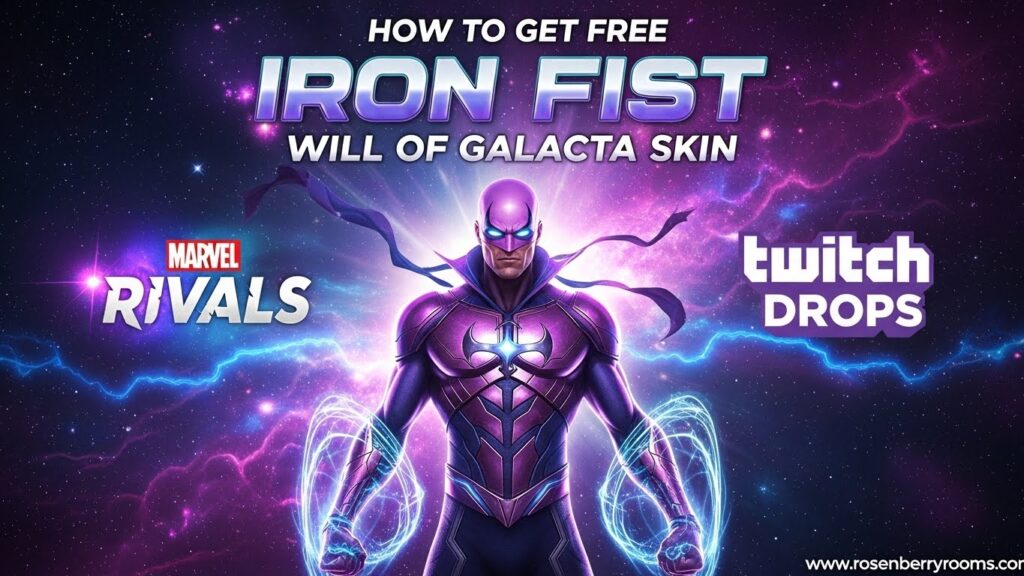
You can get the free Iron Fist Will of Galacta skin in Marvel Rivals Season 5.5 by watching Twitch streams for 4 hours between December 12, 2025, and January 9, 2026. This exclusive Twitch Drop includes matching cosmetics and requires account linking to claim.
| Key Information | Details |
|---|---|
| Event Duration | Dec 12, 2025 – Jan 9, 2026 |
| Total Watch Time | 4 hours for complete set |
| Main Reward | Iron Fist Will of Galacta Costume |
| Additional Rewards | Spray, Nameplate, Emote |
| Claim Method | Twitch Inventory → In-game Mail |
This comprehensive guide will walk you through every step of claiming your free Iron Fist Will of Galacta skin, including account linking, stream selection, progress tracking, and reward collection. We’ll also cover common issues, pro tips, and everything else you need to know about this limited-time Marvel Rivals Twitch Drop event.
Contents
Overview of Iron Fist Will of Galacta Twitch Drop
The Iron Fist Will of Galacta skin continues Marvel Rivals’ tradition of offering free exclusive cosmetics through Twitch Drops. This Season 5.5 event follows the successful pattern established in previous seasons, giving players the opportunity to earn premium content simply by watching their favorite streamers.
What Makes This Skin Special:
- Part of the prestigious “Will of Galacta” cosmetic series
- Features Iron Fist in a cosmic-themed redesign with galactic armor elements
- Includes a complete matching set of cosmetics
- Limited-time availability (exclusive to this Twitch Drop)
- Rare rarity designation with unique visual effects
Historical Context: This Iron Fist skin joins an impressive collection of previous Will of Galacta costumes, including Magneto (Season 0), Hela (Season 1), Adam Warlock (Season 1.5), Namor (Season 2), Emma Frost (Season 2.5), Hawkeye (Season 3), Magik (IGNITE 2025), Mantis (Season 3.5), Blade (Season 4), Mister Fantastic (Season 4.5), and Phoenix (Season 5). Each skin maintains the cosmic Galacta theme while being uniquely tailored to each character’s aesthetic.
Complete Rewards Breakdown
The Season 5.5 Twitch Drop offers a progressive reward system where you unlock different items based on accumulated watch time. Here’s the complete breakdown:
| Watch Time Required | Reward Item | Type | Rarity |
|---|---|---|---|
| 30 Minutes | Iron Fist Will of Galacta Spray | Spray | Common |
| 1 Hour | Iron Fist Will of Galacta Nameplate | Nameplate | Rare |
| 2 Hours | Iron Fist Dragon’s Poise Emote | Emote | Rare |
| 4 Hours | Iron Fist Will of Galacta Costume | Skin | Epic |
Reward Details:
- Spray (30 min): A cosmic-themed spray featuring Iron Fist’s Galacta design
- Nameplate (1 hour): Custom player nameplate with Galacta branding
- Emote (2 hours): “Dragon’s Poise” martial arts stance emote
- Costume (4 hours): Complete character redesign with cosmic armor, glowing effects, and unique animations
Important Notes:
- Watch time accumulates across multiple sessions and streams
- Progress is tracked cumulatively throughout the event period
- Each reward must be manually claimed in your Twitch inventory
- All rewards are delivered to your in-game mailbox in Marvel Rivals
Step-by-Step Claiming Guide
Step 1: Account Linking (Essential First Step)
Before you can earn any Twitch Drops, you must link your Marvel Rivals account with your Twitch account. This is a one-time setup that enables reward tracking and delivery.
Detailed Linking Process:
- Navigate to the official Marvel Rivals Twitch Drops page
- Log in using your NetEase account credentials (the same ones used for Marvel Rivals)
- Select your gaming platform (PC, PS5, or Xbox)
- Click the “Connect with Twitch” button
- You’ll be redirected to Twitch – log in and authorize the connection
- Confirm the account linkage on the Marvel Rivals website
- You should see a confirmation message indicating successful linking
Troubleshooting Common Linking Issues:
- Account not recognized: Ensure you’re using the correct NetEase account associated with your Marvel Rivals gameplay
- Twitch authorization failed: Clear browser cache and cookies, then retry the process
- Platform selection error: Double-check that you’ve selected the correct platform where you play Marvel Rivals
- Multiple accounts: If you have multiple NetEase accounts, verify which one contains your Marvel Rivals progress
Step 2: Finding and Watching Eligible Streams
Once your accounts are linked, you need to watch streams that have Drops Enabled to earn progress toward your rewards.
How to Find Eligible Streams:
- Go to Twitch.tv
- Search for “Marvel Rivals” in the browse categories
- Look for streams with the “Drops Enabled” tag (usually displayed prominently in the stream title or as a badge)
- Alternatively, browse the Marvel Rivals category directly and filter for streams with active drops
Stream Requirements:
- Must be streaming Marvel Rivals gameplay
- Must have “Drops Enabled” status activated by the streamer
- Streamer must be affiliated with the Twitch Drops program
- Stream must be live (VODs and past broadcasts don’t count)
Pro Tips for Efficient Watching:
- Background watching: You can leave the stream running in a background tab while doing other activities
- Audio requirements: Keep the stream audio on (muted streams may not track watch time properly)
- Multiple streams: You can switch between different eligible streams – progress carries over
- Single session vs. multiple: Watch time accumulates across multiple days and sessions
- Progress tracking: Check your Twitch Drops Inventory page to monitor your progress
Step 3: Tracking Your Progress
Monitoring your watch time progress is crucial to ensure you’re earning credit toward the rewards.
How to Check Your Progress:
- Go to your Twitch Drops Inventory
- Look for the Marvel Rivals Season 5.5 campaign
- View your current progress toward each reward tier
- Check the estimated time remaining for each unlock
Progress Indicators:
- Progress bars showing percentage completion for each reward
- Time counters displaying minutes/hours watched
- Status indicators (Locked, In Progress, Ready to Claim, Claimed)
- Timestamps showing when progress was last updated
What to Do If Progress Isn’t Tracking:
- Verify your accounts are properly linked
- Ensure you’re watching a Drops Enabled stream
- Check that the stream is live and categorized correctly
- Refresh your Twitch Drops Inventory page
- Try watching a different eligible stream
- Contact Twitch support if issues persist
Step 4: Claiming Your Rewards
Earning watch time is only half the battle – you must manually claim each reward in your Twitch inventory.
Claiming Process:
- Once you’ve reached the required watch time for a reward, you’ll receive a Twitch notification
- Navigate to your Twitch Drops Inventory
- Locate the Marvel Rivals Season 5.5 rewards section
- Click the “Claim” button next to each earned reward
- Wait for the confirmation message indicating successful claiming
- The rewards will be automatically sent to your in-game mailbox
Critical Claiming Tips:
- Manual claiming required: Rewards are NOT automatically delivered – you must click “Claim”
- Individual claiming: Each reward must be claimed separately
- Time limit: Claim rewards before the event ends (January 9, 2026)
- Delivery time: Rewards may take up to 24 hours to appear in-game after claiming
- Claim confirmation: Always verify you’ve received the “Claimed” status in Twitch
Step 5: Receiving Rewards In-Game
After successfully claiming your rewards in Twitch, you need to collect them in Marvel Rivals.
In-Game Collection Process:
- Launch Marvel Rivals on your chosen platform
- Navigate to the main menu
- Select “Mail” or “Inbox” from the menu options
- Look for messages with Twitch Drop rewards
- Open each message and click “Claim” or “Collect”
- The items will be added to your cosmetic inventory
What to Do If Rewards Don’t Appear:
- Wait up to 24 hours after claiming in Twitch
- Restart Marvel Rivals and check your inbox again
- Verify you claimed the rewards in your Twitch inventory
- Check that you’re logged into the correct account
- Contact Marvel Rivals support if rewards are missing after 24 hours
Event Schedule and Time Zones
The Iron Fist Will of Galacta Twitch Drop event runs for nearly a full month, giving players plenty of time to earn all rewards. Here are the exact times in major time zones:
| Time Zone | Start Time | End Time |
|---|---|---|
| UTC | Dec 12, 2025, 12:00 PM | Jan 9, 2026, 9:00 AM |
| PT (Pacific) | Dec 12, 2025, 4:00 AM | Jan 9, 2026, 1:00 AM |
| ET (Eastern) | Dec 12, 2025, 7:00 AM | Jan 9, 2026, 4:00 AM |
| CET (Central Europe) | Dec 12, 2025, 1:00 PM | Jan 9, 2026, 10:00 AM |
| CST (China) | Dec 12, 2025, 8:00 PM | Jan 9, 2026, 5:00 PM |
| JST (Japan) | Dec 12, 2025, 9:00 PM | Jan 9, 2026, 6:00 PM |
Important Timing Notes:
- Event duration: 28 days total
- Ample time to complete all 4 hours of required watching
- No daily limits or restrictions on watch time accumulation
- Progress carries over throughout the entire event period
- Last chance to claim: January 9, 2026, at the end time listed above
Pro Tips and Strategies
Maximizing Efficiency
Smart Watching Strategies:
- Multi-tasking: Watch streams while working, studying, or doing other activities
- Background audio: Keep stream audio at low volume to ensure proper tracking
- Stream selection: Choose streams with longer broadcast times for consistent progress
- Schedule planning: Break up the 4 hours into manageable sessions (30-60 minutes each)
- Progress monitoring: Check your Twitch inventory regularly to ensure tracking is working
Optimal Viewing Setup:
- Use a desktop browser for the most reliable tracking
- Keep the Twitch tab active (not minimized) when possible
- Disable ad-blockers temporarily, as they may interfere with drop tracking
- Use a stable internet connection to avoid stream interruptions
- Consider using Twitch’s picture-in-picture mode for background watching
Avoiding Common Pitfalls
Frequently Made Mistakes:
- Not linking accounts first: This is the most common reason for missing rewards
- Watching non-Drops Enabled streams: Always verify the stream has active drops
- Forgetting to claim: Many players earn the watch time but never claim in Twitch
- Waiting until the last minute: Technical issues often occur near event deadlines
- Ignoring progress tracking: Not monitoring progress can lead to wasted time
Troubleshooting Guide:
- Progress not tracking: Double-check account linking and stream eligibility
- Claims not working: Refresh the page, clear cache, or try a different browser
- Rewards not delivered: Wait 24 hours, then check in-game mail and contact support
- Account issues: Verify you’re using the correct NetEase and Twitch accounts
- Platform problems: Ensure you selected the right gaming platform during linking
Platform-Specific Information
PC (Steam/Epic Games Store)
PC-Specific Considerations:
- Most straightforward platform for Twitch Drops
- Browser-based account linking works seamlessly
- In-game mail delivery is typically fastest on PC
- Can watch streams on the same device used for gaming
PC Setup Tips:
- Use Chrome or Firefox for best compatibility
- Ensure your Marvel Rivals client is updated to the latest version
- Verify your Steam/Epic account is properly linked to NetEase
- Consider using Twitch desktop app for alternative viewing
PlayStation 5
PS5-Specific Considerations:
- Account linking requires additional authentication steps
- May need to use mobile device or PC for initial account setup
- In-game mail delivery might take slightly longer
- Can watch streams on separate devices while gaming
PS5 Setup Tips:
- Link accounts through the official Marvel Rivals website first
- Ensure your PSN account is connected to your NetEase account
- Use the PlayStation app for mobile account management
- Consider watching streams on phone/tablet while playing on PS5
Xbox Series X|S
Xbox-Specific Considerations:
- Similar to PS5 in terms of account linking complexity
- May require additional Microsoft account verification
- Cross-platform account linking can sometimes be tricky
- Delivery times for rewards may vary
Xbox Setup Tips:
- Complete account linking through a web browser first
- Verify your Xbox Live account is properly connected
- Use the Xbox app for mobile account management
- Consider using the Xbox browser for Twitch viewing
Community Resources and Official Channels
Official Resources
Marvel Rivals Official Channels:
- Official Website: marvelrivals.gg – Primary source for news and updates
- Official Discord: Marvel Rivals Discord – Real-time community discussions and developer updates
- Twitter: @MarvelRivals – Quick updates and announcements
- Twitch: Marvel Rivals Twitch – Official streams and events
Twitch Drops Support:
- Twitch Help Center: help.twitch.tv – Official Twitch support documentation
- Twitch Drops FAQ: Twitch Drops Support – Specific drops-related help
Community Resources
Fan Communities:
- Reddit: r/MarvelRivals – Active community discussions and tips
- Fandom Wiki: Marvel Rivals Wiki – Comprehensive game information and guides
Why These Resources Matter:
- Official channels: Provide authoritative information and direct developer communication
- Discord community: Real-time problem-solving and community support
- Reddit discussions: Player experiences and troubleshooting tips
- Wiki resources: Detailed reference information and historical context
- Content creators: Entertainment and practical drops-enabled viewing options
Frequently Asked Questions
General Questions
Q: Is the Iron Fist Will of Galacta skin completely free?
A: Yes, the skin and all associated cosmetics are 100% free. You only need to watch Twitch streams for the required time and have properly linked accounts.
Q: Can I earn the rewards if I don’t own Marvel Rivals yet?
A: No, you need to have Marvel Rivals installed and an active NetEase account to receive and use the rewards. However, you can link accounts and start watching streams before purchasing the game.
Q: Will this skin be available again in the future?
A: Twitch Drop skins are typically exclusive to their specific events and rarely return. The Will of Galacta series has been consistently exclusive to each season’s drops.
Technical Questions
Q: My watch time progress isn’t tracking. What should I do?
A: First, verify your accounts are properly linked. Then ensure you’re watching a Drops Enabled stream. Try refreshing your Twitch inventory page or watching a different stream. If issues persist, contact Twitch support.
Q: I claimed the rewards in Twitch but they’re not in my game. How long does delivery take?
A: Rewards typically appear in your in-game mailbox within 24 hours of claiming in Twitch. If they don’t appear after 24 hours, check that you’re logged into the correct account and contact Marvel Rivals support.
Q: Can I watch multiple streams at the same time to earn progress faster?
A: No, watching multiple streams simultaneously does not increase your progress. Watch time is tracked per account, not per stream, so running multiple streams won’t help you earn rewards faster.
Event-Specific Questions
Q: What happens if I don’t complete all 4 hours before the event ends?
A: Any unclaimed progress and unclaimed rewards will be lost when the event ends on January 9, 2026. You must complete the watch time and claim all rewards before this deadline.
Q: Can I earn the rewards on multiple platforms?
A: Rewards are tied to your NetEase account, not your platform. However, you must select your primary gaming platform during account linking, and rewards will only be available on that platform.
Q: Do I need to watch the entire 4 hours in one session?
A: No, watch time accumulates across multiple sessions and days. You can watch in smaller increments (30 minutes, 1 hour, etc.) and your progress will carry over throughout the event.
Related Content and Future Events
Upcoming Marvel Rivals Content
Season 5.5 Additional Features:
- New Hero: Rogue joins as a Vanguard hero with her Savage South costume
- Free Event Skin: Iron Man Mark I costume available through Seeds of the Gardener event
- Winter Festival: Jeff’s Winter Splash Festival returns with new Jeffland map
- Holiday Cosmetics: Multiple heroes receiving winter-themed skins throughout December and January
Future Twitch Drops: Based on the pattern established in previous seasons, players can expect:
- Season 6 Twitch Drops featuring another hero’s Will of Galacta skin
- Potential mid-season drops with exclusive cosmetics
- Special event drops tied to Marvel Rivals esports tournaments
Final Thoughts and Call to Action
The Iron Fist Will of Galacta Twitch Drop represents an excellent opportunity for Marvel Rivals players to expand their cosmetic collection with premium content at no cost. With nearly a full month to earn the rewards and a straightforward claiming process, there’s no reason to miss out on this exclusive offer.
Key Takeaways:
- Link your accounts immediately to avoid missing progress
- Watch any Drops Enabled Marvel Rivals stream for 4 total hours
- Claim each reward manually in your Twitch inventory
- Collect items from your in-game mailbox within 24 hours
- Complete everything before January 9, 2026 deadline
Don’t Forget:
- Bookmark this guide for easy reference throughout the event
- Join the official Discord community for real-time support
- Follow Marvel Rivals on Twitter for event updates
- Share this guide with friends who might also want the free skin
Get Started Now: With the event running from December 12, 2025, to January 9, 2026, you have plenty of time to earn all the rewards. Start by linking your accounts today, then find your favorite Marvel Rivals streamers and begin earning your free Iron Fist Will of Galacta skin and matching cosmetics!