
Unlock All LEGO Cars in Brookhaven RP (September 2026 Guide)
The Brookhaven RP LEGO event brings four exclusive LEGO vehicles that you can unlock permanently before the December 12 deadline. To unlock all LEGO cars in Brookhaven RP, visit the LEGO Event Square (right of spawn), claim the free Gaming Car instantly, then complete brick collection quests for the Bulldozer (55 orange bricks), Police Car (53 blue bricks), and Fire Engine (40 red bricks). Once unlocked, these vehicles remain in your garage forever, even after the event ends.
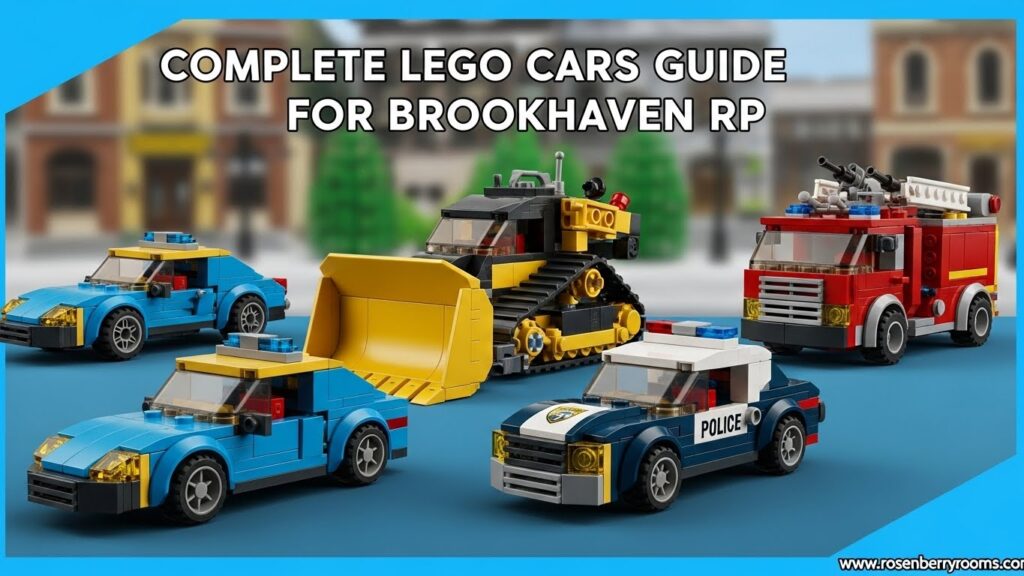
Quick Overview: All LEGO Cars in Brookhaven RP
| Vehicle | Unlock Method | Brick Count | Key Features |
|---|---|---|---|
| LEGO Gaming Car | Instant claim | None | 1-seater, green flame effects, spoiler seat |
| LEGO Bulldozer | Complete orange brick quest | 55 orange bricks | 4-player capacity, multiple riding positions |
| LEGO Police Car | Complete blue brick quest | 53 blue bricks | Driver + prisoner seat, working siren/lights |
| LEGO Fire Engine | Complete red brick quest | 40 red bricks | Extendable ladder, 2-player capacity, siren |
This comprehensive guide will walk you through exactly how to unlock each LEGO vehicle, provide pro tips for efficient brick collection, and ensure you don’t miss out on these limited-time additions to your Brookhaven garage.
Contents
Where to Find the LEGO Event in Brookhaven RP?
When you first spawn into Brookhaven RP, head immediately to the right side of the main spawn area. You’ll notice a brand-new LEGO Event Square that serves as the central hub for this limited-time collaboration. This dedicated event area features:
- Vehicle Showcases: All four LEGO vehicles are displayed prominently
- Interactive Panels: Each vehicle has its own activation panel to start quests
- LEGO French Fries Truck: A roleplay prop for serving food to other players
- Event Atmosphere: Themed decorations and LEGO brick elements throughout
The Event Square is your starting point for unlocking every LEGO vehicle and serves as the return destination for completing each brick collection quest. Make this your first stop when beginning your LEGO car collection journey.
How to Unlock the LEGO Gaming Car? (Free Vehicle)
The LEGO Gaming Car is your entry point into the Brookhaven LEGO event and requires no brick collection whatsoever. Here’s exactly how to claim it:
Step-by-Step Instructions:
- Spawn and Navigate: Enter Brookhaven RP and walk to the LEGO Event Square on the right side of spawn
- Locate the Gaming Car: Find the green LEGO Gaming Car display in the Event Square
- Interact with the Panel: Click the panel next to the Gaming Car showcase
- Confirm Claim: When prompted, confirm that you want to add the Gaming Car to your collection
- Access Your Vehicle: Open your vehicle menu (car icon on the right side of screen) and look for the LEGO box icon in the top-left corner
Gaming Car Features:
- Seating Capacity: 1 driver seat + 1 passenger on the rear spoiler
- Special Effects: Green flame effects when accelerating or drifting
- Performance: Compact size makes it ideal for navigating tight spaces during brick collection
- Fun Factor: Perfect for informal street races and showing off your first LEGO unlock
The Gaming Car serves as an excellent vehicle for completing the other LEGO brick quests due to its maneuverability and speed. Many players prefer using it over regular Brookhaven vehicles when collecting bricks for the Bulldozer, Police Car, and Fire Engine.
How to Unlock the LEGO Bulldozer? (55 Orange Bricks)
The LEGO Bulldozer represents the first true challenge in the Brookhaven LEGO event, requiring players to collect 55 orange bricks scattered throughout the town outskirts. This vehicle is particularly special due to its multi-player capacity and unique riding positions.
Starting the Bulldozer Quest:
- Visit the Event Square: Return to the LEGO Event Square area
- Find the Bulldozer Display: Locate the yellow/orange LEGO Bulldozer showcase
- Activate the Quest: Click the panel to the left of the Bulldozer to begin the orange brick collection challenge
- Follow the Arrow: An orange arrow will appear above your character, pointing toward the first brick
Orange Brick Collection Route:
The orange brick route takes you on a journey around Brookhaven’s outskirts with these key characteristics:
- Starting Point: LEGO Event Square
- Route Path: Exits town, follows the outer perimeter, passes through farm areas, loops back to Event Square
- Terrain Mix: Mostly open roads with some off-road sections near farm areas
- Difficulty Level: Moderate – requires attention but is relatively straightforward
Pro Tips for Orange Brick Collection:
Vehicle Choice: Use the Gaming Car you just unlocked for optimal speed and maneuverability. Alternatively, any fast vehicle from your regular garage works well.
Speed Management: The route is mostly open, so you can maintain higher speeds (55 mph recommended). However, be prepared to slow down for turns near farm areas.
Progress Tracking: Keep an eye on the “X / 55” counter displayed on your screen. If the number stops increasing, you’ve missed a brick and should backtrack.
Common Miss Areas: Check carefully around farm equipment, fence corners, and areas where the route makes sharp turns. These are typical locations where players accidentally skip bricks.
Bulldozer Features and Capabilities:
Once unlocked, the LEGO Bulldozer becomes one of the most social vehicles in Brookhaven RP with these impressive features:
- 4-Player Capacity:
- 1 driver in the cab
- 1 player sitting/standing behind the cabin
- 1 player lying inside the front blade
- 1 player hanging from the front hook
- Visual Appeal: The multiple riding positions create hilarious and memorable moments when in motion
- Roleplay Potential: Perfect for construction scenarios, group transportation, and comedic roleplay situations
- Event Significance: As the first quest vehicle, it represents your progression beyond the free starter car
The Bulldozer’s multi-player design makes it a favorite for group activities and serves as a mobile party platform during the LEGO event period.
How to Unlock the LEGO Police Car? (53 Blue Bricks)
The LEGO Police Car introduces a more challenging brick collection experience with 53 blue bricks scattered through Brookhaven’s industrial areas. This vehicle combines nostalgic police car features with the charm of LEGO design.
Initiating the Police Car Quest:
- Return to Event Square: Head back to the central LEGO event area
- Locate Police Car Display: Find the blue and white LEGO Police Car showcase
- Start the Quest: Click the activation panel to the left of the Police Car
- Follow Blue Guidance: A blue arrow appears overhead, directing you to the first blue brick
Blue Brick Collection Route Details:
The blue brick quest takes you through some of Brookhaven’s more challenging terrain:
- Route Highlights: Industrial zones, power plant vicinity, off-road sections
- Brick Count: 53 blue bricks total
- Terrain Challenges: Narrow passages between buildings, industrial equipment obstacles
- Return Path: Loops back from industrial areas to the Event Square
Advanced Collection Strategies:
Optimal Vehicle Selection: Many players prefer using the newly-unlocked Bulldozer for this quest due to its size and visibility. The Gaming Car also works well for tighter spaces.
Navigation Tips: The industrial route requires more precise navigation than the orange brick route. Pay special attention to:
- Tight corners between warehouses and industrial buildings
- Areas near the power plant where bricks may be hidden behind equipment
- Elevated sections where bricks might be placed on ramps or platforms
Speed Considerations: While you can maintain good speeds on straight sections, reduce speed in industrial areas to avoid missing bricks in tight spaces.
Progress Monitoring: Watch your “X / 53” counter closely. If progress stalls, systematically check the last few areas you passed through, focusing on building corners and equipment obstacles.
Police Car Features and Roleplay Elements:
The LEGO Police Car offers unique features that enhance the Brookhaven roleplay experience:
- Seating Configuration:
- 1 driver seat in the front
- 1 rear compartment that can be closed to simulate holding a prisoner
- Emergency Equipment:
- Working police siren
- Flashing emergency lights
- Authentic police car styling in LEGO form
- Roleplay Scenarios: Perfect for police chases, traffic stops, and law enforcement roleplay
- Compact Design: Smaller than regular Brookhaven police vehicles, making it ideal for detailed roleplay scenarios
The Police Car’s prisoner compartment and emergency features make it one of the most thematically satisfying vehicles in the LEGO collection, offering endless possibilities for creative roleplay.
How to Unlock the LEGO Fire Engine? (40 Red Bricks)
The LEGO Fire Engine completes your LEGO vehicle collection with the most scenic and potentially challenging brick collection route. Despite having fewer bricks (40) than the previous vehicles, the route covers more diverse terrain and includes some unique challenges.
Starting the Fire Engine Quest:
- Final Event Square Visit: Return to the LEGO Event Square for the last vehicle quest
- Find Fire Engine Display: Locate the red LEGO Fire Engine showcase
- Activate Final Quest: Click the panel to the left of the Fire Engine to begin the red brick collection
- Follow Red Arrow: A red arrow appears to guide you toward the first red brick
Red Brick Route Characteristics:
The red brick collection journey offers the most diverse scenery of all LEGO quests:
- Scenic Route: Takes players to the seaside and around Brookhaven’s outer edges
- Brick Count: 40 red bricks (fewer but more spread out)
- Terrain Variety: Includes seaside areas, elevation changes, and scenic overlooks
- Route Length: Longest distance covered of all three brick quests
- Return Journey: Completes a full loop around Brookhaven’s perimeter
Expert Collection Techniques:
Vehicle Recommendations: By this point, you have multiple LEGO vehicles to choose from. The Police Car offers good speed, while the Bulldozer provides excellent visibility. Some players prefer their regular garage vehicles for maximum speed.
Route-Specific Challenges: The red brick route includes unique obstacles:
- Elevation Changes: Some bricks are placed on ramps or small hills requiring precise approach
- Seaside Sections: Coastal areas may have bricks placed near water or on piers
- Scenic Overlooks: Bricks may be positioned in areas with beautiful views but tricky access
Efficiency Strategies:
- Use the speedometer icon to set your speed to 55 mph for optimal collection efficiency
- Consider purchasing the vehicle upgrade pack with Robux for even faster collection times
- Take advantage of the route’s scenic nature to enjoy the journey while collecting
Progress Tracking: With only 40 bricks, progress may seem slower at first. Don’t be discouraged – the bricks are more spread out, making each one more valuable to find.
Fire Engine Special Features:
The LEGO Fire Engine serves as the crown jewel of your LEGO collection with these impressive capabilities:
- Multi-Player Design:
- 1 driver seat in the cab
- 1 player seated on top of the extendable ladder
- Interactive Elements:
- Extendable and lowerable ladder mechanism
- Working fire siren and emergency lights
- Authentic fire department styling
- Practical Applications:
- Mobile viewing platform for screenshots and sightseeing
- Rescue scenario roleplay
- High visibility for group activities
- Event Significance: As the final unlockable vehicle, it represents completion of the entire LEGO event
The Fire Engine’s extendable ladder and emergency features make it not just a collectible, but a functional tool for creative roleplay and group activities in Brookhaven.
Accessing Your LEGO Vehicles After Unlocking
Once you’ve unlocked any LEGO vehicle, accessing it is straightforward, but there are important details to know about both during and after the event period.
During the Event (Before December 12):
- Open Vehicle Menu: Click the car icon on the right side of your screen
- Locate LEGO Category: Look for the LEGO box icon in the top-left corner of the vehicle menu
- Select Your Vehicle: Choose from any unlocked LEGO vehicles (Gaming Car, Bulldozer, Police Car, Fire Engine)
- Spawn and Enjoy: Your selected LEGO vehicle appears next to you for immediate use
After the Event Ends (After December 12):
- LEGO Box Disappears: The special LEGO category icon vanishes from the vehicle menu
- Permanent Access: All vehicles you unlocked remain in your regular vehicle list
- No Loss Concern: You keep every LEGO vehicle you successfully unlocked permanently
- Regular Integration: LEGO vehicles mix with your regular vehicles in the main vehicle menu
Vehicle Management Tips:
Storage Strategy: Since LEGO vehicles become permanent, consider them long-term investments in your Brookhaven garage.
Event Priority: Focus on unlocking vehicles before December 12 to ensure permanent access.
Collection Completion: Aim to unlock all four vehicles for maximum variety and roleplay options.
Speed Optimization: Remember that LEGO vehicles respond to speed upgrades just like regular Brookhaven vehicles.
Making LEGO Vehicles Faster: Speed Optimization Guide
One common question among Brookhaven players is how to make their LEGO vehicles faster, especially when trying to complete brick collection quests efficiently. Here’s everything you need to know about optimizing your LEGO vehicle performance.
Free Speed Upgrade (Available to All Players):
- Locate Speedometer: Find the speedometer icon at the top of your screen while in-game
- Access Speed Settings: Click the speedometer to open the speed adjustment menu
- Set Maximum Speed: Adjust the max speed to 55 mph (available to everyone without additional purchases)
- Immediate Effect: This speed boost applies to all vehicles, including your LEGO collection
Premium Speed Upgrade (Robux Purchase):
For players willing to invest Robux, additional speed tiers are available:
- Vehicle Upgrade Pack: Purchase this gamepass from the Brookhaven store
- Unlock Higher Speeds: Gain access to speed tiers beyond 55 mph
- Universal Application: Speed boosts apply to ALL vehicles in your garage, including LEGO vehicles
- Permanent Benefit: Once purchased, these speed enhancements remain active permanently
Speed vs. Accuracy Balance:
While higher speeds make brick collection faster, they also increase the risk of missing bricks. Consider these strategic approaches:
High-Speed Strategy: Best for open routes like the Bulldozer’s orange brick quest, where the path is mostly straight and visibility is good.
Moderate-Speed Strategy: Ideal for the Police Car’s blue brick route through industrial areas, where precision matters more than speed.
Variable-Speed Strategy: Most effective for the Fire Engine’s red brick quest, which includes diverse terrain requiring different speeds.
Recommended Speed Settings:
- Open Areas: 55 mph (or higher with upgrade pack)
- Industrial Zones: 40-45 mph for better control
- Tight Corners: 30-35 mph to ensure brick collection accuracy
Event Timeline and Urgency: Don’t Miss Out!
Understanding the Brookhaven LEGO event timeline is crucial for ensuring you don’t miss out on these exclusive vehicles. Here’s everything you need to know about the event schedule and why timely action matters.
Official Event Duration:
- Start Date: Early December 2024 (specific launch date varies by region)
- End Date: December 12, 2024 (firm deadline)
- Duration: Approximately one week from launch to conclusion
- Time Investment: Each vehicle quest takes only 5-15 minutes to complete
Why the Deadline Matters:
Permanent Collection: Vehicles unlocked before December 12 remain in your garage forever, even after the event ends.
Limited Access: After December 12, new players cannot unlock these vehicles, making them exclusive to event participants.
Event Removal: The LEGO Event Square, brick collection quests, and all event-specific content disappear from the game.
Future Uncertainty: While Brookhaven has partnered with LEGO before, there’s no guarantee these specific vehicles will return in future events.
Strategic Planning Guide:
Immediate Action: The event runs for only one week, making prompt action essential.
Single Session Completion: All four vehicles can be unlocked in a single play session of 1-2 hours.
Priority Order: Follow the natural progression – Gaming Car (instant) → Bulldozer → Police Car → Fire Engine.
Buffer Time: Complete collection at least 24 hours before the deadline to account for any potential issues.
Last-Minute Strategy: If time is short, prioritize vehicles based on your preferences, but aim for all four if possible.
Post-Event Benefits:
Exclusive Status: LEGO vehicles become rare and exclusive after the event ends.
Roleplay Value: Each vehicle offers unique roleplay opportunities that remain available permanently.
Collection Pride: Completing the full set becomes a point of pride among Brookhaven enthusiasts.
Future Proof: You’ll have access to these vehicles for future Brookhaven updates and events.
Pro Tips and Advanced Strategies
Mastering the Brookhaven LEGO event goes beyond basic brick collection. These advanced strategies and pro tips will help you unlock vehicles faster and more efficiently.
Route Optimization Techniques:
Pattern Recognition: Each brick route follows specific patterns. Learn these patterns to anticipate brick locations:
- Orange Route: Mostly linear with predictable farm-area clusters
- Blue Route: Industrial patterns with bricks near equipment and buildings
- Red Route: Scenic placement with bricks at viewpoints and elevation changes
Vehicle Switching Strategy: Don’t feel locked into one vehicle for all quests. Consider:
- Gaming Car: Best for tight spaces and precision collection
- Bulldozer: Excellent for visibility and carrying friends during collection
- Police Car: Good balance of speed and size for most routes
- Regular Vehicles: Sometimes your fastest garage vehicles work best
Time-of-Day Advantages: Play during off-peak hours for:
- Less crowded brick locations
- Reduced lag in busy areas
- Easier navigation through popular zones
Multi-Player Coordination:
Team Collection: While each player must complete their own brick quests, working together offers advantages:
- Spotter System: One player drives while another calls out brick locations
- Route Sharing: Experienced players can guide newcomers through tricky sections
- Moral Support: Group collection makes the process more enjoyable
Communication Tools: Use Brookhaven’s built-in chat or external voice chat for:
- Coordinating meeting points at the Event Square
- Sharing tips about difficult brick locations
- Celebrating each other’s vehicle unlocks
Efficiency Maximization:
Speed Management: Master the art of speed adjustment:
- Accelerate on straight sections with clear visibility
- Decelerate before turns and complex areas
- Maintain Momentum through gentle curves
- Stop Completely only when necessary for precise collection
Camera Control: Optimize your view for brick collection:
- Third-Person View: Provides better awareness of surroundings
- Camera Height: Adjust to see bricks that might be hidden behind obstacles
- Look Ahead: Scan the path ahead to anticipate brick locations
Resource Management: Make the most of available tools:
- Speed Settings: Use the 55 mph free upgrade effectively
- Vehicle Selection: Choose the right vehicle for each route’s challenges
- Time Management: Complete all quests in one efficient session
Common Mistakes to Avoid
Even experienced Brookhaven players can make mistakes when tackling the LEGO event. Learn from these common pitfalls to ensure smooth vehicle unlocking.
Navigation Errors:
Missing the Event Square: Some players spawn and immediately head left or straight, missing the Event Square to the right of spawn.
- Solution: Always spawn and turn right first to locate the LEGO Event Square
Wrong Vehicle Activation: Clicking the vehicle itself instead of the panel next to it.
- Solution: Look for the interactive panel beside each vehicle showcase, not the vehicle model
Ignoring the Arrow: Some players try to find bricks without following the directional arrow.
- Solution: Always follow the colored arrow above your character – it’s your primary guide
Brick Collection Mistakes:
Speeding Through Complex Areas: Going too fast in industrial or tight areas causes missed bricks.
- Solution: Adjust speed based on terrain – slower in complex areas, faster on open roads
Not Backtracking When Stuck: When the brick counter stops increasing, some players keep moving forward.
- Solution: Immediately backtrack to the last few areas when progress stalls
Skipping Hard-to-Reach Bricks: Some bricks are placed in challenging locations that players avoid.
- Solution: No brick is optional – you must collect every single one to complete the quest
Time Management Errors:
Procrastination: Waiting until the last day to start collection.
- Solution: Start immediately and complete all vehicles well before the December 12 deadline
Underestimating Time Needed: Assuming each quest takes only a couple of minutes.
- Solution: Allow 5-15 minutes per vehicle, plus time for learning and mistakes
Single Vehicle Focus: Unlocking one vehicle and stopping, assuming there’s plenty of time.
- Solution: Complete all four vehicles in one session to guarantee full collection
Technical Issues:
Ignoring Speed Settings: Not using the available 55 mph speed upgrade.
- Solution: Always check and adjust your speed settings before starting brick collection
Vehicle Menu Confusion: Not understanding how to access LEGO vehicles after unlocking.
- Solution: Look for the LEGO box icon in the top-left of your vehicle menu during the event
Event End Misunderstanding: Thinking vehicles disappear after the event.
- Solution: Remember – unlocked vehicles remain permanently, only the event content disappears
Platform-Specific Information
The Brookhaven LEGO event works across all Roblox platforms, but there are some platform-specific considerations that can enhance your experience.
PC/Mac Players:
Controls Advantage: Keyboard and mouse controls offer precise navigation:
- WASD Movement: Standard movement controls
- Mouse Look: Free camera control for better brick visibility
- Quick Interaction: Easy clicking on panels and bricks
Performance Benefits: Generally better frame rates and loading times:
- Reduced Lag: Smoother experience in busy Event Square
- Faster Loading: Quick transitions between areas
- Graphics Settings: Ability to optimize for performance or quality
Multi-Tasking: Easy access to guides and resources:
- Second Screen: Keep this guide open for reference
- Quick Tab Switching: Access to maps and additional tips
- Communication: Easy access to Discord or other chat platforms
Mobile Players (iOS/Android):
Touch Controls: Intuitive but requires practice:
- Virtual Joystick: Movement control takes some getting used to
- Tap Interaction: Simple tapping for panels and brick collection
- Camera Control: Swipe gestures for camera adjustment
Performance Considerations: Mobile devices may experience some limitations:
- Battery Life: Extended play sessions drain battery quickly
- Heat Management: Device may get warm during extended play
- Internet Stability: Ensure stable connection for smooth experience
Mobile-Specific Tips:
- Use Wi-Fi: More stable than cellular data
- Brightness: Increase screen brightness for better brick visibility
- Comfort: Take breaks to avoid hand fatigue
Console Players (Xbox, PlayStation):
Controller Advantage: Familiar console gaming experience:
- Controller Support: Native controller integration
- Comfort: Extended play sessions are more comfortable
- Precision: Analog stick control for smooth movement
Console-Specific Features:
- Large Screen: Better visibility of bricks and routes
- Audio: Enhanced sound effects for brick collection feedback
- Multiplayer: Easy local multiplayer coordination
Console Considerations:
- Update Management: Ensure Roblox is updated to latest version
- Storage: Adequate storage space for smooth performance
- Account Sync: Ensure proper Roblox account linkage
Cross-Platform Play:
Account Progression: Your vehicle unlocks follow your Roblox account:
- Seamless Transition: Switch between platforms without losing progress
- Cloud Saves: Vehicle collection saved to your account
- Universal Access: Unlocked vehicles available on any platform
Multi-Platform Coordination: Play with friends regardless of their device:
- Unified Experience: All players see the same event content
- Communication: Use Roblox chat or external apps for coordination
- Shared Progress: Each player’s individual progress counts toward their collection
Community Resources and Official Links
Connecting with the Brookhaven community and accessing official resources enhances your LEGO event experience and keeps you informed about updates and future events.
Official Resources:
Voldex (Developer) Website:
- URL: https://voldex.com
- Value: Official announcements, developer insights, and partnership news
- LEGO Event Coverage: Official announcement of the LEGO partnership and event details
- Why Visit: Get direct information from the developers and stay updated on future collaborations
Official Brookhaven Discord Server:
- Invite: https://discord.com/invite/wolfpaqgames
- Community Size: 234,000+ members
- Features: Real-time discussions, event strategies, and developer Q&A sessions
- Why Join: Connect with experienced players, get instant help with brick collection, and participate in community events
Community Resources:
Brookhaven Subreddit:
- URL: https://www.reddit.com/r/BrookhavenRP/
- Community: Active player discussions and strategy sharing
- Why Visit: Player tips, troubleshooting help, and community-created guides
Event-Specific Resources:
LEGO Event Wiki Pages:
- Official Wiki: https://official-brookhaven.fandom.com/wiki/Lego_Update
- Content: Official vehicle information and event details
- Why Reference: Verify information and get official event specifications
How to Use These Resources Effectively:
Before Starting: Check official sources for event deadlines and any updates
During Collection: Use Discord for immediate help if you get stuck
After Completion: Share your success and help others in community forums
For Future Events: Stay connected to be first to know about new content
Troubleshooting: Report bugs or issues through official channels
Frequently Asked Questions (FAQ)
Based on community discussions and common player questions, here are comprehensive answers to the most frequently asked questions about the Brookhaven LEGO event.
General Event Questions:
Q: How long does the Brookhaven LEGO event last?
A: The event runs until December 12, giving players approximately one week from launch to unlock all vehicles. After this date, the event content disappears, but any unlocked vehicles remain permanently in your garage.
Q: Do I need to pay Robux to unlock LEGO vehicles?
A: No, all four LEGO vehicles can be unlocked completely free of charge. While there’s an optional vehicle upgrade pack available for Robux that increases speed limits, it’s not required to unlock any of the LEGO cars.
Q: What happens to my LEGO vehicles after the event ends?
A: Any LEGO vehicles you unlock before December 12 remain in your vehicle menu permanently. You can continue using them like any other Brookhaven vehicle. Only the event content (Event Square, brick quests, etc.) disappears after the deadline.
Q: Can I unlock LEGO vehicles after December 12?
A: No, after the event ends, new players cannot unlock these vehicles. They become exclusive to players who participated in the event during the active period.
Vehicle-Specific Questions:
Q: How many LEGO vehicles are there in total?
A: There are four LEGO vehicles: the Gaming Car (free instant unlock), Bulldozer (55 orange bricks), Police Car (53 blue bricks), and Fire Engine (40 red bricks).
Q: Which LEGO vehicle is the best for roleplay?
A: Each vehicle excels in different roleplay scenarios. The Police Car is great for law enforcement scenarios, the Fire Engine for rescue operations, the Bulldozer for construction/group activities, and the Gaming Car for racing and casual driving.
Q: Can multiple players ride in the LEGO vehicles?
A: Yes, vehicle capacity varies: Gaming Car (2 players), Police Car (2 players), Fire Engine (2 players), and Bulldozer (4 players with unique riding positions).
Q: Do LEGO vehicles have special features?
A: Yes! The Gaming Car has green flame effects, the Police Car has working sirens and lights, the Fire Engine has an extendable ladder, and the Bulldozer has multiple unique riding positions.
Brick Collection Questions:
Q: What happens if I miss a brick during collection?
A: Your progress counter will stop increasing. Simply backtrack to the last few areas you passed through and look for missed bricks, typically around corners, near obstacles, or in areas with complex terrain.
Q: Can I use any vehicle to collect bricks?
A: Yes, you can use any vehicle from your garage, including the LEGO vehicles you’ve already unlocked. Many players prefer using the Gaming Car for its maneuverability.
Q: Do I need to collect all bricks in one session?
A: No, your progress is saved automatically. You can take breaks and return to complete brick collection later, as long as it’s before the December 12 event deadline.
Q: Are the brick routes the same for every player?
A: Yes, the brick locations and routes are consistent for all players, making it easier to follow guides and get help from others.
Technical Questions:
Q: Why can’t I find the LEGO Event Square?
A: The Event Square is located to the right of the main spawn area. If you can’t find it, try respawning or checking that you’re in the most updated version of Brookhaven RP.
Q: How do I access my LEGO vehicles after unlocking them?
A: During the event, click the car icon and look for the LEGO box icon in the top-left corner. After the event, unlocked vehicles appear in your regular vehicle list.
Q: Can I make LEGO vehicles go faster?
A: Yes! Click the speedometer icon at the top of your screen to increase speed to 55 mph (free for all players). You can also purchase the vehicle upgrade pack with Robux for even higher speeds.
Q: What if I experience bugs or glitches during the event?
A: Report issues through the official Roblox bug reporting system or mention them in the official Discord server. Most common issues can be resolved by rejoining the game or ensuring you have the latest version.
Strategy Questions:
Q: What’s the best order to unlock the LEGO vehicles?
A: Follow the natural progression: Gaming Car (instant) → Bulldozer → Police Car → Fire Engine. This order allows you to use each unlocked vehicle for the next quest.
Q: How long does it take to unlock all LEGO vehicles?
A: Most players can unlock all four vehicles in 1-2 hours. Individual quests take 5-15 minutes each, depending on your familiarity with the routes.
Q: Should I upgrade my vehicle speed for brick collection?
A: The free 55 mph upgrade is highly recommended and sufficient for most players. The paid upgrade pack is optional but can make collection faster if you’re willing to spend Robux.
Q: Can I help friends unlock their LEGO vehicles?
A: While each player must complete their own brick collection quests, you can guide them, show them routes, and provide moral support during their collection process.
Conclusion and Next Steps
You now have all the knowledge needed to unlock every LEGO vehicle in Brookhaven RP before the December 12 deadline. This comprehensive guide has covered everything from basic unlocking steps to advanced strategies, ensuring you can complete the LEGO event efficiently and enjoyably.
Your Action Plan:
Immediate Steps:
- Spawn into Brookhaven RP and head right to the LEGO Event Square
- Claim the Gaming Car instantly by clicking its panel
- Start the Bulldozer quest and collect all 55 orange bricks
- Progress to the Police Car and gather 53 blue bricks through industrial areas
- Complete with the Fire Engine by collecting 40 red bricks on the scenic route
Timeline Strategy:
- Complete within 48 hours of reading this guide to avoid last-minute stress
- Allow 1-2 hours for the entire collection process
- Finish by December 10 to have a buffer before the deadline
Long-Term Benefits:
Permanent Collection: These four LEGO vehicles become permanent additions to your Brookhaven garage, available for future roleplay and enjoyment.
Exclusive Status: After December 12, these vehicles become exclusive to event participants, giving you unique content that new players cannot obtain.
Roleplay Versatility: Each vehicle offers unique features for different scenarios, from police chases to rescue operations to group transportation.
Community Engagement:
Share Your Success: Once you’ve unlocked all vehicles, consider sharing your achievement in the Brookhaven Discord or subreddit to help motivate others.
Help New Players: Use your knowledge to guide friends and community members who may be struggling with brick collection.
Stay Connected: Keep in touch with official Brookhaven channels to be first to know about future events and collaborations.
Final Tips for Success:
Don’t Procrastinate: The one-week event period passes quickly, so start immediately.
Follow the Arrows: The colored arrows are your best guides – trust them and follow them precisely.
Enjoy the Journey: While unlocking vehicles is the goal, enjoy the unique experience of the LEGO event and the creative vehicles it offers.
Bookmark This Guide: Keep this guide handy for reference during your collection process.
The Brookhaven LEGO event represents a unique collaboration between Roblox’s most popular roleplay game and the iconic LEGO brand. By following this comprehensive guide, you’ll unlock all four exclusive vehicles and add them to your permanent collection. Remember, these vehicles disappear from availability after December 12, so act now to secure your piece of Brookhaven history!
Ready to start your LEGO vehicle collection? Spawn into Brookhaven RP now and begin your journey to unlocking all four exclusive LEGO cars before time runs out!
